1
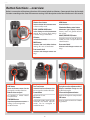
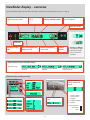
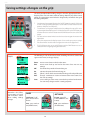
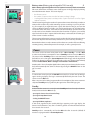
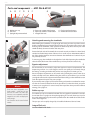
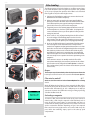
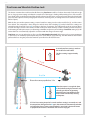
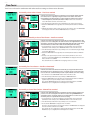
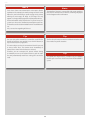
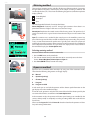
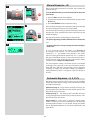
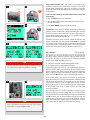
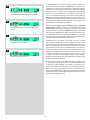
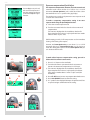
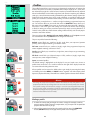
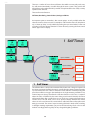
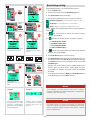
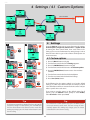
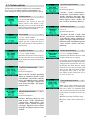
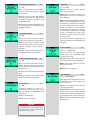
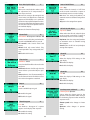
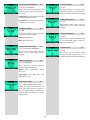
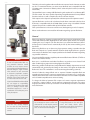
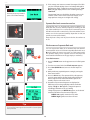
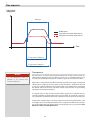
H4X Grip display − overview Example of typical camera grip display Flash condition indication (No exposure compensation, normal flash synchronisation) Focus setting (Autofocus setting, single shot mode) Drive condition (Single setting) Aperture setting (f/5.6) Shutter speed setting (1/400s) Exposure Value display (EV 13.8) ISO setting (100 ISO) Low battery symbol Exposure mode indication (Aperture priority setting) Metering method indication (Centre weighted) White balance (Daylight) Capture counter (28 shots remaining on chosen storage medium) Command indication The upper row on the screens describes commands (which change according to the setting). The button immediately above each command effects the change. So in this case, for example, you would press the FLASH button to ‘exit’ from the screen. See note below. Settings symbols Symbolize the options available when settings are changed. The active symbol is depicted by a drop shadow. Control wheel description and direction Arrowheads symbolize which control wheel should be used to change the setting they are beside. In this case, the Bracketing option is chosen by the front control wheel and the number of captures in that option is chosen by the rear control wheel. ... = front control wheel = rear control wheel Setting information The lower row on the screen displays information about the current state of the setting. In short, the upper row displays what you can do, and the lower row displays the current state of settings or what you have done. Typical camera grip display when changing settings. 7