1
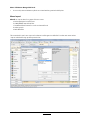
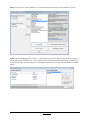
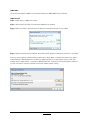
Select a client on the left hand side (Name in External File) and then map to the same client on the right hand
side (Name in MProfit System). Do this for all the portfolios in this directory and make sure to tick “Do not
ask for Portfolio Mapping while importing.” When you are done select “Ok”
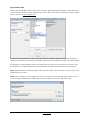
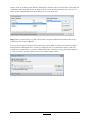
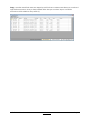
Step 3: Select “Import from file”. You will now be asked to map the individual mutual fund names to the
individual portfolio names in MProfit.
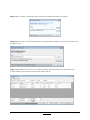
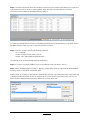
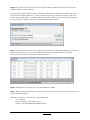
Since you are doing this for the first time you will have to select “New” to find the fund name. If you have a
mutual fund like “HDFC Equity Fund - Growth” for multiple portfolios you will need to map it to each folio
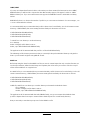
number and you might have 4 or 5 entries for HDFC Equity Fund. (Instead of scrolling through the entire list
you can use Crtl+F to search for specific words in the scheme name to find it.)
MProfit User Manual
Back to Index
Page 22








![the file [< 1 MB]](http://vs1.manualzilla.com/store/data/005663565_1-91d1e4bcdfd7b45b626a6b88ab809728-150x150.png)