1
Spot User’s Guide v18
The ‘Recompute All’ function runs in the background. You can continue to work with
other Spot functions while it is running.
7.5.8 Compute Backgrounds from File
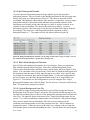
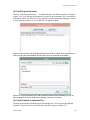
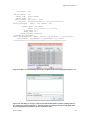
The Compute Backgrounds from File tool allows the user to read in a list of targets and
calculate the background levels of the targets at a given wavelength on a specified date.
The file format for this list is discussed in detail in Section 10.9.3.
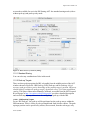
7.5.9 Memory Monitor
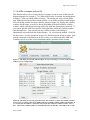
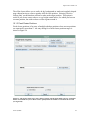
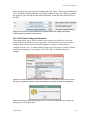
This dialog shows how much memory (bytes) JAVA has allocated (total memory) and
how much of that allocation is currently available (free memory). We are using this
mainly as a debugging tool to determine when JAVA is having trouble with the memory
allocation, mainly on Sun Workstations.
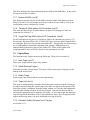
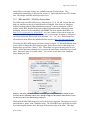
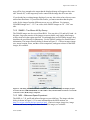
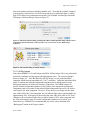
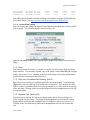
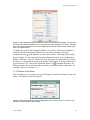
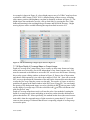
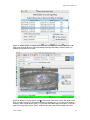
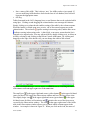
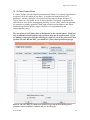
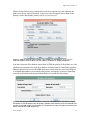
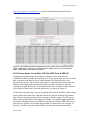
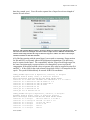
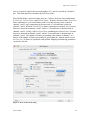
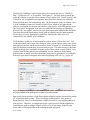
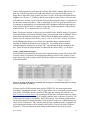
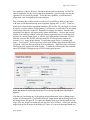
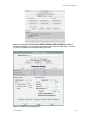
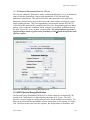
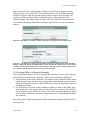
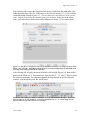
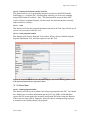
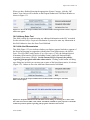
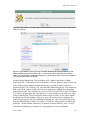
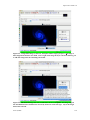
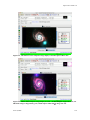
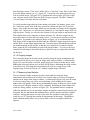
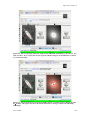
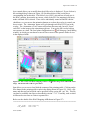
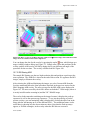
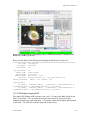
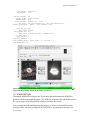
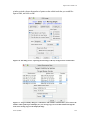
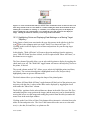
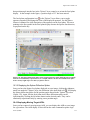
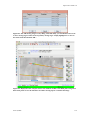
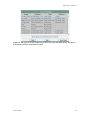
Figure 12: The ISSA/IRIS dialog that allows selection of IRAS images for display in Spot. You may
select 12, 25, 60, and/or 100 µ m images. Three choices for how the images are displayed are
available from the “Where?” box. You enter the size (1° –12.5° on a side) and the initial zoom level.
You can also create three-color (RGB) image composites.
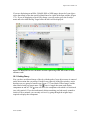
7.6 Images Menu
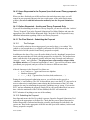
Images from a variety of different wavelengths of your target region can be downloaded
and displayed within Spot. Catalog, coordinate grid, Spitzer focal plane, target position,
June 18, 2008
24