1
Section 11: Data Manipulation
Mark Nicholls – ICT Lounge
Creating some query search criteria – How to do it:
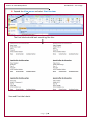
The Problem: Produce a report which:
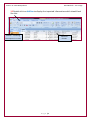
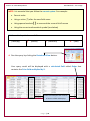
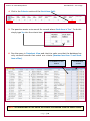
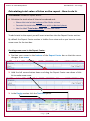
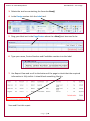
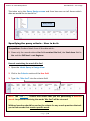
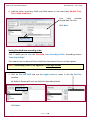
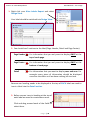
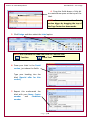
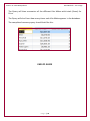
3. Shows only the records where Number is less than 2 and Stock item is Yes
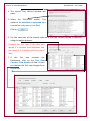
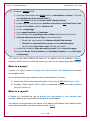
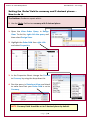
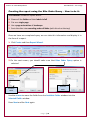
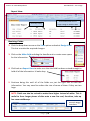
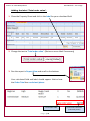
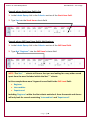
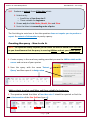
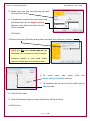
1. Open the Kites Order Query in Design View.
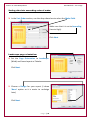
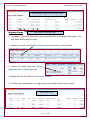
2. Click in the Criteria: section of Number field:
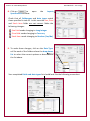
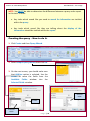
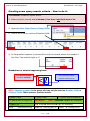
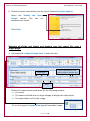
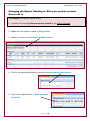
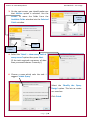
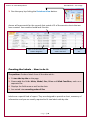
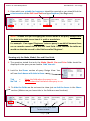
3. As the question requires us to search for only the records where the number is
less than 2 we need to type in <2
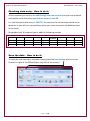
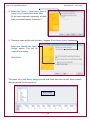
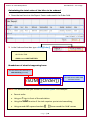
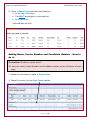
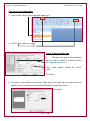
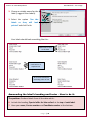
Breakdown of what is happening here:
This Operator Symbol
stands for ‘less than’
<2
This tells Access which
number to be less than
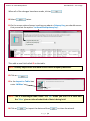
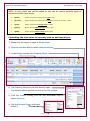
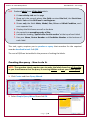
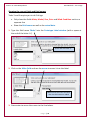
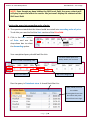
NOTE: Operator symbols in the green cells can only be used on Number Fields or
Currency Fields. Other operator symbols include:
> (More Than)
>= (More than or equal to)
= (Equal To)
LIKE * * (wordscontaining)
< (Less Than)
<= (Less Than or Equal to)
Between And (Between 4 And 8 for example)
OR (Low OR Medium OR High for example)
LIKE a* (starting with a) LIKE *a (ending with a)
P a g e | 21