1
Section 11: Data Manipulation
Mark Nicholls – ICT Lounge
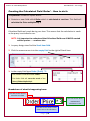
Amending Field Properties – how to do it:
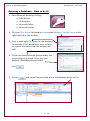
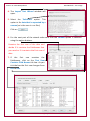
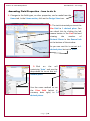
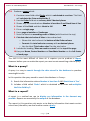
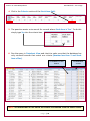
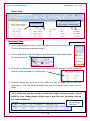
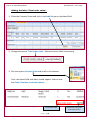
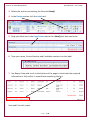
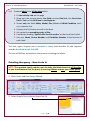
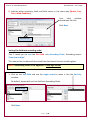
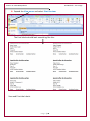
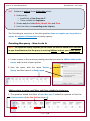
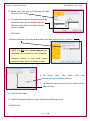
1. Changes to the field types, or other properties, can be made from the
Home tab. In the Views section, click on the Design View icon.
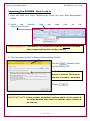
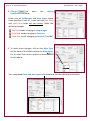
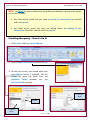
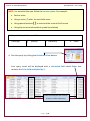
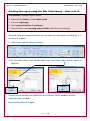
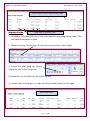
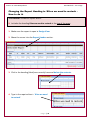
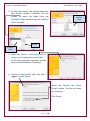
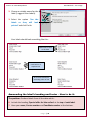
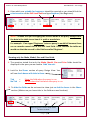
2. The task instructed you to set the
Size field to 1 decimal place. You
can check this by clicking the left
mouse button in the Size field and
viewing
the
number
of
Decimal Places in the General tab
at the bottom of the window.
As you can see this is not set to 1
decimal place but set to ‘Auto’.
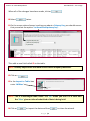
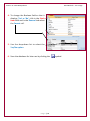
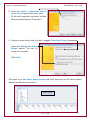
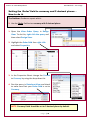
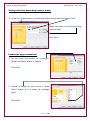
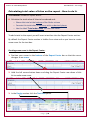
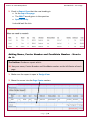
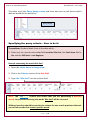
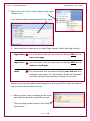
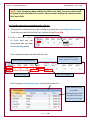
3. Click on the cell
containing ‘Auto’ and use the
drop-down list to set this to 1
decimal place.
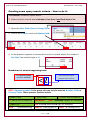
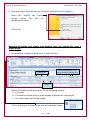
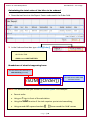
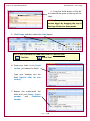
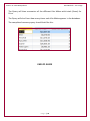
Use the same method to set
the Price field (which is
currency data type) to 2
decimal places.
P a g e | 10