1
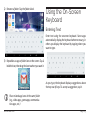
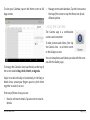
•• To change the input language or keyboard: Tap
and hold the comma key [ , ] to view the input options menu.
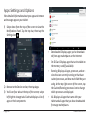
Related settings
Settings > Personal > Language & input
Managing & Using Apps
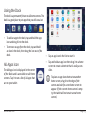
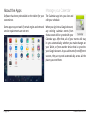
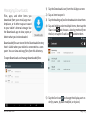
To see all your apps, tap the All
Apps icon on any Home screen, and
the main All Apps screen will open.
You will be able to see all of your
apps, including those downloaded
and installed from the Internet.
You can move app icons to any of
your Home screens.
From All Apps, you can:
•• See additional app screens: Swipe left or right.
•• Launch an app: Tap its icon.
•• Place an app icon on a Home screen: Tap & hold
the app icon to pick it up, then drag it to its place.
•• To see detailed information about an app: Tap &
hold the app icon to pick it up, then drag and drop
it on the App Info icon at the top of the screen.
www.naxa.com
Page 21