1
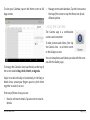
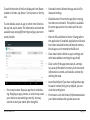
To switch the order of the lists displayed in the Down- •• Uninstall button: Deletes the app and all of its
loaded or All tabs, tap Menu > Sort by name or Sort by
data and settings.
size.
•• Disable button: Prevents the app from running,
but does not uninstall it. This option is available
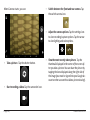
To view details about an app or other item listed unfor some apps and services that can’t be uninder any tab, tap its name. The information and controls
stalled.
available vary among different types of apps, but commonly include:
•• Move to SD card/Move to Device: Change where
the application is installed. Applications will work
best when installed to internal (device) memory.
Not all apps can be moved to the SD card.
•• Clear data button: Delete an app’s settings and
other data without removing the app itself.
•• Clear cache: If the app stores data in a temporary area of the tablet’s memory, lists how much
information is stored, and includes a button for
deleting the data.
•• Force stop button: Stops an app that is misbehaving. Stopping an app, process, or service may cause
your device to stop working correctly. You may
need to restart your tablet after doing this.
www.naxa.com
•• Launch by default: If you have configured an app
to launch certain file types by default, you can
clear that setting here.
•• Permissions: Lists the kinds of information about
your tablet and data the app has access to.
Page 27