1
Securing Debian Manual
Javier Fernández-Sanguino Peña <[email protected]>
‘Authors’ on this page
Version: 3.16, built on Sun, 08 Apr 2012 02:48:09 +0000
Abstract
This document describes security in the Debian project and in the Debian operating system. Starting with the process of
securing and hardening the default Debian GNU/Linux distribution installation, it also covers some of the common tasks to
set up a secure network environment using Debian GNU/Linux, gives additional information on the security tools available
and talks about how security is enforced in Debian by the security and audit team.
Copyright Notice
Copyright © 2002-2013 Javier Fernández-Sanguino Peña
Copyright © 2001 Alexander Reelsen, Javier Fernández-Sanguino Peña
Copyright © 2000 Alexander Reelsen
Some sections are copyright © their respective authors, for details please refer to ‘Credits and thanks!’ on page 20.
Permission is granted to copy, distribute and/or modify this document under the terms of the GNU General Public
License, Version 2 (http://www.gnu.org/licenses/old-licenses/gpl-2.0.html) or any later version (http:
//www.gnu.org/copyleft/gpl.html) published by the Free Software Foundation. It is distributed in the hope that it
will be useful, but WITHOUT ANY WARRANTY.
Permission is granted to make and distribute verbatim copies of this document provided the copyright notice and this
permission notice are preserved on all copies.
Permission is granted to copy and distribute modified versions of this document under the conditions for verbatim copying,
provided that the entire resulting derived work is distributed under the terms of a permission notice identical to this one.
Permission is granted to copy and distribute translations of this document into another language, under the above conditions for modified versions, except that this permission notice may be included in translations approved by the Free
Software Foundation instead of in the original English.
i
Contents
1
Introduction
1
1.1
Authors . . . . . . . . . . . . . . . . . . . . . . . . . . . . . . . . . . . . . . . . . . . . . . . . . . . . . . . . . . . .
1
1.2
Where to get the manual (and available formats) . . . . . . . . . . . . . . . . . . . . . . . . . . . . . . . . . . . .
2
1.3
Organizational notes/feedback . . . . . . . . . . . . . . . . . . . . . . . . . . . . . . . . . . . . . . . . . . . . . .
2
1.4
Prior knowledge . . . . . . . . . . . . . . . . . . . . . . . . . . . . . . . . . . . . . . . . . . . . . . . . . . . . . . .
2
1.5
Things that need to be written (FIXME/TODO) . . . . . . . . . . . . . . . . . . . . . . . . . . . . . . . . . . . . .
2
1.6
Changelog/History . . . . . . . . . . . . . . . . . . . . . . . . . . . . . . . . . . . . . . . . . . . . . . . . . . . . .
4
1.6.1
Version 3.17 (June 2013) . . . . . . . . . . . . . . . . . . . . . . . . . . . . . . . . . . . . . . . . . . . . . .
4
1.6.2
Version 3.16 (January 2013) . . . . . . . . . . . . . . . . . . . . . . . . . . . . . . . . . . . . . . . . . . . .
5
1.6.3
Version 3.15 (December 2010) . . . . . . . . . . . . . . . . . . . . . . . . . . . . . . . . . . . . . . . . . . .
5
1.6.4
Version 3.14 (March 2009) . . . . . . . . . . . . . . . . . . . . . . . . . . . . . . . . . . . . . . . . . . . . .
5
1.6.5
Version 3.13 (February 2008) . . . . . . . . . . . . . . . . . . . . . . . . . . . . . . . . . . . . . . . . . . .
5
1.6.6
Version 3.12 (August 2007) . . . . . . . . . . . . . . . . . . . . . . . . . . . . . . . . . . . . . . . . . . . .
5
1.6.7
Version 3.11 (January 2007) . . . . . . . . . . . . . . . . . . . . . . . . . . . . . . . . . . . . . . . . . . . .
6
1.6.8
Version 3.10 (November 2006) . . . . . . . . . . . . . . . . . . . . . . . . . . . . . . . . . . . . . . . . . . .
6
1.6.9
Version 3.9 (October 2006) . . . . . . . . . . . . . . . . . . . . . . . . . . . . . . . . . . . . . . . . . . . . .
7
1.6.10 Version 3.8 (July 2006) . . . . . . . . . . . . . . . . . . . . . . . . . . . . . . . . . . . . . . . . . . . . . . .
7
1.6.11 Version 3.7 (April 2006) . . . . . . . . . . . . . . . . . . . . . . . . . . . . . . . . . . . . . . . . . . . . . .
7
1.6.12 Version 3.6 (March 2006) . . . . . . . . . . . . . . . . . . . . . . . . . . . . . . . . . . . . . . . . . . . . . .
7
1.6.13 Version 3.5 (November 2005) . . . . . . . . . . . . . . . . . . . . . . . . . . . . . . . . . . . . . . . . . . .
8
1.6.14 Version 3.4 (August-September 2005) . . . . . . . . . . . . . . . . . . . . . . . . . . . . . . . . . . . . . .
8
1.6.15 Version 3.3 (June 2005) . . . . . . . . . . . . . . . . . . . . . . . . . . . . . . . . . . . . . . . . . . . . . . .
8
1.6.16 Version 3.2 (March 2005) . . . . . . . . . . . . . . . . . . . . . . . . . . . . . . . . . . . . . . . . . . . . . .
8
1.6.17 Version 3.1 (January 2005) . . . . . . . . . . . . . . . . . . . . . . . . . . . . . . . . . . . . . . . . . . . . .
9
1.6.18 Version 3.0 (December 2004) . . . . . . . . . . . . . . . . . . . . . . . . . . . . . . . . . . . . . . . . . . . .
9
1.6.19 Version 2.99 (March 2004) . . . . . . . . . . . . . . . . . . . . . . . . . . . . . . . . . . . . . . . . . . . . .
9
1.6.20 Version 2.98 (December 2003) . . . . . . . . . . . . . . . . . . . . . . . . . . . . . . . . . . . . . . . . . . . 10
1.6.21 Version 2.97 (September 2003) . . . . . . . . . . . . . . . . . . . . . . . . . . . . . . . . . . . . . . . . . . . 10
1.6.22 Version 2.96 (August 2003) . . . . . . . . . . . . . . . . . . . . . . . . . . . . . . . . . . . . . . . . . . . . 10
1.6.23 Version 2.95 (June 2003) . . . . . . . . . . . . . . . . . . . . . . . . . . . . . . . . . . . . . . . . . . . . . . 10
1.6.24 Version 2.94 (April 2003) . . . . . . . . . . . . . . . . . . . . . . . . . . . . . . . . . . . . . . . . . . . . . . 11
1.6.25 Version 2.93 (March 2003) . . . . . . . . . . . . . . . . . . . . . . . . . . . . . . . . . . . . . . . . . . . . . 11
1.6.26 Version 2.92 (February 2003) . . . . . . . . . . . . . . . . . . . . . . . . . . . . . . . . . . . . . . . . . . . 11
1.6.27 Version 2.91 (January/February 2003) . . . . . . . . . . . . . . . . . . . . . . . . . . . . . . . . . . . . . . 11
CONTENTS
ii
1.6.28 Version 2.9 (December 2002) . . . . . . . . . . . . . . . . . . . . . . . . . . . . . . . . . . . . . . . . . . . . 11
1.6.29 Version 2.8 (November 2002) . . . . . . . . . . . . . . . . . . . . . . . . . . . . . . . . . . . . . . . . . . . 12
1.6.30 Version 2.7 (October 2002) . . . . . . . . . . . . . . . . . . . . . . . . . . . . . . . . . . . . . . . . . . . . . 12
1.6.31 Version 2.6 (September 2002) . . . . . . . . . . . . . . . . . . . . . . . . . . . . . . . . . . . . . . . . . . . 12
1.6.32 Version 2.5 (September 2002) . . . . . . . . . . . . . . . . . . . . . . . . . . . . . . . . . . . . . . . . . . . 12
1.6.33 Version 2.5 (August 2002) . . . . . . . . . . . . . . . . . . . . . . . . . . . . . . . . . . . . . . . . . . . . . 12
1.6.34 Version 2.4 . . . . . . . . . . . . . . . . . . . . . . . . . . . . . . . . . . . . . . . . . . . . . . . . . . . . . . 15
1.6.35 Version 2.3 . . . . . . . . . . . . . . . . . . . . . . . . . . . . . . . . . . . . . . . . . . . . . . . . . . . . . . 15
1.6.36 Version 2.3 . . . . . . . . . . . . . . . . . . . . . . . . . . . . . . . . . . . . . . . . . . . . . . . . . . . . . . 15
1.6.37 Version 2.2 . . . . . . . . . . . . . . . . . . . . . . . . . . . . . . . . . . . . . . . . . . . . . . . . . . . . . . 15
1.6.38 Version 2.1 . . . . . . . . . . . . . . . . . . . . . . . . . . . . . . . . . . . . . . . . . . . . . . . . . . . . . . 16
1.6.39 Version 2.0 . . . . . . . . . . . . . . . . . . . . . . . . . . . . . . . . . . . . . . . . . . . . . . . . . . . . . . 16
1.6.40 Version 1.99 . . . . . . . . . . . . . . . . . . . . . . . . . . . . . . . . . . . . . . . . . . . . . . . . . . . . . 17
1.6.41 Version 1.98 . . . . . . . . . . . . . . . . . . . . . . . . . . . . . . . . . . . . . . . . . . . . . . . . . . . . . 17
1.6.42 Version 1.97 . . . . . . . . . . . . . . . . . . . . . . . . . . . . . . . . . . . . . . . . . . . . . . . . . . . . . 17
1.6.43 Version 1.96 . . . . . . . . . . . . . . . . . . . . . . . . . . . . . . . . . . . . . . . . . . . . . . . . . . . . . 17
1.6.44 Version 1.95 . . . . . . . . . . . . . . . . . . . . . . . . . . . . . . . . . . . . . . . . . . . . . . . . . . . . . 17
1.6.45 Version 1.94 . . . . . . . . . . . . . . . . . . . . . . . . . . . . . . . . . . . . . . . . . . . . . . . . . . . . . 17
1.6.46 Version 1.93 . . . . . . . . . . . . . . . . . . . . . . . . . . . . . . . . . . . . . . . . . . . . . . . . . . . . . 18
1.6.47 Version 1.92 . . . . . . . . . . . . . . . . . . . . . . . . . . . . . . . . . . . . . . . . . . . . . . . . . . . . . 18
1.6.48 Version 1.91 . . . . . . . . . . . . . . . . . . . . . . . . . . . . . . . . . . . . . . . . . . . . . . . . . . . . . 18
1.6.49 Version 1.9 . . . . . . . . . . . . . . . . . . . . . . . . . . . . . . . . . . . . . . . . . . . . . . . . . . . . . . 18
1.6.50 Version 1.8 . . . . . . . . . . . . . . . . . . . . . . . . . . . . . . . . . . . . . . . . . . . . . . . . . . . . . . 18
1.6.51 Version 1.7 . . . . . . . . . . . . . . . . . . . . . . . . . . . . . . . . . . . . . . . . . . . . . . . . . . . . . . 19
1.6.52 Version 1.6 . . . . . . . . . . . . . . . . . . . . . . . . . . . . . . . . . . . . . . . . . . . . . . . . . . . . . . 19
1.6.53 Version 1.5 . . . . . . . . . . . . . . . . . . . . . . . . . . . . . . . . . . . . . . . . . . . . . . . . . . . . . . 19
1.6.54 Version 1.4 . . . . . . . . . . . . . . . . . . . . . . . . . . . . . . . . . . . . . . . . . . . . . . . . . . . . . . 19
1.6.55 Version 1.3 . . . . . . . . . . . . . . . . . . . . . . . . . . . . . . . . . . . . . . . . . . . . . . . . . . . . . . 19
1.6.56 Version 1.2 . . . . . . . . . . . . . . . . . . . . . . . . . . . . . . . . . . . . . . . . . . . . . . . . . . . . . . 20
1.6.57 Version 1.1 . . . . . . . . . . . . . . . . . . . . . . . . . . . . . . . . . . . . . . . . . . . . . . . . . . . . . . 20
1.6.58 Version 1.0 . . . . . . . . . . . . . . . . . . . . . . . . . . . . . . . . . . . . . . . . . . . . . . . . . . . . . . 20
1.7
2
3
Credits and thanks! . . . . . . . . . . . . . . . . . . . . . . . . . . . . . . . . . . . . . . . . . . . . . . . . . . . . . 20
Before you begin
21
2.1
What do you want this system for? . . . . . . . . . . . . . . . . . . . . . . . . . . . . . . . . . . . . . . . . . . . . 21
2.2
Be aware of general security problems . . . . . . . . . . . . . . . . . . . . . . . . . . . . . . . . . . . . . . . . . . 21
2.3
How does Debian handle security? . . . . . . . . . . . . . . . . . . . . . . . . . . . . . . . . . . . . . . . . . . . . 23
Before and during the installation
25
3.1
Choose a BIOS password . . . . . . . . . . . . . . . . . . . . . . . . . . . . . . . . . . . . . . . . . . . . . . . . . . 25
3.2
Partitioning the system . . . . . . . . . . . . . . . . . . . . . . . . . . . . . . . . . . . . . . . . . . . . . . . . . . . 25
3.2.1
3.3
Choose an intelligent partition scheme . . . . . . . . . . . . . . . . . . . . . . . . . . . . . . . . . . . . . 25
Do not plug to the Internet until ready . . . . . . . . . . . . . . . . . . . . . . . . . . . . . . . . . . . . . . . . . . 26
CONTENTS
3.4
Set a root password . . . . . . . . . . . . . . . . . . . . . . . . . . . . . . . . . . . . . . . . . . . . . . . . . . . . . 27
3.5
Activate shadow passwords and MD5 passwords . . . . . . . . . . . . . . . . . . . . . . . . . . . . . . . . . . . 27
3.6
Run the minimum number of services required . . . . . . . . . . . . . . . . . . . . . . . . . . . . . . . . . . . . . 27
3.7
3.6.1
Disabling daemon services . . . . . . . . . . . . . . . . . . . . . . . . . . . . . . . . . . . . . . . . . . . . 28
3.6.2
Disabling inetd or its services . . . . . . . . . . . . . . . . . . . . . . . . . . . . . . . . . . . . . . . . . . 29
Install the minimum amount of software required . . . . . . . . . . . . . . . . . . . . . . . . . . . . . . . . . . . 29
3.7.1
3.8
4
iii
Removing Perl . . . . . . . . . . . . . . . . . . . . . . . . . . . . . . . . . . . . . . . . . . . . . . . . . . . 30
Read the Debian security mailing lists . . . . . . . . . . . . . . . . . . . . . . . . . . . . . . . . . . . . . . . . . . 31
After installation
33
4.1
Subscribe to the Debian Security Announce mailing list . . . . . . . . . . . . . . . . . . . . . . . . . . . . . . . . 33
4.2
Execute a security update . . . . . . . . . . . . . . . . . . . . . . . . . . . . . . . . . . . . . . . . . . . . . . . . . 33
4.2.1
Security update of libraries . . . . . . . . . . . . . . . . . . . . . . . . . . . . . . . . . . . . . . . . . . . . 34
4.2.2
Security update of the kernel . . . . . . . . . . . . . . . . . . . . . . . . . . . . . . . . . . . . . . . . . . . 34
4.3
Change the BIOS (again) . . . . . . . . . . . . . . . . . . . . . . . . . . . . . . . . . . . . . . . . . . . . . . . . . . 35
4.4
Set a LILO or GRUB password . . . . . . . . . . . . . . . . . . . . . . . . . . . . . . . . . . . . . . . . . . . . . . 35
4.5
Disable root prompt on the initramfs . . . . . . . . . . . . . . . . . . . . . . . . . . . . . . . . . . . . . . . . . . . 36
4.6
Remove root prompt on the kernel . . . . . . . . . . . . . . . . . . . . . . . . . . . . . . . . . . . . . . . . . . . . 36
4.7
Restricting console login access . . . . . . . . . . . . . . . . . . . . . . . . . . . . . . . . . . . . . . . . . . . . . . 37
4.8
Restricting system reboots through the console . . . . . . . . . . . . . . . . . . . . . . . . . . . . . . . . . . . . . 37
4.9
Restricting the use of the Magic SysRq key . . . . . . . . . . . . . . . . . . . . . . . . . . . . . . . . . . . . . . . 38
4.10 Mounting partitions the right way . . . . . . . . . . . . . . . . . . . . . . . . . . . . . . . . . . . . . . . . . . . . 38
4.10.1 Setting /tmp noexec . . . . . . . . . . . . . . . . . . . . . . . . . . . . . . . . . . . . . . . . . . . . . . . . 39
4.10.2 Setting /usr read-only . . . . . . . . . . . . . . . . . . . . . . . . . . . . . . . . . . . . . . . . . . . . . . . 39
4.11 Providing secure user access . . . . . . . . . . . . . . . . . . . . . . . . . . . . . . . . . . . . . . . . . . . . . . . . 39
4.11.1 User authentication: PAM . . . . . . . . . . . . . . . . . . . . . . . . . . . . . . . . . . . . . . . . . . . . . 39
4.11.2 Limiting resource usage: the limits.conf file . . . . . . . . . . . . . . . . . . . . . . . . . . . . . . . . 42
4.11.3 User login actions: edit /etc/login.defs . . . . . . . . . . . . . . . . . . . . . . . . . . . . . . . . . . 43
4.11.4 User login actions: edit /etc/pam.d/login . . . . . . . . . . . . . . . . . . . . . . . . . . . . . . . . . 44
4.11.5 Restricting ftp: editing /etc/ftpusers . . . . . . . . . . . . . . . . . . . . . . . . . . . . . . . . . . . . 44
4.11.6 Using su . . . . . . . . . . . . . . . . . . . . . . . . . . . . . . . . . . . . . . . . . . . . . . . . . . . . . . . 44
4.11.7 Using sudo . . . . . . . . . . . . . . . . . . . . . . . . . . . . . . . . . . . . . . . . . . . . . . . . . . . . . 44
4.11.8 Disallow remote administrative access . . . . . . . . . . . . . . . . . . . . . . . . . . . . . . . . . . . . . . 45
4.11.9 Restricting users’s access . . . . . . . . . . . . . . . . . . . . . . . . . . . . . . . . . . . . . . . . . . . . . 45
4.11.10 User auditing . . . . . . . . . . . . . . . . . . . . . . . . . . . . . . . . . . . . . . . . . . . . . . . . . . . . 45
4.11.11 Reviewing user profiles . . . . . . . . . . . . . . . . . . . . . . . . . . . . . . . . . . . . . . . . . . . . . . 46
4.11.12 Setting users umasks . . . . . . . . . . . . . . . . . . . . . . . . . . . . . . . . . . . . . . . . . . . . . . . . 47
4.11.13 Limiting what users can see/access . . . . . . . . . . . . . . . . . . . . . . . . . . . . . . . . . . . . . . . 47
4.11.14 Generating user passwords . . . . . . . . . . . . . . . . . . . . . . . . . . . . . . . . . . . . . . . . . . . . 48
4.11.15 Checking user passwords . . . . . . . . . . . . . . . . . . . . . . . . . . . . . . . . . . . . . . . . . . . . . 48
4.11.16 Logging off idle users . . . . . . . . . . . . . . . . . . . . . . . . . . . . . . . . . . . . . . . . . . . . . . . 49
4.12 Using tcpwrappers . . . . . . . . . . . . . . . . . . . . . . . . . . . . . . . . . . . . . . . . . . . . . . . . . . . . . 49
CONTENTS
iv
4.13 The importance of logs and alerts . . . . . . . . . . . . . . . . . . . . . . . . . . . . . . . . . . . . . . . . . . . . . 50
4.13.1 Using and customizing logcheck . . . . . . . . . . . . . . . . . . . . . . . . . . . . . . . . . . . . . . . . 50
4.13.2 Configuring where alerts are sent . . . . . . . . . . . . . . . . . . . . . . . . . . . . . . . . . . . . . . . . 51
4.13.3 Using a loghost . . . . . . . . . . . . . . . . . . . . . . . . . . . . . . . . . . . . . . . . . . . . . . . . . . . 51
4.13.4 Log file permissions . . . . . . . . . . . . . . . . . . . . . . . . . . . . . . . . . . . . . . . . . . . . . . . . 52
4.14 Adding kernel patches . . . . . . . . . . . . . . . . . . . . . . . . . . . . . . . . . . . . . . . . . . . . . . . . . . . 52
4.15 Protecting against buffer overflows . . . . . . . . . . . . . . . . . . . . . . . . . . . . . . . . . . . . . . . . . . . . 53
4.15.1 Kernel patch protection for buffer overflows . . . . . . . . . . . . . . . . . . . . . . . . . . . . . . . . . . 54
4.15.2 Testing programs for overflows . . . . . . . . . . . . . . . . . . . . . . . . . . . . . . . . . . . . . . . . . . 54
4.16 Secure file transfers . . . . . . . . . . . . . . . . . . . . . . . . . . . . . . . . . . . . . . . . . . . . . . . . . . . . . 54
4.17 File system limits and control . . . . . . . . . . . . . . . . . . . . . . . . . . . . . . . . . . . . . . . . . . . . . . . 54
4.17.1 Using quotas . . . . . . . . . . . . . . . . . . . . . . . . . . . . . . . . . . . . . . . . . . . . . . . . . . . . 54
4.17.2 The ext2 filesystem specific attributes (chattr/lsattr) . . . . . . . . . . . . . . . . . . . . . . . . . . . . . . 55
4.17.3 Checking file system integrity . . . . . . . . . . . . . . . . . . . . . . . . . . . . . . . . . . . . . . . . . . . 56
4.17.4 Setting up setuid check . . . . . . . . . . . . . . . . . . . . . . . . . . . . . . . . . . . . . . . . . . . . . . 56
4.18 Securing network access . . . . . . . . . . . . . . . . . . . . . . . . . . . . . . . . . . . . . . . . . . . . . . . . . . 56
4.18.1 Configuring kernel network features . . . . . . . . . . . . . . . . . . . . . . . . . . . . . . . . . . . . . . . 56
4.18.2 Configuring syncookies . . . . . . . . . . . . . . . . . . . . . . . . . . . . . . . . . . . . . . . . . . . . . . 57
4.18.3 Securing the network on boot-time . . . . . . . . . . . . . . . . . . . . . . . . . . . . . . . . . . . . . . . . 57
4.18.4 Configuring firewall features . . . . . . . . . . . . . . . . . . . . . . . . . . . . . . . . . . . . . . . . . . . 59
4.18.5 Disabling weak-end hosts issues . . . . . . . . . . . . . . . . . . . . . . . . . . . . . . . . . . . . . . . . . 59
4.18.6 Protecting against ARP attacks . . . . . . . . . . . . . . . . . . . . . . . . . . . . . . . . . . . . . . . . . . 60
4.19 Taking a snapshot of the system . . . . . . . . . . . . . . . . . . . . . . . . . . . . . . . . . . . . . . . . . . . . . . 60
4.20 Other recommendations . . . . . . . . . . . . . . . . . . . . . . . . . . . . . . . . . . . . . . . . . . . . . . . . . . 61
4.20.1 Do not use software depending on svgalib . . . . . . . . . . . . . . . . . . . . . . . . . . . . . . . . . . . 61
5
Securing services running on your system
5.1
63
Securing ssh . . . . . . . . . . . . . . . . . . . . . . . . . . . . . . . . . . . . . . . . . . . . . . . . . . . . . . . . . 63
5.1.1
Chrooting ssh . . . . . . . . . . . . . . . . . . . . . . . . . . . . . . . . . . . . . . . . . . . . . . . . . . . . 64
5.1.2
Ssh clients . . . . . . . . . . . . . . . . . . . . . . . . . . . . . . . . . . . . . . . . . . . . . . . . . . . . . . 64
5.1.3
Disallowing file transfers . . . . . . . . . . . . . . . . . . . . . . . . . . . . . . . . . . . . . . . . . . . . . 65
5.1.4
Restricing access to file transfer only . . . . . . . . . . . . . . . . . . . . . . . . . . . . . . . . . . . . . . . 65
5.2
Securing Squid . . . . . . . . . . . . . . . . . . . . . . . . . . . . . . . . . . . . . . . . . . . . . . . . . . . . . . . 65
5.3
Securing FTP . . . . . . . . . . . . . . . . . . . . . . . . . . . . . . . . . . . . . . . . . . . . . . . . . . . . . . . . . 66
5.4
Securing access to the X Window System . . . . . . . . . . . . . . . . . . . . . . . . . . . . . . . . . . . . . . . . 66
5.4.1
Check your display manager . . . . . . . . . . . . . . . . . . . . . . . . . . . . . . . . . . . . . . . . . . . 67
5.5
Securing printing access (the lpd and lprng issue) . . . . . . . . . . . . . . . . . . . . . . . . . . . . . . . . . . . 67
5.6
Securing the mail service . . . . . . . . . . . . . . . . . . . . . . . . . . . . . . . . . . . . . . . . . . . . . . . . . . 68
5.7
5.6.1
Configuring a Nullmailer . . . . . . . . . . . . . . . . . . . . . . . . . . . . . . . . . . . . . . . . . . . . . 68
5.6.2
Providing secure access to mailboxes . . . . . . . . . . . . . . . . . . . . . . . . . . . . . . . . . . . . . . 69
5.6.3
Receiving mail securely . . . . . . . . . . . . . . . . . . . . . . . . . . . . . . . . . . . . . . . . . . . . . . 69
Securing BIND . . . . . . . . . . . . . . . . . . . . . . . . . . . . . . . . . . . . . . . . . . . . . . . . . . . . . . . . 70
CONTENTS
v
5.7.1
Bind configuration to avoid misuse . . . . . . . . . . . . . . . . . . . . . . . . . . . . . . . . . . . . . . . 70
5.7.2
Changing BIND’s user . . . . . . . . . . . . . . . . . . . . . . . . . . . . . . . . . . . . . . . . . . . . . . . 71
5.7.3
Chrooting the name server . . . . . . . . . . . . . . . . . . . . . . . . . . . . . . . . . . . . . . . . . . . . 73
5.8
5.9
Securing Apache . . . . . . . . . . . . . . . . . . . . . . . . . . . . . . . . . . . . . . . . . . . . . . . . . . . . . . 74
5.8.1
Disabling users from publishing web contents . . . . . . . . . . . . . . . . . . . . . . . . . . . . . . . . . 74
5.8.2
Logfiles permissions . . . . . . . . . . . . . . . . . . . . . . . . . . . . . . . . . . . . . . . . . . . . . . . . 74
5.8.3
Published web files . . . . . . . . . . . . . . . . . . . . . . . . . . . . . . . . . . . . . . . . . . . . . . . . . 74
Securing finger . . . . . . . . . . . . . . . . . . . . . . . . . . . . . . . . . . . . . . . . . . . . . . . . . . . . . . . 75
5.10 General chroot and suid paranoia . . . . . . . . . . . . . . . . . . . . . . . . . . . . . . . . . . . . . . . . . . . . . 75
5.10.1 Making chrooted environments automatically . . . . . . . . . . . . . . . . . . . . . . . . . . . . . . . . . 75
5.11 General cleartext password paranoia . . . . . . . . . . . . . . . . . . . . . . . . . . . . . . . . . . . . . . . . . . . 76
5.12 Disabling NIS . . . . . . . . . . . . . . . . . . . . . . . . . . . . . . . . . . . . . . . . . . . . . . . . . . . . . . . . 76
5.13 Securing RPC services . . . . . . . . . . . . . . . . . . . . . . . . . . . . . . . . . . . . . . . . . . . . . . . . . . . 76
5.13.1 Disabling RPC services completely . . . . . . . . . . . . . . . . . . . . . . . . . . . . . . . . . . . . . . . . 76
5.13.2 Limiting access to RPC services . . . . . . . . . . . . . . . . . . . . . . . . . . . . . . . . . . . . . . . . . . 76
5.14 Adding firewall capabilities . . . . . . . . . . . . . . . . . . . . . . . . . . . . . . . . . . . . . . . . . . . . . . . . 77
5.14.1 Firewalling the local system . . . . . . . . . . . . . . . . . . . . . . . . . . . . . . . . . . . . . . . . . . . . 77
5.14.2 Using a firewall to protect other systems . . . . . . . . . . . . . . . . . . . . . . . . . . . . . . . . . . . . 77
5.14.3 Setting up a firewall . . . . . . . . . . . . . . . . . . . . . . . . . . . . . . . . . . . . . . . . . . . . . . . . 78
6
7
Automatic hardening of Debian systems
6.1
Harden . . . . . . . . . . . . . . . . . . . . . . . . . . . . . . . . . . . . . . . . . . . . . . . . . . . . . . . . . . . . 83
6.2
Bastille Linux . . . . . . . . . . . . . . . . . . . . . . . . . . . . . . . . . . . . . . . . . . . . . . . . . . . . . . . . 84
Debian Security Infrastructure
85
7.1
The Debian Security Team . . . . . . . . . . . . . . . . . . . . . . . . . . . . . . . . . . . . . . . . . . . . . . . . . 85
7.2
Debian Security Advisories . . . . . . . . . . . . . . . . . . . . . . . . . . . . . . . . . . . . . . . . . . . . . . . . 85
7.2.1
Vulnerability cross references . . . . . . . . . . . . . . . . . . . . . . . . . . . . . . . . . . . . . . . . . . . 86
7.2.2
CVE compatibility . . . . . . . . . . . . . . . . . . . . . . . . . . . . . . . . . . . . . . . . . . . . . . . . . 86
7.3
Security Tracker . . . . . . . . . . . . . . . . . . . . . . . . . . . . . . . . . . . . . . . . . . . . . . . . . . . . . . . 87
7.4
Debian Security Build Infrastructure . . . . . . . . . . . . . . . . . . . . . . . . . . . . . . . . . . . . . . . . . . . 87
7.4.1
7.5
8
83
Developer’s guide to security updates . . . . . . . . . . . . . . . . . . . . . . . . . . . . . . . . . . . . . . 87
Package signing in Debian . . . . . . . . . . . . . . . . . . . . . . . . . . . . . . . . . . . . . . . . . . . . . . . . . 88
7.5.1
The current scheme for package signature checks . . . . . . . . . . . . . . . . . . . . . . . . . . . . . . . 88
7.5.2
Secure apt . . . . . . . . . . . . . . . . . . . . . . . . . . . . . . . . . . . . . . . . . . . . . . . . . . . . . . 88
7.5.3
Per distribution release check . . . . . . . . . . . . . . . . . . . . . . . . . . . . . . . . . . . . . . . . . . . 89
7.5.4
Release check of non Debian sources . . . . . . . . . . . . . . . . . . . . . . . . . . . . . . . . . . . . . . . 96
7.5.5
Alternative per-package signing scheme . . . . . . . . . . . . . . . . . . . . . . . . . . . . . . . . . . . . 96
Security tools in Debian
97
8.1
Remote vulnerability assessment tools . . . . . . . . . . . . . . . . . . . . . . . . . . . . . . . . . . . . . . . . . . 97
8.2
Network scanner tools . . . . . . . . . . . . . . . . . . . . . . . . . . . . . . . . . . . . . . . . . . . . . . . . . . . 97
8.3
Internal audits . . . . . . . . . . . . . . . . . . . . . . . . . . . . . . . . . . . . . . . . . . . . . . . . . . . . . . . . 98
CONTENTS
8.4
Auditing source code . . . . . . . . . . . . . . . . . . . . . . . . . . . . . . . . . . . . . . . . . . . . . . . . . . . . 98
8.5
Virtual Private Networks . . . . . . . . . . . . . . . . . . . . . . . . . . . . . . . . . . . . . . . . . . . . . . . . . . 98
8.5.1
9
vi
Point to Point tunneling . . . . . . . . . . . . . . . . . . . . . . . . . . . . . . . . . . . . . . . . . . . . . . 99
8.6
Public Key Infrastructure (PKI) . . . . . . . . . . . . . . . . . . . . . . . . . . . . . . . . . . . . . . . . . . . . . . 99
8.7
SSL Infrastructure . . . . . . . . . . . . . . . . . . . . . . . . . . . . . . . . . . . . . . . . . . . . . . . . . . . . . . 100
8.8
Antivirus tools . . . . . . . . . . . . . . . . . . . . . . . . . . . . . . . . . . . . . . . . . . . . . . . . . . . . . . . . 100
8.9
GPG agent . . . . . . . . . . . . . . . . . . . . . . . . . . . . . . . . . . . . . . . . . . . . . . . . . . . . . . . . . . 101
Developer’s Best Practices for OS Security
103
9.1
Best practices for security review and design . . . . . . . . . . . . . . . . . . . . . . . . . . . . . . . . . . . . . . 103
9.2
Creating users and groups for software daemons . . . . . . . . . . . . . . . . . . . . . . . . . . . . . . . . . . . . 104
10 Before the compromise
107
10.1 Keep your system secure . . . . . . . . . . . . . . . . . . . . . . . . . . . . . . . . . . . . . . . . . . . . . . . . . . 107
10.1.1 Tracking security vulnerabilities . . . . . . . . . . . . . . . . . . . . . . . . . . . . . . . . . . . . . . . . . 107
10.1.2 Continuously update the system . . . . . . . . . . . . . . . . . . . . . . . . . . . . . . . . . . . . . . . . . 108
10.1.3 Avoid using the unstable branch . . . . . . . . . . . . . . . . . . . . . . . . . . . . . . . . . . . . . . . . . 110
10.1.4 Security support for the testing branch . . . . . . . . . . . . . . . . . . . . . . . . . . . . . . . . . . . . . 110
10.1.5 Automatic updates in a Debian GNU/Linux system . . . . . . . . . . . . . . . . . . . . . . . . . . . . . . 110
10.2 Do periodic integrity checks . . . . . . . . . . . . . . . . . . . . . . . . . . . . . . . . . . . . . . . . . . . . . . . . 111
10.3 Set up Intrusion Detection . . . . . . . . . . . . . . . . . . . . . . . . . . . . . . . . . . . . . . . . . . . . . . . . . 112
10.3.1 Network based intrusion detection . . . . . . . . . . . . . . . . . . . . . . . . . . . . . . . . . . . . . . . . 112
10.3.2 Host based intrusion detection . . . . . . . . . . . . . . . . . . . . . . . . . . . . . . . . . . . . . . . . . . 112
10.4 Avoiding root-kits . . . . . . . . . . . . . . . . . . . . . . . . . . . . . . . . . . . . . . . . . . . . . . . . . . . . . . 113
10.4.1 Loadable Kernel Modules (LKM) . . . . . . . . . . . . . . . . . . . . . . . . . . . . . . . . . . . . . . . . . 113
10.4.2 Detecting root-kits . . . . . . . . . . . . . . . . . . . . . . . . . . . . . . . . . . . . . . . . . . . . . . . . . 113
10.5 Genius/Paranoia Ideas — what you could do . . . . . . . . . . . . . . . . . . . . . . . . . . . . . . . . . . . . . . 113
10.5.1 Building a honeypot . . . . . . . . . . . . . . . . . . . . . . . . . . . . . . . . . . . . . . . . . . . . . . . . 114
11 After the compromise (incident response)
117
11.1 General behavior . . . . . . . . . . . . . . . . . . . . . . . . . . . . . . . . . . . . . . . . . . . . . . . . . . . . . . 117
11.2 Backing up the system . . . . . . . . . . . . . . . . . . . . . . . . . . . . . . . . . . . . . . . . . . . . . . . . . . . 117
11.3 Contact your local CERT . . . . . . . . . . . . . . . . . . . . . . . . . . . . . . . . . . . . . . . . . . . . . . . . . . 118
11.4 Forensic analysis . . . . . . . . . . . . . . . . . . . . . . . . . . . . . . . . . . . . . . . . . . . . . . . . . . . . . . 118
11.4.1 Analysis of malware . . . . . . . . . . . . . . . . . . . . . . . . . . . . . . . . . . . . . . . . . . . . . . . . 119
12 Frequently asked Questions (FAQ)
121
12.1 Security in the Debian operating system . . . . . . . . . . . . . . . . . . . . . . . . . . . . . . . . . . . . . . . . . 121
12.1.1 Is Debian more secure than X? . . . . . . . . . . . . . . . . . . . . . . . . . . . . . . . . . . . . . . . . . . 121
12.1.2 There are many Debian bugs in Bugtraq. Does this mean that it is very vulnerable? . . . . . . . . . . . . 122
12.1.3 Does Debian have any certification related to security? . . . . . . . . . . . . . . . . . . . . . . . . . . . . 122
12.1.4 Are there any hardening programs for Debian? . . . . . . . . . . . . . . . . . . . . . . . . . . . . . . . . 122
12.1.5 I want to run XYZ service, which one should I choose? . . . . . . . . . . . . . . . . . . . . . . . . . . . . 122
12.1.6 How can I make service XYZ more secure in Debian? . . . . . . . . . . . . . . . . . . . . . . . . . . . . . 123
CONTENTS
vii
12.1.7 How can I remove all the banners for services? . . . . . . . . . . . . . . . . . . . . . . . . . . . . . . . . . 123
12.1.8 Are all Debian packages safe? . . . . . . . . . . . . . . . . . . . . . . . . . . . . . . . . . . . . . . . . . . . 123
12.1.9 Why are some log files/configuration files world-readable, isn’t this insecure? . . . . . . . . . . . . . . 123
12.1.10 Why does /root/ (or UserX) have 755 permissions? . . . . . . . . . . . . . . . . . . . . . . . . . . . . . . 123
12.1.11 After installing a grsec/firewall, I started receiving many console messages! How do I remove them? . 124
12.1.12 Operating system users and groups . . . . . . . . . . . . . . . . . . . . . . . . . . . . . . . . . . . . . . . 124
12.1.13 Why is there a new group when I add a new user? (or Why does Debian give each user one group?) . 126
12.1.14 Questions regarding services and open ports . . . . . . . . . . . . . . . . . . . . . . . . . . . . . . . . . . 126
12.1.15 Common security issues . . . . . . . . . . . . . . . . . . . . . . . . . . . . . . . . . . . . . . . . . . . . . . 128
12.1.16 How do I accomplish setting up a service for my users without giving out shell accounts? . . . . . . . . 128
12.2 My system is vulnerable! (Are you sure?) . . . . . . . . . . . . . . . . . . . . . . . . . . . . . . . . . . . . . . . . 129
12.2.1 Vulnerability assessment scanner X says my Debian system is vulnerable! . . . . . . . . . . . . . . . . . 129
12.2.2 I’ve seen an attack in my system’s logs. Is my system compromised? . . . . . . . . . . . . . . . . . . . . 129
12.2.3 I have found strange ’MARK’ lines in my logs: Am I compromised? . . . . . . . . . . . . . . . . . . . . 129
12.2.4 I found users using ’su’ in my logs: Am I compromised? . . . . . . . . . . . . . . . . . . . . . . . . . . . 130
12.2.5 I have found ’possible SYN flooding’ in my logs: Am I under attack? . . . . . . . . . . . . . . . . . . . . 130
12.2.6 I have found strange root sessions in my logs: Am I compromised? . . . . . . . . . . . . . . . . . . . . . 130
12.2.7 I have suffered a break-in, what do I do? . . . . . . . . . . . . . . . . . . . . . . . . . . . . . . . . . . . . 130
12.2.8 How can I trace an attack? . . . . . . . . . . . . . . . . . . . . . . . . . . . . . . . . . . . . . . . . . . . . . 131
12.2.9 Program X in Debian is vulnerable, what do I do? . . . . . . . . . . . . . . . . . . . . . . . . . . . . . . . 131
12.2.10 The version number for a package indicates that I am still running a vulnerable version! . . . . . . . . 131
12.2.11 Specific software . . . . . . . . . . . . . . . . . . . . . . . . . . . . . . . . . . . . . . . . . . . . . . . . . . 131
12.3 Questions regarding the Debian security team . . . . . . . . . . . . . . . . . . . . . . . . . . . . . . . . . . . . . 131
12.3.1 What is a Debian Security Advisory (DSA)? . . . . . . . . . . . . . . . . . . . . . . . . . . . . . . . . . . 131
12.3.2 The signature on Debian advisories does not verify correctly! . . . . . . . . . . . . . . . . . . . . . . . . 132
12.3.3 How is security handled in Debian? . . . . . . . . . . . . . . . . . . . . . . . . . . . . . . . . . . . . . . . 132
12.3.4 Why are you fiddling with an old version of that package? . . . . . . . . . . . . . . . . . . . . . . . . . . 132
12.3.5 What is the policy for a fixed package to appear in security.debian.org? . . . . . . . . . . . . . . . . . . 132
12.3.6 What does “local (remote)” mean? . . . . . . . . . . . . . . . . . . . . . . . . . . . . . . . . . . . . . . . . 132
12.3.7 The version number for a package indicates that I am still running a vulnerable version! . . . . . . . . 132
12.3.8 How is security handled for testing and unstable? . . . . . . . . . . . . . . . . . . . . . . . . . . . . 133
12.3.9 I use an older version of Debian, is it supported by the Debian Security Team? . . . . . . . . . . . . . . 133
12.3.10 How does testing get security updates? . . . . . . . . . . . . . . . . . . . . . . . . . . . . . . . . . . . . . 133
12.3.11 How is security handled for contrib and non-free? . . . . . . . . . . . . . . . . . . . . . . . . . . . . . . . 133
12.3.12 Why are there no official mirrors for security.debian.org? . . . . . . . . . . . . . . . . . . . . . . . . . . . 133
12.3.13 I’ve seen DSA 100 and DSA 102, now where is DSA 101? . . . . . . . . . . . . . . . . . . . . . . . . . . . 133
12.3.14 I tried to download a package listed in one of the security advisories, but I got a ‘file not found’ error. . 133
12.3.15 How can I reach the security team? . . . . . . . . . . . . . . . . . . . . . . . . . . . . . . . . . . . . . . . . 134
12.3.16 What difference is there between [email protected] and [email protected]? . . . . . . 134
12.3.17 I guess I found a security problem, what should I do? . . . . . . . . . . . . . . . . . . . . . . . . . . . . . 134
12.3.18 How can I contribute to the Debian security team? . . . . . . . . . . . . . . . . . . . . . . . . . . . . . . . 134
12.3.19 Who is the Security Team composed of? . . . . . . . . . . . . . . . . . . . . . . . . . . . . . . . . . . . . . 134
CONTENTS
viii
12.3.20 Does the Debian Security team check every new package in Debian? . . . . . . . . . . . . . . . . . . . . 134
12.3.21 How much time will it take Debian to fix vulnerability XXXX? . . . . . . . . . . . . . . . . . . . . . . . . 135
12.3.22 How long will security updates be provided? . . . . . . . . . . . . . . . . . . . . . . . . . . . . . . . . . 135
12.3.23 How can I check the integrity of packages? . . . . . . . . . . . . . . . . . . . . . . . . . . . . . . . . . . . 135
12.3.24 What to do if a random package breaks after a security update? . . . . . . . . . . . . . . . . . . . . . . . 135
A The hardening process step by step
137
B Configuration checklist
139
C Setting up a stand-alone IDS
141
D Setting up a bridge firewall
143
D.1 A bridge providing NAT and firewall capabilities . . . . . . . . . . . . . . . . . . . . . . . . . . . . . . . . . . . 143
D.2 A bridge providing firewall capabilities . . . . . . . . . . . . . . . . . . . . . . . . . . . . . . . . . . . . . . . . . 144
D.3 Basic IPtables rules . . . . . . . . . . . . . . . . . . . . . . . . . . . . . . . . . . . . . . . . . . . . . . . . . . . . . 144
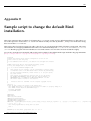
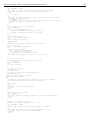
E Sample script to change the default Bind installation.
147
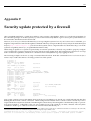
F Security update protected by a firewall
151
G Chroot environment for SSH
153
G.1 Chrooting the ssh users . . . . . . . . . . . . . . . . . . . . . . . . . . . . . . . . . . . . . . . . . . . . . . . . . . . 153
G.1.1 Using libpam-chroot . . . . . . . . . . . . . . . . . . . . . . . . . . . . . . . . . . . . . . . . . . . . . . 153
G.1.2 Patching the ssh server . . . . . . . . . . . . . . . . . . . . . . . . . . . . . . . . . . . . . . . . . . . . . . 154
G.2 Chrooting the ssh server . . . . . . . . . . . . . . . . . . . . . . . . . . . . . . . . . . . . . . . . . . . . . . . . . . 155
G.2.1 Setup a minimal system (the really easy way) . . . . . . . . . . . . . . . . . . . . . . . . . . . . . . . . . . 156
G.2.2 Automatically making the environment (the easy way) . . . . . . . . . . . . . . . . . . . . . . . . . . . . 156
G.2.3 Manually creating the environment (the hard way) . . . . . . . . . . . . . . . . . . . . . . . . . . . . . . 159
H Chroot environment for Apache
163
H.1 Introduction . . . . . . . . . . . . . . . . . . . . . . . . . . . . . . . . . . . . . . . . . . . . . . . . . . . . . . . . . 163
H.1.1 Licensing . . . . . . . . . . . . . . . . . . . . . . . . . . . . . . . . . . . . . . . . . . . . . . . . . . . . . . 163
H.2 Installing the server . . . . . . . . . . . . . . . . . . . . . . . . . . . . . . . . . . . . . . . . . . . . . . . . . . . . . 163
H.3 See also . . . . . . . . . . . . . . . . . . . . . . . . . . . . . . . . . . . . . . . . . . . . . . . . . . . . . . . . . . . . 166
1
Chapter 1
Introduction
One of the hardest things about writing security documents is that every case is unique. Two things you have to pay
attention to are the threat environment and the security needs of the individual site, host, or network. For instance, the
security needs of a home user are completely different from a network in a bank. While the primary threat a home user
needs to face is the script kiddie type of cracker, a bank network has to worry about directed attacks. Additionally, the bank
has to protect their customer’s data with arithmetic precision. In short, every user has to consider the trade-off between
usability and security/paranoia.
Note that this manual only covers issues relating to software. The best software in the world can’t protect you if someone
can physically access the machine. You can place it under your desk, or you can place it in a hardened bunker with an
army in front of it. Nevertheless the desktop computer can be much more secure (from a software point of view) than a
physically protected one if the desktop is configured properly and the software on the protected machine is full of security
holes. Obviously, you must consider both issues.
This document just gives an overview of what you can do to increase the security of your Debian GNU/Linux system. If
you have read other documents regarding Linux security, you will find that there are common issues which might overlap
with this document. However, this document does not try to be the ultimate source of information you will be using, it
only tries to adapt this same information so that it is meaningful to a Debian GNU/Linux system. Different distributions
do some things in different ways (startup of daemons is one example); here, you will find material which is appropriate for
Debian’s procedures and tools.
1.1
Authors
The current maintainer of this document is Javier Fernández-Sanguino Peña (mailto:[email protected]). Please forward
him any comments, additions or suggestions, and they will be considered for inclusion in future releases of this manual.
This manual was started as a HOWTO by Alexander Reelsen (mailto:[email protected]). After it was published on the Internet, Javier Fernández-Sanguino Peña (mailto:[email protected]) incorporated it into the Debian Documentation Project
(http://www.debian.org/doc). A number of people have contributed to this manual (all contributions are listed in
the changelog) but the following deserve special mention since they have provided significant contributions (full sections,
chapters or appendices):
• Stefano Canepa
• Era Eriksson
• Carlo Perassi
• Alexandre Ratti
• Jaime Robles
• Yotam Rubin
• Frederic Schutz
• Pedro Zorzenon Neto
• Oohara Yuuma
• Davor Ocelic
Chapter 1. Introduction
1.2
2
Where to get the manual (and available formats)
You can download or view the latest version of the Securing Debian Manual from the Debian Documentation Project (http:
//www.debian.org/doc/manuals/securing-debian-howto/). If you are reading a copy from another site, please
check the primary copy in case it provides new information. If you are reading a translation, please review the version the
translation refers to to the latest version available. If you find that the version is behind please consider using the original
copy or review the ‘Changelog/History’ on page 4 to see what has changed.
If you want a full copy of the manual you can either download the text version (http://www.debian.org/
doc/manuals/securing-debian-howto/securing-debian-howto.en.txt) or the PDF version (http://www.
debian.org/doc/manuals/securing-debian-howto/securing-debian-howto.en.pdf) from the Debian Documentation Project’s site. These versions might be more useful if you intend to copy the document over to a portable device
for offline reading or you want to print it out. Be forewarned, the manual is over two hundred pages long and some of the
code fragments, due to the formatting tools used, are not wrapped in the PDF version and might be printed incomplete.
The document is also provided in text, html and PDF formats in the harden-doc (http://packages.debian.org/
harden-doc) package. Notice, however, that the package maybe not be completely up to date with the document provided on the Debian site (but you can always use the source package to build an updated version yourself).
This document is part of the documents distributed by the Debian Documentation Project (https://alioth.debian.
org/projects/ddp/). You can review the changes introduced in the document using a web browser and obtaining information from the version control logs online (http://anonscm.debian.org/viewvc/ddp/manuals/trunk/
securing-howto). You can also checkout the code using SVN with the following call in the command line:
svn co svn://svn.debian.org/svn/ddp/manuals/trunk/securing-howto/
1.3
Organizational notes/feedback
Now to the official part. At the moment I (Alexander Reelsen) wrote most paragraphs of this manual, but in my opinion
this should not stay the case. I grew up and live with free software, it is part of my everyday use and I guess yours, too. I
encourage everybody to send me feedback, hints, additions or any other suggestions you might have.
If you think, you can maintain a certain section or paragraph better, then write to the document maintainer and you are
welcome to do it. Especially if you find a section marked as FIXME, that means the authors did not have the time yet or the
needed knowledge about the topic. Drop them a mail immediately.
The topic of this manual makes it quite clear that it is important to keep it up to date, and you can do your part. Please
contribute.
1.4
Prior knowledge
The installation of Debian GNU/Linux is not very difficult and you should have been able to install it. If you already have
some knowledge about Linux or other Unices and you are a bit familiar with basic security, it will be easier to understand
this manual, as this document cannot explain every little detail of a feature (otherwise this would have been a book instead
of a manual). If you are not that familiar, however, you might want to take a look at ‘Be aware of general security problems’
on page 21 for where to find more in-depth information.
1.5
Things that need to be written (FIXME/TODO)
This section describes all the things that need to be fixed in this manual. Some paragraphs include FIXME or TODO tags
describing what content is missing (or what kind of work needs to be done). The purpose of this section is to describe all the
things that could be included in the future in the manual, or enhancements that need to be done (or would be interesting to
add).
If you feel you can provide help in contributing content fixing any element of this list (or the inline annotations), contact the
main author (‘Authors’ on the preceding page).
• This document has yet to be updated based on the latest Debian releases. The default configuration of some packages
need to be adapted as they have been modified since this document was written.
Chapter 1. Introduction
3
• Expand the incident response information, maybe add some ideas derived from Red Hat’s Security Guide’s chapter
on incident response (http://www.redhat.com/docs/manuals/linux/RHL-9-Manual/security-guide/
ch-response.html).
• Write about remote monitoring tools (to check for system availability) such as monit, daemontools and mon. See
http://linux.oreillynet.com/pub/a/linux/2002/05/09/sysadminguide.html.
• Consider writing a section on how to build Debian-based network appliances (with information such as the base
system, equivs and FAI).
• Check if http://www.giac.org/practical/gsec/Chris_Koutras_GSEC.pdf has relevant info not yet covered here.
• Add information on how to set up a laptop with Debian http://www.giac.org/practical/gcux/Stephanie_
Thomas_GCUX.pdf.
• Add information on how to set up a firewall using Debian GNU/Linux. The section regarding firewalling is oriented
currently towards a single system (not protecting others. . . ) also talk on how to test the setup.
• Add information on setting up a proxy firewall with Debian GNU/Linux stating specifically which packages provide
proxy services (like xfwp, ftp-proxy, redir, smtpd, dnrd, jftpgw, oops, pdnsd, perdition, transproxy,
tsocks). Should point to the manual for any other info. Note that zorp is now available as a Debian package and is
a proxy firewall (they also provide Debian packages upstream).
• Information on service configuration with file-rc.
• Check all the reference URLs and remove/fix those no longer available.
• Add information on available replacements (in Debian) for common servers which are useful for limited functionality.
Examples:
– local lpr with cups (package)?
– remote lrp with lpr
– bind with dnrd/maradns
– apache with dhttpd/thttpd/wn (tux?)
– exim/sendmail with ssmtpd/smtpd/postfix
– squid with tinyproxy
– ftpd with oftpd/vsftp
– ...
• More information regarding security-related kernel patches in Debian, including the ones shown above and specific
information on how to enable these patches in a Debian system.
– Linux Intrusion Detection (kernel-patch-2.4-lids)
– Linux Trustees (in package trustees)
– NSA Enhanced Linux (http://wiki.debian.org/SELinux)
– linux-patch-openswan
• Details of turning off unnecessary network services (besides inetd), it is partly in the hardening procedure but could
be broadened a bit.
• Information regarding password rotation which is closely related to policy.
• Policy, and educating users about policy.
• More about tcpwrappers, and wrappers in general?
• hosts.equiv and other major security holes.
• Issues with file sharing servers such as Samba and NFS?
• suidmanager/dpkg-statoverrides.
• lpr and lprng.
• Switching off the GNOME IP things.
Chapter 1. Introduction
4
• Talk
about
pam_chroot
(see
http://lists.debian.org/debian-security/2002/
debian-security-200205/msg00011.html) and its usefulness to limit users. Introduce information related to http://online.securityfocus.com/infocus/1575. pdmenu, for example is available in Debian
(whereas flash is not).
• Talk about chrooting services, some more info on http://www.linuxfocus.org/English/January2002/
article225.shtml.
• Talk about programs to make chroot jails. compartment and chrootuid are waiting in incoming. Some others
(makejail, jailer) could also be introduced.
• More information regarding log analysis software (i.e. logcheck and logcolorise).
• ’advanced’ routing (traffic policing is security related).
• limiting ssh access to running certain commands.
• using dpkg-statoverride.
• secure ways to share a CD burner among users.
• secure ways of providing networked sound in addition to network display capabilities (so that X clients’ sounds are
played on the X server’s sound hardware).
• securing web browsers.
• setting up ftp over ssh.
• using crypto loopback file systems.
• encrypting the entire file system.
• steganographic tools.
• setting up a PKA for an organization.
• using LDAP to manage users. There is a HOWTO of ldap+kerberos for Debian at http://www.bayour.com written
by Turbo Fredrikson.
• How to remove information of reduced utility in production systems such as /usr/share/doc, /usr/share/man
(yes, security by obscurity).
• More information on lcap based on the packages README file (well, not there yet, see Bug #169465 (http:
//bugs.debian.org/cgi-bin/bugreport.cgi?bug=169465)) and from the article from LWN: Kernel development (http://lwn.net/1999/1202/kernel.php3).
• Add Colin’s article on how to setup a chroot environment for a full sid system (http://people.debian.org/
~walters/chroot.html).
• Add information on running multiple snort sensors in a given system (check bug reports sent to snort).
• Add information on setting up a honeypot (honeyd).
• Describe situation wrt to FreeSwan (orphaned) and OpenSwan. VPN section needs to be rewritten.
• Add a specific section about databases, current installation defaults and how to secure access.
• Add a section about the usefulness of virtual servers (Xen et al).
• Explain how to use some integrity checkers (AIDE, integrit or samhain). The basics are simple and could even explain
some configuration improvements.
1.6
1.6.1
Changelog/History
Version 3.17 (June 2013)
Changes by Javier Fernández-Sanguino Peña.
• Point to the Basille sourceforge project instead of the bastille-unix.org site as it is not responding.
Chapter 1. Introduction
1.6.2
5
Version 3.16 (January 2013)
Changes by Javier Fernández-Sanguino Peña.
• Indicate that the document is not updated with latest versions.
• Update pointers to current location of sources.
• Update information on security updates for newer releases.
• Point information for Developers to online sources instead of keeping the information in the document, to prevent
duplication.
• Extend the information regarding securing console access, including limiting the Magic SysRq key.
• Update the information related to PAM modules including how to restrict console logins, use cracklib and use the
features avialable in /etc/pam.d/login. Remove the references to obsolete variables in /etc/login.defs.
• Reference some of the PAM modules available to use double factor authentication, for administrators that want to
stop using passwords altogether.
• Fix shell script example in Appendix.
• Fix reference errors.
1.6.3
Version 3.15 (December 2010)
Changes by Javier Fernández-Sanguino Peña.
• Change reference to Log Analysis’ website as this is no longer available.
1.6.4
Version 3.14 (March 2009)
Changes by Javier Fernández-Sanguino Peña.
• Change the section related to choosing a filesystem: note that ext3 is now the default.
• Change the name of the packages related to enigmail to reflect naming changes introduced in Debian.
1.6.5
Version 3.13 (February 2008)
Changes by Javier Fernández-Sanguino Peña.
• Change URLs pointing to Bastille Linux to www.Bastille-UNIX.org since the domain has been purchased by a cybersquatter (http://bastille-linux.sourceforge.net/press-release-newname.html).
• Fix pointers to Linux Ramen and Lion worms.
• Use linux-image in the examples instead of the (old) kernel-image packages.
• Fix typos spotted by Francesco Poli.
1.6.6
Version 3.12 (August 2007)
Changes by Javier Fernández-Sanguino Peña.
• Update the information related to security updates. Drop the text talking about Tiger and include information on the
update-notifier and adept tools (for Desktops) as well as debsecan. Also include some pointers to other tools available.
• Divide the firewall applications based on target users and add fireflier to the Desktop firewall applications list.
• Remove references to libsafe, it’s not in the archive any longer (was removed January 2006).
• Fix the location of syslog’s configuration, thanks to John Talbut.
Chapter 1. Introduction
1.6.7
6
Version 3.11 (January 2007)
Changes by Javier Fernández-Sanguino Peña. Thanks go to Francesco Poli for his extensive review of the document.
• Remove most references to the woody release as it is no longer available (in the archive) and security support for it is
no longer available.
• Describe how to restrict users so that they can only do file transfers.
• Added a note regarding the debian-private declasiffication decision.
• Updated link of incident handling guides.
• Added a note saying that development tools (compilers, etc.) are not installed now in the default ’etch’ installation.
• Fix references to the master security server.
• Add pointers to additional APT-secure documentation.
• Improve the description of APT signatures.
• Comment out some things which are not yet final related to the mirror’s official public keys.
• Fixed name of the Debian Testing Security Team.
• Remove reference to sarge in an example.
• Update the antivirus section, clamav is now available on the release. Also mention the f-prot installer.
• Removes all references to freeswan as it is obsolete.
• Describe issues related to ruleset changes to the firewall if done remotely and provide some tips (in footnotes).
• Update the information related to the IDS installation, mention BASE and the need to setup a logging database.
• Rewrite the “running bind as a non-root user” section as this no longer applies to Bind9. Also remove the reference to
the init.d script since the changes need to be done through /etc/default.
• Remove the obsolete way to setup iptables rulesets as woody is no longer supported.
• Revert the advice regarding LOG_UNKFAIL_ENAB it should be set to ’no’ (as per default).
• Added more information related to updating the system with desktop tools (including update-notifier) and describe
aptitude usage to update the system. Also note that dselect is deprecated.
• Updated the contents of the FAQ and remove redundant paragraphs.
• Review and update the section related to forensic analysis of malware.
• Remove or fix some dead links.
• Fix many typos and gramatical errors reported by Francesco Poli.
1.6.8
Version 3.10 (November 2006)
Changes by Javier Fernández-Sanguino Peña.
• Provide examples using apt-cache’s rdepends as suggested by Ozer Sarilar.
• Fix location of Squid’s user’s manual because of its relocation as notified by Oskar Pearson (its maintainer).
• Fix information regarding umask, it’s logins.defs (and not limits.conf) where this can be configured for all login connections. Also state what is Debian’s default and what would be a more restrictive value for both users and root.
Thanks to Reinhard Tartler for spotting the bug.
Chapter 1. Introduction
1.6.9
7
Version 3.9 (October 2006)
Changes by Javier Fernández-Sanguino Peña.
• Add information on how to track security vulnerabilities and add references to the Debian Testing Security Tracker.
• Add more information on the security support for testing.
• Fix a large number of typos with a patch provided by Simon Brandmair.
• Added section on how to disable root prompt on initramfs provided by Max Attems.
• Remove references to queso.
• Note that testing is now security-supported in the introduction.
1.6.10
Version 3.8 (July 2006)
Changes by Javier Fernández-Sanguino Peña.
• Rewrote the information on how to setup ssh chroots to clarify the different options available, thank to Bruce Park for
bringing up the different mistakes in this appendix.
• Fix lsof call as suggested by Christophe Sahut.
• Include patches for typo fixes from Uwe Hermann.
• Fix typo in reference spotted by Moritz Naumann.
1.6.11
Version 3.7 (April 2006)
Changes by Javier Fernández-Sanguino Peña.
• Add a section on Debian Developer’s best practices for security.
• Ammended firewall script with comments from WhiteGhost.
1.6.12
Version 3.6 (March 2006)
Changes by Javier Fernández-Sanguino Peña.
• Included a patch from Thomas Sjögren which describes that noexec works as expected with “new” kernels, adds
information regarding tempfile handling, and some new pointers to external documentation.
• Add a pointer to Dan Farmer’s and Wietse Venema’s forensic discovery web site, as suggested by Freek Dijkstra, and
expanded a little bit the forensic analysis section with more pointers.
• Fixed URL of Italy’s CERT, thanks to Christoph Auer.
• Reuse Joey Hess’ information at the wiki on secure apt and introduce it in the infrastructure section.
• Review sections referring to old versions (woody or potato).
• Fix some cosmetic issues with patch from Simon Brandmair.
• Included patches from Carlo Perassi: acl patches are obsolete, openwall patches are obsolete too, removed fixme
notes about 2.2 and 2.4 series kernels, hap is obsolete (and not present in WNPP), remove references to Immunix
(StackGuard is now in Novell’s hands), and fix a FIXME about the use of bsign or elfsign.
• Updated references to SElinux web pages to point to the Wiki (currently the most up to date source of information).
• Include file tags and make a more consistent use of “MD5 sum” with a patch from Jens Seidel.
• Patch from Joost van Baal improving the information on the firewall section (pointing to the wiki instead of listing all
firewall packages available) (Closes: #339865).
• Review the FAQ section on vulnerability stats, thanks to Carlos Galisteo de Cabo for pointing out that it was out of
date.
• Use the quote from the Social Contract 1.1 instead of 1.0 as suggested by Francesco Poli.
Chapter 1. Introduction
1.6.13
8
Version 3.5 (November 2005)
Changes by Javier Fernández-Sanguino Peña.
• Note on the SSH section that the chroot will not work if using the nodev option in the partition and point to the latest
ssh packages with the chroot patch, thanks to Lutz Broedel for pointing these issues out.
• Fix typo spotted by Marcos Roberto Greiner (md5sum should be sha1sum in code snippet).
• Included Jens Seidel’s patch fixing a number of package names and typos.
• Slightly update of the tools section, removed tools no longer available and added some new ones.
• Rewrite parts of the section related to where to find this document and what formats are available (the website does
provide a PDF version). Also note that copies on other sites and translations might be obsolete (many of the Google
hits for the manual in other sites are actually out of date).
1.6.14
Version 3.4 (August-September 2005)
Changes by Javier Fernández-Sanguino Peña.
• Improved the after installation security enhancements related to kernel configuration for network level protection
with a sysctl.conf file provided by Will Moy.
• Improved the gdm section, thanks to Simon Brandmair.
• Typo fixes from Frédéric Bothamy and Simon Brandmair.
• Improvements in the after installation sections related to how to generate the MD5 (or SHA-1) sums of binaries for
periodic review.
• Updated the after installation sections regarding checksecurity configuration (was out of date).
1.6.15
Version 3.3 (June 2005)
Changes by Javier Fernández-Sanguino Peña.
• Added a code snippet to use grep-available to generate the list of packages depending on Perl. As requested in
#302470.
• Rewrite of the section on network services (which ones are installed and how to disable them).
• Added more information to the honeypot deployment section mentioning useful Debian packages.
1.6.16
Version 3.2 (March 2005)
Changes by Javier Fernández-Sanguino Peña.
• Expanded the PAM configuration limits section.
• Added information on how to use pam_chroot for openssh (based on pam_chroot’s README).
• Fixed some minor issues reported by Dan Jacobson.
• Updated the kernel patches information partially based on a patch from Carlo Perassi and also by adding deprecation
notes and new kernel patches available (adamantix).
• Included patch from Simon Brandmair that fixes a sentence related to login failures in terminal.
• Added Mozilla/Thunderbird to the valid GPG agents as suggested by Kapolnai Richard.
• Expanded the section on security updates mentioning library and kernel updates and how to detect when services
need to be restarted.
Chapter 1. Introduction
9
• Rewrote the firewall section, moved the information that applies to woody down and expand the other sections
including some information on how to manually set the firewall (with a sample script) and how to test the firewall
configuration.
• Added some information preparing for the 3.1 release.
• Added more detailed information on kernel upgrades, specifically targeted at those that used the old installation
system.
• Added a small section on the experimental apt 0.6 release which provides package signing checks. Moved old content
to the section and also added a pointer to changes made in aptitude.
• Typo fixes spotted by Frédéric Bothamy.
1.6.17
Version 3.1 (January 2005)
Changes by Javier Fernández-Sanguino Peña.
• Added clarification to ro /usr with patch from Joost van Baal.
• Apply patch from Jens Seidel fixing many typos.
• FreeSWAN is dead, long live OpenSWAN.
• Added information on restricting access to RPC services (when they cannot be disabled) also included patch provided
by Aarre Laakso.
• Update aj’s apt-check-sigs script.
• Apply patch Carlo Perassi fixing URLs.
• Apply patch from Davor Ocelic fixing many errors, typos, urls, grammar and FIXMEs. Also adds some additional
information to some sections.
• Rewrote the section on user auditing, highlight the usage of script which does not have some of the issues associated
to shell history.
1.6.18
Version 3.0 (December 2004)
Changes by Javier Fernández-Sanguino Peña.
• Rewrote the user-auditing information and include examples on how to use script.
1.6.19
Version 2.99 (March 2004)
Changes by Javier Fernández-Sanguino Peña.
• Added information on references in DSAs and CVE-Compatibility.
• Added information on apt 0.6 (apt-secure merge in experimental).
• Fixed location of Chroot daemons HOWTO as suggested by Shuying Wang.
• Changed APACHECTL line in the Apache chroot example (even if its not used at all) as suggested by Leonard Norrgard.
• Added a footnote regarding hardlink attacks if partitions are not setup properly.
• Added some missing steps in order to run bind as named as provided by Jeffrey Prosa.
• Added notes about Nessus and Snort out-of-dateness in woody and availability of backported packages.
• Added a chapter regarding periodic integrity test checks.
• Clarified the status of testing regarding security updates (Debian bug 233955).
Chapter 1. Introduction
10
• Added more information regarding expected contents in securetty (since it’s kernel specific).
• Added pointer to snoopylogger (Debian bug 179409).
• Added reference to guarddog (Debian bug 170710).
• apt-ftparchive is in apt-utils, not in apt (thanks to Emmanuel Chantreau for pointing this out).
• Removed jvirus from AV list.
1.6.20
Version 2.98 (December 2003)
Changes by Javier Fernández-Sanguino Peña.
• Fixed URL as suggested by Frank Lichtenheld.
• Fixed PermitRootLogin typo as suggested by Stefan Lindenau.
1.6.21
Version 2.97 (September 2003)
Changes by Javier Fernández-Sanguino Peña.
• Added those that have made the most significant contributions to this manual (please mail me if you think you should
be in the list and are not).
• Added some blurb about FIXME/TODOs.
• Moved the information on security updates to the beginning of the section as suggested by Elliott Mitchell.
• Added grsecurity to the list of kernel-patches for security but added a footnote on the current issues with it as suggested by Elliott Mitchell.
• Removed loops (echo to ’all’) in the kernel’s network security script as suggested by Elliott Mitchell.
• Added more (up-to-date) information in the antivirus section.
• Rewrote the buffer overflow protection section and added more information on patches to the compiler to enable this
kind of protection.
1.6.22
Version 2.96 (August 2003)
Changes by Javier Fernández-Sanguino Peña.
• Removed (and then re-added) appendix on chrooting Apache. The appendix is now dual-licensed.
1.6.23
Version 2.95 (June 2003)
Changes by Javier Fernández-Sanguino Peña.
• Fixed typos spotted by Leonard Norrgard.
• Added a section on how to contact CERT for incident handling (#after-compromise).
• More information on setting up a Squid proxy.
• Added a pointer and removed a FIXME thanks to Helge H. F.
• Fixed a typo (save_inactive) spotted by Philippe Faes.
• Fixed several typos spotted by Jaime Robles.
Chapter 1. Introduction
1.6.24
11
Version 2.94 (April 2003)
Changes by Javier Fernández-Sanguino Peña.
• Following Maciej Stachura’s suggestions I’ve expanded the section on limiting users.
• Fixed typo spotted by Wolfgang Nolte.
• Fixed links with patch contributed by Ruben Leote Mendes.
• Added a link to David Wheeler’s excellent document on the footnote about counting security vulnerabilities.
1.6.25
Version 2.93 (March 2003)
Changes made by Frédéric Schütz.
• rewrote entirely the section of ext2 attributes (lsattr/chattr).
1.6.26
Version 2.92 (February 2003)
Changes by Javier Fernández-Sanguino Peña and Frédéric Schütz.
• Merge section 9.3 (“useful kernel patches”) into section 4.13 (“Adding kernel patches”), and added some content.
• Added a few more TODOs.
• Added information on how to manually check for updates and also about cron-apt. That way Tiger is not perceived
as the only way to do automatic update checks.
• Slightly rewrite of the section on executing a security updates due to Jean-Marc Ranger comments.
• Added a note on Debian’s installation (which will suggest the user to execute a security update right after installation).
1.6.27
Version 2.91 (January/February 2003)
Changes by Javier Fernández-Sanguino Peña (me).
• Added a patch contributed by Frédéric Schütz.
• Added a few more references on capabilities thanks to Frédéric.
• Slight changes in the bind section adding a reference to BIND’s 9 online documentation and proper references in the
first area (Hi Pedro!).
• Fixed the changelog date - new year :-).
• Added a reference to Colin’s articles for the TODOs.
• Removed reference to old ssh+chroot patches.
• More patches from Carlo Perassi.
• Typo fixes (recursive in Bind is recursion), pointed out by Maik Holtkamp.
1.6.28
Version 2.9 (December 2002)
Changes by Javier Fernández-Sanguino Peña (me).
• Reorganized the information on chroot (merged two sections, it didn’t make much sense to have them separated).
• Added the notes on chrooting Apache provided by Alexandre Ratti.
• Applied patches contributed by Guillermo Jover.
Chapter 1. Introduction
1.6.29
12
Version 2.8 (November 2002)
Changes by Javier Fernández-Sanguino Peña (me).
• Applied patches from Carlo Perassi, fixes include: re-wrapping the lines, URL fixes, and fixed some FIXMEs.
• Updated the contents of the Debian security team FAQ.
• Added a link to the Debian security team FAQ and the Debian Developer’s reference, the duplicated sections might
(just might) be removed in the future.
• Fixed the hand-made auditing section with comments from Michal Zielinski.
• Added links to wordlists (contributed by Carlo Perassi).
• Fixed some typos (still many around).
• Fixed TDP links as suggested by John Summerfield.
1.6.30
Version 2.7 (October 2002)
Changes by Javier Fernández-Sanguino Peña (me). Note: I still have a lot of pending changes in my mailbox (which is
currently about 5 Mbs in size).
• Some typo fixes contributed by Tuyen Dinh, Bartek Golenko and Daniel K. Gebhart.
• Note regarding /dev/kmem rootkits contributed by Laurent Bonnaud.
• Fixed typos and FIXMEs contributed by Carlo Perassi.
1.6.31
Version 2.6 (September 2002)
Changes by Chris Tillman, [email protected].
• Changed around to improve grammar/spelling.
• s/host.deny/hosts.deny/ (1 place).
• Applied Larry Holish’s patch (quite big, fixes a lot of FIXMEs).
1.6.32
Version 2.5 (September 2002)
Changes by Javier Fernández-Sanguino Peña (me).
• Fixed minor typos submitted by Thiemo Nagel.
• Added a footnote suggested by Thiemo Nagel.
• Fixed an URL link.
1.6.33
Version 2.5 (August 2002)
Changes by Javier Fernández-Sanguino Peña (me). There were many things waiting on my inbox (as far back as February)
to be included, so I’m going to tag this the back from honeymoon release :).
• Applied a patch contributed by Philipe Gaspar regarding the Squid which also kills a FIXME.
• Yet another FAQ item regarding service banners taken from the debian-security mailing list (thread “Telnet information” started 26th July 2002).
• Added a note regarding use of CVE cross references in the How much time does the Debian security team. . . FAQ item.
Chapter 1. Introduction
13
• Added a new section regarding ARP attacks contributed by Arnaud “Arhuman” Assad.
• New FAQ item regarding dmesg and console login by the kernel.
• Small tidbits of information to the signature-checking issues in packages (it seems to not have gotten past beta release).
• New FAQ item regarding vulnerability assessment tools false positives.
• Added new sections to the chapter that contains information on package signatures and reorganized it as a new Debian
Security Infrastructure chapter.
• New FAQ item regarding Debian vs. other Linux distributions.
• New section on mail user agents with GPG/PGP functionality in the security tools chapter.
• Clarified how to enable MD5 passwords in woody, added a pointer to PAM as well as a note regarding the max
definition in PAM.
• Added a new appendix on how to create chroot environments (after fiddling a bit with makejail and fixing, as well,
some of its bugs), integrated duplicate information in all the appendix.
• Added some more information regarding SSH chrooting and its impact on secure file transfers. Some information has
been retrieved from the debian-security mailing list (June 2002 thread: secure file transfers).
• New sections on how to do automatic updates on Debian systems as well as the caveats of using testing or unstable
regarding security updates.
• New section regarding keeping up to date with security patches in the Before compromise section as well as a new
section about the debian-security-announce mailing list.
• Added information on how to automatically generate strong passwords.
• New section regarding login of idle users.
• Reorganized the securing mail server section based on the Secure/hardened/minimal Debian (or “Why is the base system
the way it is?”) thread on the debian-security mailing list (May 2002).
• Reorganized the section on kernel network parameters, with information provided in the debian-security mailing list
(May 2002, syn flood attacked? thread) and added a new FAQ item as well.
• New section on how to check users passwords and which packages to install for this.
• New section on PPTP encryption with Microsoft clients discussed in the debian-security mailing list (April 2002).
• Added a new section describing what problems are there when binding any given service to a specific IP address,
this information was written based on the Bugtraq mailing list in the thread: Linux kernel 2.4 “weak end host” issue
(previously discussed on debian-security as “arp problem”) (started on May 9th 2002 by Felix von Leitner).
• Added information on ssh protocol version 2.
• Added two subsections related to Apache secure configuration (the things specific to Debian, that is).
• Added a new FAQ related to raw sockets, one related to /root, an item related to users’ groups and another one related
to log and configuration files permissions.
• Added a pointer to a bug in libpam-cracklib that might still be open. . . (need to check).
• Added more information regarding forensics analysis (pending more information on packet inspection tools such as
tcpflow).
• Changed the “what should I do regarding compromise” into a bullet list and included some more stuff.
• Added some information on how to set up the Xscreensaver to lock the screen automatically after the configured
timeout.
• Added a note related to the utilities you should not install in the system. Included a note regarding Perl and why it
cannot be easily removed in Debian. The idea came after reading Intersect’s documents regarding Linux hardening.
• Added information on lvm and journalling file systems, ext3 recommended. The information there might be too
generic, however.
• Added a link to the online text version (check).
Chapter 1. Introduction
14
• Added some more stuff to the information on firewalling the local system, triggered by a comment made by Hubert
Chan in the mailing list.
• Added more information on PAM limits and pointers to Kurt Seifried’s documents (related to a post by him to Bugtraq
on April 4th 2002 answering a person that had “discovered” a vulnerability in Debian GNU/Linux related to resource
starvation).
• As suggested by Julián Muñoz, provided more information on the default Debian umask and what a user can access
if he has been given a shell in the system (scary, huh?).
• Included a note in the BIOS password section due to a comment from Andreas Wohlfeld.
• Included patches provided by Alfred E. Heggestad fixing many of the typos still present in the document.
• Added a pointer to the changelog in the Credits section since most people who contribute are listed here (and not
there).
• Added a few more notes to the chattr section and a new section after installation talking about system snapshots. Both
ideas were contributed by Kurt Pomeroy.
• Added a new section after installation just to remind users to change the boot-up sequence.
• Added some more TODO items provided by Korn Andras.
• Added a pointer to the NIST’s guidelines on how to secure DNS provided by Daniel Quinlan.
• Added a small paragraph regarding Debian’s SSL certificates infrastructure.
• Added Daniel Quinlan’s suggestions regarding ssh authentication and exim’s relay configuration.
• Added more information regarding securing bind including changes suggested by Daniel Quinlan and an appendix
with a script to make some of the changes commented on in that section.
• Added a pointer to another item regarding Bind chrooting (needs to be merged).
• Added a one liner contributed by Cristian Ionescu-Idbohrn to retrieve packages with tcpwrappers support.
• Added a little bit more info on Debian’s default PAM setup.
• Included a FAQ question about using PAM to provide services without shell accounts.
• Moved two FAQ items to another section and added a new FAQ regarding attack detection (and compromised systems).
• Included information on how to set up a bridge firewall (including a sample Appendix). Thanks to Francois Bayart
who sent this to me in March.
• Added a FAQ regarding the syslogd’s MARK heartbeat from a question answered by Noah Meyerhans and Alain Tesio
in December 2001.
• Included information on buffer overflow protection as well as some information on kernel patches.
• Added more information (and reorganized) the firewall section. Updated the information regarding the iptables
package and the firewall generators available.
• Reorganized the information regarding log checking, moved logcheck information from host intrusion detection to
that section.
• Added some information on how to prepare a static package for bind for chrooting (untested).
• Added a FAQ item regarding some specific servers/services (could be expanded with some of the recommendations
from the debian-security list).
• Added some information on RPC services (and when it’s necessary).
• Added some more information on capabilities (and what lcap does). Is there any good documentation on this? I
haven’t found any documentation on my 2.4 kernel.
• Fixed some typos.
Chapter 1. Introduction
1.6.34
15
Version 2.4
Changes by Javier Fernández-Sanguino Peña.
• Rewritten part of the BIOS section.
1.6.35
Version 2.3
Changes by Javier Fernández-Sanguino Peña.
• Wrapped most file locations with the file tag.
• Fixed typo noticed by Edi Stojicevi.
• Slightly changed the remote audit tools section.
• Added some todo items.
• Added more information regarding printers and cups config file (taken from a thread on debian-security).
• Added a patch submitted by Jesus Climent regarding access of valid system users to Proftpd when configured as
anonymous server.
• Small change on partition schemes for the special case of mail servers.
• Added Hacking Linux Exposed to the books section.
• Fixed directory typo noticed by Eduardo Pérez Ureta.
• Fixed /etc/ssh typo in checklist noticed by Edi Stojicevi.
1.6.36
Version 2.3
Changes by Javier Fernández-Sanguino Peña.
• Fixed location of dpkg conffile.
• Remove Alexander from contact information.
• Added alternate mail address.
• Fixed Alexander mail address (even if commented out).
• Fixed location of release keys (thanks to Pedro Zorzenon for pointing this out).
1.6.37
Version 2.2
Changes by Javier Fernández-Sanguino Peña.
• Fixed typos, thanks to Jamin W. Collins.
• Added a reference to apt-extracttemplate manpage (documents the APT::ExtractTemplate config).
• Added section about restricted SSH. Information based on that posted by Mark Janssen, Christian G. Warden and
Emmanuel Lacour on the debian-security mailing list.
• Added information on antivirus software.
• Added a FAQ: su logs due to the cron running as root.
Chapter 1. Introduction
1.6.38
16
Version 2.1
Changes by Javier Fernández-Sanguino Peña.
• Changed FIXME from lshell thanks to Oohara Yuuma.
• Added package to sXid and removed comment since it *is* available.
• Fixed a number of typos discovered by Oohara Yuuma.
• ACID is now available in Debian (in the acidlab package) thanks to Oohara Yuuma for noticing.
• Fixed LinuxSecurity links (thanks to Dave Wreski for telling).
1.6.39
Version 2.0
Changes by Javier Fernández-Sanguino Peña. I wanted to change to 2.0 when all the FIXMEs were fixed but I ran out of
1.9X numbers :(.
• Converted the HOWTO into a Manual (now I can properly say RTFM).
• Added more information regarding tcp wrappers and Debian (now many services are compiled with support for them
so it’s no longer an inetd issue).
• Clarified the information on disabling services to make it more consistent (rpc info still referred to update-rc.d).
• Added small note on lprng.
• Added some more info on compromised servers (still very rough).
• Fixed typos reported by Mark Bucciarelli.
• Added some more steps in password recovery to cover the cases when the admin has set paranoid-mode=on.
• Added some information to set paranoid-mode=on when login in console.
• New paragraph to introduce service configuration.
• Reorganized the After installation section so it is more broken up into several issues and it’s easier to read.
• Wrote information on how to set up firewalls with the standard Debian 3.0 setup (iptables package).
• Small paragraph explaining why installing connected to the Internet is not a good idea and how to avoid this using
Debian tools.
• Small paragraph on timely patching referencing to IEEE paper.
• Appendix on how to set up a Debian snort box, based on what Vladimir sent to the debian-security mailing list
(September 3rd 2001).
• Information on how logcheck is set up in Debian and how it can be used to set up HIDS.
• Information on user accounting and profile analysis.
• Included apt.conf configuration for read-only /usr copied from Olaf Meeuwissen’s post to the debian-security mailing
list.
• New section on VPN with some pointers and the packages available in Debian (needs content on how to set up the
VPNs and Debian-specific issues), based on Jaroslaw Tabor’s and Samuli Suonpaa’s post to debian-security.
• Small note regarding some programs to automatically build chroot jails.
• New FAQ item regarding identd based on a discussion in the debian-security mailing list (February 2002, started by
Johannes Weiss).
• New FAQ item regarding inetd based on a discussion in the debian-security mailing list (February 2002).
• Introduced note on rcconf in the “disabling services” section.
• Varied the approach regarding LKM, thanks to Philipe Gaspar.
• Added pointers to CERT documents and Counterpane resources.
Chapter 1. Introduction
1.6.40
Version 1.99
Changes by Javier Fernández-Sanguino Peña.
• Added a new FAQ item regarding time to fix security vulnerabilities.
• Reorganized FAQ sections.
• Started writing a section regarding firewalling in Debian GNU/Linux (could be broadened a bit).
• Fixed typos sent by Matt Kraai.
• Fixed DNS information.
• Added information on whisker and nbtscan to the auditing section.
• Fixed some wrong URLs.
1.6.41
Version 1.98
Changes by Javier Fernández-Sanguino Peña.
• Added a new section regarding auditing using Debian GNU/Linux.
• Added info regarding finger daemon taken from the security mailing list.
1.6.42
Version 1.97
Changes by Javier Fernández-Sanguino Peña.
• Fixed link for Linux Trustees.
• Fixed typos (patches from Oohara Yuuma and Pedro Zorzenon).
1.6.43
Version 1.96
Changes by Javier Fernández-Sanguino Peña.
• Reorganized service installation and removal and added some new notes.
• Added some notes regarding using integrity checkers as intrusion detection tools.
• Added a chapter regarding package signatures.
1.6.44
Version 1.95
Changes by Javier Fernández-Sanguino Peña.
• Added notes regarding Squid security sent by Philipe Gaspar.
• Fixed rootkit links thanks to Philipe Gaspar.
1.6.45
Version 1.94
Changes by Javier Fernández-Sanguino Peña.
• Added some notes regarding Apache and Lpr/lpng.
• Added some information regarding noexec and read-only partitions.
• Rewrote how users can help in Debian security issues (FAQ item).
17
Chapter 1. Introduction
1.6.46
18
Version 1.93
Changes by Javier Fernández-Sanguino Peña.
• Fixed location of mail program.
• Added some new items to the FAQ.
1.6.47
Version 1.92
Changes by Javier Fernández-Sanguino Peña.
• Added a small section on how Debian handles security.
• Clarified MD5 passwords (thanks to ‘rocky’).
• Added some more information regarding harden-X from Stephen van Egmond.
• Added some new items to the FAQ.
1.6.48
Version 1.91
Changes by Javier Fernández-Sanguino Peña.
• Added some forensics information sent by Yotam Rubin.
• Added information on how to build a honeynet using Debian GNU/Linux.
• Added some more TODOS.
• Fixed more typos (thanks Yotam!).
1.6.49
Version 1.9
Changes by Javier Fernández-Sanguino Peña.
• Added patch to fix misspellings and some new information (contributed by Yotam Rubin).
• Added references to other online (and offline) documentation both in a section (see ‘Be aware of general security
problems’ on page 21) by itself and inline in some sections.
• Added some information on configuring Bind options to restrict access to the DNS server.
• Added information on how to automatically harden a Debian system (regarding the harden package and bastille).
• Removed some done TODOs and added some new ones.
1.6.50
Version 1.8
Changes by Javier Fernández-Sanguino Peña.
• Added the default user/group list provided by Joey Hess to the debian-security mailing list.
• Added information on LKM root-kits (‘Loadable Kernel Modules (LKM)’ on page 113) contributed by Philipe Gaspar.
• Added information on Proftp contributed by Emmanuel Lacour.
• Recovered the checklist Appendix from Era Eriksson.
• Added some new TODO items and removed other fixed ones.
• Manually included Era’s patches since they were not all included in the previous version.
Chapter 1. Introduction
1.6.51
Version 1.7
Changes by Era Eriksson.
• Typo fixes and wording changes.
Changes by Javier Fernández-Sanguino Peña.
• Minor changes to tags in order to keep on removing the tt tags and substitute prgn/package tags for them.
1.6.52
Version 1.6
Changes by Javier Fernández-Sanguino Peña.
• Added pointer to document as published in the DDP (should supersede the original in the near future).
• Started a mini-FAQ (should be expanded) with some questions recovered from my mailbox.
• Added general information to consider while securing.
• Added a paragraph regarding local (incoming) mail delivery.
• Added some pointers to more information.
• Added information regarding the printing service.
• Added a security hardening checklist.
• Reorganized NIS and RPC information.
• Added some notes taken while reading this document on my new Visor :).
• Fixed some badly formatted lines.
• Fixed some typos.
• Added a Genius/Paranoia idea contributed by Gaby Schilders.
1.6.53
Version 1.5
Changes by Josip Rodin and Javier Fernández-Sanguino Peña.
• Added paragraphs related to BIND and some FIXMEs.
1.6.54
Version 1.4
• Small setuid check paragraph
• Various minor cleanups.
• Found out how to use sgml2txt -f for the txt version.
1.6.55
Version 1.3
• Added a security update after installation paragraph.
• Added a proftpd paragraph.
• This time really wrote something about XDM, sorry for last time.
19
Chapter 1. Introduction
1.6.56
20
Version 1.2
• Lots of grammar corrections by James Treacy, new XDM paragraph.
1.6.57
Version 1.1
• Typo fixes, miscellaneous additions.
1.6.58
Version 1.0
• Initial release.
1.7
Credits and thanks!
• Alexander Reelsen wrote the original document.
• Javier Fernández-Sanguino added more info to the original doc.
• Robert van der Meulen provided the quota paragraphs and many good ideas.
• Ethan Benson corrected the PAM paragraph and had some good ideas.
• Dariusz Puchalak contributed some information to several chapters.
• Gaby Schilders contributed a nice Genius/Paranoia idea.
• Era Eriksson smoothed out the language in a lot of places and contributed the checklist appendix.
• Philipe Gaspar wrote the LKM information.
• Yotam Rubin contributed fixes for many typos as well as information regarding bind versions and MD5 passwords.
• Francois Bayart provided the appendix describing how to set up a bridge firewall.
• Joey Hess wrote the section describing how Secure Apt works on the Debian Wiki (http://wiki.debian.org/
SecureApt).
• Martin F. Krafft wrote some information on his blog regarding fingerprint verification which was also reused for the
Secure Apt section.
• Francesco Poli did an extensive review of the manual and provided quite a lot of bug reports and typo fixes which
improved and helped update the document.
• All the people who made suggestions for improvements that (eventually) were included here (see
‘Changelog/History’ on page 4).
• (Alexander) All the folks who encouraged me to write this HOWTO (which was later turned into a manual).
• The whole Debian project.
21
Chapter 2
Before you begin
2.1
What do you want this system for?
Securing Debian is not very different from securing any other system; in order to do it properly, you must first decide what
you intend to do with it. After this, you will have to consider that the following tasks need to be taken care of if you want a
really secure system.
You will find that this manual is written from the bottom up, that is, you will read some information on tasks to do before,
during and after you install your Debian system. The tasks can also be thought of as:
• Decide which services you need and limit your system to those. This includes deactivating/uninstalling unneeded
services, and adding firewall-like filters, or tcpwrappers.
• Limit users and permissions in your system.
• Harden offered services so that, in the event of a service compromise, the impact to your system is minimized.
• Use appropriate tools to guarantee that unauthorized use is detected so that you can take appropriate measures.
2.2
Be aware of general security problems
The following manual does not (usually) go into the details on why some issues are considered security risks. However, you
might want to have a better background regarding general UNIX and (specific) Linux security. Take some time to read over
security related documents in order to make informed decisions when you are encountered with different choices. Debian
GNU/Linux is based on the Linux kernel, so much of the information regarding Linux, as well as from other distributions
and general UNIX security also apply to it (even if the tools used, or the programs available, differ).
Some useful documents include:
• The Linux Security HOWTO (http://www.tldp.org/HOWTO/Security-HOWTO/) (also available at LinuxSecurity (http://www.linuxsecurity.com/docs/LDP/Security-HOWTO.html)) is one of the best references regarding general Linux security.
• The Security Quick-Start HOWTO for Linux (http://www.tldp.org/HOWTO/Security-Quickstart-HOWTO/)
is also a very good starting point for novice users (both to Linux and security).
• The Linux Security Administrator’s Guide (http://seifried.org/lasg/) is a complete guide that touches all the
issues related to security in Linux, from kernel security to VPNs. Note that it has not been updated since 2001, but
some information is still relevant. 1
• Kurt
Seifried’s
Securing
Linux
Step
by
Step
20020324-securing-linux-step-by-step.html).
(http://seifried.org/security/os/linux/
• In Securing and Optimizing Linux:
RedHat Edition (http://www.tldp.org/links/p_books.html#
securing_linux) you can find a similar document to this manual but related to Red Hat, some of the issues are
not distribution-specific and also apply to Debian.
1 At
a given time it was superseded by the “Linux Security Knowledge Base”. This documentation is also provided in Debian through the lskb
package. Now it’s back as the Lasg again.
Chapter 2. Before you begin
22
• Another Red Hat related document is EAL3 Evaluated Configuration Guide for Red Hat Enterprise (http://ltp.
sourceforge.net/docs/RHEL-EAL3-Configuration-Guide.pdf).
• IntersectAlliance has published some documents that can be used as reference cards on how to harden Linux
servers (and their services), the documents are available at their site (http://www.intersectalliance.com/
projects/index.html).
• For network administrators, a good reference for building a secure network is the Securing your Domain HOWTO
(http://www.linuxsecurity.com/docs/LDP/Securing-Domain-HOWTO/).
• If you want to evaluate the programs you are going to use (or want to build up some new ones) you should read the Secure Programs HOWTO (http://www.tldp.org/HOWTO/Secure-Programs-HOWTO/) (master copy is available
at http://www.dwheeler.com/secure-programs/, it includes slides and talks from the author, David Wheeler)
• If you are considering installing firewall capabilities, you should read the Firewall HOWTO (http://www.
tldp.org/HOWTO/Firewall-HOWTO.html) and the IPCHAINS HOWTO (http://www.tldp.org/HOWTO/
IPCHAINS-HOWTO.html) (for kernels previous to 2.4).
• Finally, a good card to keep handy is the Linux Security ReferenceCard (http://www.linuxsecurity.com/docs/
QuickRefCard.pdf).
In any case, there is more information regarding the services explained here (NFS, NIS, SMB. . . ) in many of the HOWTOs
of the The Linux Documentation Project (http://www.tldp.org/). Some of these documents speak on the security side
of a given service, so be sure to take a look there too.
The HOWTO documents from the Linux Documentation Project are available in Debian GNU/Linux through the installation of the doc-linux-text (text version) or doc-linux-html (HTML version). After installation these documents will
be available at the /usr/share/doc/HOWTO/en-txt and /usr/share/doc/HOWTO/en-html directories, respectively.
Other recommended Linux books:
• Maximum Linux Security : A Hacker’s Guide to Protecting Your Linux Server and Network. Anonymous. Paperback
- 829 pages. Sams Publishing. ISBN: 0672313413. July 1999.
• Linux Security By John S. Flowers. New Riders; ISBN: 0735700354. March 1999.
• Hacking Linux Exposed (http://www.linux.org/books/ISBN_0072127732.html) By Brian Hatch. McGrawHill Higher Education. ISBN 0072127732. April, 2001
Other books (which might be related to general issues regarding UNIX and security and not Linux specific):
• Practical Unix and Internet Security (2nd Edition) (http://www.ora.com/catalog/puis/noframes.html)
Garfinkel, Simpson, and Spafford, Gene; O’Reilly Associates; ISBN 0-56592-148-8; 1004pp; 1996.
• Firewalls and Internet Security Cheswick, William R. and Bellovin, Steven M.; Addison-Wesley; 1994; ISBN 0-20163357-4; 320pp.
Some useful web sites to keep up to date regarding security:
• NIST Security Guidelines (http://csrc.nist.gov/fasp/index.html).
• Security Focus (http://www.securityfocus.com) the server that hosts the Bugtraq vulnerability database and
list, and provides general security information, news and reports.
• Linux Security (http://www.linuxsecurity.com/). General information regarding Linux security (tools,
news. . . ).
Most useful is the main documentation (http://www.linuxsecurity.com/resources/
documentation-1.html) page.
• Linux firewall and security site (http://www.linux-firewall-tools.com/linux/). General information regarding Linux firewalls and tools to control and administrate them.
Chapter 2. Before you begin
2.3
23
How does Debian handle security?
Just so you have a general overview of security in Debian GNU/Linux you should take note of the different issues that
Debian tackles in order to provide an overall secure system:
• Debian problems are always handled openly, even security related. Security issues are discussed openly on the
debian-security mailing list. Debian Security Advisories (DSAs) are sent to public mailing lists (both internal and external) and are published on the public server. As the Debian Social Contract (http://www.debian.org/social_
contract) states:
We will not hide problems
We will keep our entire bug report database open for public view at all times. Reports that people file online will promptly become
visible to others.
• Debian follows security issues closely. The security team checks many security related sources, the most important being Bugtraq (http://www.securityfocus.com/cgi-bin/vulns.pl), on the lookout for packages with security
issues that might be included in Debian.
• Security updates are the first priority. When a security problem arises in a Debian package, the security update is
prepared as fast as possible and distributed for our stable, testing and unstable releases, including all architectures.
• Information regarding security is centralized in a single point, http://security.debian.org/.
• Debian is always trying to improve the overall security of the distribution by starting new projects, such as automatic
package signature verification mechanisms.
• Debian provides a number of useful security related tools for system administration and monitoring. Developers
try to tightly integrate these tools with the distribution in order to make them a better suite to enforce local security
policies. Tools include: integrity checkers, auditing tools, hardening tools, firewall tools, intrusion detection tools, etc.
• Package maintainers are aware of security issues. This leads to many “secure by default” service installations which
could impose certain restrictions on their normal use. Debian does, however, try to balance security and ease of
administration - the programs are not de-activated when you install them (as it is the case with say, the BSD family of
operating systems). In any case, prominent security issues (such as setuid programs) are part of the Debian Policy
(http://www.debian.org/doc/debian-policy/).
By publishing security information specific to Debian and complementing other information-security documents related to
Debian (see ‘Be aware of general security problems’ on page 21), this document aims to produce better system installations
security-wise.
Chapter 2. Before you begin
24
25
Chapter 3
Before and during the installation
3.1
Choose a BIOS password
Before you install any operating system on your computer, set up a BIOS password. After installation (once you have
enabled bootup from the hard disk) you should go back to the BIOS and change the boot sequence to disable booting from
floppy, CD-ROM and other devices that shouldn’t boot. Otherwise a cracker only needs physical access and a boot disk to
access your entire system.
Disabling booting unless a password is supplied is even better. This can be very effective if you run a server, because it is not
rebooted very often. The downside to this tactic is that rebooting requires human intervention which can cause problems if
the machine is not easily accessible.
Note: many BIOSes have well known default master passwords, and applications also exist to retrieve the passwords from
the BIOS. Corollary: don’t depend on this measure to secure console access to system.
3.2
3.2.1
Partitioning the system
Choose an intelligent partition scheme
An intelligent partition scheme depends on how the machine is used. A good rule of thumb is to be fairly liberal with your
partitions and to pay attention to the following factors:
• Any directory tree which a user has write permissions to, such as e.g. /home, /tmp and /var/tmp/, should be on
a separate partition. This reduces the risk of a user DoS by filling up your “/” mount point and rendering the system
unusable (Note: this is not strictly true, since there is always some space reserved for root which a normal user cannot
fill), and it also prevents hardlink attacks. 1
• Any partition which can fluctuate, e.g. /var (especially /var/log) should also be on a separate partition. On a
Debian system, you should create /var a little bit bigger than on other systems, because downloaded packages (the
apt cache) are stored in /var/cache/apt/archives.
• Any partition where you want to install non-distribution software should be on a separate partition. According to the
File Hierarchy Standard, this is /opt or /usr/local. If these are separate partitions, they will not be erased if you
(have to) reinstall Debian itself.
• From a security point of view, it makes sense to try to move static data to its own partition, and then mount that
partition read-only. Better yet, put the data on read-only media. See below for more details.
In the case of a mail server it is important to have a separate partition for the mail spool. Remote users (either knowingly
or unknowingly) can fill the mail spool (/var/mail and/or /var/spool/mail). If the spool is on a separate partition,
1 A very good example of this kind of attacks using /tmp is detailed in The mysteriously persistently exploitable program (contest) (http:
//www.hackinglinuxexposed.com/articles/20031111.html) and The mysteriously persistently exploitable program explained (http://www.
hackinglinuxexposed.com/articles/20031214.html) (notice that the incident is Debian-related). It is basicly an attack in which a local user
stashes away a vulnerable setuid application by making a hard link to it, effectively avoiding any updates (or removal) of the binary itself made by the system administrator. Dpkg was recently fixed to prevent this (see 225692 (http://bugs.debian.org/225692)) but other setuid binaries (not controlled
by the package manager) are at risk if partitions are not setup correctly.
Chapter 3. Before and during the installation
26
this situation will not render the system unusable. Otherwise (if the spool directory is on the same partition as /var) the
system might have important problems: log entries will not be created, packages cannot be installed, and some programs
might even have problems starting up (if they use /var/run).
Also, for partitions in which you cannot be sure of the needed space, installing Logical Volume Manager (lvm-common and
the needed binaries for your kernel, this might be either lvm10, lvm6, or lvm5). Using lvm, you can create volume groups
that expand multiple physical volumes.
Selecting the appropriate file systems
During the system partitioning you also have to decide which file system you want to use. The default file system2 selected
in the Debian installation for Linux partitions is ext3, a journaling file system. It is recommended that you always use a
journaling file system, such as ext3, reiserfs, jfs or xfs, to minimize the problems derived from a system crash in the
following cases:
• for laptops in all the file systems installed. That way if you run out of battery unexpectedly or the system freezes due
to a hardware issue (such as X configuration which is somewhat common) you will be less likely to lose data during
a hardware reboot.
• for production systems which store large amounts of data (like mail servers, ftp servers, network file systems. . . ) it is
recommended on these partitions. That way, in the event of a system crash, the server will take less time to recover
and check the file systems, and data loss will be less likely.
Leaving aside the performance issues regarding journalling file systems (since this can sometimes turn into a religious war),
it is usually better to use the ext3 file system. The reason for this is that it is backwards compatible with ext2, so if there
are any issues with the journalling you can disable it and still have a working file system. Also, if you need to recover the
system with a bootdisk (or CD-ROM) you do not need a custom kernel. If the kernel is 2.4 or 2.6 ext3 support is already
available, if it is a 2.2 kernel you will be able to boot the file system even if you lose journalling capabilities. If you are using
other journalling file systems you will find that you might not be able to recover unless you have a 2.4 or 2.6 kernel with
the needed modules built-in. If you are stuck with a 2.2 kernel on the rescue disk, it might be even more difficult to have it
access reiserfs or xfs.
In any case, data integrity might be better under ext3 since it does file-data journalling while others do only meta-data
journalling, see http://lwn.net/2001/0802/a/ext3-modes.php3.
Notice, however, that there are some partitions that might not benefit from using a journaling filesystem. For example, if
you are using a separate partition for /tmp/ you might be better off using a standard ext2 filesystem as it will be cleaned
up when the system boots.
3.3
Do not plug to the Internet until ready
The system should not be immediately connected to the Internet during installation. This could sound stupid but network
installation is a common method. Since the system will install and activate services immediately, if the system is connected
to the Internet and the services are not properly configured you are opening it to attack.
Also note that some services might have security vulnerabilities not fixed in the packages you are using for installation. This
is usually true if you are installing from old media (like CD-ROMs). In this case, the system could even be compromised
before you finish installation!
Since Debian installation and upgrades can be done over the Internet you might think it is a good idea to use this feature
on installation. If the system is going to be directly connected to the Internet (and not protected by a firewall or NAT), it is
best to install without connection to the Internet, using a local packages mirror for both the Debian package sources and the
security updates. You can set up package mirrors by using another system connected to the Internet with Debian-specific
tools (if it’s a Debian system) like apt-move or apt-proxy, or other common mirroring tools, to provide the archive to
the installed system. If you cannot do this, you can set up firewall rules to limit access to the system while doing the update
(see ‘Security update protected by a firewall’ on page 151).
2 Since
Debian GNU/Linux 4.0, codename etch
Chapter 3. Before and during the installation
3.4
27
Set a root password
Setting a good root password is the most basic requirement for having a secure system. See passwd(1) for some hints
on how to create good passwords. You can also use an automatic password generation program to do this for you (see
‘Generating user passwords’ on page 48).
Plenty of information on choosing good passwords can be found on the Internet; two that provide a decent summary and
rationale are Eric Wolfram’s How to: Pick a Safe Password (http://wolfram.org/writing/howto/password.html)
and Walter Belgers’ Unix Password Security (http://www.belgers.com/write/pwseceng.txt)
3.5
Activate shadow passwords and MD5 passwords
At the end of the installation, you will be asked if shadow passwords should be enabled. Answer yes to this question, so
passwords will be kept in the file /etc/shadow. Only the root user and the group shadow have read access to this file,
so no users will be able to grab a copy of this file in order to run a password cracker against it. You can switch between
shadow passwords and normal passwords at any time by using shadowconfig.
Read more on shadow passwords in Shadow Password (http://www.tldp.org/HOWTO/Shadow-Password-HOWTO.
html) (/usr/share/doc/HOWTO/en-txt/Shadow-Password.txt.gz).
Furthermore, the installation uses MD5 hashed passwords per default. This is generally a very good idea since it allows
longer passwords and better encryption. MD5 allows for passwords longer than 8 characters. This, if used wisely, can make
it more difficult for attackers to brute-force the system’s passwords. Regarding MD5 passwords, this is the default option
when installing the latest passwd package. You can recognize MD5 passwords in the /etc/shadow file by their $1$ prefix.
This, as a matter of fact, modifies all files under /etc/pam.d by substituting the password line and include md5 in it:
password required pam_unix.so md5 nullok obscure min=6 max=16
If max is not set over 8 the change will not be useful at all. For more information on this read ‘User authentication: PAM’ on
page 39.
Note: the default configuration in Debian, even when activating MD5 passwords, does not modify the previously set max
value.
3.6
Run the minimum number of services required
Services are programs such as ftp servers and web servers. Since they have to be listening for incoming connections that
request the service, external computers can connect to yours. Services are sometimes vulnerable (i.e. can be compromised
under a given attack) and hence present a security risk.
You should not install services which are not needed on your machine. Every installed service might introduce new, perhaps
not obvious (or known), security holes on your computer.
As you may already know, when you install a given service the default behavior is to activate it. In a default Debian
installation, with no services installed, the number of running services is quite low and the number of network-oriented
services is even lower. In a default Debian 3.1 standard installation you will end up with OpenSSH, Exim (depending on
how you configured it) and the RPC portmapper available as network services3 . If you did not go through a standard
installation but selected an expert installation you can end up with no active network services. The RPC portmapper is
installed by default because it is needed for many services, for example NFS, to run on a given system. However, it can be
easily removed, see ‘Securing RPC services’ on page 76 for more information on how to secure or disable RPC services.
When you install a new network-related service (daemon) in your Debian GNU/Linux system it can be enabled in two
ways: through the inetd superdaemon (i.e. a line will be added to /etc/inetd.conf) or through a standalone program
that binds itself to your network interfaces. Standalone programs are controlled through the /etc/init.d files, which are
called at boot time through the SysV mechanism (or an alternative one) by using symlinks in /etc/rc?.d/* (for more
information on how this is done read /usr/share/doc/sysvinit/README.runlevels.gz).
If you want to keep some services but use them rarely, use the update-* commands, e.g. update-inetd and
update-rc.d to remove them from the startup process. For more information on how to disable network services read ‘Disabling daemon services’ on the next page. If you want to change the default behaviour of starting
3 The
footprint in Debian 3.0 and earlier releases wasn’t as tight, since some inetd services were enabled by default. Also standard installations of
Debian 2.2 installed the NFS server as well as the telnet server.
Chapter 3. Before and during the installation
28
up services on installation of their associated packages4 use policy-rc.d, please read /usr/share/doc/sysv-rc
/README.policy-rc.d.gz for more information.
invoke-rc.d support is mandatory in Debian, which means that for Debian 4.0 etch and later releases you can write a
policy-rc.d file that forbids starting new daemons before you configure them. Although no such scripts are packaged yet,
they are quite simple to write. See policyrcd-script-zg2.
3.6.1
Disabling daemon services
Disabling a daemon service is quite simple. You either remove the package providing the program for that service or
you remove or rename the startup links under /etc/rc${runlevel}.d/. If you rename them make sure they do not
begin with ’S’ so that they don’t get started by /etc/init.d/rc. Do not remove all the available links or the package
management system will regenerate them on package upgrades, make sure you leave at least one link (typically a ’K’, i.e.
kill, link). For more information read Customizing runlevels (http://www.debian.org/doc/manuals/reference/
ch-system.en.html#s-custombootscripts) section of the Debian Reference (Chapter 2 - Debian fundamentals).
You can remove these links manually or using update-rc.d (see update-rc.d(8)). For example, you can disable a
service from executing in the multi-user runlevels by doing:
# update-rc.d name stop XX 2 3 4 5 .
Where XX is a number that determines when the stop action for that service will be executed. Please note that, if you
are not using file-rc, update-rc.d -f service remove will not work properly, since all links are removed, upon
re-installation or upgrade of the package these links will be re-generated (probably not what you wanted). If you think this
is not intuitive you are probably right (see Bug 67095 (http://bugs.debian.org/67095)). From the manpage:
If any files /etc/rcrunlevel.d/[SK]??name already exist then
update-rc.d does nothing. This is so that the system administrator
can rearrange the links, provided that they leave at least one
link remaining, without having their configuration overwritten.
If you are using file-rc all the information regarding services bootup is handled by a common configuration file and is
maintained even if packages are removed from the system.
You can use the TUI (Text User Interface) provided by sysv-rc-conf to do all these changes easily (sysv-rc-conf works
both for file-rc and normal System V runlevels). You will also find similar GUIs for desktop systems. You can also use
the command line interface of sysv-rc-conf:
# sysv-rc-conf foobar off
The advantage of using this utility is that the rc.d links are returned to the status they had before the ’off’ call if you re-enable
the service with:
# sysv-rc-conf foobar on
Other (less recommended) methods of disabling services are:
• Removing the /etc/init.d/service_name script and removing the startup links using:
# update-rc.d name remove
• Move the script file (/etc/init.d/service_name) to another name (for example /etc/init.d
/OFF.service_name). This will leave dangling symlinks under /etc/rc${runlevel}.d/ and will generate error messages when booting up the system.
• Remove the execute permission from the /etc/init.d/service_name file. That will also generate error messages
when booting.
• Edit the /etc/init.d/service_name script to have it stop immediately once it is executed (by adding an exit 0
line at the beginning or commenting out the start-stop-daemon part in it). If you do this, you will not be able to
use the script to startup the service manually later on.
Nevertheless, the files under /etc/init.d are configuration files and should not get overwritten due to package upgrades
if you have made local changes to them.
Unlike other (UNIX) operating systems, services in Debian cannot be disabled by modifying files in /etc/default
/service_name.
FIXME: Add more information on handling daemons using file-rc.
4 This
is desirable if you are setting up a development chroot, for example.
Chapter 3. Before and during the installation
3.6.2
29
Disabling inetd or its services
You should check if you really need the inetd daemon nowadays. Inetd was always a way to compensate for kernel
deficiencies, but those have been taken care of in modern Linux kernels. Denial of Service possibilities exist against inetd
(which can increase the machine’s load tremendously), and many people always preferred using stand-alone daemons
instead of calling services via inetd. If you still want to run some kind of inetd service, then at least switch to a more
configurable Inet daemon like xinetd, rlinetd or openbsd-inetd.
You should stop all unneeded Inetd services on your system, like echo, chargen, discard, daytime, time, talk, ntalk
and r-services (rsh, rlogin and rcp) which are considered HIGHLY insecure (use ssh instead).
You can disable services by editing /etc/inetd.conf directly, but Debian provides a better alternative: update-inetd
(which comments the services in a way that it can easily be turned on again). You could remove the telnet daemon by
executing this commands to change the config file and to restart the daemon (in this case the telnet service is disabled):
/usr/sbin/update-inetd --disable telnet
If you do want services listening, but do not want to have them listen on all IP addresses of your host, you might want to
use an undocumented feature on inetd (replace service name with service@ip syntax) or use an alternative inetd daemon
like xinetd.
3.7
Install the minimum amount of software required
Debian comes with a lot of software, for example the Debian 3.0 woody release includes 6 or 7 (depending on architecture)
CD-ROMs of software and thousands of packages, and the Debian 3.1 sarge release ships with around 13 CD-ROMs of
software. With so much software, and even if the base system installation is quite reduced 5 you might get carried away
and install more than is really needed for your system.
Since you already know what the system is for (don’t you?) you should only install software that is really needed for it to
work. Any unnecessary tool that is installed might be used by a user that wants to compromise the system or by an external
intruder that has gotten shell access (or remote code execution through an exploitable service).
The presence, for example, of development utilities (a C compiler) or interpreted languages (such as perl - but see below
-, python, tcl. . . ) may help an attacker compromise the system even further:
• allowing him to do privilege escalation. It’s easier, for example, to run local exploits in the system if there is a debugger
and compiler ready to compile and test them!
• providing tools that could help the attacker to use the compromised system as a base of attack against other systems.
6
Of course, an intruder with local shell access can download his own set of tools and execute them, and even the shell itself
can be used to make complex programs. Removing unnecessary software will not help prevent the problem but will make it
slightly more difficult for an attacker to proceed (and some might give up in this situation looking for easier targets). So, if
you leave tools in a production system that could be used to remotely attack systems (see ‘Remote vulnerability assessment
tools’ on page 97) you can expect an intruder to use them too if available.
Please notice that a default installation of Debian sarge (i.e. an installation where no individual packages are selected) will
install a number of development packages that are not usually needed. This is because some development packages are
of Standard priority. If you are not going to do any development you can safely remove the following packages from your
system, which will also help free up some space:
Package
Size
------------------------+-------gdb
2,766,822
gcc-3.3
1,570,284
dpkg-dev
166,800
libc6-dev
2,531,564
cpp-3.3
1,391,346
manpages-dev
1,081,408
5 For
example, in Debian woody it is around 400-500 Mbs, try this:
$ size=0 $ for i in ‘grep -A 1 -B 1 "^Section: base" /var/lib/dpkg/available | grep -A 2 "^Priority: required" |grep
"^Installed-Size" |cut -d : -f 2 ‘; do size=$(($size+$i)); done $ echo $size 47762
6 Many intrusions are made just to get access to resources to do illegitimate activity (denial of service attacks,
rather than to obtain confidential data from the compromised system.
spam, rogue ftp servers, dns pollution. . . )
Chapter 3. Before and during the installation
flex
g++
linux-kernel-headers
bin86
cpp
gcc
g++-3.3
bison
make
libstdc++5-3.3-dev
30
257,678
1,384 (Note: virtual package)
1,377,022
82,090
29,446
4,896 (Note: virtual package)
1,778,880
702,830
366,138
774,982
This is something that is fixed in releases post-sarge, see Bug #301273 (http://bugs.debian.org/cgi-bin/
bugreport.cgi?bug=301273) and Bug #301138 (http://bugs.debian.org/cgi-bin/bugreport.cgi?bug=
301138). Due to a bug in the installation system this did not happen when installing with the installation system of
the Debian 3.0 woody release.
3.7.1
Removing Perl
You must take into account that removing perl might not be too easy (as a matter of fact it can be quite difficult) in a
Debian system since it is used by many system utilities. Also, the perl-base is Priority: required (that about says it all).
It’s still doable, but you will not be able to run any perl application in the system; you will also have to fool the package
management system to think that the perl-base is installed even if it’s not. 7
Which utilities use perl? You can see for yourself:
$ for i in /bin/* /sbin/* /usr/bin/* /usr/sbin/*; do [ -f $i ] && {
type=‘file $i | grep -il perl‘; [ -n "$type" ] && echo $i; }; done
These include the following utilities in packages with priority required or important:
• /usr/bin/chkdupexe of package util-linux.
• /usr/bin/replay of package bsdutils.
• /usr/sbin/cleanup-info of package dpkg.
• /usr/sbin/dpkg-divert of package dpkg.
• /usr/sbin/dpkg-statoverride of package dpkg.
• /usr/sbin/install-info of package dpkg.
• /usr/sbin/update-alternatives of package dpkg.
• /usr/sbin/update-rc.d of package sysvinit.
• /usr/bin/grog of package groff-base.
• /usr/sbin/adduser of package adduser.
• /usr/sbin/debconf-show of package debconf.
• /usr/sbin/deluser of package adduser.
• /usr/sbin/dpkg-preconfigure of package debconf.
• /usr/sbin/dpkg-reconfigure of package debconf.
• /usr/sbin/exigrep of package exim.
• /usr/sbin/eximconfig of package exim.
• /usr/sbin/eximstats of package exim.
• /usr/sbin/exim-upgrade-to-r3 of package exim.
• /usr/sbin/exiqsumm of package exim.
• /usr/sbin/keytab-lilo of package lilo.
7 You
can make (on another system) a dummy package with equivs.
Chapter 3. Before and during the installation
31
• /usr/sbin/liloconfig of package lilo.
• /usr/sbin/lilo_find_mbr of package lilo.
• /usr/sbin/syslogd-listfiles of package sysklogd.
• /usr/sbin/syslog-facility of package sysklogd.
• /usr/sbin/update-inetd of package netbase.
So, without Perl and, unless you remake these utilities in shell script, you will probably not be able to manage any packages
(so you will not be able to upgrade the system, which is not a Good Thing).
If you are determined to remove Perl from the Debian base system, and you have spare time, submit bug reports to the
previous packages including (as a patch) replacements for the utilities above written in shell script.
If you wish to check out which Debian packages depend on Perl you can use
$ grep-available -s Package,Priority -F Depends perl
or
$ apt-cache rdepends perl
3.8
Read the Debian security mailing lists
It is never wrong to take a look at either the debian-security-announce mailing list, where advisories and fixes to released
packages are announced by the Debian security team, or at mailto:[email protected], where
you can participate in discussions about things related to Debian security.
In order to receive important security update alerts, send an email to [email protected]
(mailto:[email protected]) with the word “subscribe” in the subject line.
You can also subscribe to this moderated email list via the web page at http://www.debian.org/MailingLists/
subscribe.
This mailing list has very low volume, and by subscribing to it you will be immediately alerted of security updates for the
Debian distribution. This allows you to quickly download new packages with security bug fixes, which is very important
in maintaining a secure system (see ‘Execute a security update’ on page 33 for details on how to do this).
Chapter 3. Before and during the installation
32
33
Chapter 4
After installation
Once the system is installed you can still do more to secure the system; some of the steps described in this chapter can be
taken. Of course this really depends on your setup but for physical access prevention you should read ‘Change the BIOS
(again)’ on page 35,‘Set a LILO or GRUB password’ on page 35,‘Remove root prompt on the kernel’ on page 36, ‘Restricting
console login access’ on page 37, and ‘Restricting system reboots through the console’ on page 37.
Before connecting to any network, especially if it’s a public one you should, at the very least, execute a security update
(see ‘Execute a security update’ on the current page). Optionally, you could take a snapshot of your system (see ‘Taking a
snapshot of the system’ on page 60).
4.1
Subscribe to the Debian Security Announce mailing list
In order to receive information on available security updates you should subscribe yourself to the debian-security-announce
mailing list in order to receive the Debian Security Advisories (DSAs). See ‘The Debian Security Team’ on page 85 for more
information on how the Debian security team works. For information on how to subscribe to the Debian mailing lists read
http://lists.debian.org.
DSAs are signed with the Debian Security Team’s signature which can be retrieved from http://security.debian.
org.
You should consider, also, subscribing to the debian-security mailing list (http://lists.debian.org/
debian-security) for general discussion on security issues in the Debian operating system. You will be able to
contact other fellow system administrators in the list as well as Debian developers and upstream developers of security
tools who can answer your questions and offer advice.
FIXME: Add the key here too?
4.2
Execute a security update
As soon as new security bugs are detected in packages, Debian maintainers and upstream authors generally patch them
within days or even hours. After the bug is fixed, a new package is provided on http://security.debian.org.
If you are installing a Debian release you must take into account that since the release was made there might have been
security updates after it has been determined that a given package is vulnerable. Also, there might have been minor
releases (there have been four for the Debian 3.0 sarge release) which include these package updates.
During installation security updates are configured for your system and pending updates downloaded and applied, unless
you specifically opt out of this or the system was not connected to the Internet. The updates are applied even before the
first boot, so the new system starts its life as up to date as possible.
To manually update the system, put the following line in your sources.list and you will get security updates automatically, whenever you update your system. Replace [CODENAME] with the release codename, e.g. squeeze.
deb http://security.debian.org/ [CODENAME]/updates main contrib non-free
Note: If you are using the testing branch use the security testing mirror sources as described in ‘Security support for the
testing branch’ on page 110.
Chapter 4. After installation
34
Once you’ve done this you can use multiple tools to upgrade your system. If you are running a desktop system you will
have1 an application called update-notifier that will make it easy to check if new updates are available, by selecting
it you can make a system upgrade from the desktop (using update-manager). For more information see ‘Checking for
updates at the Desktop’ on page 108. In desktop environments you can also use synaptic (GNOME), kpackage or adept
(KDE) for more advanced interfaces. If you are running a text-only terminal you can use aptitude, apt or dselect
(deprecated) to upgrade:
• If you want to use aptitude’s text interface you just have to press u (update) followed by g (to upgrade). Or just do
the following from the command line (as root):
# aptitude update
# aptitude upgrade
• If you want to use apt do just like with aptitude but substitute the aptitude lines above with apt-get.
• If you want to use dselect then first [U]pdate, then [I]nstall and finally, [C]onfigure the installed/upgraded packages.
If you like, you can add the deb-src lines to /etc/apt/sources.list as well. See apt(8) for further details.
4.2.1
Security update of libraries
Once you have executed a security update you might need to restart some of the system services. If you do not do this,
some services might still be vulnerable after a security upgrade. The reason for this is that daemons that are running before
an upgrade might still be using the old libraries before the upgrade 2 . In order to detect which daemons might need to be
restarted you can use the checkrestart program (available in the debian-goodies package) or use this one liner3 (as
root):
# lsof | grep <the_upgraded_library> | awk ’{print $1, $9}’ | uniq | sort -k 1
Some packages (like libc6) will do this check in the postinst phase for a limited set of services specially since an upgrade
of essential libraries might break some applications (until restarted)4 .
Bringing the system to run level 1 (single user) and then back to run level 3 (multi user) should take care of the restart of
most (if not all) system services. But this is not an option if you are executing the security upgrade from a remote connection
(like ssh) since it will be severed.
Excercise caution when dealing with security upgrades if you are doing them over a remote connection like ssh. A suggested
procedure for a security upgrade that involves a service restart is to restart the SSH daemon and then, inmediately, attempt
a new ssh connection without breaking the previous one. If the connection fails, revert the upgrade and investigate the
issue.
4.2.2
Security update of the kernel
First, make sure your kernel is being managed through the packaging system. If you have installed using the installation
system from Debian 3.0 or previous releases, your kernel is not integrated into the packaging system and might be out of
date. You can easily confirm this by running:
$ dpkg -S ‘readlink -f /vmlinuz‘
linux-image-2.6.18-4-686: /boot/vmlinuz-2.6.18-4-686
If your kernel is not being managed you will see a message saying that the package manager did not find the file associated
to any package instead of the message above, which says that the file associated to the current running kernel is being
provided by the linux-image-2.6.18-4-686. So first, you will need to manually install a kernel image package. The
exact kernel image you need to install depends on your architecture and your prefered kernel version. Once this is done,
you will be able to manage the security updates of the kernel just like those of any other package. In any case, notice that
1 In
Etch and later releases
though the libraries have been removed from the filesystem the inodes will not be cleared up until no program has an open file descriptor
pointing to them.
3 Depending on your lsof version you might need to use $8 instead of $9
4 This happened, for example, in the upgrade from libc6 2.2.x to 2.3.x due to NSS authentication issues, see http://lists.debian.org/
debian-glibc/2003/debian-glibc-200303/msg00276.html.
2 Even
Chapter 4. After installation
35
the kernel updates will only be done for kernel updates of the same kernel version you are using, that is, apt will not
automatically upgrade your kernel from the 2.4 release to the 2.6 release (or from the 2.4.26 release to the 2.4.27 release5 ).
The installation system of recent Debian releases will handle the selected kernel as part of the package system. You can
review which kernels you have installed by running:
$ COLUMNS=150 dpkg -l ’linux-image*’ | awk ’$1 ~ /ii/ { print $0 }’
To see if your kernel needs to be updated run:
$ kernfile=‘readlink -f /vmlinuz‘
$ kernel=‘dpkg -S $kernfile | awk -F : ’{print $1}’‘
$ apt-cache policy $kernel
linux-image-2.6.18-4-686:
Installed: 2.6.18.dfsg.1-12
Candidate: 2.6.18.dfsg.1-12
Version table:
*** 2.6.18.dfsg.1-12 0
100 /var/lib/dpkg/status
If you are doing a security update which includes the kernel image you need to reboot the system in order for the security
update to be useful. Otherwise, you will still be running the old (and vulnerable) kernel image.
If you need to do a system reboot (because of a kernel upgrade) you should make sure that the kernel will boot up correctly and network connectivity will be restored, specially if the security upgrade is done over a remote connection like
ssh. For the former you can configure your boot loader to reboot to the original kernel in the event of a failure (for more
detailed information read Remotely rebooting Debian GNU/Linux machines (http://www.debian-administration.
org/?article=70)). For the latter you have to introduce a network connectivity test script that will check if the kernel
has started up the network subsystem properly and reboot the system if it did not6 . This should prevent nasty surprises
like updating the kernel and then realizing, after a reboot, that it did not detect or configure the network hardware properly
and you need to travel a long distance to bring the system up again. Of course, having the system serial console 7 in the
system connected to a console or terminal server should also help debug reboot issues remotely.
4.3
Change the BIOS (again)
Remember ‘Choose a BIOS password’ on page 25? Well, then you should now, once you do not need to boot from removable
media, to change the default BIOS setup so that it only boots from the hard drive. Make sure you will not lose the BIOS
password, otherwise, in the event of a hard disk failure you will not be able to return to the BIOS and change the setup so
you can recover it using, for example, a CD-ROM.
Another less secure but more convenient way is to change the setup to have the system boot up from the hard disk and, if it
fails, try removable media. By the way, this is often done because most people don’t use the BIOS password that often; it’s
easily forgotten.
4.4
Set a LILO or GRUB password
Anybody can easily get a root-shell and change your passwords by entering <name-of-your-bootimage>
init=/bin/sh at the boot prompt. After changing the passwords and rebooting the system, the person has unlimited
root-access and can do anything he/she wants to the system. After this procedure you will not have root access to your
system, as you do not know the root password.
To make sure that this cannot happen, you should set a password for the boot loader. You can choose between a global
password or a password for a certain image.
For LILO you need to edit the config file /etc/lilo.conf and add a password and restricted line as in the example
below.
5 Unless you have installed a kernel metapackage like linux-image-2.6-686 which will always pull in the latest kernel minor revision for a kernel
release and a given architecture.
6 A sample script called testnet (http://www.debian-administration.org/articles/70/testnet) is available in the Remotely rebooting
Debian GNU/Linux machines (http://www.debian-administration.org/?article=70) article. A more elaborate network connectivity testing
script is available in the Testing network connectivity (http://www.debian-administration.org/?article=128) article.
7 Setting up a serial console is beyond the scope of this document, for more information read the Serial HOWTO (http://www.tldp.org/HOWTO/
Serial-HOWTO.html) and the Remote Serial Console HOWTO (http://www.tldp.org/HOWTO/Remote-Serial-Console-HOWTO/index.
html).
Chapter 4. After installation
36
image=/boot/2.2.14-vmlinuz
label=Linux
read-only
password=hackme
restricted
Then, make sure that the configuration file is not world readable to prevent local users from reading the password. When
done, rerun lilo. Omitting the restricted line causes lilo to always prompt for a password, regardless of whether LILO
was passed parameters. The default permissions for /etc/lilo.conf grant read and write permissions to root, and
enable read-only access for lilo.conf’s group, root.
If you use GRUB instead of LILO, edit /boot/grub/menu.lst and add the following two lines at the top (substituting,
of course hackme with the desired password). This prevents users from editing the boot items. timeout 3 specifies a 3
second delay before grub boots the default item.
timeout 3
password hackme
To further harden the integrity of the password, you may store the password in an encrypted form. The utility
grub-md5-crypt generates a hashed password which is compatible with GRUB’s encrypted password algorithm (MD5).
To specify in grub that an MD5 format password will be used, use the following directive:
timeout 3
password --md5 $1$bw0ez$tljnxxKLfMzmnDVaQWgjP0
The –md5 parameter was added to instruct grub to perform the MD5 authentication process. The provided password is the
MD5 encrypted version of hackme. Using the MD5 password method is preferable to choosing its clear-text counterpart.
More information about grub passwords may be found in the grub-doc package.
4.5
Disable root prompt on the initramfs
Note: This applies to the default kernels provided for releases after Debian 3.1
Linux 2.6 kernels provide a way to access a root shell while booting which will be presented during loading the initramfs
on error. This is helpful to permit the administrator to enter a rescue shell with root permissions. This shell can be used to
manually load modules when autodetection fails. This behavior is the default for initramfs-tools generated initramfs.
The following message will appear:
"ALERT!
/dev/sda1 does not exist.
Dropping to a shell!
In order to remove this behavior you need to set the following boot argument:panic=0. Either add it to the kopt section of
/boot/grub/menu.lst and issue update-grub or to the append section of /etc/lilo.conf.
4.6
Remove root prompt on the kernel
Note: This does not apply to the kernels provided for Debian 3.1 as the timeout for the kernel delay has been changed to 0.
Linux 2.4 kernels provide a way to access a root shell while booting which will be presented just after loading the cramfs
file system. A message will appear to permit the administrator to enter an executable shell with root permissions, this shell
can be used to manually load modules when autodetection fails. This behavior is the default for initrd’s linuxrc. The
following message will appear:
Press ENTER to obtain a shell (waits 5 seconds)
In order to remove this behavior you need to change /etc/mkinitrd/mkinitrd.conf and set:
# DELAY The number of seconds the linuxrc script should wait to
# allow the user to interrupt it before the system is brought up
DELAY=0
Then regenerate your ramdisk image. You can do this for example with:
# cd /boot
# mkinitrd -o initrd.img-2.4.18-k7 /lib/modules/2.4.18-k7
or (preferred):
# dpkg-reconfigure -plow kernel-image-2.4.x-yz
Chapter 4. After installation
4.7
37
Restricting console login access
Some security policies might force administrators to log in to the system through the console with their user/password and
then become superuser (with su or sudo). This policy is implemented in Debian by editing the /etc/pam.d/login and
the /etc/securetty when using PAM:
• /etc/pam.d/login 8 enables the pam_securetty.so module. This module, when properly configured will not ask
for a password when the root user tries to login on an insecure console, rejecting access as this user.
• securetty 9 by adding/removing the terminals to which root access will be allowed. If you wish to allow only local
console access then you need console, ttyX10 and vc/X (if using devfs devices), you might want to add also ttySX11 if
you are using a serial console for local access (where X is an integer, you might want to have multiple instances. The
default configuration for Wheezy 12 includes many tty devices, serial ports, vc consoles as well as the X server and the
console device. You can safely adjust this if you are not using that many consoles. You can confirm the virtual consoles
and the tty devices you have by reviewing /etc/inittab 13 . For more information on terminal devices read the
Text-Terminal-HOWTO (http://tldp.org/HOWTO/Text-Terminal-HOWTO-6.html).
When using PAM, other changes to the login process, which might include restrictions to users and groups at given times,
can be configured in /etc/pam.d/login. An interesting feature that can be disabled is the possibility to login with null
(blank) passwords. This feature can be limited by removing nullok from the line:
auth
4.8
required
pam_unix.so nullok
Restricting system reboots through the console
If your system has a keyboard attached to it anyone (yes anyone) with physical access to the system can reboot the system
through it without login in just pressing the Ctrl+Alt+Delete keyboard combination, also known as the three finger salute.
This might, or might not, adhere to your security policy.
This is aggravated in environments in which the operating system is running virtualised. In these environments, the possibility extends to users that have access to the virtual console (which might be accessed over the network). Also note that,
in these environments, this keyboard combination is used constantly (to open a login shell in some GUI operating systems)
and an administrator might virtually send it and force a system reboot.
There are two ways to restrict this:
• configure it so that only allowed users can reboot the system,
• disable this feature completely.
If you want to restrict this, you must check the /etc/inittab so that the line that includes ctrlaltdel calls shutdown
with the -a switch.
The default in Debian includes this switch:
ca:12345:ctrlaltdel:/sbin/shutdown -t1 -a -r now
The -a switch, as the shutdown(8) manpage describes,makes it possible to allow some users to shutdown the system. For
this the file /etc/shutdown.allow must be created and the administrator has to include there the name of users which
can boot the system. When the three finger salute combination is pressed in a console the program will check if any of the
users listed in the file are logged in. If none of them is, shutdown will not reboot the system.
If you want to disable the Ctrl+Alt+Del combination you just need to comment the line with the ctrlaltdel definition in the
/etc/inittab.
Remember to run init q after making any changes to the /etc/inittab file for the changes to take effect.
8 In older Debian releases you would need to edit login.defs, and use the CONSOLE variable which defines a file or list of terminals on which root
logins are allowed.
9 The /etc/securetty is a configuration file that belongs to the login package.
10 Or ttyvX in GNU/FreeBSD, and ttyE0 in GNU/KNetBSD.
11 Or comX in GNU/Hurd, cuaaX in GNU/FreeBSD, and ttyXX in GNU/KNetBSD.
12 The default configuration in woody includes 12 local tty and vc consoles, as well as the console device but does not allow remote logins. In sarge the
default configuration provides 64 consoles for tty and vc consoles.
13 Look for the getty calls.
Chapter 4. After installation
4.9
38
Restricting the use of the Magic SysRq key
The Magic SysRq key is a key combination that allows users connected to the system console of a Linux kernel to perform
some low-level commands. These low-level commands are sent by pressing simultaneously Alt+SysRq and a command key.
The SysRq key in many keyboards is labeled as the Print Screen key.
Since the Etch release, the Magic SysRq key feature is enabled in the Linux kernel to allow console users certain privileges.
You can confirm this by checking if the /proc/sys/kernel/sysrq exists and reviewing its value:
$ cat /proc/sys/kernel/sysrq
438
The default value shown above allows all of the SysRq functions except for the possibility of sending signals to processes.
For example, it allow users connected to the console to remount all systems read-only, reboot the system or cause a kernel
panic. In all the features are enabled, or in older kernels (earlier than 2.6.12) the value will be just 1.
You should disable this functionality ifaccess to the console is not restricted to authorised users: the console is connected
to a modem line, there is easy physical access to the system or it is running in a virtualised environment and other users
access the console. To do this edit the /etc/sysctl.conf and add the following lines:
# Disables the magic SysRq key
kernel.sysrq = 0
For more information, read security chapter in the Remote Serial Console HOWTO (http://tldp.org/HOWTO/
Remote-Serial-Console-HOWTO/security-sysrq.html), Kernel SysRQ documentation (http://kernel.org/
doc/Documentation/sysrq.txt). and the Magic_SysRq_key wikipedia entry (http://en.wikipedia.org/wiki/
Magic_SysRq_key).
4.10
Mounting partitions the right way
When mounting an Ext file system (ext2, ext3 or ext4), there are several additional options you can apply to the mount
call or to /etc/fstab. For instance, this is my fstab entry for the /tmp partition:
/dev/hda7
/tmp
ext2
defaults,nosuid,noexec,nodev
0
2
You see the difference in the options sections. The option nosuid ignores the setuid and setgid bits completely, while
noexec forbids execution of any program on that mount point, and nodev ignores device files. This sounds great, but it:
• only applies to ext2 or ext3 file systems
• can be circumvented easily
The noexec option prevents binaries from being executed directly, but was easily circumvented in earlier versions of the
kernel:
alex@joker:/tmp# mount | grep tmp
/dev/hda7 on /tmp type ext2 (rw,noexec,nosuid,nodev)
alex@joker:/tmp# ./date
bash: ./date: Permission denied
alex@joker:/tmp# /lib/ld-linux.so.2 ./date
Sun Dec 3 17:49:23 CET 2000
Newer versions of the kernel do however handle the noexec flag properly:
angrist:/tmp# mount | grep /tmp
/dev/hda3 on /tmp type ext3 (rw,noexec,nosuid,nodev)
angrist:/tmp# ./date
bash: ./tmp: Permission denied
angrist:/tmp# /lib/ld-linux.so.2 ./date
./date: error while loading shared libraries: ./date: failed to map segment
from shared object: Operation not permitted
Chapter 4. After installation
39
However, many script kiddies have exploits which try to create and execute files in /tmp. If they do not have a clue, they
will fall into this pit. In other words, a user cannot be tricked into executing a trojanized binary in /tmp e.g. when he
incidentally adds /tmp into his PATH.
Also be forewarned, some script might depend on /tmp being executable. Most notably, Debconf has (had?) some issues
regarding this, for more information see Bug 116448 (http://bugs.debian.org/116448).
The following is a more thorough example. A note, though: /var could be set noexec, but some software
programs under in /var. The same applies to the nosuid option.
/dev/sda6
/dev/sda12
/dev/sda7
/dev/sda8
/dev/sda9
/dev/sda10
/dev/sda11
/dev/sda13
/dev/fd0
/dev/fd0
/dev/hda
4.10.1
/usr
/usr/share
/var
/tmp
/var/tmp
/var/log
/var/account
/home
/mnt/fd0
/mnt/floppy
/mnt/cdrom
ext3
ext3
ext3
ext3
ext3
ext3
ext3
ext3
ext3
vfat
iso9660
defaults,ro,nodev
0
2
defaults,ro,nodev,nosuid
0
2
defaults,nodev,usrquota,grpquota 0
2
defaults,nodev,nosuid,noexec,usrquota,grpquota
0
defaults,nodev,nosuid,noexec,usrquota,grpquota
0
defaults,nodev,nosuid,noexec
0
2
defaults,nodev,nosuid,noexec
0
2
rw,nosuid,nodev,exec,auto,nouser,async,usrquota,grpquota
defaults,users,nodev,nosuid,noexec
0
0
defaults,users,nodev,nosuid,noexec
0
0
ro,users,nodev,nosuid,noexec
0
0
14
keeps its
2
2
0
2
Setting /tmp noexec
Be careful if setting /tmp noexec when you want to install new software, since some programs might use it
for installation. apt is one such program (see http://bugs.debian.org/116448) if not configured properly
APT::ExtractTemplates::TempDir (see apt-extracttemplates(1)). You can set this variable in /etc/apt
/apt.conf to another directory with exec privileges other than /tmp.
4.10.2
Setting /usr read-only
If you set /usr read-only you will not be able to install new packages on your Debian GNU/Linux system. You will have
to first remount it read-write, install the packages and then remount it read-only. apt can be configured to run commands
before and after installing packages, so you might want to configure it properly.
To do this modify /etc/apt/apt.conf and add:
DPkg
{
Pre-Invoke { "mount /usr -o remount,rw" };
Post-Invoke { "mount /usr -o remount,ro" };
};
Note that the Post-Invoke may fail with a “/usr busy” error message. This happens mainly when you are using files during
the update that got updated. You can find these programs by running
# lsof +L1
Stop or restart these programs and run the Post-Invoke manually. Beware! This means you’ll likely need to restart your X
session (if you’re running one) every time you do a major upgrade of your system. You might want to reconsider whether
a read-only /usr is suitable for your system. See also this discussion on debian-devel about read-only /usr (http://
lists.debian.org/debian-devel/2001/11/threads.html#00212).
4.11
Providing secure user access
4.11.1
User authentication: PAM
PAM (Pluggable Authentication Modules) allows system administrators to choose how applications authenticate users.
Note that PAM can do nothing unless an application is compiled with support for PAM. Most of the applications that
are shipped with Debian have this support built in (Debian did not have PAM support before 2.2). The current default configuration for any PAM-enabled service is to emulate UNIX authentication (read /usr/share/doc/libpam0g
/Debian-PAM-MiniPolicy.gz for more information on how PAM services should work in Debian).
Each application with PAM support provides a configuration file in /etc/pam.d/ which can be used to modify its behavior:
14 Some of this includes the package manager dpkg since the installation (post,pre) and removal (post,pre) scripts are at /var/lib/dpkg/ and Smartlist
Chapter 4. After installation
40
• what backend is used for authentication.
• what backend is used for sessions.
• how do password checks behave.
The following description is far from complete, for more information you might want to read the Linux-PAM Guides
(http://www.linux-pam.org/Linux-PAM-html/) as a reference. This documentation is available in the system if
you install the libpam-doc at /usr/share/doc/libpam-doc/html/.
PAM offers you the possibility to go through several authentication steps at once, without the user’s knowledge. You could
authenticate against a Berkeley database and against the normal passwd file, and the user only logs in if he authenticates
correct in both. You can restrict a lot with PAM, just as you can open your system doors very wide. So be careful. A typical
configuration line has a control field as its second element. Generally it should be set to requisite, which returns a login
failure if one module fails.
Password security in PAM
Review the /etc/pam.d/common-password, included by /etc/pam.d/passwd 15 . This file is included by other files
in /etc/pam.d/ to define the behaviour of password use in subsystems that grant access to services in the machine, like
the console login (login), graphical login managers (such as gdm or lightdm), and remote login (such as sshd). This
definition is
You have to make sure that the pam_unix.so module uses the “sha512” option to use encrypted passwords. This is the
default in Debian Squeeze.
The line with the definition of the pam_unix module will look something like:
password
[success=1 default=ignore]
pam_unix.so nullok obscure minlen=8 sha512
This definition:
• Enforces password encryption when storing passwords, using the SHA-512 hash function (option sha512),
• Enables password complexity checks (option obscure) as defined in the pam_unix(8) manpage,
• Imposes a minimum password length (option min) of 8.
You have to ensure that encrypted passwords are used in PAM applications, since this helps protect against dictionary
cracks. Using encryption also makes it possible to use passwords longer than 8 characters.
Since this module is also used to define how passwords are changed (it is included by chpasswd) you can strengthen
the password security in the system by installing libpam-cracklib and introducing this definition in the /etc/pam.d
/common-password configuration file:
# Be sure to install libpam-cracklib first or you will not be able to log in
password
required
pam_cracklib.so retry=3 minlen=12 difok=3
password
[success=1 default=ignore]
pam_unix.so obscure minlen=8 sha512 use_authok
So, what does this incantation do? The first line loads the cracklib PAM module, which provides password strengthchecking, prompts for a new password with a minimum size 16 of 12 characters, and difference of at least 3 characters from
the old password, and allows 3 retries. Cracklib depends on a wordlist package (such as wenglish, wspanish, wbritish,
. . . ), so make sure you install one that is appropriate for your language or cracklib might not be useful to you at all.
The second line (using the pam_unix.so module) is the default configuration in Debian, as described above, save for the
use_authok option. The use_authok option is required if pam_unix.so is stacked after pam_cracklib.so, and is used to hand
over the password from the previous module. Otherwise, the user would be prompted for the password twice.
For more information about setting up Cracklib, read the pam_cracklib(8) manpage and the article Linux Password
Security with pam_cracklib (http://www.deer-run.com/~hal/sysadmin/pam_cracklib.html) by Hal Pomeranz.
By enabling the cracklib PAM module you setup a policy that forces uses to use strong passwords.
15 In
old Debian releases the configuration of the modules was defined directly in /etc/pam.d/passwd.
minlen option is not entirely straightforward and is not exactly the number of characters in the password. A tradeoff can be defined between
complexity and length by adjusting the “credit” parameters of different character classes. For more information read the pam_cracklib(8) manpage.
16 The
Chapter 4. After installation
41
Alternatively, you can setup and configure PAM modules to use double factor authentication such as: libpam-barada,
libpam-google-authenticator, libpam-oath, libpam-otpw, libpam-poldi, libpam-usb or libpam-yubico.
The configuration of these modules would make it possible to access the system using external authentication mechanisms
such as smartcards, external USB keys, or One-Time-Passwords generated by external applications running, for example,
in the user’s mobile phone.
Please note that these restrictions apply to all users but not to the password changes done by the root user. The root user
will be able to set up any password (any length or complexity) for himself or others regardless of the restrictions defined
here.
User access control in PAM
To make sure that the user root can only log into the system from local terminals, the following line should be enabled in
/etc/pam.d/login:
auth
requisite
pam_securetty.so
Then you should modify the list of terminals on which direct root login is allowed in /etc/securetty (as described
in ‘Restricting console login access’ on page 37). Alternatively, you could enable the pam_access module and modify
/etc/security/access.conf which allows for a more general and fine-tuned access control, but (unfortunately) lacks
decent log messages (logging within PAM is not standardized and is particularly unrewarding problem to deal with). We’ll
return to access.conf a little later.
User limits in PAM
he following line should be enabled in /etc/pam.d/login to set up user resource limits.
session
required
pam_limits.so
This restricts the system resources that users are allowed (see below in ‘Limiting resource usage: the limits.conf file’
on the following page). For example, you could restrict the number of concurrent logins (of a given group of users, or
system-wide), number of processes, memory size etc.
Control of su in PAM
If you want to protect su, so that only some people can use it to become root on your system, you need to add a new group
“wheel” to your system (that is the cleanest way, since no file has such a group permission yet). Add root and the other
users that should be able to su to the root user to this group. Then add the following line to /etc/pam.d/su:
auth
requisite
pam_wheel.so group=wheel debug
This makes sure that only people from the group “wheel” can use su to become root. Other users will not be able to become
root. In fact they will get a denied message if they try to become root.
If you want only certain users to authenticate at a PAM service, this is quite easy to achieve by using files where the users
who are allowed to login (or not) are stored. Imagine you only want to allow user ’ref’ to log in via ssh. So you put him
into /etc/sshusers-allowed and write the following into /etc/pam.d/ssh:
auth
required
pam_listfile.so item=user sense=allow file=/etc/sshusers-allowed onerr=fail
Temporary directories in PAM
Since there have been a number of so called insecure tempfile vulnerabilities, thttpd is one example (see DSA-883-1 (http:
//www.debian.org/security/2005/dsa-883)), the libpam-tmpdir is a good package to install. All you have to do
is add the following to /etc/pam.d/common-session:
session
optional
pam_tmpdir.so
There has also been a discussion about adding this by default in Debian configuration, but it s. See http://lists.
debian.org/debian-devel/2005/11/msg00297.html for more information.
Chapter 4. After installation
42
Configuration for undefined PAM applications
Finally, but not least, create /etc/pam.d/other and enter the following lines:
auth
auth
auth
auth
account
account
account
password
password
password
session
session
session
required
required
required
required
required
required
required
required
required
required
required
required
required
pam_securetty.so
pam_unix_auth.so
pam_warn.so
pam_deny.so
pam_unix_acct.so
pam_warn.so
pam_deny.so
pam_unix_passwd.so
pam_warn.so
pam_deny.so
pam_unix_session.so
pam_warn.so
pam_deny.so
These lines will provide a good default configuration for all applications that support PAM (access is denied by default).
4.11.2
Limiting resource usage: the limits.conf file
You should really take a serious look into this file. Here you can define user resource limits. In old releases this configuration
file was /etc/limits.conf, but in newer releases (with PAM) the /etc/security/limits.conf configuration file
should be used instead.
If you do not restrict resource usage, any user with a valid shell in your system (or even an intruder who compromised the
system through a service or a daemon going awry) can use up as much CPU, memory, stack, etc. as the system can provide.
This resource exhaustion problem can be fixed by the use of PAM.
There is a way to add resource limits to some shells (for example, bash has ulimit, see bash(1)), but since not all of
them provide the same limits and since the user can change shells (see chsh(1)) it is better to place the limits on the PAM
modules as they will apply regardless of the shell used and will also apply to PAM modules that are not shell-oriented.
Resource limits are imposed by the kernel, but they need to be configured through the limits.conf and the PAM configuration of the different services need to load the appropriate PAM. You can check which services are enforcing limits by
running:
$ find /etc/pam.d/ \! -name "*.dpkg*" | xargs -- grep limits |grep -v ":#"
Commonly, login, ssh and the graphic session managers (gdm, kdm or xdm) should enforce user limits but you might
want to do this in other PAM configuration files, such as cron, to prevent system daemons from taking over all system
resources.
The specific limits settings you might want to enforce depend on your system’s resources, that’s one of the main reasons
why no limits are enforced in the default installation.
For example, the configuration example below enforces a 100 process limit for all users (to prevent fork bombs) as well as a
limit of 10MB of memory per process and a limit of 10 simultaneous logins. Users in the adm group have higher limits and
can produce core files if they want to (there is only a soft limit).
*
*
*
*
*
*
*
*
@adm
@adm
@adm
@adm
@adm
@adm
soft
hard
hard
hard
hard
hard
hard
hard
hard
soft
hard
hard
-
core
core
rss
memlock
nproc
maxlogins
data
fsize
core
rss
nproc
nproc
fsize
maxlogins
0
0
1000
1000
100
1
102400
2048
100000
100000
2000
3000
100000
10
These would be the limits a default user (including system daemons) would have:
$ ulimit -a
core file size
data seg size
file size
max locked memory
(blocks,
(kbytes,
(blocks,
(kbytes,
-c)
-d)
-f)
-l)
0
102400
2048
10000
Chapter 4. After installation
max memory size
(kbytes, -m)
open files
(-n)
pipe size
(512 bytes, -p)
stack size
(kbytes, -s)
cpu time
(seconds, -t)
max user processes
(-u)
virtual memory
(kbytes, -v)
43
10000
1024
8
8192
unlimited
100
unlimited
And these are the limits for an administrative user:
$ ulimit -a
core file size
(blocks, -c)
data seg size
(kbytes, -d)
file size
(blocks, -f)
max locked memory
(kbytes, -l)
max memory size
(kbytes, -m)
open files
(-n)
pipe size
(512 bytes, -p)
stack size
(kbytes, -s)
cpu time
(seconds, -t)
max user processes
(-u)
virtual memory
(kbytes, -v)
0
102400
100000
100000
100000
1024
8
8192
unlimited
2000
unlimited
For more information read:
• PAM reference guide for available
Linux-PAM-html/pam-6.html)
modules
(http://www.kernel.org/pub/linux/libs/pam/
• PAM configuration article (http://www.samag.com/documents/s=1161/sam0009a/0009a.htm).
• Seifried’s
Securing
Linux
Step
by
Step
(http://seifried.org/security/os/linux/
20020324-securing-linux-step-by-step.html) on the Limiting users overview section.
• LASG (http://seifried.org/lasg/users/) in the Limiting and monitoring users section.
4.11.3
User login actions: edit /etc/login.defs
The next step is to edit the basic configuration and action upon user login. Note that this file is not part of the PAM
configuration, it’s a configuration file honored by login and su programs, so it doesn’t make sense tuning it for cases
where neither of the two programs are at least indirectly called (the getty program which sits on the consoles and offers
the initial login prompt does invoke login).
FAILLOG_ENAB
yes
If you enable this variable, failed logins will be logged. It is important to keep track of them to catch someone who tries a
brute force attack.
LOG_UNKFAIL_ENAB
no
If you set this variable to ’yes’ it will record unknown usernames if the login failed. It is best if you use ’no’ (the default)
since, otherwise, user passwords might be inadvertenly logged here (if a user mistypes and they enter their password as
the username). If you set it to ’yes’, make sure the logs have the proper permissions (640 for example, with an appropriate
group setting such as adm).
SYSLOG_SU_ENAB
yes
This one enables logging of su attempts to syslog. Quite important on serious machines but note that this can create
privacy issues as well.
SYSLOG_SG_ENAB
yes
The same as SYSLOG_SU_ENAB but applies to the sg program.
ENCRYPT_METHOD
SHA512
As stated above, encrypted passwords greatly reduce the problem of dictionary attacks, since you can use longer passwords.
This definition has to be consistent with the value defined in /etc/pam.d/common-password.
Chapter 4. After installation
4.11.4
44
User login actions: edit /etc/pam.d/login
You can adjust the login configuration file to implement an stricter policy. For example, you can change the default configuration and increase the delay time between login prompts. The default configuration sets a 3 seconds delay:
auth
optional
pam_faildelay.so
delay=3000000
Increasing the delay value to a higher value to make it harder to use the terminal to log in using brute force. If a wrong
password is typed in, the possible attacker (or normal user!) has to wait longer seconds to get a new login prompt, which is
quite time consuming when you test passwords. For example, if you set delay=10000000, users will have to wait 10 seconds
if they type a wrong password.
In this file you can also set the system to present a message to users before a user logs in. The default is disabled, as shown
below:
# auth
required
pam_issue.so issue=/etc/issue
If required by your security policy, this file can be used to show a standard message indicating that access to the system is
restricted and user acess is logged. This kind of disclaimer might be required in some environments and jurisdictions. To
enable it, just include the relevant information in the /etc/issue 17 file and uncomment the line enabling the pam_issue.so
module in /etc/pam.d/login. In this file you can also enable additional features which might be relevant to apply local
security policies such as:
• setting rules for which users can access at which times, by enabling the pam_time.so module and configuring /etc
/security/time.conf accordingly (disabled by default),
• setup login sessions to use user limits as defined in /etc/security/limits.conf (enabled by default),
• present the user with the information of previous login information (enabled by default),
• print a message (/etc/motd and /run/motd.dynamic) to users after login in (enabled by default),
4.11.5
Restricting ftp: editing /etc/ftpusers
The /etc/ftpusers file contains a list of users who are not allowed to log into the host using ftp. Only use this file if
you really want to allow ftp (which is not recommended in general, because it uses clear-text passwords). If your daemon
supports PAM, you can also use that to allow and deny users for certain services.
FIXME (BUG): Is it a bug that the default ftpusers in Debian does not include all the administrative users (in
base-passwd).
A convenient way to add all system accounts to the /etc/ftpusers is to run
$ awk -F : ’{if ($3<1000) print $1}’ /etc/passwd > /etc/ftpusers
4.11.6
Using su
If you really need users to become the super user on your system, e.g. for installing packages or adding users, you can
use the command su to change your identity. You should try to avoid any login as user root and instead use su. Actually,
the best solution is to remove su and switch to the sudo mechanism which has a broader logic and more features than su.
However, su is more common as it is used on many other Unices.
4.11.7
Using sudo
sudo allows the user to execute defined commands under another user’s identity, even as root. If the user is added to /etc
/sudoers and authenticates himself correctly, he is able to run commands which have been defined in /etc/sudoers.
Violations, such as incorrect passwords or trying to run a program you don’t have permission for, are logged and mailed to
root.
17 The
default content of this file provides information about the operating system and version run by the system, which you might not want to provide
to anonymous users.
Chapter 4. After installation
4.11.8
45
Disallow remote administrative access
You should also modify /etc/security/access.conf to disallow remote logins to administrative accounts. This way
users need to invoke su (or sudo) to use any administrative powers and the appropriate audit trace will always be generated.
You need to add the following line to /etc/security/access.conf, the default Debian configuration file has a sample
line commented out:
-:wheel:ALL EXCEPT LOCAL
Remember to enable the pam_access module for every service (or default configuration) in /etc/pam.d/ if you want
your changes to /etc/security/access.conf honored.
4.11.9
Restricting users’s access
Sometimes you might think you need to have users created in your local system in order to provide a given service (pop3
mail service or ftp). Before doing so, first remember that the PAM implementation in Debian GNU/Linux allows you to
validate users with a wide variety of external directory services (radius, ldap, etc.) provided by the libpam packages.
If users need to be created and the system can be accessed remotely take into account that users will be able to log in to
the system. You can fix this by giving users a null (/dev/null) shell (it would need to be listed in /etc/shells). If you
want to allow users to access the system but limit their movements, you can use the /bin/rbash, equivalent to adding the
-r option in bash (RESTRICTED SHELL see bash(1)). Please note that even with restricted shell, a user that access an
interactive program (that might allow execution of a subshell) could be able to bypass the limits of the shell.
Debian currently provides in the unstable release (and might be included in the next stable releases) the pam_chroot
module (in the libpam-chroot). An alternative to it is to chroot the service that provides remote logging (ssh, telnet).
18
If you wish to restrict when users can access the system you will have to customize /etc/security/access.conf for
your needs.
Information on how to chroot users accessing the system through the ssh service is described in ‘Chroot environment
for SSH’ on page 153.
4.11.10
User auditing
If you are really paranoid you might want to add a system-wide configuration to audit what the users are doing in your
system. This sections presents some tips using diverse utilities you can use.
Input and output audit with script
You can use the script command to audit both what the users run and what are the results of those commands. You
cannot setup script as a shell (even if you add it to /etc/shells). But you can have the shell initialization file run the
following:
umask 077
exec script -q -a "/var/log/sessions/$USER"
Of course, if you do this system wide it means that the shell would not continue reading personal initialization files (since
the shell gets overwritten by script). An alternative is to do this in the user’s initialization files (but then the user could
remove this, see the comments about this below)
You also need to setup the files in the audit directory (in the example /var/log/sessions/) so that users can write to it
but cannot remove the file. This could be done, for example, by creating the user session files in advance and setting them
with the append-only flag using chattr.
A useful alternative for sysadmins, which includes date information would be:
umask 077
exec script -q -a "/var/log/sessions/$USER-‘date +%Y%m%d‘"
18 libpam-chroot
has not been yet thoroughly tested, it does work for login but it might not be easy to set up the environment for other programs
Chapter 4. After installation
46
Using the shell history file
If you want to review what does the user type in the shell (but not what the result of that is) you can setup a systemwide /etc/profile that configures the environment so that all commands are saved into a history file. The system-wide
configuration needs to be setup in such a way that users cannot remove audit capabilities from their shell. This is somewhat
shell specific so make sure that all users are using a shell that supports this.
For example, for bash, the /etc/profile could be set as follows 19 :
HISTFILE=~/.bash_history
HISTSIZE=10000
HISTFILESIZE=999999
# Don’t let the users enter commands that are ignored
# in the history file
HISTIGNORE=""
HISTCONTROL=""
readonly HISTFILE
readonly HISTSIZE
readonly HISTFILESIZE
readonly HISTIGNORE
readonly HISTCONTROL
export HISTFILE HISTSIZE HISTFILESIZE HISTIGNORE HISTCONTROL
For this to work, the user can only append information to .bash_history file. You need also to set the append-only option
using chattr program for .bash_history for all users. 20 .
Note that you could introduce the configuration above in the user’s .profile. But then you would need to setup permissions properly in such a way that prevents the user from modifying this file. This includes: having the user’s home
directories not belong to the user (since he would be able to remove the file otherwise) but at the same time enable them to
read the .profile configuration file and write on the .bash_history. It would be good to set the immutable flag (also
using chattr) for .profile too if you do it this way.
Complete user audit with accounting utilities
The previous example is a simple way to configure user auditing but might be not useful for complex systems or for those
in which users do not run shells at all (or exclusively). If this is your case, you need to look at acct, the accounting utilities.
These utilities will log all the commands run by users or processes in the system, at the expense of disk space.
When activating accounting, all the information on processes and users is kept under /var/account/, more specifically
in the pacct. The accounting package includes some tools (sa, ac and lastcomm) to analyse this data.
Other user auditing methods
If you are completely paranoid and want to audit every user’s command, you could take bash source code, edit it and
have it send all that the user typed into another file. Or have ttysnoop constantly monitor any new ttys 21 and dump the
output into a file. Other useful program is snoopy (see also the project page (http://sourceforge.net/projects/
snoopylogger/)) which is a user-transparent program that hooks in as a library providing a wrapper around execve()
calls, any command executed is logged to syslogd using the authpriv facility (usually stored at /var/log/auth.log).
4.11.11
Reviewing user profiles
If you want to see what users are actually doing when they logon to the system you can use the wtmp database that includes
all login information. This file can be processed with several utilities, amongst them sac which can output a profile on each
user showing in which timeframe they usually log on to the system.
In case you have accounting activated, you can also use the tools provided by it in order to determine when the users access
the system and what do they execute.
19 Setting HISTSIZE to a very large number can cause issues under some shells since the history is kept in memory for every user session. You might be
safer if you set this to a high-enough value and backup user’s history files (if you need all of the user’s history for some reason)
20 Without the append-only flag users would be able to empty the contents of the history file running > .bash_history
21 Ttys are spawned for local logins and remote logins through ssh and telnet
Chapter 4. After installation
4.11.12
47
Setting users umasks
Depending on your user policy you might want to change how information is shared between users, that is, what the
default permissions of new files created by users are.
Debian’s default umask setting is 022 this means that files (and directories) can be read and accessed by the user’s group
and by any other users in the system. This definition is set in the standard configuration file /etc/profile which is used
by all shells.
If Debian’s default value is too permissive for your system you will have to change the umask setting for all the shells. More
restrictive umask settings include 027 (no access is allowed to new files for the other group, i.e. to other users in the system)
or 077 (no access is allowed to new files to the members the user’s group). Debian (by default22 ) creates one group per user
so that only the user is included in its group. Consequently 027 and 077 are equivalent as the user’s group contains only
the user himself.
This change is set by defining a proper umask setting for all users. You can change this by introducing an umask
call in the shell configuration files: /etc/profile (source by all Bourne-compatible shells), /etc/csh.cshrc, /etc
/csh.login, /etc/zshrc and probably some others (depending on the shells you have installed on your system). You
can also change the UMASK setting in /etc/login.defs, Of all of these the last one that gets loaded by the shell takes
precedence. The order is: the default system configuration for the user’s shell (i.e. /etc/profile and other system-wide
configuration files) and then the user’s shell (his ~/.profile, ~/.bash_profile, etc. . . ). Some shells, however, can
be executed with a nologin value which might skip sourcing some of those files. See your shell’s manpage for additional
information.
For connections that make use of login the UMASK definition in /etc/login.defs is used before any of the others.
However, that value does not apply to user executed programs that do not use login such as those run through su, cron
or ssh.
Don’t forget to review and maybe modify the dotfiles under /etc/skel/ since these will be new user’s defaults when
created with the adduser command. Debian default dotfiles do not include any umask call but if there is any in the
dotfiles newly created users might a different value.
Note, however that users can modify their own umask setting if they want to, making it more permissive or more restricted,
by changing their own dotfiles.
The libpam-umask package adjusts the users’ default umask using PAM. Add the following, after installing the package,
to /etc/pam.d/common-session:
session
optional
pam_umask.so umask=077
Finally, you should consider changing root’s default 022 umask (as defined in /root/.bashrc) to a more strict umask.
That will prevent the system administrator from inadvertenly dropping sensitive files when working as root to worldreadable directories (such as /tmp) and having them available for your average user.
4.11.13
Limiting what users can see/access
FIXME: Content needed. Describe the consequences of changing packages permissions when upgrading (an admin this
paranoid should chroot his users BTW) if not using dpkg-statoverride.
If you need to grant users access to the system with a shell think about it very carefully. A user can, by default unless in a
severely restricted environment (like a chroot jail), retrieve quite a lot of information from your system including:
• some configuration files in /etc. However, Debian’s default permissions for some sensitive files (which might, for
example, contain passwords), will prevent access to critical information. To see which files are only accessible by the
root user for example find /etc -type f -a -perm 600 -a -uid 0 as superuser.
• your installed packages, either by looking at the package database, at the /usr/share/doc directory or by guessing
by looking at the binaries and libraries installed in your system.
• some log files at /var/log. Note also that some log files are only accessible to root and the adm group (try find
/var/log -type f -a -perm 640) and some are even only available to the root user (try find /var/log
-type f -a -perm 600 -a -uid 0).
What can a user see in your system? Probably quite a lot of things, try this (take a deep breath):
22 As defined in /etc/adduser.conf (USERGROUPS=yes).
You can change this behaviour if you set this value to no, although it is not recommended
Chapter 4. After installation
48
find / -type f -a -perm +006 2>/dev/null
find / -type d -a -perm +007 2>/dev/null
The output is the list of files that a user can see and the directories to which he has access.
Limiting access to other user’s information
If you still grant shell access to users you might want to limit what information they can view from other users. Users
with shell access have a tendency to create quite a number of files under their $HOMEs: mailboxes, personal documents,
configuration of X/GNOME/KDE applications. . .
In Debian each user is created with one associated group, and no two users belong to the same group. This is the default
behavior: when an user account is created, a group of the same name is created too, and the user is assigned to it. This
avoids the concept of a common users group which might make it more difficult for users to hide information from other
users.
However, users’ $HOME directories are created with 0755 permissions (group-readable and world-readable). The group
permissions is not an issue since only the user belongs to the group, however the world permissions might (or might not)
be an issue depending on your local policy.
You can change this behavior so that user creation provides different $HOME permissions. To change the behavior for new
users when they get created, change DIR_MODE in the configuration file /etc/adduser.conf to 0750 (no world-readable
access).
Users can still share information, but not directly in their $HOME directories unless they change its permissions.
Note that disabling world-readable home directories will prevent users from creating their personal web pages in the ~
/public_html directory, since the web server will not be able to read one component in the path - namely their $HOME
directory. If you want to permit users to publish HTML pages in their ~/public_html, then change DIR_MODE to
0751. This will allow the web server to access the final public_html directory (which itself should have a mode of 0755)
and provide the content published by users. Of course, we are only talking about a default configuration here; users can
generally tune modes of their own files completely to their liking, or you could keep content intended for the web in a
separate location which is not a subdirectory of user’s $HOME directory.
4.11.14
Generating user passwords
There are many cases when an administrator needs to create many user accounts and provide passwords for all of them. Of
course, the administrator could easily just set the password to be the same as the user’s account name, but that would not be
very sensitive security-wise. A better approach is to use a password generating program. Debian provides makepasswd,
apg and pwgen packages which provide programs (the name is the same as the package) that can be used for this purpose.
Makepasswd will generate true random passwords with an emphasis on security over pronounceability while pwgen will
try to make meaningless but pronounceable passwords (of course this might depend on your mother language). Apg has
algorithms to provide for both (there is a client/server version for this program but it is not included in the Debian package).
Passwd does not allow non-interactive assignation of passwords (since it uses direct tty access). If you want to change
passwords when creating a large number of users you can create them using adduser with the --disabled-login
option and then use usermod or chpasswd 23 (both from the passwd package so you already have them installed). If you
want to use a file with all the information to make users as a batch process you might be better off using newusers.
4.11.15
Checking user passwords
User passwords can sometimes become the weakest link in the security of a given system. This is due to some users choosing
weak passwords for their accounts (and the more of them that have access to it the greater the chances of this happening).
Even if you established checks with the cracklib PAM module and password limits as described in ‘User authentication:
PAM’ on page 39 users will still be able to use weak passwords. Since user access might include remote shell access (over
ssh, hopefully) it’s important to make password guessing as hard as possible for the remote attackers, especially if they
were somehow able to collect important information such as usernames or even the passwd and shadow files themselves.
A system administrator must, given a big number of users, check if the passwords they have are consistent with the local
security policy. How to check? Try to crack them as an attacker would if he had access to the hashed passwords (the /etc
/shadow file).
23 Chpasswd
cannot handle MD5 password generation so it needs to be given the password in encrypted form before using it, with the -e option.
Chapter 4. After installation
49
An administrator can use john or crack (both are brute force password crackers) together with an appropriate wordlist
to check users’ passwords and take appropriate action when a weak password is detected. You can search for Debian GNU
packages that contain word lists using apt-cache search wordlist, or visit the classic Internet wordlist sites such as
ftp://ftp.ox.ac.uk/pub/wordlists or ftp://ftp.cerias.purdue.edu/pub/dict.
4.11.16
Logging off idle users
Idle users are usually a security problem, a user might be idle maybe because he’s out to lunch or because a remote connection hung and was not re-established. For whatever the reason, idle users might lead to a compromise:
• because the user’s console might be unlocked and can be accessed by an intruder.
• because an attacker might be able to re-attach himself to a closed network connection and send commands to the
remote shell (this is fairly easy if the remote shell is not encrypted as in the case of telnet).
Some remote systems have even been compromised through an idle (and detached) screen.
Automatic disconnection of idle users is usually a part of the local security policy that must be enforced. There are several
ways to do this:
• If bash is the user shell, a system administrator can set a default TMOUT value (see bash(1)) which will make the
shell automatically log off remote idle users. Note that it must be set with the -o option or users will be able to change
(or unset) it.
• Install timeoutd and configure /etc/timeouts according to your local security policy. The daemon will watch for
idle users and time out their shells accordingly.
• Install autolog and configure it to remove idle users.
The timeoutd or autolog daemons are the preferred method since, after all, users can change their default shell or can,
after running their default shell, switch to another (uncontrolled) shell.
4.12
Using tcpwrappers
TCP wrappers were developed when there were no real packet filters available and access control was needed. Nevertheless, they’re still very interesting and useful. The TCP wrappers allow you to allow or deny a service for a host or a domain
and define a default allow or deny rule (all performed on the application level). If you want more information take a look
at hosts_access(5).
Many services installed in Debian are either:
• launched through the tcpwrapper service (tcpd)
• compiled with libwrapper support built-in.
On the one hand, for services configured in /etc/inetd.conf (this includes telnet, ftp, netbios, swat and finger)
you will see that the configuration file executes /usr/sbin/tcpd first. On the other hand, even if a service is not launched
by the inetd superdaemon, support for the tcp wrappers rules can be compiled into it. Services compiled with tcp wrappers in Debian include ssh, portmap, in.talk, rpc.statd, rpc.mountd, gdm, oaf (the GNOME activator daemon),
nessus and many others.
To see which packages use tcpwrappers 24 try:
$ apt-cache rdepends libwrap0
24 On
older Debian releases you might need to do this:
$ apt-cache showpkg libwrap0 | egrep ’^[[:space:]]’ | sort -u | \ sed ’s/,libwrap0$//;s/^[[:space:]]\+//’
Chapter 4. After installation
50
Take this into account when running tcpdchk (a very useful TCP wrappers config file rule and syntax checker). When you
add stand-alone services (that are directly linked with the wrapper library) into the hosts.deny and hosts.allow files,
tcpdchk will warn you that it is not able to find the mentioned services since it only looks for them in /etc/inetd.conf
(the manpage is not totally accurate here).
Now, here comes a small trick, and probably the smallest intrusion detection system available. In general, you should have
a decent firewall policy as a first line, and tcp wrappers as the second line of defense. One little trick is to set up a SPAWN
25
command in /etc/hosts.deny that sends mail to root whenever a denied service triggers wrappers:
ALL: ALL: SPAWN ( \
echo -e "\n\
TCP Wrappers\: Connection refused\n\
By\: $(uname -n)\n\
Process\: %d (pid %p)\n\
User\: %u\n\
Host\: %c\n\
Date\: $(date)\n\
" | /usr/bin/mail -s "Connection to %d blocked" root) &
Beware: The above printed example is open to a DoS attack by making many connections in a short period of time. Many
emails mean a lot of file I/O by sending only a few packets.
4.13
The importance of logs and alerts
It is easy to see that the treatment of logs and alerts is an important issue in a secure system. Suppose a system is perfectly
configured and 99% secure. If the 1% attack occurs, and there are no security measures in place to, first, detect this and,
second, raise alarms, the system is not secure at all.
Debian GNU/Linux provides some tools to perform log analysis, most notably swatch, 26 logcheck or log-analysis
(all will need some customisation to remove unnecessary things from the report). It might also be useful, if the system is
nearby, to have the system logs printed on a virtual console. This is useful since you can (from a distance) see if the system is
behaving properly. Debian’s /etc/syslog.conf comes with a commented default configuration; to enable it uncomment
the lines and restart syslogd (/etc/init.d/syslogd restart):
daemon,mail.*;\
news.=crit;news.=err;news.=notice;\
*.=debug;*.=info;\
/dev/tty8
*.=notice;*.=warn
To colorize the logs, you could take a look at colorize, ccze or glark. There is a lot to log analysis that cannot be fully
covered here, so a good information resource would be books should as Security log management: identifying patterns in
the chaos (http://books.google.com/books?id=UyktqN6GnWEC). In any case, even automated tools are no match
for the best analysis tool: your brain.
4.13.1
Using and customizing logcheck
The logcheck package in Debian is divided into the three packages logcheck (the main program), logcheck-database
(a database of regular expressions for the program) and logtail (prints loglines that have not yet been read). The Debian
default (in /etc/cron.d/logcheck) is that logcheck is run every hour and after reboots.
This tool can be quite useful if properly customized to alert the administrator of unusual system events. Logcheck
can be fully customized so that it sends mails based on events found in the logs and worthy of attention. The
default installation includes profiles for ignored events and policy violations for three different setups (workstation,
server and paranoid). The Debian package includes a configuration file /etc/logcheck/logcheck.conf, sourced
by the program, that defines which user the checks are sent to. It also provides a way for packages that provide services to implement new policies in the directories: /etc/logcheck/cracking.d/_packagename_, /etc
/logcheck/violations.d/_packagename_, /etc/logcheck/violations.ignore.d/_packagename_, /etc
/logcheck/ignore.d.paranoid/_packagename_, /etc/logcheck/ignore.d.server/_packagename_, and
/etc/logcheck/ignore.d.workstation/_packagename_. However, not many packages currently do so. If you
have a policy that can be useful for other users, please send it as a bug report for the appropriate package (as a wishlist bug).
For more information read /usr/share/doc/logcheck/README.Debian.
25 be
sure to use uppercase here since spawn will not work
a very good article on it written by Lance Spitzner (http://www.spitzner.net/swatch.html)
26 there’s
Chapter 4. After installation
51
The best way to configure logcheck is to edit its main configuration file /etc/logcheck/logcheck.conf after installation. Change the default user (root) to whom reports should be mailed. You should set the reportlevel in there, too.
logcheck-database has three report levels of increasing verbosity: workstation, server, paranoid. “server” being the
default level, paranoid is only recommended for high-security machines running as few services as possible and workstation for relatively sheltered, non-critical machines. If you wish to add new log files just add them to /etc/logcheck
/logcheck.logfiles. It is tuned for default syslog install.
Once this is done you might want to check the mails that are sent, for the first few days/weeks/months. If you find you are
sent messages you do not wish to receive, just add the regular expressions (see regex(7) and egrep(1)) that correspond
to these messages to the /etc/logcheck/ignore.d.reportlevel/local. Try to match the whole logline. Details on
howto write rules are explained in /usr/share/doc/logcheck-database/README.logcheck-database.gz. It’s
an ongoing tuning process; once the messages that are sent are always relevant you can consider the tuning finished. Note
that if logcheck does not find anything relevant in your system it will not mail you even if it does run (so you might get a
mail only once a week, if you are lucky).
4.13.2
Configuring where alerts are sent
Debian comes with a standard syslog configuration (in /etc/syslog.conf) that logs messages to the appropriate files
depending on the system facility. You should be familiar with this; have a look at the syslog.conf file and the documentation if not. If you intend to maintain a secure system you should be aware of where log messages are sent so they do not
go unnoticed.
For example, sending messages to the console also is an interesting setup useful for many production-level systems. But for
many such systems it is also important to add a new machine that will serve as loghost (i.e. it receives logs from all other
systems).
Root’s mail should be considered also, many security controls (like snort) send alerts to root’s mailbox. This mailbox
usually points to the first user created in the system (check /etc/aliases). Take care to send root’s mail to some place
where it will be read (either locally or remotely).
There are other role accounts and aliases on your system. On a small system, it’s probably simplest to make sure that all
such aliases point to the root account, and that mail to root is forwarded to the system administrator’s personal mailbox.
FIXME: It would be interesting to tell how a Debian system can send/receive SNMP traps related to security problems (jfs).
Check: snmptrapfmt, snmp and snmpd.
4.13.3
Using a loghost
A loghost is a host which collects syslog data remotely over the network. If one of your machines is cracked, the intruder
is not able to cover his tracks, unless he hacks the loghost as well. So, the loghost should be especially secure. Making
a machine a loghost is simple. Just start the syslogd with syslogd -r and a new loghost is born. In order to do this
permanently in Debian, edit /etc/default/syslogd and change the line
SYSLOGD=""
to
SYSLOGD="-r"
Next, configure the other machines to send data to the loghost. Add an entry like the following to /etc/syslog.conf:
facility.level
@your_loghost
See the documentation for what to use in place of facility and level (they should not be entered verbatim like this). If you
want to log everything remotely, just write:
*.*
@your_loghost
into your syslog.conf. Logging remotely as well as locally is the best solution (the attacker might presume to have
covered his tracks after deleting the local log files). See the syslog(3), syslogd(8) and syslog.conf(5) manpages
for additional information.
Chapter 4. After installation
4.13.4
52
Log file permissions
It is not only important to decide how alerts are used, but also who has read/modify access to the log files (if not using a
remote loghost). Security alerts which the attacker can change or disable are not worth much in the event of an intrusion.
Also, you have to take into account that log files might reveal quite a lot of information about your system to an intruder if
he has access to them.
Some log file permissions are not perfect after the installation (but of course this really depends on your local security
policy). First /var/log/lastlog and /var/log/faillog do not need to be readable by normal users. In the lastlog
file you can see who logged in recently, and in the faillog you see a summary of failed logins. The author recommends
chmod 660 for both. Take a brief look at your log files and decide very carefully which log files to make readable/writable
for a user with a UID other than 0 and a group other than ’adm’ or ’root’. You can easily check this in your system with:
# find /var/log -type f -exec ls -l {} \; | cut -c 17-35 |sort -u
(see to what users do files in /var/log belong)
# find /var/log -type f -exec ls -l {} \; | cut -c 26-34 |sort -u
(see to what groups do files in /var/log belong)
# find /var/log -perm +004
(files which are readable by any user)
# find /var/log \! -group root \! -group adm -exec ls -ld {} \;
(files which belong to groups not root or adm)
To customize how log files are created you will probably have to customize the program that generates them. If the log file
gets rotated, however, you can customize the behavior of creation and rotation.
4.14
Adding kernel patches
Debian GNU/Linux provides some of the patches for the Linux kernel that enhance its security. These include:
• Linux Intrusion Detection (http://www.lids.org) provided in the kernel-patch-2.4-lids package. This
kernel patch makes the process of hardening your Linux system easier by allowing you to restrict, hide and protect
processes, even from root. It implements mandatory access control capabilities.
• Linux Trustees (http://trustees.sourceforge.net/), provided in package trustees. This patch adds a decent advanced permissions management system to your Linux kernel. Special objects (called trustees) are bound to
every file or directory, and are stored in kernel memory, which allows fast lookup of all permissions.
• NSA Enhanced Linux (in package selinux). Backports of the SElinux-enabled packages are available at http:
//selinux.alioth.debian.org/. More information available at SElinux in Debian Wiki page (http://wiki.
debian.org/SELinux), at Manoj Srivastava’s (http://www.golden-gryphon.com/software/security/
selinux.xhtml) and Russell Cookers’s (http://www.coker.com.au/selinux/) SElinux websites.
• The
exec-shield
patch
(http://people.redhat.com/mingo/exec-shield/)
provided
in
the
kernel-patch-exec-shield package. This patch provides protection against some buffer overflows (stack
smashing attacks).
• The Grsecurity patch (http://www.grsecurity.net/), provided by the kernel-patch-2.4-grsecurity and
kernel-patch-grsecurity2 packages 27 implements Mandatory Access Control through RBAC, provides buffer
overflow protection through PaX, ACLs, network randomness (to make OS fingerprinting more difficult) and many
more features (http://www.grsecurity.net/features.php).
• The kernel-patch-adamantix provides the patches developed for Adamantix (http://www.adamantix.
org/), a Debian-based distribution. This kernel patch for the 2.4.x kernel releases introduces some security features such as a non-executable stack through the use of PaX (http://pageexec.virtualave.net/) and mandatory access control based on RSBAC (http://www.rsbac.org/). Other features include: the Random PID patch
27 Notice that this patch conflicts with patches already included in Debian’s 2.4 kernel source package. You will need to use the stock vanilla kernel.
You can do this with the following steps:
# apt-get install kernel-source-2.4.22 kernel-patch-debian-2.4.22 # tar xjf /usr/src/kernel-source-2.4.22.tar.bz2 # cd
kernel-source-2.4.22 # /usr/src/kernel-patches/all/2.4.22/unpatch/debian
For more information see #194225 (http://bugs.debian.org/194225), #199519 (http://bugs.debian.org/
199519), #206458 (http://bugs.debian.org/206458), #203759 (http://bugs.debian.org/203759), #204424
(http://bugs.debian.org/204424), #210762 (http://bugs.debian.org/210762), #211213 (http://bugs.
debian.org/211213), and the discussion at debian-devel (http://lists.debian.org/debian-devel/2003/
debian-devel-200309/msg01133.html)
Chapter 4. After installation
53
(http://www.vanheusden.com/Linux/sp/), AES encrypted loop device, MPPE support and an IPSEC v2.6 backport.
• cryptoloop-source. This patches allows you to use the functions of the kernel crypto API to create encrypted
filesystems using the loopback device.
• IPSEC kernel support (in package linux-patch-openswan). If you want to use the IPsec protocol with Linux,
you need this patch. You can create VPNs with this quite easily, even to Windows machines, as IPsec is a common
standard. IPsec capabilities have been added to the 2.5 development kernel, so this feature will be present by default
in the future Linux Kernel 2.6. Homepage: http://www.openswan.org. FIXME: The latest 2.4 kernels provided in
Debian include a backport of the IPSEC code from 2.5. Comment on this.
The following security kernel patches are only available for old kernel versions in woody and are deprecated:
• POSIX Access Control Lists (http://acl.bestbits.at/) (ACLs) for Linux provided in the package
kernel-patch-acl. This kernel patch adds access control lists, an advanced method for restricting access to files.
It allows you to control fine-grain access to files and directory.
• The Openwall (http://www.openwall.com/linux/) linux kernel patch by Solar Designer, provided in the
kernel-patch-2.2.18-openwall package. This is a useful set of kernel restrictions, like restricted links, FIFOs
in /tmp, a restricted /proc file system, special file descriptor handling, non-executable user stack area and other
features. Note: This package applies to the 2.2 release, no packages are available for the 2.4 release patches provided
by Solar.
• kernel-patch-int. This patch also adds cryptographic capabilities to the Linux kernel, and was useful with Debian
releases up to Potato. It doesn’t work with Woody, and if you are using Sarge or a newer version, you should use a
more recent kernel which includes these features already.
However, some patches have not been provided in Debian yet. If you feel that some of these should be included please ask
for it at the Work Needing and Prospective Packages (http://www.debian.org/devel/wnpp/).
4.15
Protecting against buffer overflows
Buffer overflow is the name of a common attack to software 28 which makes use of insufficient boundary checking (a programming error, most commonly in the C language) in order to execute machine code through program inputs. These attacks,
against server software which listen to connections remotely and against local software which grant higher privileges to
users (setuid or setgid) can result in the compromise of any given system.
There are mainly four methods to protect against buffer overflows:
• patch the kernel to prevent stack execution. You can use either: Exec-shield, OpenWall or PaX (included in the Grsecurity and Adamantix patches).
• fix the source code by using tools to find fragments of it that might introduce this vulnerability.
• recompile the source code to introduce proper checks that prevent overflows, using the Stack Smashing Protector
(SSP) (http://www.research.ibm.com/trl/projects/security/ssp/) patch for GCC (which is used by
Adamantix (http://www.adamantix.org))
Debian GNU/Linux, as of the 3.0 release, provides software to introduce all of these methods except for the protection on
source code compilation (but this has been requested in Bug #213994 (http://bugs.debian.org/213994)).
Notice that even if Debian provided a compiler which featured stack/buffer overflow protection all packages would need
to be recompiled in order to introduce this feature. This is, in fact, what the Adamantix distribution does (among other
features). The effect of this new feature on the stability of software is yet to be determined (some programs or some processor
architectures might break due to it).
In any case, be aware that even these workarounds might not prevent buffer overflows since there are ways to circumvent these, as described in phrack’s magazine issue 58 (http://packetstorm.linuxsecurity.com/mag/phrack/
phrack58.tar.gz) or in CORE’s Advisory Multiple vulnerabilities in stack smashing protection technologies (http:
//online.securityfocus.com/archive/1/269246).
If you want to test out your buffer overflow protection once you have implemented it (regardless of the method) you might
want to install the paxtest and run the tests it provides.
28 So
common, in fact, that they have been the basis of 20% of the reported security vulnerabilities every year, as determined by statistics from ICAT’s
vulnerability database (http://icat.nist.gov/icat.cfm?function=statistics)
Chapter 4. After installation
4.15.1
54
Kernel patch protection for buffer overflows
Kernel patches related to buffer overflows include the Openwall patch provides protection against buffer overflows
in 2.2 linux kernels. For 2.4 or newer kernels, you need to use the Exec-shield implementation, or the PaX implementation (provided in the grsecurity patch, kernel-patch-2.4-grsecurity, and in the Adamantix patch,
kernel-patch-adamantix). For more information on using these patches read the the section ‘Adding kernel patches’
on page 52.
4.15.2
Testing programs for overflows
The use of tools to detect buffer overflows requires, in any case, of programming experience in order to fix (and recompile)
the code. Debian provides, for example: bfbtester (a buffer overflow tester that brute-forces binaries through command
line and environment overflows). Other packages of interest would also be rats, pscan, flawfinder and splint.
4.16
Secure file transfers
During normal system administration one usually needs to transfer files in and out from the installed system. Copying files
in a secure manner from a host to another can be achieved by using the ssh server package. Another possibility is the use
of ftpd-ssl, a ftp server which uses the Secure Socket Layer to encrypt the transmissions.
Any of these methods need special clients. Debian does provide client software, such as scp from the ssh package, which
works like rcp but is encrypted completely, so the bad guys cannot even find out WHAT you copy. There is also a ftp-ssl
package for the equivalent server. You can find clients for these software even for other operating systems (non-UNIX),
putty and winscp provide secure copy implementations for any version of Microsoft’s operating system.
Note that using scp provides access to the users to all the file system unless chroot’ed as described in ‘Chrooting ssh’ on
page 64. FTP access can be chroot’ed, probably easier depending on you chosen daemon, as described in ‘Securing FTP’
on page 66. If you are worried about users browsing your local files and want to have encrypted communication you can
either use an ftp daemon with SSL support or combine clear-text ftp and a VPN setup (see ‘Virtual Private Networks’ on
page 98).
4.17
File system limits and control
4.17.1
Using quotas
Having a good quota policy is important, as it keeps users from filling up the hard disk(s).
You can use two different quota systems: user quota and group quota. As you probably figured out, user quota limits the
amount of space a user can take up, group quota does the equivalent for groups. Keep this in mind when you’re working
out quota sizes.
There are a few important points to think about in setting up a quota system:
• Keep the quotas small enough, so users do not eat up your disk space.
• Keep the quotas big enough, so users do not complain or their mail quota keeps them from accepting mail over a
longer period.
• Use quotas on all user-writable areas, on /home as well as on /tmp.
Every partition or directory to which users have full write access should be quota enabled. Calculate and assign a workable
quota size for those partitions and directories which combines usability and security.
So, now you want to use quotas. First of all you need to check whether you enabled quota support in your kernel. If not,
you will need to recompile it. After this, control whether the package quota is installed. If not you will need this one as
well.
Enabling quota for the respective file systems is as easy as modifying the defaults setting to defaults,usrquota in
your /etc/fstab file. If you need group quota, substitute usrquota to grpquota. You can also use them both. Then
create empty quota.user and quota.group files in the roots of the file systems you want to use quotas on (e.g. touch
/home/quota.user /home/quota.group for a /home file system).
Chapter 4. After installation
55
Restart quota by doing /etc/init.d/quota stop;/etc/init.d/quota start. Now quota should be running, and
quota sizes can be set.
Editing quotas for a specific user can be done by edquota -u <user>. Group quotas can be modified with edquota -g
<group>. Then set the soft and hard quota and/or inode quotas as needed.
For more information about quotas, read the quota man page, and the quota mini-howto (/usr/share/doc/HOWTO
/en-html/mini/Quota.html). You may also want to look at pam_limits.so.
4.17.2
The ext2 filesystem specific attributes (chattr/lsattr)
In addition to the usual Unix permissions, the ext2 and ext3 filesystems offer a set of specific attributes that give you more
control over the files on your system. Unlike the basic permissions, these attributes are not displayed by the usual ls -l
command or changed using chmod, and you need two other utilities, lsattr and chattr (in package e2fsprogs) to
manage them. Note that this means that these attributes will usually not be saved when you backup your system, so if you
change any of them, it may be worth saving the successive chattr commands in a script so that you can set them again
later if you have to restore a backup.
Among all available attributes, the two that are most important for increasing security are referenced by the letters ’i’ and
’a’, and they can only be set (or removed) by the superuser:
• The ’i’ attribute (’immutable’): a file with this attribute can neither be modified nor deleted or renamed and no link
can be created to it, even by the superuser.
• The ’a’ attribute (’append’): this attribute has the same effect that the immutable attribute, except that you can still
open the file in append mode. This means that you can still add more content to it but it is impossible to modify
previous content. This attribute is especially useful for the log files stored in /var/log/, though you should consider
that they get moved sometimes due to the log rotation scripts.
These attributes can also be set for directories, in which case everyone is denied the right to modify the contents of a
directory list (e.g. rename or remove a file, . . . ). When applied to a directory, the append attribute only allows file creation.
It is easy to see how the ’a’ attribute improves security, by giving to programs that are not running as the superuser the
ability to add data to a file without modifying its previous content. On the other hand, the ’i’ attribute seems less interesting:
after all, the superuser can already use the basic Unix permissions to restrict access to a file, and an intruder that would get
access to the superuser account could always use the chattr program to remove the attribute. Such an intruder may first
be confused when he sees that he is not able to remove a file, but you should not assume that he is blind - after all, he got
into your system! Some manuals (including a previous version of this document) suggest to simply remove the chattr
and lsattr programs from the system to increase security, but this kind of strategy, also known as “security by obscurity”,
is to be absolutely avoided, since it provides a false sense of security.
A secure way to solve this problem is to use the capabilities of the Linux kernel, as described in ‘Proactive defense’ on
page 113. The capability of interest here is called CAP_LINUX_IMMUTABLE: if you remove it from the capabilities bounding
set (using for example the command lcap CAP_LINUX_IMMUTABLE) it won’t be possible to change any ’a’ or ’i’ attribute
on your system anymore, even by the superuser ! A complete strategy could be as follows:
1 Set the attributes ’a’ and ’i’ on any file you want;
2 Add the command lcap CAP_LINUX_IMMUTABLE (as well as lcap CAP_SYS_MODULE, as suggested in ‘Proactive
defense’ on page 113) to one of the startup scripts;
3 Set the ’i’ attribute on this script and other startup files, as well as on the lcap binary itself;
4 Execute the above command manually (or reboot your system to make sure everything works as planned).
Now that the capability has been removed from the system, an intruder cannot change any attribute on the protected
files, and thus cannot change or remove the files. If he forces the machine to reboot (which is the only way to restore the
capabilities bounding set), it will easily be detected, and the capability will be removed again as soon as the system restarts
anyway. The only way to change a protected file would be to boot the system in single-user mode or using another bootdisk,
two operations that require physical access to the machine !
Chapter 4. After installation
4.17.3
56
Checking file system integrity
Are you sure /bin/login on your hard drive is still the binary you installed there some months ago? What if it is a hacked
version, which stores the entered password in a hidden file or mails it in clear-text version all over the Internet?
The only method to have some kind of protection is to check your files every hour/day/month (I prefer daily) by comparing
the actual and the old md5sum of this file. Two files cannot have the same md5sum (the MD5 digest is 128 bits, so the
chance that two different files will have the same md5sum is roughly one in 3.4e3803), so you’re on the safe site here, unless
someone has also hacked the algorithm that creates md5sums on that machine. This is, well, extremely difficult and very
unlikely. You really should consider this auditing of your binaries as very important, since it is an easy way to recognize
changes at your binaries.
Common tools used for this are sxid, aide (Advanced Intrusion Detection Environment), tripwire, integrit and
samhain. Installing debsums will also help you to check the file system integrity, by comparing the md5sums of every file
against the md5sums used in the Debian package archive. But beware: those files can easily be changed by an attacker and
not all packages provide md5sums listings for the binaries they provided. For more information please read ‘Do periodic
integrity checks’ on page 111 and ‘Taking a snapshot of the system’ on page 60.
You might want to use locate to index the whole filesystem, if so, consider the implications of that. The Debian
findutils package contains locate which runs as user nobody, and so it only indexes files which are visible to everybody. However, if you change it’s behaviour you will make all file locations visible to all users. If you want to index
all the filesystem (not the bits that the user nobody can see) you can replace locate with the package slocate. slocate is
labeled as a security enhanced version of GNU locate, but it actually provides additional file-locating functionality. When
using slocate, the user only sees the files he really has access to and you can exclude any files or directories on the system.
The slocate package runs its update process with higher privledges than locate, and indexes every file. Users are then
able to quickly search for every file which they are able to see. slocate doesn’t let them see new files; it filters the output
based on your UID.
You might want to use bsign or elfsign. elfsign provides an utility to add a digital signature to an ELF binary and
a second utility to verify that signature. The current implementation uses PKI to sign the checksum of the binary. The
benefits of doing this are that it enables one to determine if a binary has been modified and who created it. bsign uses
GPG, elfsign uses PKI (X.509) certificates (OpenSSL).
4.17.4
Setting up setuid check
The Debian checksecurity package provides a cron job that runs daily in /etc/cron.daily/checksecurity
This cron job will run the /usr/sbin/checksecurity script that will store information of this changes.
29
.
The default behavior does not send this information to the superuser but, instead keeps daily copies of the changes in /var
/log/setuid.changes. You should set the MAILTO variable (in /etc/checksecurity.conf) to ’root’ to have this
information mailed to him. See checksecurity(8) for more configuration info.
4.18
Securing network access
FIXME: More (Debian-specific) content needed.
4.18.1
Configuring kernel network features
Many features of the kernel can be modified while running by echoing something into the /proc file system or by using
sysctl. By entering /sbin/sysctl -A you can see what you can configure and what the options are, and it can be modified running /sbin/sysctl -w variable=value (see sysctl(8)). Only in rare cases do you need to edit something
here, but you can increase security that way as well. For example:
net/ipv4/icmp_echo_ignore_broadcasts = 1
This is a Windows emulator because it acts like Windows on broadcast ping if this option is set to 1. That is, ICMP echo
requests sent to the broadcast address will be ignored. Otherwise, it does nothing.
If you want to prevent you system from answering ICMP echo requests, just enable this configuration option:
29 In
previous releases, checksecurity was integrated into cron and the file was /etc/cron.daily/standard
Chapter 4. After installation
57
net/ipv4/icmp_echo_ignore_all = 1
To log packets with impossible addresses (due to wrong routes) on your network use:
/proc/sys/net/ipv4/conf/all/log_martians = 1
For more information on what things can be done with /proc/sys/net/ipv4/* read /usr/src/linux
/Documentation/filesystems/proc.txt. All the options are described thoroughly under /usr/src/linux
/Documentation/networking/ip-sysctl.txt 30 .
4.18.2
Configuring syncookies
This option is a double-edged sword. On the one hand it protects your system against syn packet flooding; on the other
hand it violates defined standards (RFCs).
net/ipv4/tcp_syncookies = 1
If you want to change this option each time the kernel is working you need to change it in /etc/network/options by
setting syncookies=yes. This will take effect when ever /etc/init.d/networking is run (which is typically done at
boot time) while the following will have a one-time effect until the reboot:
echo 1 > /proc/sys/net/ipv4/tcp_syncookies
This option will only be available if the kernel is compiled with the CONFIG_SYNCOOKIES. All Debian kernels are compiled
with this option builtin but you can verify it running:
$ sysctl -A |grep syncookies
net/ipv4/tcp_syncookies = 1
For more information on TCP syncookies read http://cr.yp.to/syncookies.html.
4.18.3
Securing the network on boot-time
When setting configuration options for the kernel networking you need configure it so that it’s loaded every time the system
is restarted. The following example enables many of the previous options as well as other useful options.
There are actually two ways to configure your network at boot time. You can configure /etc/sysctl.conf (see:
sysctl.conf(5)) or introduce a script that is called when the interface is enabled. The first option will be applied to
all interfaces, whileas the second option allows you to configure this on a per-interface basis.
An example of a /etc/sysctl.conf configuration that will secure some network options at the kernel level is shown
below. Notice the comment in it, /etc/network/options might override some values if they contradict those in this file
when the /etc/init.d/networking is run (which is later than procps on the startup sequence).
#
#
#
#
#
#
#
/etc/sysctl.conf - Configuration file for setting system variables
See sysctl.conf (5) for information. Also see the files under
Documentation/sysctl/, Documentation/filesystems/proc.txt, and
Documentation/networking/ip-sysctl.txt in the kernel sources
(/usr/src/kernel-$version if you have a kernel-package installed)
for more information of the values that can be defined here.
#
# Be warned that /etc/init.d/procps is executed to set the following
# variables. However, after that, /etc/init.d/networking sets some
# network options with builtin values. These values may be overridden
# using /etc/network/options.
#
#kernel.domainname = example.com
# Additional settings - adapted from the script contributed
# by Dariusz Puchala (see below)
# Ignore ICMP broadcasts
net/ipv4/icmp_echo_ignore_broadcasts = 1
#
30 In
Debian the kernel-source-version packages copy the sources to /usr/src/kernel-source-version.tar.bz2, just substitute version
to whatever kernel version sources you have installed
Chapter 4. After installation
58
# Ignore bogus ICMP errors
net/ipv4/icmp_ignore_bogus_error_responses = 1
#
# Do not accept ICMP redirects (prevent MITM attacks)
net/ipv4/conf/all/accept_redirects = 0
# _or_
# Accept ICMP redirects only for gateways listed in our default
# gateway list (enabled by default)
# net/ipv4/conf/all/secure_redirects = 1
#
# Do not send ICMP redirects (we are not a router)
net/ipv4/conf/all/send_redirects = 0
#
# Do not forward IP packets (we are not a router)
# Note: Make sure that /etc/network/options has ’ip_forward=no’
net/ipv4/conf/all/forwarding = 0
#
# Enable TCP Syn Cookies
# Note: Make sure that /etc/network/options has ’syncookies=yes’
net/ipv4/tcp_syncookies = 1
#
# Log Martian Packets
net/ipv4/conf/all/log_martians = 1
#
# Turn on Source Address Verification in all interfaces to
# prevent some spoofing attacks
# Note: Make sure that /etc/network/options has ’spoofprotect=yes’
net/ipv4/conf/all/rp_filter = 1
#
# Do not accept IP source route packets (we are not a router)
net/ipv4/conf/all/accept_source_route = 0
To use the script you need to first create the script, for example, in /etc/network/interface-secure (the name is
given as an example) and call it from /etc/network/interfaces like this:
auto eth0
iface eth0 inet static
address xxx.xxx.xxx.xxx
netmask 255.255.255.xxx
broadcast xxx.xxx.xxx.xxx
gateway xxx.xxx.xxx.xxx
pre-up /etc/network/interface-secure
In this example, before the interface eth0 is enabled the script will be called to secure all network interfaces as shown below.
#!/bin/sh -e
# Script-name: /etc/network/interface-secure
#
# Modifies some default behavior in order to secure against
# some TCP/IP spoofing & attacks for all interfaces.
#
# Contributed by Dariusz Puchalak.
#
echo 1 > /proc/sys/net/ipv4/icmp_echo_ignore_broadcasts
# Broadcast echo protection enabled.
echo 0 > /proc/sys/net/ipv4/conf/all/forwarding
# IP forwarding disabled.
echo 1 > /proc/sys/net/ipv4/tcp_syncookies # TCP syn cookies protection enabled.
echo 1 >/proc/sys/net/ipv4/conf/all/log_martians # Log strange packets.
# (this includes spoofed packets, source routed packets, redirect packets)
# but be careful with this on heavy loaded web servers.
echo 1 > /proc/sys/net/ipv4/icmp_ignore_bogus_error_responses
# Bad error message protection enabled.
# IP spoofing protection.
echo 1 > /proc/sys/net/ipv4/conf/all/rp_filter
# Disable ICMP redirect acceptance.
echo 0 > /proc/sys/net/ipv4/conf/all/accept_redirects
echo 0 > /proc/sys/net/ipv4/conf/all/send_redirects
# Disable source routed packets.
echo 0 > /proc/sys/net/ipv4/conf/all/accept_source_route
exit 0
Notice that you can actually have per-interface scripts that will enable different network options for different interfaces (if
you have more than one), just change the pre-up line to:
pre-up /etc/network/interface-secure $IFACE
And use a script which will only apply changes to a specific interface, not to all of the interfaces available. Notice that some
networking options can only be enabled globally, however. A sample script is this one:
Chapter 4. After installation
59
#!/bin/sh -e
# Script-name: /etc/network/interface-secure
#
# Modifies some default behavior in order to secure against
# some TCP/IP spoofing & attacks for a given interface.
#
# Contributed by Dariusz Puchalak.
#
IFACE=$1
if [ -z "$IFACE" ] ; then
echo "$0: Must give an interface name as argument!"
echo "Usage: $0 <interface>"
exit 1
fi
if [ ! -e /proc/sys/net/ipv4/conf/$IFACE/ ]; then
echo "$0: Interface $IFACE does not exit (cannot find /proc/sys/net/ipv4/conf/)"
exit 1
fi
echo 0 > /proc/sys/net/ipv4/conf/$IFACE/forwarding # IP forwarding disabled.
echo 1 >/proc/sys/net/ipv4/conf/$IFACE/log_martians # Log strange packets.
# (this includes spoofed packets, source routed packets, redirect packets)
# but be careful with this on heavy loaded web servers.
# IP spoofing protection.
echo 1 > /proc/sys/net/ipv4/conf/$IFACE/rp_filter
# Disable ICMP redirect acceptance.
echo 0 > /proc/sys/net/ipv4/conf/$IFACE/accept_redirects
echo 0 > /proc/sys/net/ipv4/conf/$IFACE/send_redirects
# Disable source routed packets.
echo 0 > /proc/sys/net/ipv4/conf/$IFACE/accept_source_route
exit 0
An alternative solution is to create an init.d script and have it run on bootup (using update-rc.d to create the appropriate rc.d links).
4.18.4
Configuring firewall features
In order to have firewall capabilities, either to protect the local system or others behind it, the kernel needs to be compiled
with firewall capabilities. The standard Debian 2.2 kernel (Linux 2.2) provides the packet filter ipchains firewall, Debian
3.0 standard kernel (Linux 2.4) provides the stateful packet filter iptables (netfilter) firewall.
In any case, it is pretty easy to use a kernel different from the one provided by Debian. You can find pre-compiled
kernels as packages you can easily install in the Debian system. You can also download the kernel sources using the
kernel-source-X and build custom kernel packages using make-kpkg from the kernel-package package.
Setting up firewalls in Debian is discussed more thoroughly in ‘Adding firewall capabilities’ on page 77.
4.18.5
Disabling weak-end hosts issues
Systems with more than one interface on different networks can have services configured so that they will bind only to a
given IP address. This usually prevents access to services when requested through any other address. However, this does
not mean (although it is a common misconception) that the service is bound to a given hardware address (interface card). 31
This is not an ARP issue and it’s not an RFC violation (it’s called weak end host in RFC1122 (ftp://ftp.isi.edu/
in-notes/rfc1122.txt), section 3.3.4.2). Remember, IP addresses have nothing to do with physical interfaces.
On 2.2 (and previous) kernels this can be fixed with:
# echo 1 > /proc/sys/net/ipv4/conf/all/hidden
# echo 1 > /proc/sys/net/ipv4/conf/eth0/hidden
# echo 1 > /proc/sys/net/ipv4/conf/eth1/hidden
.....
On later kernels this can be fixed either with:
31 To
reproduce this (example provided by Felix von Leitner on the Bugtraq mailing list):
host a (eth0 connected to eth0 of host b): ifconfig eth0 10.0.0.1 ifconfig eth1 23.0.0.1 tcpserver -RHl localhost 23.0.0.1 8000
echo fnord host b: ifconfig eth0 10.0.0.2 route add 23.0.0.1 gw 10.0.0.1 telnet 23.0.0.1 8000
It seems, however, not to work with services bound to 127.0.0.1, you might need to write the tests using raw sockets.
Chapter 4. After installation
60
• iptables rules.
• properly configured routing.
• kernel patching.
32
33
Along this text there will be many occasions in which it is shown how to configure some services (sshd server, apache,
printer service. . . ) in order to have them listening on any given address, the reader should take into account that, without
the fixes given here, the fix would not prevent accesses from within the same (local) network. 34
FIXME: Comments on Bugtraq indicate there is a Linux specific method to bind to a given interface.
FIXME: Submit a bug against netbase so that the routing fix is standard behavior in Debian?
4.18.6
Protecting against ARP attacks
When you don’t trust the other boxes on your LAN (which should always be the case, because it’s the safest attitude) you
should protect yourself from the various existing ARP attacks.
As you know the ARP protocol is used to link IP addresses to MAC addresses (see RFC826 (ftp://ftp.isi.edu/
in-notes/rfc826.txt) for all the details). Every time you send a packet to an IP address an ARP resolution is done
(first by looking into the local ARP cache then if the IP isn’t present in the cache by broadcasting an ARP query) to find the
target’s hardware address. All the ARP attacks aim to fool your box into thinking that box B’s IP address is associated to
the intruder’s box’s MAC address; Then every packet that you want to send to the IP associated to box B will be send to the
intruder’s box. . .
Those attacks (ARP cache poisoning, ARP spoofing. . . ) allow the attacker to sniff the traffic even on switched networks, to
easily hijack connections, to disconnect any host from the network. . . ARP attacks are powerful and simple to implement,
and several tools exists, such as arpspoof from the dsniff package or arpoison (http://arpoison.sourceforge.
net/).
However, there is always a solution:
• Use a static ARP cache. You can set up “static” entries in your ARP cache with:
arp -s host_name hdwr_addr
By setting static entries for each important host in your network you ensure that nobody will create/modify a (fake)
entry for these hosts (static entries don’t expire and can’t be modified) and spoofed ARP replies will be ignored.
• Detect suspicious ARP traffic. You can use arpwatch, karpski or more general IDS that can also detect suspicious
ARP traffic (snort, prelude (http://www.prelude-ids.org). . . ).
• Implement IP traffic filtering validating the MAC address.
4.19
Taking a snapshot of the system
Before putting the system into production system you could take a snapshot of the whole system. This snapshot could be
used in the event of a compromise (see ‘After the compromise (incident response)’ on page 117). You should remake this
upgrade whenever the system is upgraded, especially if you upgrade to a new Debian release.
For this you can use a writable removable-media that can be set up read-only, this could be a floppy disk (read protected
after use), a CD on a CD-ROM unit (you could use a rewritable CD-ROM so you could even keep backups of md5sums in
different dates), or a USB disk or MMC card (if your system can access those and they can be write protected).
The following script creates such a snapshot:
32 The
fact that this behavior can be changed through routing was described by Matthew G. Marsh in the Bugtraq thread:
eth0 = 1.1.1.1/24 eth1 = 2.2.2.2/24 ip rule add from 1.1.1.1/32 dev lo table 1 prio 15000 ip rule add from 2.2.2.2/32 dev lo
table 2 prio 16000 ip route add default dev eth0 table 1 ip route add default dev eth1 table 2
33 There are some patches available for this behavior as described in Bugtraq’s thread at http://www.linuxvirtualserver.org/~julian/
#hidden and http://www.fefe.de/linux-eth-forwarding.diff.
34 An attacker might have many problems pulling the access through after configuring the IP-address binding if he is not on the same broadcast domain
(same network) as the attacked host. If the attack goes through a router it might be quite difficult for the answers to return somewhere.
Chapter 4. After installation
61
#!/bin/bash
/bin/mount /dev/fd0 /mnt/floppy
trap "/bin/umount /dev/fd0" 0 1 2 3 9 13 15
if [ ! -f /usr/bin/md5sum ] ; then
echo "Cannot find md5sum. Aborting."
exit 1
fi
/bin/cp /usr/bin/md5sum /mnt/floppy
echo "Calculating md5 database"
>/mnt/floppy/md5checksums.txt
for dir in /bin/ /sbin/ /usr/bin/ /usr/sbin/ /lib/ /usr/lib/
do
find $dir -type f | xargs /usr/bin/md5sum >>/mnt/floppy/md5checksums-lib.txt
done
echo "post installation md5 database calculated"
if [ ! -f /usr/bin/sha1sum ] ; then
echo "Cannot find sha1sum"
echo "WARNING: Only md5 database will be stored"
else
/bin/cp /usr/bin/sha1sum /mnt/floppy
echo "Calculating SHA-1 database"
>/mnt/floppy/sha1checksums.txt
for dir in /bin/ /sbin/ /usr/bin/ /usr/sbin/ /lib/ /usr/lib/
do
find $dir -type f | xargs /usr/bin/sha1sum >>/mnt/floppy/sha1checksums-lib.txt
done
echo "post installation sha1 database calculated"
fi
exit 0
Note that the md5sum binary (and sha1sum, if available) is placed on the floppy drive so it can be used later on to check
the binaries of the system (just in case it gets trojaned). However, if you want to make sure that you are running a legitimate
binary, you might want to either compile a static copy of the md5sum binary and use that one (to prevent a trojaned libc
library from interfering with the binary) or to use the snapshot of md5sums only from a clean environment such as a
rescue CD-ROM or a Live-CD (to prevent a trojaned kernel from interfering). I cannot stress this enough: if you are on a
compromised system you cannot trust its output, see ‘After the compromise (incident response)’ on page 117.
The snapshot does not include the files under /var/lib/dpkg/info which includes the MD5 hashes of installed packages
(in files ending with .md5sums). You could copy this information along too, however you should notice:
• the md5sums files include the md5sum of all files provided by the Debian packages, not just system binaries. As a
consequence, that database is bigger (5 Mb versus 600 Kb in a Debian GNU/Linux system with a graphical system
and around 2.5 Gb of software installed) and will not fit in small removable media (like a single floppy disk, but would
probably fit in a removable USB memory).
• not all Debian packages provide md5sums for the files installed since it is not (currently) mandated policy. Notice,
however, that you can generate the md5sums for all packages using debsums after you’ve finished the system installation:
# debsums --generate=missing,keep
Once the snapshot is done you should make sure to set the medium read-only. You can then store it for backup or place it
in the drive and use it to drive a cron check nightly comparing the original md5sums against those on the snapshot.
If you do not want to setup a manual check you can always use any of the integrity systems available that will do this and
more, for more information please read ‘Do periodic integrity checks’ on page 111.
4.20
Other recommendations
4.20.1
Do not use software depending on svgalib
SVGAlib is very nice for console lovers like me, but in the past it has been proven several times that it is very insecure.
Exploits against zgv were released, and it was simple to become root. Try to prevent using SVGAlib programs wherever
possible.
Chapter 4. After installation
62
63
Chapter 5
Securing services running on your system
Services can be secured in a running system in two ways:
• Making them only accessible at the access points (interfaces) they need to be in.
• Configuring them properly so that they can only be used by legitimate users in an authorized manner.
Restricting services so that they can only be accessed from a given place can be done by restricting access to them at the
kernel (i.e. firewall) level, configure them to listen only on a given interface (some services might not provide this feature)
or using some other methods, for example the Linux vserver patch (for 2.4.16) can be used to force processes to use only
one interface.
Regarding the services running from inetd (telnet, ftp, finger, pop3. . . ) it is worth noting that inetd can be configured so that services only listen on a given interface (using service@ip syntax) but that’s an undocumented feature. One
of its substitutes, the xinetd meta-daemon includes a bind option just for this matter. See xinetd.conf(5).
service nntp
{
socket_type
= stream
protocol
= tcp
wait
= no
user
= news
group
= news
server
= /usr/bin/env
server_args
= POSTING_OK=1 PATH=/usr/sbin/:/usr/bin:/sbin/:/bin
+/usr/sbin/snntpd logger -p news.info
bind
= 127.0.0.1
}
The following sections detail how specific individual services can be configured properly depending on their intended use.
5.1
Securing ssh
If you are still running telnet instead of ssh, you should take a break from this manual and change this. Ssh should be used
for all remote logins instead of telnet. In an age where it is easy to sniff Internet traffic and get clear-text passwords, you
should use only protocols which use cryptography. So, perform an apt-get install ssh on your system now.
Encourage all the users on your system to use ssh instead of telnet, or even better, uninstall telnet/telnetd. In addition you
should avoid logging into the system using ssh as root and use alternative methods to become root instead, like su or sudo.
Finally, the sshd_config file, in /etc/ssh, should be modified to increase security as well:
• ListenAddress 192.168.0.1
Have ssh listen only on a given interface, just in case you have more than one (and do not want ssh available on it) or
in the future add a new network card (and don’t want ssh connections from it).
• PermitRootLogin no
Try not to permit Root Login wherever possible. If anyone wants to become root via ssh, now two logins are needed
and the root password cannot be brute forced via SSH.
Chapter 5. Securing services running on your system
64
• Port 666 or ListenAddress 192.168.0.1:666
Change the listen port, so the intruder cannot be completely sure whether a sshd daemon runs (be forewarned, this is
security by obscurity).
• PermitEmptyPasswords no
Empty passwords make a mockery of system security.
• AllowUsers alex ref me@somewhere
Allow only certain users to have access via ssh to this machine. user@host can also be used to restrict a given user
from accessing only at a given host.
• AllowGroups wheel admin
Allow only certain group members to have access via ssh to this machine. AllowGroups and AllowUsers have equivalent directives for denying access to a machine. Not surprisingly they are called “DenyUsers” and “DenyGroups”.
• PasswordAuthentication yes
It is completely your choice what you want to do. It is more secure to only allow access to the machine from users
with ssh-keys placed in the ~/.ssh/authorized_keys file. If you want so, set this one to “no”.
• Disable any form of authentication you do not really need, if you do not use, for example
RhostsRSAAuthentication,
HostbasedAuthentication,
KerberosAuthentication
or
RhostsAuthentication you should disable them, even if they are already by default (see the manpage
sshd_config(5)).
• Protocol 2
Disable the protocol version 1, since it has some design flaws that make it easier to crack passwords. For more information read a paper regarding ssh protocol problems (http://earthops.net/ssh-timing.pdf) or the Xforce
advisory (http://xforce.iss.net/static/6449.php).
• Banner /etc/some_file
Add a banner (it will be retrieved from the file) to users connecting to the ssh server. In some countries sending a
warning before access to a given system about unauthorized access or user monitoring should be added to have legal
protection.
You can also restrict access to the ssh server using pam_listfile or pam_wheel in the PAM control file. For example,
you could keep anyone not listed in /etc/loginusers away by adding this line to /etc/pam.d/ssh:
auth
required
pam_listfile.so sense=allow onerr=fail item=user file=/etc/loginusers
As a final note, be aware that these directives are from a OpenSSH configuration file. Right now, there are three commonly
used SSH daemons, ssh1, ssh2, and OpenSSH by the OpenBSD people. Ssh1 was the first ssh daemon available and it is
still the most commonly used (there are rumors that there is even a Windows port). Ssh2 has many advantages over ssh1
except it is released under a closed-source license. OpenSSH is completely free ssh daemon, which supports both ssh1 and
ssh2. OpenSSH is the version installed on Debian when the package ssh is chosen.
You can read more information on how to set up SSH with PAM support in the security mailing list archives (http:
//lists.debian.org/debian-security/2001/debian-security-200111/msg00395.html).
5.1.1
Chrooting ssh
Currently OpenSSH does not provide a way to chroot automatically users upon connection (the commercial version
does provide this functionality). However there is a project to provide this functionality for OpenSSH too, see http:
//chrootssh.sourceforge.net, it is not currently packaged for Debian, though. You could use, however, the
pam_chroot module as described in ‘Restricting users’s access’ on page 45.
In ‘Chroot environment for SSH’ on page 153 you can find several options to make a chroot environment for SSH.
5.1.2
Ssh clients
If you are using an SSH client against the SSH server you must make sure that it supports the same protocols that are
enforced on the server. For example, if you use the mindterm package, it only supports protocol version 1. However, the
sshd server is, by default, configured to only accept version 2 (for security reasons).
Chapter 5. Securing services running on your system
5.1.3
65
Disallowing file transfers
If you do not want users to transfer files to and from the ssh server you need to restrict access to the sftp-server and the
scp access. You can restrict sftp-server by configuring the proper Subsystem in the /etc/ssh/sshd_config.
You can also chroot users (using libpam-chroot so that, even if file transfer is allowed, they are limited to an environment
which does not include any system files.
5.1.4
Restricing access to file transfer only
You might want to restrict access to users so that they can only do file transfers and cannot have interactive shells. In order
to do this you can either:
• disallow users from login to the ssh server (as described above either through the configuration file or PAM configuration).
• give users a restricted shell such as scponly or rssh. These shells restrict the commands available to the users so
that they are not provided any remote execution priviledges.
5.2
Securing Squid
Squid is one of the most popular proxy/cache server, and there are some security issues that should be taken into account. Squid’s default configuration file denies all users requests. However the Debian package allows access from
’localhost’, you just need to configure your browser properly. You should configure Squid to allow access to trusted
users, hosts or networks defining an Access Control List on /etc/squid/squid.conf, see the Squid User’s Guide
(http://www.deckle.co.za/squid-users-guide/Main_Page) for more information about defining ACLs rules.
Notice that Debian provides a minimum configuration for Squid that will prevent anything, except from localhost to connect
to your proxy server (which will run in the default port 3128). You will need to customize your /etc/squid/squid.conf
as needed. The recommended minimum configuration (provided with the package) is shown below:
acl all src 0.0.0.0/0.0.0.0
acl manager proto cache_object
acl localhost src 127.0.0.1/255.255.255.255
acl SSL_ports port 443 563
acl Safe_ports port 80
# http
acl Safe_ports port 21
# ftp
acl Safe_ports port 443 563
# https, snews
acl Safe_ports port 70
# gopher
acl Safe_ports port 210
# wais
acl Safe_ports port 1025-65535 # unregistered ports
acl Safe_ports port 280
# http-mgmt
acl Safe_ports port 488
# gss-http
acl Safe_ports port 591
# filemaker
acl Safe_ports port 777
# multiling http
acl Safe_ports port 901
# SWAT
acl purge method PURGE
acl CONNECT method CONNECT
(...)
# Only allow cachemgr access from localhost
http_access allow manager localhost
http_access deny manager
# Only allow purge requests from localhost
http_access allow purge localhost
http_access deny purge
# Deny requests to unknown ports
http_access deny !Safe_ports
# Deny CONNECT to other than SSL ports
http_access deny CONNECT !SSL_ports
#
# INSERT YOUR OWN RULE(S) HERE TO ALLOW ACCESS FROM YOUR CLIENTS
#
http_access allow localhost
# And finally deny all other access to this proxy
http_access deny all
#Default:
# icp_access deny all
#
#Allow ICP queries from everyone
icp_access allow all
You should also configure Squid based on your system resources, including cache memory (option cache_mem), location
of the cached files and the amount of space they will take up on disk (option cache_dir).
Chapter 5. Securing services running on your system
66
Notice that, if not properly configured, someone may relay a mail message through Squid, since the HTTP and SMTP
protocols are designed similarly. Squid’s default configuration file denies access to port 25. If you wish to allow connections
to port 25 just add it to Safe_ports lists. However, this is NOT recommended.
Setting and configuring the proxy/cache server properly is only part of keeping your site secure. Another necessary task is
to analyze Squid’s logs to assure that all things are working as they should be working. There are some packages in Debian
GNU/Linux that can help an administrator to do this. The following packages are available in Debian 3.0 and Debian 3.1
(sarge):
• calamaris - Log analyzer for Squid or Oops proxy log files.
• modlogan - A modular logfile analyzer.
• sarg - Squid Analysis Report Generator.
• squidtaild - Squid log monitoring program.
When using Squid in Accelerator Mode it acts as a web server too. Turning on this option increases code complexity, making
it less reliable. By default Squid is not configured to act as a web server, so you don’t need to worry about this. Note that if
you want to use this feature be sure that it is really necessary. To find more information about Accelerator Mode on Squid
see the Squid User’s Guide - Accelerator Mode (http://www.deckle.co.za/squid-users-guide/Accelerator_
Mode)
5.3
Securing FTP
If you really have to use FTP (without wrapping it with sslwrap or inside a SSL or SSH tunnel), you should chroot ftp into
the ftp users’ home directory, so that the user is unable to see anything else than their own directory. Otherwise they could
traverse your root file system just like if they had a shell in it. You can add the following line in your proftpd.conf in
your global section to enable this chroot feature:
DefaultRoot ~
Restart ProFTPd by /etc/init.d/proftpd restart and check whether you can escape from your homedir now.
To prevent ProFTPd DoS attacks using ../../.., add the following line in /etc/proftpd.conf: DenyFilter \*.*/
Always remember that FTP sends login and authentication passwords in clear text (this is not an issue if you are providing
an anonymous public service) and there are better alternatives in Debian for this. For example, sftp (provided by ssh).
There are also free implementations of SSH for other operating systems: putty (http://www.chiark.greenend.org.
uk/~sgtatham/putty/) and cygwin (http://www.cygwin.com) for example.
However, if you still maintain the FTP server while making users access through SSH you might encounter a typical problem. Users accessing anonymous FTP servers inside SSH-secured systems might try to log in the FTP server. While the
access will be refused, the password will nevertheless be sent through the net in clear form. To avoid that, ProFTPd developer TJ Saunders has created a patch that prevents users feeding the anonymous FTP server with valid SSH accounts. More
information and patch available at: ProFTPD Patches (http://www.castaglia.org/proftpd/#Patches). This patch
has been reported to Debian too, see Bug #145669 (http://bugs.debian.org/145669).
5.4
Securing access to the X Window System
Today, X terminals are used by more and more companies where one server is needed for a lot of workstations. This can
be dangerous, because you need to allow the file server to connect to the clients (X server from the X point of view. X
switches the definition of client and server). If you follow the (very bad) suggestion of many docs, you type xhost + on
your machine. This allows any X client to connect to your system. For slightly better security, you can use the command
xhost +hostname instead to only allow access from specific hosts.
A much more secure solution, though, is to use ssh to tunnel X and encrypt the whole session. This is done automatically
when you ssh to another machine. For this to work, you have to configure both the ssh client and the ssh server. On the ssh
client, ForwardX11 should be set to yes in /etc/ssh/ssh_config. On the ssh server, X11Forwarding should be set to
yes in /etc/ssh/sshd_config and the package xbase-clients should be installed because the ssh server uses /usr
/X11R6/bin/xauth (/usr/bin/xauth on Debian unstable) when setting up the pseudo X display. In times of SSH, you
should drop the xhost based access control completely.
For best security, if you do not need X access from other machines, switch off the binding on TCP port 6000 simply by
typing:
Chapter 5. Securing services running on your system
67
$ startx -- -nolisten tcp
This is the default behavior in Xfree 4.1.0 (the Xserver provided in Debian 3.0 and 3.1). If you are running Xfree 3.3.6 (i.e.
you have Debian 2.2 installed) you can edit /etc/X11/xinit/xserverrc to have it something along the lines of:
#!/bin/sh
exec /usr/bin/X11/X -dpi 100 -nolisten tcp
If you are using XDM set /etc/X11/xdm/Xservers to: :0 local /usr/bin/X11/X vt7 -dpi 100 -nolisten
tcp. If you are using Gdm make sure that the DisallowTCP=true option is set in the /etc/gdm/gdm.conf (which is
the default in Debian). This will basically append -nolisten tcp to every X command line 1 .
You can also set the default’s system timeout for xscreensaver locks. Even if the user can override it, you should edit the
/etc/X11/app-defaults/XScreenSaver configuration file and change the lock line:
*lock:
False
(which is the default in Debian) to:
*lock:
True
FIXME: Add information on how to disable the screensavers which show the user desktop (which might have sensitive
information).
Read
more
on
X
Window
security
in
XWindow-User-HOWTO
(http://www.tldp.org/HOWTO/
XWindow-User-HOWTO.html) (/usr/share/doc/HOWTO/en-txt/XWindow-User-HOWTO.txt.gz).
FIXME: Add info on thread of debian-security on how to change config files of XFree 3.3.6 to do this.
5.4.1
Check your display manager
If you only want to have a display manager installed for local usage (having a nice graphical login, that is), make
sure the XDMCP (X Display Manager Control Protocol) stuff is disabled. In XDM you can do this with this line in
/etc/X11/xdm/xdm-config:
DisplayManager.requestPort:
0
For GDM there should be in your gdm.conf:
[xdmcp]
Enable=false
Normally, all display managers are configured not to start XDMCP services per default in Debian.
5.5
Securing printing access (the lpd and lprng issue)
Imagine, you arrive at work, and the printer is spitting out endless amounts of paper because someone is DoSing your line
printer daemon. Nasty, isn’t it?
In any UNIX printing architecture, there has to be a way to get the client’s data to the host’s print server. In traditional lpr
and lp, the client command copies or symlinks the data into the spool directory (which is why these programs are usually
SUID or SGID).
In order to avoid any issues you should keep your printer servers especially secure. This means you need to configure your
printer service so it will only allow connections from a set of trusted servers. In order to do this, add the servers you want
to allow printing to your /etc/hosts.lpd.
However, even if you do this, the lpr daemon accepts incoming connections on port 515 of any interface. You should
consider firewalling connections from networks/hosts which are not allowed printing (the lpr daemon cannot be limited
to listen only on a given IP address).
1 Gdm
will not append -nolisten tcp if it finds a -query or -indirect on the command line since the query wouldn’t work.
Chapter 5. Securing services running on your system
68
Lprng should be preferred over lpr since it can be configured to do IP access control. And you can specify which interface
to bind to (although somewhat weirdly).
If you are using a printer in your system, but only locally, you will not want to share this service over a network. You can
consider using other printing systems, like the one provided by cups or PDQ (http://pdq.sourceforge.net/) which
is based on user permissions of the /dev/lp0 device.
In cups, the print data is transferred to the server via the HTTP protocol. This means the client program doesn’t need any
special privileges, but does require that the server is listening on a port somewhere.
However, if you want to use cups, but only locally, you can configure it to bind to the loopback interface by changing /etc
/cups/cupsd.conf:
Listen 127.0.0.1:631
There are many other security options like allowing or denying networks and hosts in this config file. However, if you do
not need them you might be better off just limiting the listening port. Cups also serves documentation through the HTTP
port, if you do not want to disclose potential useful information to outside attackers (and the port is open) add also:
<Location />
Order Deny,Allow
Deny From All
Allow From 127.0.0.1
</Location>
This configuration file can be modified to add some more features including SSL/TLS certificates and crypto. The manuals
are available at http://localhost:631/ or at cups.org.
FIXME: Add more content (the article on Amateur Fortress Building (http://www.rootprompt.org) provides some
very interesting views).
FIXME: Check if PDG is available in Debian, and if so, suggest this as the preferred printing system.
FIXME: Check if Farmer/Wietse has a replacement for printer daemon and if it’s available in Debian.
5.6
Securing the mail service
If your server is not a mailing system, you do not really need to have a mail daemon listening for incoming connections,
but you might want local mail delivered in order, for example, to receive mail for the root user from any alert systems you
have in place.
If you have exim you do not need the daemon to be working in order to do this since the standard cron job flushes the
mail queue. See ‘Disabling daemon services’ on page 28 on how to do this.
5.6.1
Configuring a Nullmailer
You might want to have a local mailer daemon so that it can relay the mails sent locally to another system. This is common
when you have to administer a number of systems and do not want to connect to each of them to read the mail sent locally.
Just as all logging of each individual system can be centralized by using a central syslog server, mail can be sent to a central
mailserver.
Such a relay-only system should be configured properly for this. The daemon could, as well, be configured to only listen on
the loopback address.
The following configuration steps only need to be taken to configure the exim package in the Debian 3.0 release. If you are
using a later release (such as 3.1 which uses exim4) the installation system has been improved so that if the mail transport
agent is configured to only deliver local mail it will automatically only allow connections from the local host and will not
permit remote connections.
In a Debian 3.0 system using exim, you will have to remove the SMTP daemon from inetd:
$ update-inetd --disable smtp
and configure the mailer daemon to only listen on the loopback interface. In exim (the default MTA) you can do this by
editing the file /etc/exim.conf and adding the following line:
Chapter 5. Securing services running on your system
69
local_interfaces = "127.0.0.1"
Restart both daemons (inetd and exim) and you will have exim listening on the 127.0.0.1:25 socket only. Be careful, and first
disable inetd, otherwise, exim will not start since the inetd daemon is already handling incoming connections.
For postfix edit /etc/postfix/main.conf:
inet_interfaces = localhost
If you only want local mail, this approach is better than tcp-wrapping the mailer daemon or adding firewalling rules to limit
anybody accessing it. However, if you do need it to listen on other interfaces, you might consider launching it from inetd
and adding a tcp wrapper so incoming connections are checked against /etc/hosts.allow and /etc/hosts.deny.
Also, you will be aware of when an unauthorized access is attempted against your mailer daemon, if you set up proper
logging for any of the methods above.
In any case, to reject mail relay attempts at the SMTP level, you can change /etc/exim/exim.conf to include:
receiver_verify = true
Even if your mail server will not relay the message, this kind of configuration is needed for the relay tester at http:
//www.abuse.net/relay.html to determine that your server is not relay capable.
If you want a relay-only setup, however, you can consider changing the mailer daemon to programs that can only be
configured to forward the mail to a remote mail server. Debian provides currently both ssmtp and nullmailer for this
purpose. In any case, you can evaluate for yourself any of the mail transport agents 2 provided by Debian and see which
one suits best to the system’s purposes.
5.6.2
Providing secure access to mailboxes
If you want to give remote access to mailboxes there are a number of POP3 and IMAP daemons available.3 However, if you
provide IMAP access note that it is a general file access protocol, it can become the equivalent of a shell access because users
might be able to retrieve any file that they can through it.
Try, for example, to configure as your inbox path {server.com}/etc/passwd if it succeeds your IMAP daemon is not
properly configured to prevent this kind of access.
Of the IMAP servers in Debian the cyrus server (in the cyrus-imapd package) gets around this by having all access to a
database in a restricted part of the file system. Also, uw-imapd (either install the uw-imapd or better, if your IMAP clients
support it, uw-imapd-ssl) can be configured to chroot the users mail directory but this is not enabled by default. The
documentation provided gives more information on how to configure it.
Also, you might want to run an IMAP server that does not need valid users to be created on the local system (which
would grant shell access too), courier-imap (for IMAP) and courier-pop, teapop (for POP3) and cyrus-imapd (for
both POP3 and IMAP) provide servers with authentication methods beside the local user accounts. cyrus can use any
authentication method that can be configured through PAM while teapop might use databases (such as postgresql and
mysql) for user authentication.
FIXME: Check: uw-imapd might be configured with user authentication through PAM too.
5.6.3
Receiving mail securely
Reading/receiving mail is the most common clear-text protocol. If you use either POP3 or IMAP to get your mail, you send
your clear-text password across the net, so almost anyone can read your mail from now on. Instead, use SSL (Secure Sockets
Layer) to receive your mail. The other alternative is SSH, if you have a shell account on the box which acts as your POP or
IMAP server. Here is a basic fetchmailrc to demonstrate this:
2 To
retrieve the list of mailer daemons available in Debian try:
$ apt-cache search mail-transport-agent
The list will not include qmail, which is distributed only as source code in the qmail-src package.
3A
list of servers/daemons which support these protocols in Debian can be retrieved with:
$ apt-cache search pop3-server $ apt-cache search imap-server
Chapter 5. Securing services running on your system
70
poll my-imap-mailserver.org via "localhost"
with proto IMAP port 1236
user "ref" there with password "hackme" is alex here warnings 3600
folders
.Mail/debian
preconnect ’ssh -f -P -C -L 1236:my-imap-mailserver.org:143 -l ref
my-imap-mailserver.org sleep 15 </dev/null > /dev/null’
The preconnect is the important line. It fires up an ssh session and creates the necessary tunnel, which automatically
forwards connections to localhost port 1236 to the IMAP mail server, but encrypted. Another possibility would be to use
fetchmail with the SSL feature.
If you want to provide encrypted mail services like POP and IMAP, apt-get install stunnel and start your daemons
this way:
stunnel -p /etc/ssl/certs/stunnel.pem -d pop3s -l /usr/sbin/popd
This command wraps the provided daemon (-l) to the port (-d) and uses the specified SSL certificate (-p).
5.7
Securing BIND
There are different issues that can be tackled in order to secure the Domain server daemon, which are similar to the ones
considered when securing any given service:
• configuring the daemon itself properly so it cannot be misused from the outside (see ‘Bind configuration to avoid
misuse’ on this page). This includes limiting possible queries from clients: zone transfers and recursive queries.
• limit the access of the daemon to the server itself so if it is used to break in, the damage to the system is limited. This
includes running the daemon as a non-privileged user (see ‘Changing BIND’s user’ on the next page) and chrooting
it (see ‘Chrooting the name server’ on page 73).
5.7.1
Bind configuration to avoid misuse
You should restrict some of the information that is served from the DNS server to outside clients so that it cannot be used to
retrieve valuable information from your organization that you do not want to give away. This includes adding the following
options: allow-transfer, allow-query, allow-recursion and version. You can either limit this on the global section (so it applies to
all the zones served) or on a per-zone basis. This information is documented in the bind-doc package, read more on this
on /usr/share/doc/bind/html/index.html once the package is installed.
Imagine that your server is connected to the Internet and to your internal (your internal IP is 192.168.1.2) network (a basic
multi-homed server), you do not want to give any service to the Internet and you just want to enable DNS lookups from
your internal hosts. You could restrict it by including in /etc/bind/named.conf:
options {
allow-query { 192.168.1/24; } ;
allow-transfer { none; } ;
allow-recursion { 192.168.1/24; } ;
listen-on { 192.168.1.2; } ;
forward { only; } ;
forwarders { A.B.C.D; } ;
};
The listen-on option makes the DNS bind to only the interface that has the internal address, but, even if this interface is
the same as the interface that connects to the Internet (if you are using NAT, for example), queries will only be accepted if
coming from your internal hosts. If the system has multiple interfaces and the listen-on is not present, only internal users
could query, but, since the port would be accessible to outside attackers, they could try to crash (or exploit buffer overflow
attacks) on the DNS server. You could even make it listen only on 127.0.0.1 if you are not giving DNS service for any other
systems than yourself.
The version.bind record in the chaos class contains the version of the currently running bind process. This information is
often used by automated scanners and malicious individuals who wish to determine if one’s bind is vulnerable to a specific
attack. By providing false or no information in the version.bind record, one limits the probability that one’s server will be
attacked based on its published version. To provide your own version, use the version directive in the following manner:
options { ... various options here ...
version "Not available."; };
Chapter 5. Securing services running on your system
71
Changing the version.bind record does not provide actual protection against attacks, but it might be considered a useful
safeguard.
A sample named.conf configuration file might be the following:
acl internal {
127.0.0.1/32;
10.0.0.0/8;
aa.bb.cc.dd;
};
// localhost
// internal
// eth0 IP
acl friendly {
ee.ff.gg.hh;
aa.bb.cc.dd;
127.0.0.1/32;
10.0.0.0/8;
};
//
//
//
//
slave DNS
eth0 IP
localhost
internal
options {
directory "/var/cache/bind";
allow-query { internal; };
allow-recursion { internal; };
allow-transfer { none; };
};
// From here to the mysite.bogus zone
// is basically unmodified from the debian default
logging {
category lame-servers { null; };
category cname { null; };
};
zone "." {
type hint;
file "/etc/bind/db.root";
};
zone "localhost" {
type master;
file "/etc/bind/db.local";
};
zone "127.in-addr.arpa" {
type master;
file "/etc/bind/db.127";
};
zone "0.in-addr.arpa" {
type master;
file "/etc/bind/db.0";
};
zone "255.in-addr.arpa" {
type master;
file "/etc/bind/db.255";
};
// zones I added myself
zone "mysite.bogus" {
type master;
file "/etc/bind/named.mysite";
allow-query { any; };
allow-transfer { friendly; };
};
Please (again) check the Bug Tracking System regarding Bind, specifically Bug #94760 (regarding ACLs on zone transfers)
(http://bugs.debian.org/94760). Feel free to contribute to the bug report if you think you can add useful information.
5.7.2
Changing BIND’s user
Regarding limiting BIND’s privileges you must be aware that if a non-root user runs BIND, then BIND cannot detect new
interfaces automatically, for example when you put a PCMCIA card into your laptop. Check the README.Debian file in
your named documentation (/usr/share/doc/bind/README.Debian) directory for more information about this issue.
There have been many recent security problems concerning BIND, so switching the user is useful when possible. We will
detail here the steps needed in order to do this, however, if you want to do this in an automatic way you might try the script
provided in ‘Sample script to change the default Bind installation.’ on page 147.
Notice, in any case, that this only applies to BIND version 8. In the Debian packages for BIND version 9 (since the 9.2.1-5
version, available since sarge) the bind user is created and used by setting the OPTIONS variable in /etc/default/bind9.
If you are using BIND version 9 and your name server daemon is not running as the bind user verify the settings on that file.
Chapter 5. Securing services running on your system
72
To run BIND under a different user, first create a separate user and group for it (it is not a good idea to use nobody or
nogroup for every service not running as root). In this example, the user and group named will be used. You can do this by
entering:
addgroup named
adduser --system --home /home/named --no-create-home --ingroup named \
--disabled-password --disabled-login named
Notice that the user named will be quite restricted. If you want, for whatever reason, to have a less restrictive setup use:
adduser --system --ingroup named named
Now you can either edit /etc/init.d/bind with your favorite editor and change the line beginning with
start-stop-daemon --start
to4
start-stop-daemon --start --quiet --exec /usr/sbin/named -- -g named -u named
Or you can change (create it if it does not exit) the default configuration file (/etc/default/bind for BIND version 8)
and introduce the following:
OPTIONS="-u named -g named"
Change the permissions of files that are used by Bind, including /etc/bind/rndc.key:
-rw-r-----
1 root
named
77 Jan
4 01:02 rndc.key
and where bind creates its pidfile, using, for example, /var/run/named instead of /var/run:
$ mkdir /var/run/named
$ chown named.named /var/run/named
$ vi /etc/named.conf
[ ... update the configuration file to use this new location ...]
options { ...
pid-file "/var/run/named/named.pid";
};
[ ... ]
Also, in order to avoid running anything as root, change the reload line in the init.d script by substituting:
reload)
/usr/sbin/ndc reload
to:
reload)
$0 stop
sleep 1
$0 start
Note: Depending on your Debian version you might have to change the restart line too. This was fixed in Debian’s bind
version 1:8.3.1-2.
All you need to do now is to restart bind via /etc/init.d/bind restart, and then check your syslog for two entries
like this:
Sep
Sep
4 15:11:08 nexus named[13439]: group = named
4 15:11:08 nexus named[13439]: user = named
Voilà! Your named now does not run as root. If you want to read more information on why BIND does not run as nonroot user on Debian systems, please check the Bug Tracking System regarding Bind, specifically Bug #50013: bind should
not run as root (http://bugs.debian.org/50013) and Bug #132582: Default install is potentially insecure (http://
bugs.debian.org/132582), Bug #53550 (http://bugs.debian.org/53550), Bug #52745 (http://bugs.debian.
org/52745), and Bug #128129 (http://bugs.debian.org/128129). Feel free to contribute to the bug reports if you
think you can add useful information.
4 Note
that depending on your bind version you might not have the -g option, most notably if you are using bind9 in sarge (9.2.4 version).
Chapter 5. Securing services running on your system
5.7.3
73
Chrooting the name server
To achieve maximum BIND security, now build a chroot jail (see ‘General chroot and suid paranoia’ on page 75) around your
daemon. There is an easy way to do this: the -t option (see the named(8) manpage or page 100 of Bind’s 9 documentation
(PDF) (http://www.nominum.com/content/documents/bind9arm.pdf)). This will make Bind chroot itself into the
given directory without you needing to set up a chroot jail and worry about dynamic libraries. The only files that need to
be in the chroot jail are:
dev/null
etc/bind/
- should hold named.conf and all the server zones
sbin/named-xfer - if you do name transfers
var/run/named/ - should hold the PID and the name server cache (if
any) this directory needs to be writable by named user
var/log/named
- if you set up logging to a file, needs to be writable
for the named user
dev/log
- syslogd should be listening here if named is configured to
log through it
In order for your Bind daemon to work properly it needs permission in the named files. This is an easy task since the
configuration files are always at /etc/named/. Take into account that it only needs read-only access to the zone files,
unless it is a secondary or cache name server. If this is your case you will have to give read-write permissions to the
necessary zones (so that zone transfers from the primary server work).
Also, you can find more information regarding Bind chrooting in the Chroot-BIND-HOWTO (http://www.tldp.
org/HOWTO/Chroot-BIND-HOWTO.html) (regarding Bind 9) and Chroot-BIND8-HOWTO (http://www.tldp.org/
HOWTO/Chroot-BIND8-HOWTO.html) (regarding Bind 8). This same documents should be available through the installation of the doc-linux-text (text version) or doc-linux-html (HTML version). Another useful document is
http://web.archive.org/web/20011024064030/http://www.psionic.com/papers/dns/dns-linux.
If you are setting up a full chroot jail (i.e. not just -t) for Bind in Debian, make sure you have the following files in it5 :
dev/log - syslogd should be listening here
dev/null
etc/bind/named.conf
etc/localtime
etc/group - with only a single line: "named:x:GID:"
etc/ld.so.cache - generated with ldconfig
lib/ld-2.3.6.so
lib/libc-2.3.6.so
lib/ld-linux.so.2 - symlinked to ld-2.3.6.so
lib/libc.so.6 - symlinked to libc-2.3.6.so
sbin/ldconfig - may be deleted after setting up the chroot
sbin/named-xfer - if you do name transfers
var/run/
And modify also syslogd listen on $CHROOT/dev/log so the named server can write syslog entries into the local system
log.
If you want to avoid problems with dynamic libraries, you can compile bind statically. You can use apt-get for this, with
the source option. It can even download the packages you need to properly compile it. You would need to do something
similar to:
$ apt-get source bind
# apt-get build-dep bind
$ cd bind-8.2.5-2
(edit src/port/linux/Makefile so CFLAGS includes the ’-static’
option)
$ dpkg-buildpackage -rfakeroot -uc -us
$ cd ..
# dpkg -i bind-8.2.5-2*deb
After installation, you will need to move around the files to the chroot jail6 you can keep the init.d scripts
in /etc/init.d so that the system will automatically start the name server, but edit them to add --chroot
/location_of_chroot in the calls to start-stop-daemon in those scripts or use the -t option for BIND by setting
it in the OPTIONS argument at the /etc/default/bind (for version 8) or /etc/default/bind9 (for version 9) configuration file.
For more information on how to set up chroots see ‘General chroot and suid paranoia’ on page 75.
FIXME: Merge info from http://people.debian.org/~pzn/howto/chroot-bind.sh.txt, http://www.
cryptio.net/~ferlatte/config/
(Debian-specific),
http://web.archive.org/web/20021216104548/
http://www.psionic.com/papers/whitep01.html
and
http://csrc.nist.gov/fasp/FASPDocs/
NISTSecuringDNS.htm.
5 This
setup has not been tested for new release of Bind yet.
you use the instdir option when calling dpkg but then the chroot jail might be a little more complex.
6 Unless
Chapter 5. Securing services running on your system
5.8
74
Securing Apache
FIXME: Add content: modules provided with the normal Apache installation (under /usr/lib/apache/X.X/mod_*) and
modules that can be installed separately in libapache-mod-XXX packages.
You can limit access to the Apache server if you only want to use it internally (for testing purposes, to access the
doc-central archive, etc.) and do not want outsiders to access it. To do this use the Listen or BindAddress directives in /etc/apache/http.conf.
Using Listen:
Listen 127.0.0.1:80
Using BindAddress:
BindAddress 127.0.0.1
Then restart apache with /etc/init.d/apache restart and you will see that it is only listening on the loopback
interface.
In any case, if you are not using all the functionality provided by Apache, you might want to take a look at other web
servers provided in Debian like dhttpd.
The Apache Documentation (http://httpd.apache.org/docs/misc/security_tips.html) provides information
regarding security measures to be taken on Apache web server (this same information is provided in Debian by the
apache-doc package).
More information on further restricting Apache by setting up a chroot jail is provided in ‘Chroot environment for Apache’
on page 163.
5.8.1
Disabling users from publishing web contents
The default Apache installation in Debian permits users to publish content under the $HOME/public_html. This content
can be retrieved remotely using an URL such as: http://your_apache_server/~user.
If you do not want to permit this you must change the /etc/apache/http.conf configuration file commenting out (in
Apache 1.3) the following module:
LoadModule userdir_module /usr/lib/apache/1.3/mod_userdir.so
If you are using Apache 2.0 you must remove the file /etc/apache2/mods-enabled/userdir.load or restrict the
default configuration by modifying /etc/apache2/mods-enabled/userdir.conf.
However, if the module was linked statically (you can list the modules that are compiled in running apache -l) you must
add the following to the Apache configuration file:
Userdir disabled
An attacker might still do user enumeration, since the answer of the web server will be a 403 Permission Denied and not a
404 Not available. You can avoid this if you use the Rewrite module.
5.8.2
Logfiles permissions
Apache logfiles, since 1.3.22-1, are owned by user ’root’ and group ’adm’ with permissions 640. These permissions are
changed after rotation. An intruder that accessed the system through the web server would not be able (without privilege
escalation) to remove old log file entries.
5.8.3
Published web files
Apache files are located under /var/www. Just after installation the default file provides some information on the system
(mainly that it’s a Debian system running Apache). The default webpages are owned by user root and group root by default,
while the Apache process runs as user www-data and group www-data. This should make attackers that compromise the
system through the web server harder to deface the site. You should, of course, substitute the default web pages (which
might provide information you do not want to show to outsiders) with your own.
Chapter 5. Securing services running on your system
5.9
75
Securing finger
If you want to run the finger service first ask yourself if you need to do so. If you do, you will find out that Debian provides
many finger daemons (output from apt-cache search fingerd):
• cfingerd - Configurable finger daemon
• efingerd - Another finger daemon for unix, capable of fine-tuning your output.
• ffingerd - a secure finger daemon
• fingerd - Remote user information server.
• xfingerd - BSD-like finger daemon with qmail support.
ffingerd is the recommended finger daemon if you are going to use it for a public service. In any case, you are encouraged
to, when setting it up through inetd, xinetd or tcpserver to: limit the number of processes that will be running at the same
time, limit access to the finger daemon from a given number of hosts (using tcp wrappers) and having it only listening to
the interface you need it to be in.
5.10
General chroot and suid paranoia
chroot is one of the most powerful possibilities to restrict a daemon or a user or another service. Just imagine a jail around
your target, which the target cannot escape from (normally, but there are still a lot of conditions that allow one to escape
out of such a jail). If you do not trust a user or a service, you can create a modified root environment for him. This can use
quite a bit of disk space as you need to copy all needed executables, as well as libraries, into the jail. But then, even if the
user does something malicious, the scope of the damage is limited to the jail.
Many services running as daemons could benefit from this sort of arrangement. The daemons that you install with your
Debian distribution will not come, however, chrooted7 per default.
This includes: name servers (such as bind), web servers (such as apache), mail servers (such as sendmail) and ftp servers
(such as wu-ftpd). It is probably fair to say that the complexity of BIND is the reason why it has been exposed to a lot of
attacks in recent years (see ‘Securing BIND’ on page 70).
However, Debian does provide some software that can help set up chroot environments. See ‘Making chrooted environments automatically’ on this page.
Anyway, if you run any service on your system, you should consider running them as secure as possible. This includes:
revoking root privileges, running in a restricted environment (such as a chroot jail) or replacing them with a more secure
equivalent.
However, be forewarned that a chroot jail can be broken if the user running in it is the superuser. So, you need to make the
service run as a non-privileged user. By limiting its environment you are limiting the world readable/executable files the
service can access, thus, you limit the possibilities of a privilege escalation by use of local system security vulnerabilities.
Even in this situation you cannot be completely sure that there is no way for a clever attacker to somehow break out of
the jail. Using only server programs which have a reputation for being secure is a good additional safety measure. Even
minuscule holes like open file handles can be used by a skilled attacker for breaking into the system. After all, chroot was
not designed as a security tool but as a testing tool.
5.10.1
Making chrooted environments automatically
There are several programs to chroot automatically servers and services. Debian currently (accepted in May 2002) provides
Wietse Venema’s chrootuid in the chrootuid package, as well as compartment and makejail. These programs can
be used to set up a restricted environment for executing any program (chrootuid enables you to even run it as a restricted
user).
Some of these tools can be used to set up the chroot environment easily. The makejail program for example, can create and
update a chroot jail with short configuration files (it provides sample configuration files for bind, apache, postgresql
and mysql). It attempts to guess and install into the jail all files required by the daemon using strace, stat and Debian’s
package dependencies. More information at http://www.floc.net/makejail/. Jailer is a similar tool which can be
retrieved from http://www.balabit.hu/downloads/jailer/ and is also available as a Debian package.
7 It
does try to run them under minimum priviledge which includes running daemons with their own users instead of having them run as root.
Chapter 5. Securing services running on your system
5.11
76
General cleartext password paranoia
You should try to avoid any network service which sends and receives passwords in cleartext over a net like
FTP/Telnet/NIS/RPC. The author recommends the use of ssh instead of telnet and ftp to everybody.
Keep in mind that migrating from telnet to ssh, but using other cleartext protocols does not increase your security in ANY
way! Best would be to remove ftp, telnet, pop, imap, http and to supersede them with their respective encrypted services.
You should consider moving from these services to their SSL versions, ftp-ssl, telnet-ssl, pop-ssl, https . . .
Most of these above listed hints apply to every Unix system (you will find them if reading any other hardening-related
document related to Linux and other Unices).
5.12
Disabling NIS
You should not use NIS, the Network Information Service, if possible, because it allows password sharing. This can be
highly insecure if your setup is broken.
If you need password sharing between machines, you might want to consider using other alternatives. For example, you can
setup an LDAP server and configure PAM on your system in order to contact the LDAP server for user authentication. You
can find a detailed setup in the LDAP-HOWTO (http://www.tldp.org/HOWTO/LDAP-HOWTO.html) (/usr/share
/doc/HOWTO/en-txt/LDAP-HOWTO.txt.gz).
You can read more about NIS security in the NIS-HOWTO (http://www.tldp.org/HOWTO/NIS-HOWTO.html) (/usr
/share/doc/HOWTO/en-txt/NIS-HOWTO.txt.gz).
FIXME (jfs): Add info on how to set this up in Debian.
5.13
Securing RPC services
You should disable RPC if you do not need it.
Remote Procedure Call (RPC) is a protocol that programs can use to request services from other programs located on
different computers. The portmap service controls RPC services by mapping RPC program numbers into DARPA protocol
port numbers; it must be running in order to make RPC calls.
RPC-based services have had a bad record of security holes, although the portmapper itself hasn’t (but still provides information to a remote attacker). Notice that some of the DDoS (distributed denial of service) attacks use RPC exploits to get
into the system and act as a so called agent/handler.
You only need RPC if you are using an RPC-based service. The most common RPC-based services are NFS (Network
File System) and NIS (Network Information System). See the previous section for more information about NIS. The File
Alteration Monitor (FAM) provided by the package fam is also an RPC service, and thus depends on portmap.
NFS services are quite important in some networks. If that is the case for you, then you will need to find a balance of
security and usability for your network (you can read more about NFS security in the NFS-HOWTO (http://www.tldp.
org/HOWTO/NFS-HOWTO.html) (/usr/share/doc/HOWTO/en-txt/NFS-HOWTO.txt.gz)).
5.13.1
Disabling RPC services completely
Disabling portmap is quite simple. There are several different methods. The simplest one in a Debian 3.0 system and later
releases is to uninstall the portmap package. If you are running an older Debian version you will have to disable the service
as seen in ‘Disabling daemon services’ on page 28, because the program is part of the netbase package (which cannot be
de-installed without breaking the system).
Notice that some desktop environments (notably, GNOME) use RPC services and need the portmapper for some of the file
management features. If this is your case, you can limit the access to RPC services as described below.
5.13.2
Limiting access to RPC services
Unfortunately, in some cases removing RPC services from the system is not an option. Some local desktop services (notably
SGI’s fam) are RPC based and thus need a local portmapper. This means that under some situations, users installing a
desktop environment (like GNOME) will install the portmapper too.
Chapter 5. Securing services running on your system
77
There are several ways to limit access to the portmapper and to RPC services:
• Block access to the ports used by these services with a local firewall (see ‘Adding firewall capabilities’ on this page).
• Block access to these services using tcp wrappers, since the portmapper (and some RPC services) are compiled
with libwrap (see ‘Using tcpwrappers’ on page 49). This means that you can block access to them through the
hosts.allow and hosts.deny tcp wrappers configuration.
• Since version 5-5, the portmap package can be configured to listen only on the loopback interface. To do this, modify
/etc/default/portmap, uncomment the following line: #OPTIONS="-i 127.0.0.1" and restart the portmapper. This is sufficient to allow local RPC services to work while at the same time prevents remote systems from
accessing them (see, however, ‘Disabling weak-end hosts issues’ on page 59).
5.14
Adding firewall capabilities
The Debian GNU/Linux operating system has the built-in capabilities provided by the Linux kernel . If you install a recent
Debian release (default kernel installed is 2.6) you will have iptables (netfilter) firewalling available8 .
5.14.1
Firewalling the local system
You can use firewall rules as a way to secure the access to your local system and, even, to limit the outbound communications
made by it. Firewall rules can also be used to protect processes that cannot be properly configured not to provide services
to some networks, IP addresses, etc.
However, this step is presented last in this manual basically because it is much better not to depend solely on firewalling
capabilities in order to protect a given system. Security in a system is made up of layers, firewalling should be the last to
include, once all services have been hardened. You can easily imagine a setup in which the system is solely protected by
a built-in firewall and an administrator blissfully removes the firewall rules for whatever reason (problems with the setup,
annoyance, human error. . . ), this system would be wide open to an attack if there were no other hardening in the system to
protect from it.
On the other hand, having firewall rules on the local system also prevents some bad things from happening. Even if the
services provided are configured securely, a firewall can protect from misconfigurations or from fresh installed services that
have not yet been properly configured. Also, a tight configuration will prevent trojans calling home from working unless
the firewalling code is removed. Note that an intruder does not need superuser access to install a trojan locally that could
be remotely controlled (since binding on ports is allowed if they are not priviledged ports and capabilities have not been
removed).
Thus, a proper firewall setup would be one with a default deny policy, that is:
• incoming connections are allowed only to local services by allowed machines.
• outgoing connections are only allowed to services used by your system (DNS, web browsing, POP, email. . . ).9
• the forward rule denies everything (unless you are protecting other systems, see below).
• all other incoming or outgoing connections are denied.
5.14.2
Using a firewall to protect other systems
A Debian firewall can also be installed in order to protect, with filtering rules, access to systems behind it, limiting their
exposure to the Internet. A firewall can be configured to prevent access from systems outside of the local network to
internal services (ports) that are not public. For example, on a mail server, only port 25 (where the mail service is being
given) needs to be accessible from the outside. A firewall can be configured to, even if there are other network services
besides the public ones running in the mail server, throw away packets (this is known as filtering) directed towards them.
8 Available since the kernel version 2.4 (which was the default kernel in Debian 3.0). Previous kernel versions (2.2, available in even older Debian
releases) used ipchains. The main difference between ipchains and iptables is that the latter is based on stateful packet inspection which provides
for more secure (and easier to build) filtering configurations. Older (and now unsupported) Debian distributions using the 2.0 kernel series needed the
appropriate kernel patch.
9 Unlike personal firewalls in other operating systems, Debian GNU/Linux does not (yet) provide firewall generation interfaces that can make rules
limiting them per process or user. However, the iptables code can be configured to do this (see the owner module in the iptables(8) manpage).
Chapter 5. Securing services running on your system
78
You can even set up a Debian GNU/Linux box as a bridge firewall, i.e. a filtering firewall completely transparent to the
network that lacks an IP address and thus cannot be attacked directly. Depending on the kernel you have installed, you
might need to install the bridge firewall patch and then go to 802.1d Ethernet Bridging when configuring the kernel and a
new option netfilter ( firewalling ) support. See the ‘Setting up a bridge firewall’ on page 143 for more information on how to
set this up in a Debian GNU/Linux system.
5.14.3
Setting up a firewall
The default Debian installation, unlike other Linux distributions, does not yet provide a way for the administrator to setup
a firewall configuration throughout the default installation but you can install a number of firewall configuration packages
(see ‘Using firewall packages’ on this page).
Of course, the configuration of the firewall is always system and network dependant. An administrator must know beforehand what is the network layout and the systems he wants to protect, the services that need to be accessed, and whether
or not other network considerations (like NAT or routing) need to be taken into account. Be careful when configuring your
firewall, as Laurence J. Lane says in the iptables package:
The tools can easily be misused, causing enormous amounts of grief by completely crippling network access to a system. It is not terribly
uncommon for a remote system administrator to accidentally lock himself out of a system hundreds or thousands of miles away. One
can even manage to lock himself out of a computer who’s keyboard is under his fingers. Please, use due caution.
Remember this: just installing the iptables (or the older firewalling code) does not give you any protection, just provides
the software. In order to have a firewall you need to configure it!
If you do not have a clue on how to set up your firewall rules manually consult the Packet Filtering HOWTO and NAT
HOWTO provided by iptables for offline reading at /usr/share/doc/iptables/html/.
If you do not know much about firewalling you should start by reading the Firewalling and Proxy Server HOWTO
(http://www.tldp.org/HOWTO/Firewall-HOWTO.html), install the doc-linux-text package if you want to read
it offline. If you want to ask questions or need help setting up a firewall you can use the debian-firewall mailing list,
see http://lists.debian.org/debian-firewall. Also see ‘Be aware of general security problems’ on page 21 for
more (general) pointers on firewalls. Another good iptables tutorial is http://iptables-tutorial.frozentux.net/
iptables-tutorial.html.
Using firewall packages
Setting up manually a firewall can be complicated for novice (and sometimes even expert) administrators. However, the
free software community has created a number of tools that can be used to easily configure a local firewall. Be forewarned
that some of these tools are oriented more towards local-only protection (also known as personal firewall) and some are more
versatile and can be used to configure complex rules to protect whole networks.
Some software that can be used to set up firewall rules in a Debian system is:
• For desktop systems:
– firestarter, a GNOME application oriented towards end-users that includes a wizard useful to quickly setup
firewall rules. The application includes a GUI to be able to monitor when a firewall rule blocks traffic.
– guarddog, a KDE based firewall configuration package oriented both to novice and advanced users.
– knetfilter, a KDE GUI to manage firewall and NAT rules for iptables (alternative/competitor to the guarddog
tool although slightly oriented towards advanced users).
– fireflier, an interactive tool to create iptables rules based on traffic seen on the system and applications. It has
a server-client model so you have to install both the server (fireflier-server) and one of the available
clients, with one client available for different desktop environments: fireflier-client-gtk (Gtk+ client),
fireflier-client-kde (KDE client) and fireflier-client-qt (QT client).
• For servers (headless) systems:
– fwbuilder, an object oriented GUI which includes policy compilers for various firewall platforms including
Linux’ netfilter, BSD’s pf (used in OpenBSD, NetBSD, FreeBSD and MacOS X) as well as router’s access-lists. It
is similar to enterprise firewall management software. Complete fwbuilder’s functionality is also available from
the command line.
Chapter 5. Securing services running on your system
79
– shorewall, a firewall configuration tool which provides support for IPsec as well as limited support for traffic
shaping as well as the definition of the firewall rules. Configuration is done through a simple set of files that are
used to generate the iptables rules.
– bastille, this hardening application is described in ‘Automatic hardening of Debian systems’ on page 83. One
of the hardening steps that the administrator can configure is a definition of the allowed and disallowed network
traffic that is used to generate a set of firewall rules that the system will execute on startup.
Lots of other iptables frontends come with Debian; an extensive list comparing the different packages in Debian is maintained at the Firewalls page on the Debian wiki (http://wiki.debian.org/Firewalls).
Notice that some of the packages outlined previously will introduce firewalling scripts to be run when the system boots.
Test them extensively before rebooting or you might find yourself locked from the box. If you mix different firewalling
packages you can have undesired effects, usually, the firewalling script that runs last will be the one that configures the
system (which might not be what you intend). Consult the package documentation and use either one of these setups.
As mentioned before, some programs, like firestarter, guarddog and knetfilter, are administration GUIs using
either GNOME or KDE (last two). These applications are much more user-oriented (i.e. for home users) than some of
the other packages in the list which might be more administrator-oriented. Some of the programs mentioned before (like
bastille) are focused at setting up firewall rules to protect the host they run in but are not necessarily designed to setup
firewall rules for firewall hosts that protect a network (like shorewall or fwbuilder).
There is yet another type of firewall application: application proxies. If you are looking into setting up an enterprise-level
firewall that does packet filtering and provides a number of transparent proxies that can do fine-grain traffic analysis you
should consider using zorp, which provides this in a single program. You can also manually setup this type of firewall host
using the proxies available in Debian for different services like for DNS using bind (properly configured), dnsmasq, pdnsd
or totd for FTP using frox or ftp-proxy, for X11 using xfwp, for IMAP using imapproxy, for mail using smtpd, or for
POP3 using p3scan. For other protocols you can either use a generic TCP proxy like simpleproxy or a generic SOCKS
proxy like dante-server, tsocks or socks4-server. Typically, you will also use a web caching system (like squid)
and a web filtering system (like squidguard or dansguardian).
Manual init.d configuration
Another possibility is to manually configure your firewall rules through an init.d script that will run all the iptables
commands. Take the following steps:
• Review the script below and adapt it to your needs.
• Test the script and review the syslog messages to see which traffic is being dropped. If you are testing from the
network you will want to either run the sample shell snippet to remove the firewall (if you don’t type anything in
20 seconds) or you might want to comment out the default deny policy definitions (-P INPUT DROP and -P OUTPUT
DROP) and check that the system will not drop any legitimate traffic.
• Move the script to /etc/init.d/myfirewall
• Configure the system to run the script before any network is configured:
#update-rc.d myfirewall start 40 S . stop 89 0 6 .
This is the sample firewall script:
#!/bin/sh
# Simple example firewall configuration.
#
# Caveats:
# - This configuration applies to all network interfaces
#
if you want to restrict this to only a given interface use
#
’-i INTERFACE’ in the iptables calls.
# - Remote access for TCP/UDP services is granted to any host,
#
you probably will want to restrict this using ’--source’.
#
# chkconfig: 2345 9 91
# description: Activates/Deactivates the firewall at boot time
#
# You can test this script before applying with the following shell
# snippet, if you do not type anything in 10 seconds the firewall
# rules will be cleared.
#--------------------------------------------------------------# while true; do test=""; read -t 20 -p "OK? " test ; \
# [ -z "$test" ] && /etc/init.d/myfirewall clear ; done
#---------------------------------------------------------------
Chapter 5. Securing services running on your system
PATH=/bin:/sbin:/usr/bin:/usr/sbin
# Services that the system will offer to the network
TCP_SERVICES="22" # SSH only
UDP_SERVICES=""
# Services the system will use from the network
REMOTE_TCP_SERVICES="80" # web browsing
REMOTE_UDP_SERVICES="53" # DNS
# Network that will be used for remote mgmt
# (if undefined, no rules will be setup)
# NETWORK_MGMT=192.168.0.0/24
# Port used for the SSH service, define this is you have setup a
# management network but remove it from TCP_SERVICES
# SSH_PORT="22"
if ! [ -x /sbin/iptables ]; then
exit 0
fi
fw_start () {
# Input traffic:
/sbin/iptables -A INPUT -m state --state ESTABLISHED,RELATED -j ACCEPT
# Services
if [ -n "$TCP_SERVICES" ] ; then
for PORT in $TCP_SERVICES; do
/sbin/iptables -A INPUT -p tcp --dport ${PORT} -j ACCEPT
done
fi
if [ -n "$UDP_SERVICES" ] ; then
for PORT in $UDP_SERVICES; do
/sbin/iptables -A INPUT -p udp --dport ${PORT} -j ACCEPT
done
fi
# Remote management
if [ -n "$NETWORK_MGMT" ] ; then
/sbin/iptables -A INPUT -p tcp --src ${NETWORK_MGMT} --dport ${SSH_PORT} -j ACCEPT
else
/sbin/iptables -A INPUT -p tcp --dport ${SSH_PORT} -j ACCEPT
fi
# Remote testing
/sbin/iptables -A INPUT -p icmp -j ACCEPT
/sbin/iptables -A INPUT -i lo -j ACCEPT
/sbin/iptables -P INPUT DROP
/sbin/iptables -A INPUT -j LOG
# Output:
/sbin/iptables -A OUTPUT -j ACCEPT -o lo
/sbin/iptables -A OUTPUT -m state --state ESTABLISHED,RELATED -j ACCEPT
# ICMP is permitted:
/sbin/iptables -A OUTPUT -p icmp -j ACCEPT
# So are security package updates:
# Note: You can hardcode the IP address here to prevent DNS spoofing
# and to setup the rules even if DNS does not work but then you
# will not "see" IP changes for this service:
/sbin/iptables -A OUTPUT -p tcp -d security.debian.org --dport 80 -j ACCEPT
# As well as the services we have defined:
if [ -n "$REMOTE_TCP_SERVICES" ] ; then
for PORT in $REMOTE_TCP_SERVICES; do
/sbin/iptables -A OUTPUT -p tcp --dport ${PORT} -j ACCEPT
done
fi
if [ -n "$REMOTE_UDP_SERVICES" ] ; then
for PORT in $REMOTE_UDP_SERVICES; do
/sbin/iptables -A OUTPUT -p udp --dport ${PORT} -j ACCEPT
done
fi
# All other connections are registered in syslog
/sbin/iptables -A OUTPUT -j LOG
/sbin/iptables -A OUTPUT -j REJECT
/sbin/iptables -P OUTPUT DROP
# Other network protections
# (some will only work with some kernel versions)
echo 1 > /proc/sys/net/ipv4/tcp_syncookies
echo 0 > /proc/sys/net/ipv4/ip_forward
echo 1 > /proc/sys/net/ipv4/icmp_echo_ignore_broadcasts
echo 1 > /proc/sys/net/ipv4/conf/all/log_martians
echo 1 > /proc/sys/net/ipv4/ip_always_defrag
echo 1 > /proc/sys/net/ipv4/icmp_ignore_bogus_error_responses
echo 1 > /proc/sys/net/ipv4/conf/all/rp_filter
echo 0 > /proc/sys/net/ipv4/conf/all/send_redirects
echo 0 > /proc/sys/net/ipv4/conf/all/accept_source_route
}
fw_stop () {
/sbin/iptables
/sbin/iptables
/sbin/iptables
/sbin/iptables
/sbin/iptables
/sbin/iptables
-F
-t
-t
-P
-P
-P
nat -F
mangle -F
INPUT DROP
FORWARD DROP
OUTPUT ACCEPT
80
Chapter 5. Securing services running on your system
81
}
fw_clear () {
/sbin/iptables
/sbin/iptables
/sbin/iptables
/sbin/iptables
/sbin/iptables
/sbin/iptables
}
-F
-t
-t
-P
-P
-P
nat -F
mangle -F
INPUT ACCEPT
FORWARD ACCEPT
OUTPUT ACCEPT
case "$1" in
start|restart)
echo -n "Starting firewall.."
fw_stop
fw_start
echo "done."
;;
stop)
echo -n "Stopping firewall.."
fw_stop
echo "done."
;;
clear)
echo -n "Clearing firewall rules.."
fw_clear
echo "done."
;;
*)
echo "Usage: $0 {start|stop|restart|clear}"
exit 1
;;
esac
exit 0
Instead of including all of the iptables rules in the init.d script you can use the iptables-restore program to restore the
rules saved using iptables-save. In order to do this you need to setup your rules, save the ruleset under a static location
(such as /etc/default/firewall)
Configuring firewall rules through ifup
You can use also the network configuration in /etc/network/interfaces to setup your firewall rules. For this you will
need to:
• Create your firewalling ruleset for when the interface is active.
• Save your ruleset with iptables-save to a file in /etc, for example /etc/iptables.up.rules
• Configure /etc/network/interfaces to use the configured ruleset:
iface eth0 inet static
address x.x.x.x
[.. interface configuration ..]
pre-up iptables-restore < /etc/iptables.up.rules
You can optionally also setup a set of rules to be applied when the network interface is down creating a set of rules, saving
it in /etc/iptables.down.rules and adding this directive to the interface configuration:
post-down iptables-restore < /etc/iptables.down.rules
For more advanced firewall configuration scripts through ifupdown you can use the hooks available to each interface as in
the *.d/ directories called with run-parts (see run-parts(8)).
Testing your firewall configuration
Testing your firewall configuration is as easy, and as dangerous, as just running your firewall script (or enabling the configuration you defined in your firewall configuration application). However, if you are not careful enough and you are
configuring your firewall remotely (like through an SSH connection) you could lock yourself out.
There are several ways to prevent this. One is running a script in a separate terminal that will remove the firewall configuration if you don’t feed it input. An example of this is:
Chapter 5. Securing services running on your system
$
82
while true; do test=""; read -t 20 -p "OK? " test ; \
[ -z "$test" ] && /etc/init.d/firewall clear ; done
Another one is to introduce a backdoor in your system through an alternate mechanism that allows you to either clear the
firewall system or punch a hole in it if something goes awry. For this you can use knockd and configure it so that a certain
port connection attempt sequence will clear the firewall (or add a temporary rule). Even though the packets will be dropped
by the firewall, since knockd binds to the interface and sees you will be able to work around the problem.
Testing a firewall that is protecting an internal network is a different issue, you will want to look at some of the tools used
for remote vulnerability assessment (see ‘Remote vulnerability assessment tools’ on page 97) to probe the network from the
outside in (or from any other direction) to test the effectiveness of the firewall configuation.
83
Chapter 6
Automatic hardening of Debian systems
After reading through all the information in the previous chapters you might be wondering “I have to do quite a lot of things
in order to harden my system, couldn’t these things be automated?”. The answer is yes, but be careful with automated tools.
Some people believe, that a hardening tool does not eliminate the need for good administration. So do not be fooled to think
that you can automate the whole process and will fix all the related issues. Security is an ever-ongoing process in which the
administrator must participate and cannot just stand away and let the tools do all the work since no single tool can cope
with all the possible security policy implementations, all the attacks and all the environments.
Since woody (Debian 3.0) there are two specific packages that are useful for security hardening. The harden package which
takes an approach based on the package dependencies to quickly install valuable security packages and remove those with
flaws, configuration of the packages must be done by the administrator. The bastille package that implements a given
security policy on the local system based on previous configuration by the administrator (the building of the configuration
can be a guided process done with simple yes/no questions).
6.1
Harden
The harden package tries to make it more easy to install and administer hosts that need good security. This package should
be used by people that want some quick help to enhance the security of the system. It automatically installs some tools that
should enhance security in some way: intrusion detection tools, security analysis tools, etc. Harden installs the following
virtual packages (i.e. no contents, just dependencies or recommendations on others):
• harden-tools: tools to enhance system security (integrity checkers, intrusion detection, kernel patches. . . )
• harden-environment: helps configure a hardened environment (currently empty).
• harden-servers: removes servers considered insecure for some reason.
• harden-clients: removes clients considered insecure for some reason.
• harden-remoteaudit: tools to remotely audit a system.
• harden-nids: helps to install a network intrusion detection system.
• harden-surveillance: helps to install tools for monitoring of networks and services.
Useful packages which are not a dependence:
• harden-doc: provides this same manual and other security-related documentation packages.
• harden-development: development tools for creating more secure programs.
Be careful because if you have software you need (and which you do not wish to uninstall for some reason) and it conflicts
with some of the packages above you might not be able to fully use harden. The harden packages do not (directly) do
a thing. They do have, however, intentional package conflicts with known non-secure packages. This way, the Debian
packaging system will not approve the installation of these packages. For example, when you try to install a telnet daemon
with harden-servers, apt will say:
Chapter 6. Automatic hardening of Debian systems
84
# apt-get install telnetd
The following packages will be REMOVED:
harden-servers
The following NEW packages will be installed:
telnetd
Do you want to continue? [Y/n]
This should set off some warnings in the administrator head, who should reconsider his actions.
6.2
Bastille Linux
Bastille Linux (http://bastille-linux.sourceforge.net/) is an automatic hardening tool originally oriented towards the Red Hat and Mandrake Linux distributions. However, the bastille package provided in Debian (since woody)
is patched in order to provide the same functionality for Debian GNU/Linux systems.
Bastille can be used with different frontends (all are documented in their own manpage in the Debian package) which
enables the administrator to:
• Answer questions step by step regarding the desired security of your system (using InteractiveBastille(8)).
• Use a default setting for security (amongst three: Lax, Moderate or Paranoia) in a given setup (server or workstation)
and let Bastille decide which security policy to implement (using BastilleChooser(8)).
• Take a predefined configuration file (could be provided by Bastille or made by the administrator) and implement a
given security policy (using AutomatedBastille(8)).
85
Chapter 7
Debian Security Infrastructure
7.1
The Debian Security Team
Debian has a Security Team, that handles security in the stable distribution. Handling security means they keep track of
vulnerabilities that arise in software (watching forums such as Bugtraq, or vuln-dev) and determine if the stable distribution
is affected by it.
Also, the Debian Security Team is the contact point for problems that are coordinated by upstream developers or organizations such as CERT (http://www.cert.org) which might affect multiple vendors. That is, when problems are not
Debian-specific. The contact point of the Security Team is [email protected] (mailto:[email protected].
org) which only the members of the security team read.
Sensitive information should be sent to the first address and, in some cases, should be encrypted with the Debian Security
Contact key (as found in the Debian keyring).
Once a probable problem is received by the Security Team it will investigate if the stable distribution is affected and if it is, a
fix is made for the source code base. This fix will sometimes include backporting the patch made upstream (which usually
is some versions ahead of the one distributed by Debian). After testing of the fix is done, new packages are prepared
and published in the http://security.debian.org site so they can be retrieved through apt (see ‘Execute a security
update’ on page 33). At the same time a Debian Security Advisory (DSA) is published on the web site and sent to public
mailing lists including debian-security-announce (http://lists.debian.org/debian-security-announce) and
Bugtraq.
Some other frequently asked questions on the Debian Security Team can be found at ‘Questions regarding the Debian
security team’ on page 131.
7.2
Debian Security Advisories
Debian Security Advisories (DSAs) are made whenever a security vulnerability is discovered that affects a Debian package.
These advisories, signed by one of the Security Team members, include information of the versions affected as well as the
location of the updates. This information is:
• version number for the fix.
• problem type.
• whether it is remote or locally exploitable.
• short description of the package.
• description of the problem.
• description of the exploit.
• description of the fix.
DSAs are published both on Debian’s frontpage (http://www.debian.org/) and in the Debian security pages (http:
//www.debian.org/security/). Usually this does not happen until the website is rebuilt (every four hours) so they
might not be present immediately. The preferred channel is the debian-security-announce mailing list.
Chapter 7. Debian Security Infrastructure
86
Interested users can, however (and this is done in some Debian-related portals) use the RDF channel to download automatically the DSAs to their desktop. Some applications, such as Evolution (an email client and personal information assistant)
and Multiticker (a GNOME applet), can be used to retrieve the advisories automatically. The RDF channel is available
at http://www.debian.org/security/dsa.rdf.
DSAs published on the website might be updated after being sent to the public-mailing lists. A common update is adding
cross references to security vulnerability databases. Also, translations1 of DSAs are not sent to the security mailing lists but
are directly included in the website.
7.2.1
Vulnerability cross references
Debian provides a fully crossreferenced table (http://www.debian.org/security/crossreferences) including all
the references available for all the advisories published since 1998. This table is provided to complement the reference map
available at CVE (http://cve.mitre.org/cve/refs/refmap/source-DEBIAN.html).
You will notice that this table provides references to security databases such as Bugtraq (http://www.securityfocus.
com/bid), CERT/CC Advisories (http://www.cert.org/advisories/) and US-CERT Vulnerability Notes Database
(http://www.kb.cert.org/vuls) as well as CVE names (see below). These references are provided for convenience
use, but only CVE references are periodically reviewed and included.
Advantages of adding cross references to these vulnerability databases are:
• it makes it easier for Debian users to see and track which general (published) advisories have already been covered
by Debian.
• system administrators can learn more about the vulnerability and its impact by following the cross references.
• this information can be used to cross-check output from vulnerability scanners that include references to CVE to
remove false positives (see ‘Vulnerability assessment scanner X says my Debian system is vulnerable!’ on page 129).
7.2.2
CVE compatibility
Debian
Security
Advisories
were
declared
CVE-certificate.jpg)2 in February 24, 2004.
CVE-Compatible
(http://www.debian.org/security/
Debian developers understand the need to provide accurate and up to date information of the security status of the Debian
distribution, allowing users to manage the risk associated with new security vulnerabilities. CVE enables us to provide
standardized references that allow users to develop a CVE-enabled security management process (http://www.cve.
mitre.org/compatible/enterprise.html).
The Common Vulnerabilities and Exposures (CVE) (http://cve.mitre.org) project is maintained by the MITRE Corporation and provides a list of standardized names for vulnerabilities and security exposures.
Debian believes that providing users with additional information related to security issues that affect the Debian distribution is extremely important. The inclusion of CVE names in advisories help users associate generic vulnerabilities with
specific Debian updates, which reduces the time spent handling vulnerabilities that affect our users. Also, it eases the
management of security in an environment where CVE-enabled security tools -such as network or host intrusion detection
systems, or vulnerability assessment tools- are already deployed regardless of whether or not they are based on the Debian
distribution.
Debian provides CVE names for all DSAs released since September 1998. All of the advisories can be retrieved on the
Debian web site, and announcements related to new vulnerabilities include CVE names if available at the time of their
release. Advisories associated with a given CVE name can be searched directly through the Debian Security Tracker (see
below).
In some cases you might not find a given CVE name in published advisories, for example because:
• No Debian products are affected by that vulnerability.
• There is not yet an advisory covering that vulnerability (the security issue might have been reported as a security
bug (http://bugs.debian.org/cgi-bin/pkgreport.cgi?tag=security) but a fix has not been tested and
uploaded).
• An advisory was published before a CVE name was assigned to a given vulnerability (look for an update at the web
site).
1 Translations
2 The
are available in up to ten different languages.
full capability questionnaire (http://cve.mitre.org/compatible/phase2/SPI_Debian.html) is available at CVE
Chapter 7. Debian Security Infrastructure
7.3
87
Security Tracker
The central database of what the Debian security teams know about vulnerabilities is the Debian Security Tracker (http:
//security-tracker.debian.net). It cross references packages, vulnerable and fixed versions for different suites,
CVE names, Debian bug numbers, DSA’s and miscellaneous notes. It can be searched, e.g. by CVE name to see which
Debian packages are affected or fixed, or by package to show unresolved security issues. The only information missing
from the tracker is confidential information that the security team received under embargo.
The package debsecan uses the information in the tracker to report to the administrator of a system which of the installed
packages are vulnerable, and for which updates are available to fix security issues.
7.4
Debian Security Build Infrastructure
Since Debian is currently supported in a large number of architectures, administrators sometimes wonder if a given architecture might take more time to receive security updates than another. As a matter of fact, except for rare circumstances,
updates are available to all architectures at the same time.
Packages in the security archive are autobuilt, just like the regular archive. However, security updates are a little more
different than normal uploads sent by package maintainers since, in some cases, before being published they need to wait
until they can be tested further, an advisory written, or need to wait for a week or more to avoid publicizing the flaw until
all vendors have had a reasonable chance to fix it.
Thus, the security upload archive works with the following procedure:
• Someone finds a security problem.
• Someone fixes the problem, and makes an upload to security-master.debian.org’s incoming (this someone is usually a
Security Team member but can be also a package maintainer with an appropriate fix that has contacted the Security
Team previously). The Changelog includes a testing-security or stable-security as target distribution.
• The upload gets checked and processed by a Debian system and moved into queue/accepted, and the buildds are
notified. Files in here can be accessed by the security team and (somewhat indirectly) by the buildds.
• Security-enabled buildds pick up the source package (prioritized over normal builds), build it, and send the logs to
the security team.
• The security team reply to the logs, and the newly built packages are uploaded to queue/unchecked, where they’re
processed by a Debian system, and moved into queue/accepted.
• When the security team find the source package acceptable (i.e., that it’s been correctly built for all applicable architectures and that it fixes the security hole and doesn’t introduce new problems of its own) they run a script which:
– installs the package into the security archive.
– updates the Packages, Sources and Release files of security.debian.org in the usual way
(dpkg-scanpackages, dpkg-scansources, . . . ).
– sets up a template advisory that the security team can finish off.
– forwards the packages to the appropriate proposed-updates so that it can be included in the real archive as soon
as possible.
This procedure, previously done by hand, was tested and put through during the freezing stage of Debian 3.0 woody
(July 2002). Thanks to this infrastructure the Security Team was able to have updated packages ready for the apache and
OpenSSH issues for all the supported (almost twenty) architectures in less than a day.
7.4.1
Developer’s guide to security updates
Debian developers that need to coordinate with the security team on fixing in issue in their packages, can refer to the Developer’s Reference section Handling security-related bugs (http://www.debian.org/doc/manuals/
developers-reference/pkgs.html#bug-security).
Chapter 7. Debian Security Infrastructure
7.5
88
Package signing in Debian
This section could also be titled “how to upgrade/update safely your Debian GNU/Linux system” and it deserves its
own section basically because it is an important part of the Security Infrastructure. Package signing is an important issue
since it avoids tampering of packages distributed in mirrors and of downloads with man-in-the-middle attacks. Automatic
software update is an important feature but it’s also important to remove security threats that could help the distribution
of trojans and the compromise of systems during updates3 .
Debian does not provide signed packages but provides a mechanism available since Debian 4.0 (codename etch) to check
for downloaded package’s integrity4 . For more information, see ‘Secure apt’ on the current page.
This issue is better described in the Strong Distribution HOWTO (http://www.cryptnet.net/fdp/crypto/strong_
distro.html) by V. Alex Brennen.
7.5.1
The current scheme for package signature checks
The current scheme for package signature checking using apt is:
• the Release file includes the MD5 sum of Packages.gz (which contains the MD5 sums of packages) and will be
signed. The signature is one of a trusted source.
• This signed Release file is downloaded by ’apt-get update’ and stored along with Packages.gz.
• When a package is going to be installed, it is first downloaded, then the MD5 sum is generated.
• The signed Release file is checked (signature ok) and it extracts from it the MD5 sum for the Packages.gz file, the
Packages.gz checksum is generated and (if ok) the MD5 sum of the downloaded package is extracted from it.
• If the MD5 sum from the downloaded package is the same as the one in the Packages.gz file the package will be
installed, otherwise the administrator will be alerted and the package will be left in the cache (so the administrator can
decide whether to install it or not). If the package is not in the Packages.gz and the administrator has configured
the system to only install checked packages it will not be installed either.
By following the chain of MD5 sums apt is capable of verifying that a package originates from a a specific release. This is
less flexible than signing each package one by one, but can be combined with that scheme too (see below).
This scheme is fully implemented (http://lists.debian.org/debian-devel/2003/debian-devel-200312/
msg01986.html) in apt 0.6 and is available since the Debian 4.0 release. For more information see ‘Secure apt’ on this
page. Packages that provide a front-end to apt need to be modified to adapt to this new feature; this is the case of
aptitude which was modified (http://lists.debian.org/debian-devel/2005/03/msg02641.html) to adapt
to this scheme. Front-ends currently known to work properly with this feature include aptitude and synaptic.
Package signing has been discussed in Debian for quite some time, for more information you can read: http://www.
debian.org/News/weekly/2001/8/ and http://www.debian.org/News/weekly/2000/11/.
7.5.2
Secure apt
The apt 0.6 release, available since Debian 4.0 etch and later releases, includes apt-secure (also known as secure apt) which is
a tool that will allow a system administrator to test the integrity of the packages downloaded through the above scheme.
This release includes the tool apt-key for adding new keys to apt’s keyring, which by default includes only the current
Debian archive signing key.
These changes are based on the patch for apt (available in Bug #203741 (http://bugs.debian.org/cgi-bin/
bugreport.cgi?bug=203741)) which provides this implementation.
Secure apt works by checking the distribution through the Release file, as discussed in ‘Per distribution release check’ on
the next page. Typically, this process will be transparent to the administrator although you will need to intervene every
year5 to add the new archive key when it is rotated, for more information on the steps an administrator needs to take a look
at ‘Safely adding a key’ on page 91.
3 Some operating systems have already been plagued with automatic-updates problems such as the Mac OS X Software Update vulnerabity (http:
//www.cunap.com/~hardingr/projects/osx/exploit.html). FIXME: probably the Internet Explorer vulnerability handling certificate chains
has an impact on security updates on Microsoft Windows.
4 Older releases, such as Debian 3.1 sarge can use this feature by using backported versions of this package management tool
5 Until an automatic mechanism is developed.
Chapter 7. Debian Security Infrastructure
89
This feature is still under development, if you believe you find bugs in it, please, make first sure you are using the latest
version (as this package might change quite a bit before it is finally released) and, if running the latest version, submit a bug
against the apt package.
You can find more information at the wiki pages (http://wiki.debian.org/SecureApt) and the official documentation: Migration to APT 0.6 (http://www.enyo.de/fw/software/apt-secure/) and APT Signature Checking
(http://www.syntaxpolice.org/apt-secure/).
7.5.3
Per distribution release check
This section describes how the distribution release check mechanism works, it was written by Joey Hess and is also available
at the Debian Wiki (http://wiki.debian.org/SecureApt).
Basic concepts
Here are a few basic concepts that you’ll need to understand for the rest of this section.
A checksum is a method of taking a file and boiling it down to a reasonably short number that uniquely identifies the
content of the file. This is a lot harder to do well than it might seem, and the most commonly used type of checksum, the
MD5 sum, is in the process of being broken.
Public key cryptography is based on pairs of keys, a public key and a private key. The public key is given out to the world;
the private key must be kept a secret. Anyone possessing the public key can encrypt a message so that it can only be read
by someone possessing the private key. It’s also possible to use a private key to sign a file, not encrypt it. If a private key is
used to sign a file, then anyone who has the public key can check that the file was signed by that key. No one who doesn’t
have the private key can forge such a signature.
These keys are quite long numbers (1024 to 2048 digits or longer), and to make them easier to work with they have a key
id, which is a shorter, 8 or 16 digit number that can be used to refer to them.
gpg is the tool used in secure apt to sign files and check their signatures.
apt-key is a program that is used to manage a keyring of gpg keys for secure apt. The keyring is kept in the file /etc/apt
/trusted.gpg (not to be confused with the related but not very interesting /etc/apt/trustdb.gpg). apt-key can be
used to show the keys in the keyring, and to add or remove a key.
Release checksums
A Debian archive contains a Release file, which is updated each time any of the packages in the archive change. Among
other things, the Release file contains some MD5 sums of other files in the archive. An excerpt of an example Release
file:
MD5Sum:
6b05b392f792ba5a436d590c129de21f
1356479a23edda7a69f24eb8d6f4a14b
2a5167881adc9ad1a8864f281b1eb959
88de3533bf6e054d1799f8e49b6aed8b
3453
1131
1715
658
Packages
Packages.gz
Sources
Sources.gz
The Release files also include SHA-1 checksums, which will be useful once MD5 sums become fully broken, however apt
doesn’t use them yet.
Now if we look inside a Packages file, we’ll find more MD5 sums, one for each package listed in it. For example:
Package: uqm
Priority: optional
...
Filename: unstable/uqm_0.4.0-1_i386.deb
Size: 580558
MD5sum: 864ec6157c1eea88acfef44d0f34d219
These two checksums can be used to verify that you have downloaded a correct copy of the Packages file, with a md5sum
that matches the one in the Release file. And when it downloads an individual package, it can also check its md5sum
against the content of the Packages file. If apt fails at either of these steps, it will abort.
None of this is new in secure apt, but it does provide the foundation. Notice that so far there is one file that apt doesn’t
have a way to check: The Release file. Secure apt is all about making apt verify the Release file before it does anything
else with it, and plugging this hole, so that there is a chain of verification from the package that you are going to install all
the way back to the provider of the package.
Chapter 7. Debian Security Infrastructure
90
Verification of the Release file
To verify the Release file, a gpg signature is added for the Release file. This is put in a file named Release.gpg that
is shipped alongside the Release file. It looks something like this 6 , although only gpg actually looks at its contents
normally:
-----BEGIN PGP SIGNATURE----Version: GnuPG v1.4.1 (GNU/Linux)
iD8DBQBCqKO1nukh8wJbxY8RAsfHAJ9hu8oGNRAl2MSmP5+z2RZb6FJ8kACfWvEx
UBGPVc7jbHHsg78EhMBlV/U=
=x6og
-----END PGP SIGNATURE-----
Check of Release.gpg by apt
Secure apt always downloads Release.gpg files when it’s downloading Release files, and if it cannot download the
Release.gpg, or if the signature is bad, it will complain, and will make note that the Packages files that the Release
file points to, and all the packages listed therein, are from an untrusted source. Here’s how it looks during an apt-get
update:
W: GPG error: http://ftp.us.debian.org testing Release: The following signatures
couldn’t be verified because the public key is not available: NO_PUBKEY 010908312D230C5F
Note that the second half of the long number is the key id of the key that apt doesn’t know about, in this case that’s
2D230C5F.
If you ignore that warning and try to install a package later, apt will warn again:
WARNING: The following packages cannot be authenticated!
libglib-perl libgtk2-perl
Install these packages without verification [y/N]?
If you say Y here you have no way to know if the file you’re getting is the package you’re supposed to install, or if it’s
something else entirely that somebody that can intercept the communication against the server7 has arranged for you,
containing a nasty suprise.
Note that you can disable these checks by running apt with –allow-unauthenticated.
It’s also worth noting that newer versions of the Debian installer use the same signed Release file mechanism during their
debootstrap of the Debian base system, before apt is available, and that the installer even uses this system to verify pieces
of itself that it downloads from the net. Also, Debian does not currently sign the Release files on its CDs; apt can be
configured to always trust packages from CDs so this is not a large problem.
How to tell apt what to trust
So the security of the whole system depends on there being a Release.gpg file, which signs a Release file, and of apt
checking that signature using gpg. To check the signature, it has to know the public key of the person who signed the file.
These keys are kept in apt’s own keyring (/etc/apt/trusted.gpg), and managing the keys is where secure apt comes
in.
By default, Debian systems come preconfigured with the Debian archive key in the keyring.
# apt-key list
/etc/apt/trusted.gpg
-------------------pub
1024D/4F368D5D 2005-01-31 [expires: 2006-01-31]
uid
Debian Archive Automatic Signing Key (2005) <[email protected]>
Here 4F368D5D is the key id, and notice that this key was only valid for a one year period. Debian rotates these keys as a
last line of defense against some sort of security breach breaking a key.
That will make apt trust the official Debian archive, but if you add some other apt repository to /etc/apt
/sources.list, you’ll also have to give apt its key if you want apt to trust it. Once you have the key and have verified it, it’s a simple matter of running apt-key add file to add it. Getting the key and verifying it are the trickier
parts.
6 Technically
7 Or
speaking, this is an ASCII-armored detached gpg signature.
has poisoned your DNS, or is spoofing the server, or has replaced the file in the mirror you are using, etc.
Chapter 7. Debian Security Infrastructure
91
Finding the key for a repository
The debian-archive-keyring package is used to distribute keys to apt. Upgrades to this package can add (or remove) gpg
keys for the main Debian archive.
For other archives, there is not yet a standard location where you can find the key for a given apt repository. There’s a rough
standard of putting the key up on the web page for the repository or as a file in the repository itself, but no real standard,
so you might have to hunt for it.
The Debian archive signing key is available at http://ftp-master.debian.org/ziyi_key_2006.asc (replace 2006
with current year).8
gpg itself has a standard way to distribute keys, using a keyserver that gpg can download a key from and add it to its
keyring. For example:
$ gpg --keyserver pgpkeys.mit.edu --recv-key 2D230C5F
gpg: requesting key 2D230C5F from hkp server pgpkeys.mit.edu
gpg: key 2D230C5F: public key "Debian Archive Automatic Signing Key (2006) <ftpm
[email protected]>" imported
gpg: Total number processed: 1
gpg:
imported: 1
You can then export that key from your own keyring and feed it to apt-key:
$ gpg -a --export 2D230C5F | sudo apt-key add gpg: no ultimately trusted keys found
OK
The “gpg: no ultimately trusted keys found” warning means that gpg was not configured to ultimately trust a specific key.
Trust settings are part of OpenPGPs Web-of-Trust which does not apply here. So there is no problem with this warning. In
typical setups the user’s own key is ultimately trusted.
Safely adding a key
By adding a key to apt’s keyring, you’re telling apt to trust everything signed by the key, and this lets you know for sure
that apt won’t install anything not signed by the person who possesses the private key. But if you’re sufficiently paranoid,
you can see that this just pushes things up a level, now instead of having to worry if a package, or a Release file is valid,
you can worry about whether you’ve actually gotten the right key. Is the http://ftp-master.debian.org/ziyi_
key_2006.asc file mentioned above really Debian’s archive signing key, or has it been modified (or this document lies).
It’s good to be paranoid in security, but verifying things from here is harder. gpg has the concept of a chain of trust, which
can start at someone you’re sure of, who signs someone’s key, who signs some other key, etc., until you get to the archive
key. If you’re sufficiently paranoid you’ll want to check that your archive key is signed by a key that you can trust, with a
trust chain that goes back to someone you know personally. If you want to do this, visit a Debian conference or perhaps a
local LUG for a key signing 9 .
If you can’t afford this level of paranoia, do whatever feels appropriate to you when adding a new apt source and a new
key. Maybe you’ll want to mail the person providing the key and verify it, or maybe you’re willing to take your chances
with downloading it and assuming you got the real thing. The important thing is that by reducing the problem to what
archive keys to trust, secure apt lets you be as careful and secure as it suits you to be.
Verifying key integrity
You can verify the fingerprint as well as the signatures on the key.
Retrieving the fingerprint can be done
for multiple sources, you can check The Debian System Book (http://debiansystem.info/readers/changes/
547-ziyi-key-2006), talk to Debian Developers on IRC, read the mailing list where the key change will be announced
or any other additional means to verify the fingerprint. For example you can do this:
$ GET http://ftp-master.debian.org/ziyi_key_2006.asc | gpg --import
gpg: key 2D230C5F: public key "Debian Archive Automatic Signing Key (2006)
<ftpmaster&debian.org>" imported
8 “ziyi” is the name of the tool used for signing on the Debian servers, the name is based on the name of a Chinese actress (http://en.wikipedia.
org/wiki/Zhang_Ziyi).
9 Not all apt repository keys are signed at all by another key. Maybe the person setting up the repository doesn’t have another key, or maybe they
don’t feel comfortable signing such a role key with their main key. For information on setting up a key for a repository see ‘Release check of non Debian
sources’ on page 96.
Chapter 7. Debian Security Infrastructure
92
gpg: Total number processed: 1
gpg:
imported: 1
$ gpg --check-sigs --fingerprint 2D230C5F
pub
1024D/2D230C5F 2006-01-03 [expires: 2007-02-07]
Key fingerprint = 0847 50FC 01A6 D388 A643 D869 0109 0831 2D23 0C5F
uid
Debian Archive Automatic Signing Key (2006) <[email protected]>
sig!3
2D230C5F 2006-01-03 Debian Archive Automatic Signing Key
(2006) <[email protected]>
sig!
2A4E3EAA 2006-01-03 Anthony Towns <[email protected]>
sig!
4F368D5D 2006-01-03 Debian Archive Automatic Signing Key
(2005) <[email protected]>
sig!
29982E5A 2006-01-04 Steve Langasek <[email protected]>
sig!
FD6645AB 2006-01-04 Ryan Murray <[email protected]>
sig!
AB2A91F5 2006-01-04 James Troup <[email protected]>
and then check the trust path (http://www.debian.org/doc/manuals/securing-debian-howto/ch7.en.html#
s-deb-pack-sign) from your key (or a key you trust) to at least one of the keys used to sign the archive key. If you are
sufficiently paranoid you will tell apt to trust the key only if you find an acceptable path:
$ gpg --export -a 2D230C5F | sudo apt-key add Ok
Note that the key is signed with the previous archive key, so theoretically you can just build on your previous trust.
Debian archive key yearly rotation
As mentioned above, the Debian archive signing key is changed each year, in January. Since secure apt is young, we don’t
have a great deal of experience with changing the key and there are still rough spots.
In January 2006, a new key for 2006 was made and the Release file began to be signed by it, but to try to avoid breaking
systems that had the old 2005 key, the Release file was signed by that as well. The intent was that apt would accept one
signature or the other depending on the key it had, but apt turned out to be buggy and refused to trust the file unless it had
both keys and was able to check both signatures. This was fixed in apt version 0.6.43.1. There was also confusion about
how the key was distributed to users who already had systems using secure apt; initially it was uploaded to the web site
with no announcement and no real way to verify it and users were forced to download it by hand.
In January 2006, a new key for 2006 was made and the Release file began to be signed by it, but to try to avoid breaking
systems that had the old 2005 key, the Release file was signed by that as well. In order to prevent confusion on the best
distribution mechanism for users who already have systems using secure apt, the debian-archive-keyring package was
introduced, which manages apt keyring updates.
Known release checking problems
One not so obvious problem is that if your clock is very far off, secure apt will not work. If it’s set to a date in the past, such
as 1999, apt will fail with an unhelpful message such as this:
W: GPG error: http://archive.progeny.com sid Release: Unknown error executing gpg
Although apt-key list will make the problem plain:
gpg: key 2D230C5F was created 192324901 seconds in the future (time warp or clock problem)
gpg: key 2D230C5F was created 192324901 seconds in the future (time warp or clock problem)
pub
1024D/2D230C5F 2006-01-03
uid
Debian Archive Automatic Signing Key (2006) <[email protected]>
If it’s set to a date too far in the future, apt will treat the keys as expired.
Another problem you may encouter if using testing or unstable is that if you have not run apt-get update lately and
apt-get install a package, apt might complain that it cannot be authenticated (why does it do this?). apt-get
update will fix this.
Manual per distribution release check
In case you want to add now the additional security checks and don’t want or cannot run the latest apt version10 you can
use the script below, provided by Anthony Towns. This script can automatically do some new security checks to allow
10 Either
because you are using the stable, sarge, release or an older release or because you don’t want to use the latest apt version, although we would
really appreciate testing of it.
Chapter 7. Debian Security Infrastructure
93
the user to be sure that the software s/he’s downloading matches the software Debian’s distributing. This stops Debian
developers from hacking into someone’s system without the accountability provided by uploading to the main archive, or
mirrors mirroring something almost, but not quite like Debian, or mirrors providing out of date copies of unstable with
known security problems.
This sample code, renamed as apt-check-sigs, should be used in the following way:
# apt-get update
# apt-check-sigs
(...results...)
# apt-get dist-upgrade
First you need to:
• get the keys the archive software uses to sign Release files, http://ftp-master.debian.org/ziyi_key_
2006.asc and add them to ~/.gnupg/trustedkeys.gpg (which is what gpgv uses by default).
gpg --no-default-keyring --keyring trustedkeys.gpg --import ziyi_key_2006.asc
• remove any /etc/apt/sources.list lines that don’t use the normal “dists” structure, or change the script so that
it works with them.
• be prepared to ignore the fact that Debian security updates don’t have signed Release files, and that Sources files
don’t have appropriate checksums in the Release file (yet).
• be prepared to check that the appropriate sources are signed by the appropriate keys.
This is the example code for apt-check-sigs, the latest version can be retrieved from http://people.debian.
org/~ajt/apt-check-sigs. This code is currently in beta, for more information read http://lists.debian.org/
debian-devel/2002/debian-devel-200207/msg00421.html.
#!/bin/bash
#
#
#
#
#
#
#
#
#
#
#
Copyright (c) 2001 Anthony Towns <[email protected]>
This program is free software; you can redistribute it and/or modify
it under the terms of the GNU General Public License as published by
the Free Software Foundation; either version 2 of the License, or
(at your option) any later version.
This program is distributed in the hope that it will be useful,
but WITHOUT ANY WARRANTY; without even the implied warranty of
MERCHANTABILITY or FITNESS FOR A PARTICULAR PURPOSE. See the
GNU General Public License for more details.
rm -rf /tmp/apt-release-check
mkdir /tmp/apt-release-check || exit 1
cd /tmp/apt-release-check
>OK
>MISSING
>NOCHECK
>BAD
arch=‘dpkg --print-installation-architecture‘
am_root () {
[ ‘id -u‘ -eq 0 ]
}
get_md5sumsize () {
cat "$1" | awk ’/^MD5Sum:/,/^SHA1:/’ |
MYARG="$2" perl -ne ’@f = split /\s+/; if ($f[3] eq $ENV{"MYARG"}) {
print "$f[1] $f[2]\n"; exit(0); }’
}
checkit () {
local FILE="$1"
local LOOKUP="$2"
Y="‘get_md5sumsize Release "$LOOKUP"‘"
Y="‘echo "$Y" | sed ’s/^ *//;s/ */ /g’‘"
if [ ! -e "/var/lib/apt/lists/$FILE" ]; then
if [ "$Y" = "" ]; then
# No file, but not needed anyway
echo "OK"
return
fi
echo "$FILE" >>MISSING
Chapter 7. Debian Security Infrastructure
94
echo "MISSING $Y"
return
fi
if [ "$Y" = "" ]; then
echo "$FILE" >>NOCHECK
echo "NOCHECK"
return
fi
X="‘md5sum < /var/lib/apt/lists/$FILE | cut -d\
/apt/lists/$FILE‘"
X="‘echo "$X" | sed ’s/^ *//;s/ */ /g’‘"
if [ "$X" != "$Y" ]; then
echo "$FILE" >>BAD
echo "BAD"
return
fi
echo "$FILE" >>OK
echo "OK"
}
-f1‘ ‘wc -c < /var/lib
echo
echo "Checking sources in /etc/apt/sources.list:"
echo "~~~~~~~~~~~~~~~~~~~~~~~~~~~~~~~~~~~~~~~~~~"
echo
(echo "You should take care to ensure that the distributions you’re downloading
"
echo "are the ones you think you are downloading, and that they are as up to"
echo "date as you would expect (testing and unstable should be no more than"
echo "two or three days out of date, stable-updates no more than a few weeks"
echo "or a month)."
) | fmt
echo
cat /etc/apt/sources.list |
sed ’s/^ *//’ | grep ’^[^#]’ |
while read ty url dist comps; do
if [ "${url%%:*}" = "http" -o "${url%%:*}" = "ftp" ]; then
baseurl="${url#*://}"
else
continue
fi
echo "Source: ${ty} ${url} ${dist} ${comps}"
rm -f Release Release.gpg
lynx -reload -dump "${url}/dists/${dist}/Release" >/dev/null 2>&1
wget -q -O Release "${url}/dists/${dist}/Release"
if ! grep -q ’^’ Release; then
echo " * NO TOP-LEVEL Release FILE"
>Release
else
origline=‘sed -n ’s/^Origin: *//p’ Release | head -1‘
lablline=‘sed -n ’s/^Label: *//p’ Release | head -1‘
suitline=‘sed -n ’s/^Suite: *//p’ Release | head -1‘
codeline=‘sed -n ’s/^Codename: *//p’ Release | head -1‘
dateline=‘grep "^Date:" Release | head -1‘
dscrline=‘grep "^Description:" Release | head -1‘
echo " o Origin: $origline/$lablline"
echo " o Suite: $suitline/$codeline"
echo " o $dateline"
echo " o $dscrline"
if [ "${dist%%/*}" != "$suitline" -a "${dist%%/*}" != "$codeline" ]; then
echo " * WARNING: asked for $dist, got $suitline/$codeline"
fi
lynx -reload -dump "${url}/dists/${dist}/Release.gpg" >/dev/null 2>&1
wget -q -O Release.gpg "${url}/dists/${dist}/Release.gpg"
gpgv --status-fd 3 Release.gpg Release 3>&1 >/dev/null 2>&1 | sed -n "s/^\[GNUPG:\] //p" | (okay=0; err=""; while rea
if [ "$gpgcode" = "GOODSIG" ]; then
if [ "$err" != "" ]; then
echo " * Signed by ${err# } key: ${rest#* }"
else
echo " o Signed by: ${rest#* }"
okay=1
fi
err=""
elif [ "$gpgcode" = "BADSIG" ]; then
echo " * BAD SIGNATURE BY: ${rest#* }"
err=""
elif [ "$gpgcode" = "ERRSIG" ]; then
echo " * COULDN’T CHECK SIGNATURE BY KEYID: ${rest %% *}"
err=""
elif [ "$gpgcode" = "SIGREVOKED" ]; then
err="$err REVOKED"
elif [ "$gpgcode" = "SIGEXPIRED" ]; then
err="$err EXPIRED"
fi
done
if [ "$okay" != 1 ]; then
echo " * NO VALID SIGNATURE"
Chapter 7. Debian Security Infrastructure
95
>Release
fi)
fi
okaycomps=""
for comp in $comps; do
if [ "$ty" = "deb" ]; then
X=$(checkit "‘echo "${baseurl}/dists/${dist}/${comp}/binary-${arch}/Release" | sed ’s,//*,_,g’‘" "${comp}/bin
Y=$(checkit "‘echo "${baseurl}/dists/${dist}/${comp}/binary-${arch}/Packages" | sed ’s,//*,_,g’‘" "${comp}/bi
if [ "$X $Y" = "OK OK" ]; then
okaycomps="$okaycomps $comp"
else
echo " * PROBLEMS WITH $comp ($X, $Y)"
fi
elif [ "$ty" = "deb-src" ]; then
X=$(checkit "‘echo "${baseurl}/dists/${dist}/${comp}/source/Release" | sed ’s,//*,_,g’‘" "${comp}/source/Rele
Y=$(checkit "‘echo "${baseurl}/dists/${dist}/${comp}/source/Sources" | sed ’s,//*,_,g’‘" "${comp}/source/Sour
if [ "$X $Y" = "OK OK" ]; then
okaycomps="$okaycomps $comp"
else
echo " * PROBLEMS WITH component $comp ($X, $Y)"
fi
fi
done
[ "$okaycomps" = "" ] || echo " o Okay:$okaycomps"
echo
done
echo "Results"
echo "~~~~~~~"
echo
allokay=true
cd /tmp/apt-release-check
diff <(cat BAD MISSING NOCHECK OK | sort) <(cd /var/lib/apt/lists && find . -type f -maxdepth 1 | sed ’s,^\./,,g’ | grep ’_’ | sort)
cd /tmp/apt-release-check
if grep -q ^ UNVALIDATED; then
allokay=false
(echo "The following files in /var/lib/apt/lists have not been validated."
echo "This could turn out to be a harmless indication that this script"
echo "is buggy or out of date, or it could let trojaned packages get onto"
echo "your system."
) | fmt
echo
sed ’s/^/
/’ < UNVALIDATED
echo
fi
if grep -q ^ BAD; then
allokay=false
(echo "The contents of the following files in /var/lib/apt/lists does not"
echo "match what was expected. This may mean these sources are out of date,"
echo "that the archive is having problems, or that someone is actively"
echo "using your mirror to distribute trojans."
if am_root; then
echo "The files have been renamed to have the extension .FAILED and"
echo "will be ignored by apt."
cat BAD | while read a; do
mv /var/lib/apt/lists/$a /var/lib/apt/lists/${a}.FAILED
done
fi) | fmt
echo
sed ’s/^/
/’ < BAD
echo
fi
if grep -q ^ MISSING; then
allokay=false
(echo "The following files from /var/lib/apt/lists were missing. This"
echo "may cause you to miss out on updates to some vulnerable packages."
) | fmt
echo
sed ’s/^/
/’ < MISSING
echo
fi
if grep -q ^ NOCHECK; then
allokay=false
(echo "The contents of the following files in /var/lib/apt/lists could not"
echo "be validated due to the lack of a signed Release file, or the lack"
echo "of an appropriate entry in a signed Release file. This probably"
echo "means that the maintainers of these sources are slack, but may mean"
echo "these sources are being actively used to distribute trojans."
if am_root; then
echo "The files have been renamed to have the extension .FAILED and"
echo "will be ignored by apt."
cat NOCHECK | while read a; do
mv /var/lib/apt/lists/$a /var/lib/apt/lists/${a}.FAILED
done
fi) | fmt
echo
sed ’s/^/
/’ < NOCHECK
Chapter 7. Debian Security Infrastructure
96
echo
fi
if $allokay; then
echo ’Everything seems okay!’
echo
fi
rm -rf /tmp/apt-release-check
You might need to apply the following patch for sid since md5sum adds an ’-’ after the sum when the input is stdin:
@@ -37,7 +37,7 @@
local LOOKUP="$2"
+
Y="‘get_md5sumsize Release "$LOOKUP"‘"
Y="‘echo "$Y" | sed ’s/^ *//;s/ */ /g’‘"
Y="‘echo "$Y" | sed ’s/-//;s/^ *//;s/ */ /g’‘"
if [ ! -e "/var/lib/apt/lists/$FILE" ]; then
if [ "$Y" = "" ]; then
@@ -55,7 +55,7 @@
return
fi
X="‘md5sum < /var/lib/apt/lists/$FILE‘ ‘wc -c < /var/lib/apt/lists/$FILE‘"
X="‘echo "$X" | sed ’s/^ *//;s/ */ /g’‘"
+
X="‘echo "$X" | sed ’s/-//;s/^ *//;s/ */ /g’‘"
if [ "$X" != "$Y" ]; then
echo "$FILE" >>BAD
echo "BAD"
7.5.4
Release check of non Debian sources
Notice that, when using the latest apt version (with secure apt) no extra effort should be required on your part unless you
use non-Debian sources, in which case an extra confirmation step will be required by apt-get. This is avoided by providing
Release and Release.gpg files in the non-Debian sources. The Release file can be generated with apt-ftparchive
(available in apt-utils 0.5.0 and later), the Release.gpg is just a detached signature. To generate both follow this simple
procedure:
$ rm -f dists/unstable/Release
$ apt-ftparchive release dists/unstable > dists/unstable/Release
$ gpg --sign -ba -o dists/unstable/Release.gpg dists/unstable/Release
7.5.5
Alternative per-package signing scheme
The additional scheme of signing each and every packages allows packages to be checked when they are no longer referenced by an existing Packages file, and also third-party packages where no Packages ever existed for them can be also
used in Debian but will not be default scheme.
This package signing scheme can be implemented using debsig-verify and debsigs. These two packages can sign and
verify embedded signatures in the .deb itself. Debian already has the capability to do this now, but there is no feature plan
to implement the policy or other tools since the archive signing scheme is prefered. These tools are available for users and
archive administrators that would rather use this scheme instead.
Latest dpkg versions (since 1.9.21) incorporate a patch (http://lists.debian.org/debian-dpkg/2001/
debian-dpkg-200103/msg00024.html) that provides this functionality as soon as debsig-verify is installed.
NOTE: Currently /etc/dpkg/dpkg.cfg ships with “no-debsig” as per default.
NOTE2: Signatures from developers are currently stripped when they enter off the package archive since the currently
preferred method is release checks as described previously.
97
Chapter 8
Security tools in Debian
FIXME: More content needed.
Debian provides also a number of security tools that can make a Debian box suited for security purposes. These purposes
include protection of information systems through firewalls (either packet or application-level), intrusion detection (both
network and host based), vulnerability assessment, antivirus, private networks, etc.
Since Debian 3.0 (woody), the distribution features cryptographic software integrated into the main distribution. OpenSSH
and GNU Privacy Guard are included in the default install, and strong encryption is now present in web browsers and web
servers, databases, and so forth. Further integration of cryptography is planned for future releases. This software, due to
export restrictions in the US, was not distributed along with the main distribution but included only in non-US sites.
8.1
Remote vulnerability assessment tools
The tools provided by Debian to perform remote vulnerability assessment are:
1
• nessus
• raccess
• nikto (whisker’s replacement)
By far, the most complete and up-to-date tools is nessus which is composed of a client (nessus) used as a GUI and a
server (nessusd) which launches the programmed attacks. Nessus includes remote vulnerabilities for quite a number of
systems including network appliances, ftp servers, www servers, etc. The latest security plugins are able even to parse a
web site and try to discover which interactive pages are available which could be attacked. There are also Java and Win32
clients (not included in Debian) which can be used to contact the management server.
nikto is a web-only vulnerability assessment scanner including anti-IDS tactics (most of which are not anti-IDS anymore).
It is one of the best cgi-scanners available, being able to detect a WWW server and launch only a given set of attacks against
it. The database used for scanning can be easily modified to provide for new information.
8.2
Network scanner tools
Debian does provide some tools used for remote scanning of hosts (but not vulnerability assessment). These tools are, in
some cases, used by vulnerability assessment scanners as the first type of “attack” run against remote hosts in an attempt
to determine remote services available. Currently Debian provides:
• nmap
• xprobe
• p0f
1 Some
of them are provided when installing the harden-remoteaudit package.
Chapter 8. Security tools in Debian
98
• knocker
• isic
• hping2
• icmpush
• nbtscan (for SMB /NetBIOS audits)
• fragrouter
• strobe (in the netdiag package)
• irpas
While xprobe provide only remote operating system detection (using TCP/IP fingerprinting, nmap and knocker do both
operating system detection and port scanning of the remote hosts. On the other hand, hping2 and icmpush can be used
for remote ICMP attack techniques.
Designed specifically for SMB networks, nbtscan can be used to scan IP networks and retrieve name information from
SMB-enabled servers, including: usernames, network names, MAC addresses. . .
On the other hand, fragrouter can be used to test network intrusion detection systems and see if the NIDS can be eluded
by fragmentation attacks.
FIXME: Check Bug #153117 (http://bugs.debian.org/153117) (ITP fragrouter) to see if it’s included.
FIXME add information based on Debian Linux Laptop for Road Warriors (http://www.giac.org/practical/gcux/
Stephanie_Thomas_GCUX.pdf) which describes how to use Debian and a laptop to scan for wireless (803.1) networks
(link not there any more).
8.3
Internal audits
Currently, only the tiger tool used in Debian can be used to perform internal (also called white box) audit of hosts in order
to determine if the file system is properly set up, which processes are listening on the host, etc.
8.4
Auditing source code
Debian provides several packages that can be used to audit C/C++ source code programs and find programming errors
that might lead to potential security flaws:
• flawfinder
• rats
• splint
• pscan
8.5
Virtual Private Networks
A virtual private network (VPN) is a group of two or more computer systems, typically connected to a private network with
limited public network access, that communicate securely over a public network. VPNs may connect a single computer to
a private network (client-server), or a remote LAN to a private network (server-server). VPNs often include the use of
encryption, strong authentication of remote users or hosts, and methods for hiding the private network’s topology.
Debian provides quite a few packages to set up encrypted virtual private networks:
• vtun
• tunnelv (non-US section)
Chapter 8. Security tools in Debian
99
• cipe-source, cipe-common
• tinc
• secvpn
• pptpd
• openvpn
• openswan (http://www.openswan.org/)
FIXME: Update the information here since it was written with FreeSWAN in mind. Check Bug #237764 and Message-Id:
<[email protected]>.
The OpenSWAN package is probably the best choice overall, since it promises to interoperate with almost anything that uses
the IP security protocol, IPsec (RFC 2411). However, the other packages listed above can also help you get a secure tunnel
up in a hurry. The point to point tunneling protocol (PPTP) is a proprietary Microsoft protocol for VPN. It is supported
under Linux, but is known to have serious security issues.
For more information see the VPN-Masquerade HOWTO (http://www.tldp.org/HOWTO/VPN-Masquerade-HOWTO.
html) (covers IPsec and PPTP), VPN HOWTO (http://www.tldp.org/HOWTO/VPN-HOWTO.html) (covers PPP over
SSH), Cipe mini-HOWTO (http://www.tldp.org/HOWTO/mini/Cipe+Masq.html), and PPP and SSH mini-HOWTO
(http://www.tldp.org/HOWTO/mini/ppp-ssh/index.html).
Also worth checking out is Yavipin (http://yavipin.sourceforge.net/), but no Debian packages seem to be available yet.
8.5.1
Point to Point tunneling
If you want to provide a tunneling server for a mixed environment (both Microsoft operating systems and Linux clients)
and IPsec is not an option (since it’s only provided for Windows 2000 and Windows XP), you can use PoPToP (Point to Point
Tunneling Server), provided in the pptpd package.
If you want to use Microsoft’s authentication and encryption with the server provided in the ppp package, note the following from the FAQ:
It is only necessary to use PPP 2.3.8 if you want Microsoft compatible
MSCHAPv2/MPPE authentication and encryption. The reason for this is that
the MSCHAPv2/MPPE patch currently supplied (19990813) is against PPP
2.3.8. If you don’t need Microsoft compatible authentication/encryption
any 2.3.x PPP source will be fine.
However, you also have to apply the kernel patch provided by the kernel-patch-mppe package, which provides the
pp_mppe module for pppd.
Take into account that the encryption in ppptp forces you to store user passwords in clear text, and that the MS-CHAPv2
protocol contains known security holes (http://mopo.informatik.uni-freiburg.de/pptp_mschapv2/).
8.6
Public Key Infrastructure (PKI)
Public Key Infrastructure (PKI) is a security architecture introduced to provide an increased level of confidence for exchanging information over insecure networks. It makes use of the concept of public and private cryptographic keys to verify the
identity of the sender (signing) and to ensure privacy (encryption).
When considering a PKI, you are confronted with a wide variety of issues:
• a Certificate Authority (CA) that can issue and verify certificates, and that can work under a given hierarchy.
• a Directory to hold user’s public certificates.
• a Database (?) to maintain Certificate Revocation Lists (CRL).
• devices that interoperate with the CA in order to print out smart cards/USB tokens/whatever to securely store certificates.
Chapter 8. Security tools in Debian
100
• certificate-aware applications that can use certificates issued by a CA to enroll in encrypted communication and check
given certificates against CRL (for authentication and full Single Sign On solutions).
• a Time stamping authority to digitally sign documents.
• a management console from which all of this can be properly used (certificate generation, revocation list control,
etc. . . ).
Debian GNU/Linux has software packages to help you with some of these PKI issues. They include OpenSSL (for certificate generation), OpenLDAP (as a directory to hold the certificates), gnupg and openswan (with X.509 standard support).
However, as of the Woody release (Debian 3.0), Debian does not have any of the freely available Certificate Authorities such
as pyCA, OpenCA (http://www.openca.org) or the CA samples from OpenSSL. For more information read the Open
PKI book (http://ospkibook.sourceforge.net/).
8.7
SSL Infrastructure
Debian does provide some SSL certificates with the distribution so that they can be installed locally. They are found in
the ca-certificates package. This package provides a central repository of certificates that have been submitted to
Debian and approved (that is, verified) by the package maintainer, useful for any OpenSSL applications which verify SSL
connections.
FIXME: read debian-devel to see if there was something added to this.
8.8
Antivirus tools
There are not many anti-virus tools included with Debian GNU/Linux, probably because GNU/Linux users are not plagued
by viruses. The Unix security model makes a distinction between privileged (root) processes and user-owned processes,
therefore a “hostile” executable that a non-root user receives or creates and then executes cannot “infect” or otherwise
manipulate the whole system. However, GNU/Linux worms and viruses do exist, although there has not (yet, hopefully)
been any that has spread in the wild over any Debian distribution. In any case, administrators might want to build up
anti-virus gateways that protect against viruses arising on other, more vulnerable systems in their network.
Debian GNU/Linux currently provides the following tools for building antivirus environments:
• Clam Antivirus (http://www.clamav.net), provided since Debian sarge (3.1 release). Packages are provided both
for the virus scanner (clamav) for the scanner daemon (clamav-daemon) and for the data files needed for the scanner. Since keeping an antivirus up-to-date is critical for it to work properly there are two different ways to get this data:
clamav-freshclam provides a way to update the database through the Internet automatically and clamav-data
which provides the data files directly. 2
• mailscanner an e-mail gateway virus scanner and spam detector. Using sendmail or exim as its basis, it can use
more than 17 different virus scanning engines (including clamav).
• libfile-scan-perl which provides File::Scan, a Perl extension for scanning files for viruses. This modules can be
used to make platform independent virus scanners.
• Amavis Next Generation (http://www.sourceforge.net/projects/amavis), provided in the package
amavis-ng and available in sarge, which is a mail virus scanner which integrates with different MTA (Exim, Sendmail, Postfix, or Qmail) and supports over 15 virus scanning engines (including clamav, File::Scan and openantivirus).
• sanitizer (http://packages.debian.org/sanitizer), a tool that uses the procmail package, which can scan
email attachments for viruses, block attachments based on their filenames, and more.
• amavis-postfix (http://packages.debian.org/amavis-postfix), a script that provides an interface from a
mail transport agent to one or more commercial virus scanners (this package is built with support for the postfix
MTA only).
• exiscan, an e-mail virus scanner written in Perl that works with Exim.
2 If you use this last package and are running an official Debian, the database will not be updated with security updates. You should either use
clamav-freshclam, clamav-getfiles to generate new clamav-data packages or update from the maintainers location:
deb http://people.debian.org/~zugschlus/clamav-data/ / deb-src http://people.debian.org/~zugschlus/clamav-data/ /
Chapter 8. Security tools in Debian
101
• blackhole-qmail a spam filter for Qmail with built-in support for Clamav.
Some gateway daemons support already tools extensions to build antivirus environments including
exim4-daemon-heavy (the heavy version of the Exim MTA), frox (a transparent caching ftp proxy server), messagewall
(an SMTP proxy daemon) and pop3vscan (a transparent POP3 proxy).
Debian currently provide clamav as the only antivirus scanning software in the main official distribution and it also provides multiple interfaces to build gateways with antivirus capabilities for different protocols.
Some other free software antivirus projects which might be included in future Debian GNU/Linux releases:
• Open Antivirus (http://sourceforge.net/projects/openantivirus/) (see Bug #150698 (ITP oavscannerdaemon) (http://bugs.debian.org/150698) and Bug #150695 (ITP oav-update) (http://bugs.
debian.org/150695) ).
FIXME: Is there a package that provides a script to download the latest virus signatures from http://www.
openantivirus.org/latest.php?
FIXME: Check if scannerdaemon is the same as the open antivirus scanner daemon (read ITPs).
However, Debian will never provide propietary (non-free and undistributable) antivirus software such as: Panda Antivirus,
NAI Netshield, Sophos Sweep (http://www.sophos.com/), TrendMicro Interscan (http://www.antivirus.com), or
RAV (http://www.ravantivirus.com). For more pointers see the Linux antivirus software mini-FAQ (http://www.
computer-networking.de/~link/security/av-linux_e.txt). This does not mean that this software cannot be
installed properly in a Debian system3 .
For more information on how to set up a virus detection system read Dave Jones’ article Building an E-mail Virus Detection
System for Your Network (http://www.linuxjournal.com/article.php?sid=4882).
8.9
GPG agent
It is very common nowadays to digitally sign (and sometimes encrypt) e-mail. You might, for example, find that many
people participating on mailing lists sign their list e-mail. Public key signatures are currently the only means to verify that
an e-mail was sent by the sender and not by some other person.
Debian GNU/Linux provides a number of e-mail clients with built-in e-mail signing capabilities that interoperate either
with gnupg or pgp:
• evolution.
• mutt.
• kmail.
• icedove (rebranded version of Mozilla’s Thunderbird) through the Enigmail (http://enigmail.mozdev.org/)
plugin. This plugin is provided by the enigmail package.
• sylpheed. Depending on how the stable version of this package evolves, you may need to use the bleeding edge
version, sylpheed-claws.
• gnus, which when installed with the mailcrypt package, is an emacs interface to gnupg.
• kuvert, which provides this functionality independently of your chosen mail user agent (MUA) by interacting with
the mail transport agent (MTA).
Key servers allow you to download published public keys so that you may verify signatures. One such key server is
http://wwwkeys.pgp.net. gnupg can automatically fetch public keys that are not already in your public keyring. For
example, to configure gnupg to use the above key server, edit the file ~/.gnupg/options and add the following line: 4
keyserver wwwkeys.pgp.net
3 Actually, there is an installer package for the F-prot antivirus, which is non-free but gratis for home users, called f-prot-installer. This installer,
however, just downloads F-prot’s software (http://www.f-prot.com/products/home_use/linux/) and installs it in the system.
4 For more examples of how to configure gnupg check /usr/share/doc/mutt/examples/gpg.rc.
Chapter 8. Security tools in Debian
102
Most key servers are linked, so that when your public key is added to one server, the addition is propagated to all the other
public key servers. There is also a Debian GNU/Linux package debian-keyring, that provides all the public keys of the
Debian developers. The gnupg keyrings are installed in /usr/share/keyrings/.
For more information:
• GnuPG FAQ (http://www.gnupg.org/faq.html).
• GnuPG Handbook (http://www.gnupg.org/gph/en/manual.html).
• GnuPG Mini Howto (English) (http://www.dewinter.com/gnupg_howto/english/GPGMiniHowto.html).
• comp.security.pgp FAQ (http://www.uk.pgp.net/pgpnet/pgp-faq/).
• Keysigning Party HOWTO (http://www.cryptnet.net/fdp/crypto/gpg-party.html).
103
Chapter 9
Developer’s Best Practices for OS Security
This chapter introduces some best secure coding practices for developers writing Debian packages. If you are really interested in secure coding I recommend you read David Wheeler’s Secure Programming for Linux and Unix
HOWTO (http://www.dwheeler.com/secure-programs/) and Secure Coding: Principles and Practices (http:
//www.securecoding.org) by Mark G. Graff and Kenneth R. van Wyk (O’Reilly, 2003).
9.1
Best practices for security review and design
Developers that are packaging software should make a best effort to ensure that the installation of the software, or its use,
does not introduce security risks to either the system it is installed on or its users.
In order to do so, they should make their best to review the source code of the package and detect any flaws that might
introduce security bugs before releasing the software or distributing a new version. It is acknowledged that the cost of
fixing bugs grows for different stages of its development, so it is easier (and cheaper) to fix bugs when designing than when
the software has been deployed and is in maintenance mode (some studies say that the cost in this later phase is sixty times
higher). Although there are some tools that try to automatically detect these flaws, developers should strive to learn about
the different kind of security flaws in order to understand them and be able to spot them in the code they (or others) have
written.
The programming bugs which lead to security bugs typically include: buffer overflows (http://en.wikipedia.
org/wiki/Buffer_overflow), format string overflows, heap overflows and integer overflows (in C/C++ programs),
temporary symlink race conditions (http://en.wikipedia.org/wiki/Symlink_race) (in scripts), directory traversal (http://en.wikipedia.org/wiki/Directory_traversal) and command injection (in servers) and crosssite scripting (http://en.wikipedia.org/wiki/Cross_site_scripting), and SQL injection bugs (http://en.
wikipedia.org/wiki/SQL_injection) (in the case of web-oriented applications). For a more complete information
on security bugs review Fortify’s Taxonomy of Software Security Errors (http://vulncat.fortifysoftware.com/).
Some of these issues might not be easy to spot unless you are an expert in the programming language the software uses, but
some security problems are easy to detect and fix. For example, finding temporary race conditions due to misuse of temporary directories can easily be done just by running grep -r "/tmp/" .. Those calls can be reviewed and replace the hardcoded filenames using temporary directories to calls to either mktemp or tempfile in shell scripts, File::Temp(3perl)
in Perl scripts, or tmpfile(3) in C/C++.
There are a set of tools available to assist to the security code review phase. These include rats, flawfinder and
pscan. For more information, read the list of tools used by the Debian Security Audit Team (http://www.debian.
org/security/audit/tools).
When packaging software developers have to make sure that they follow common security principles, including:
• The software runs with the minimum privileges it needs:
– The package does install binaries setuid or setgid.
Lintian will warn of setuid (http://
lintian.debian.org/reports/Tsetuid-binary.html), setgid (http://lintian.debian.org/
reports/Tsetgid-binary.html) and setuid and setgid (http://lintian.debian.org/reports/
Tsetuid-gid-binary.html) binaries.
– The daemons the package provide run with a low privilege user (see ‘Creating users and groups for software
daemons’ on the following page)
Chapter 9. Developer’s Best Practices for OS Security
104
• Programmed (i.e., cron) tasks running in the system do NOT run as root or, if they do, do not implement complex
tasks.
If you have to do any of the above make sure the programs that might run with higher privileges have been audited for
security bugs. If you are unsure, or need help, contact the Debian Security Audit team (http://www.debian.org/
security/audit/). In the case of setuid/setgid binaries, follow the Debian policy section regarding permissions and
owners (http://www.debian.org/doc/debian-policy/ch-files.html#s10.9)
For more information, specific to secure programming, make sure you read (or point your upstream to) Secure Programming
for Linux and Unix HOWTO (http://www.dwheeler.com/secure-programs/) and the Build Security In (https:
//buildsecurityin.us-cert.gov/portal/) portal.
9.2
Creating users and groups for software daemons
If your software runs a daemon that does not need root privileges, you need to create a user for it. There are two kind of
Debian users that can be used by packages: static uids (assigned by base-passwd, for a list of static users in Debian see
‘Operating system users and groups’ on page 124) and dynamic uids in the range assigned to system users.
In the first case, you need to ask for a user or group id to the base-passwd. Once the user is available there the package
needs to be distributed including a proper versioned depends to the base-passwd package.
In the second case, you need to create the system user either in the preinst or in the postinst and make the package depend
on adduser (>= 3.11).
The following example code creates the user and group the daemon will run as when the package is installed or upgraded:
[...]
case "$1" in
install|upgrade)
# If the package has default file it could be sourced, so that
# the local admin can overwrite the defaults
[ -f "/etc/default/packagename" ] && . /etc/default/packagename
# Sane defaults:
[
[
[
[
-z
-z
-z
-z
"$SERVER_HOME" ] && SERVER_HOME=server_dir
"$SERVER_USER" ] && SERVER_USER=server_user
"$SERVER_NAME" ] && SERVER_NAME="Server description"
"$SERVER_GROUP" ] && SERVER_GROUP=server_group
# Groups that the user will be added to, if undefined, then none.
ADDGROUP=""
# create user to avoid running server as root
# 1. create group if not existing
if ! getent group | grep -q "^$SERVER_GROUP:" ; then
echo -n "Adding group $SERVER_GROUP.."
addgroup --quiet --system $SERVER_GROUP 2>/dev/null ||true
echo "..done"
fi
# 2. create homedir if not existing
test -d $SERVER_HOME || mkdir $SERVER_HOME
# 3. create user if not existing
if ! getent passwd | grep -q "^$SERVER_USER:"; then
echo -n "Adding system user $SERVER_USER.."
adduser --quiet \
--system \
--ingroup $SERVER_GROUP \
--no-create-home \
--disabled-password \
$SERVER_USER 2>/dev/null || true
echo "..done"
fi
# 4. adjust passwd entry
usermod -c "$SERVER_NAME" \
-d $SERVER_HOME
\
-g $SERVER_GROUP \
$SERVER_USER
# 5. adjust file and directory permissions
if ! dpkg-statoverride --list $SERVER_HOME >/dev/null
then
chown -R $SERVER_USER:adm $SERVER_HOME
chmod u=rwx,g=rxs,o= $SERVER_HOME
fi
# 6. Add the user to the ADDGROUP group
if test -n $ADDGROUP
then
if ! groups $SERVER_USER | cut -d: -f2 | \
Chapter 9. Developer’s Best Practices for OS Security
105
grep -qw $ADDGROUP; then
adduser $SERVER_USER $ADDGROUP
fi
fi
;;
configure)
[...]
You have to make sure that the init.d script file:
• Starts the daemon dropping privileges: if the software does not do the setuid(2) or seteuid(2) call itself, you
can use the --chuid call of start-stop-daemon.
• Stops the daemon only if the user id matches, you can use the start-stop-daemon --user option for this.
• Does not run if either the user or the group do not exist:
if ! getent passwd | grep -q "^server_user:"; then
echo "Server user does not exist. Aborting" >&2
exit 1
fi
if ! getent group | grep -q "^server_group:" ; then
echo "Server group does not exist. Aborting" >&2
exit 1
fi
If the package creates the system user it can remove it when it is purged in its postrm. This has some drawbacks, however.
For example, files created by it will be orphaned and might be taken over by a new system user in the future if it is assigned
the same uid1 . Consequently, removing system users on purge is not yet mandatory and depends on the package needs. If
unsure, this action could be handled by asking the administrator for the prefered action when the package is installed (i.e.
through debconf).
The following example code2 removes the user and groups created before only, and only if, the uid is in the range of dynamic
assigned system uids and the gid is belongs to a system group:
case "$1" in
purge)
[...]
# find first and last SYSTEM_UID numbers
for LINE in ‘grep SYSTEM_UID /etc/adduser.conf | grep -v "^#"‘; do
case $LINE in
FIRST_SYSTEM_UID*)
FIST_SYSTEM_UID=‘echo $LINE | cut -f2 -d ’=’‘
;;
LAST_SYSTEM_UID*)
LAST_SYSTEM_UID=‘echo $LINE | cut -f2 -d ’=’‘
;;
*)
;;
esac
done
# Remove system account if necessary
CREATEDUSER="server_user"
if [ -n "$FIST_SYSTEM_UID" ] && [ -n "$LAST_SYSTEM_UID" ]; then
if USERID=‘getent passwd $CREATEDUSER | cut -f 3 -d ’:’‘; then
if [ -n "$USERID" ]; then
if [ "$FIST_SYSTEM_UID" -le "$USERID" ] && \
[ "$USERID" -le "$LAST_SYSTEM_UID" ]; then
echo -n "Removing $CREATEDUSER system user.."
deluser --quiet $CREATEDUSER || true
echo "..done"
fi
fi
fi
fi
# Remove system group if necessary
CREATEDGROUP=server_group
FIRST_USER_GID=‘grep ^USERS_GID /etc/adduser.conf | cut -f2 -d ’=’‘
if [ -n "$FIST_USER_GID" ] then
if GROUPGID=‘getent group $CREATEDGROUP | cut -f 3 -d ’:’‘; then
if [ -n "$GROUPGID" ]; then
if [ "$FIST_USER_GID" -gt "$GROUPGID" ]; then
echo -n "Removing $CREATEDGROUP group.."
delgroup --only-if-empty $CREATEDGROUP || true
echo "..done"
fi
1 Some relevant threads discussing these drawbacks include http://lists.debian.org/debian-mentors/2004/10/msg00338.html and
http://lists.debian.org/debian-devel/2004/05/msg01156.html
2 This might eventually be introduced as a dh_adduser in debhelper. See #81967 (http://bugs.debian.org/81697), #291177 (http://bugs.
debian.org/291177) and #118787 (http://bugs.debian.org/118787).
Chapter 9. Developer’s Best Practices for OS Security
106
fi
fi
fi
[...]
Running programs with a user with limited privileges makes sure that any security issue will not be able to damage the full system. It also follows the principle of least privilege. Also consider you can limit privileges in programs
through other mechanisms besides running as non-root3 . For more information, read the Minimize Privileges (http:
//www.dwheeler.com/secure-programs/Secure-Programs-HOWTO/minimize-privileges.html) chapter of
the Secure Programming for Linux and Unix HOWTO book.
3 You
can even provide a SELinux policy for it
107
Chapter 10
Before the compromise
10.1
Keep your system secure
You should strive to keep your system secure by monitoring its usage and also the vulnerabilities that might affect it,
patching them as soon as patches are available. Even though you might have installed a really secure system initially
you have to remember that security in a system degrades with time, security vulnerabilities might be found for exposed
system services and users might expose the system security either because of lack of understanding (e.g. accessing a system
remotely with a clear-text protocol or using easy to guess passwords) or because they are actively trying to subvert the
system’s security (e.g. install additional services locally on their accounts).
10.1.1
Tracking security vulnerabilities
Although most administrators are aware of security vulnerabilities affecting their systems when they see a patch that is
made available you can strive to keep ahead of attacks and introduce temporary countermeasures for security vulnerabilities by detecting when your system is vulnerable. This is specially true when running an exposed system (i.e. connected to
the Internet) and providing a service. In such case the system’s administrators should take care to monitor known information sources to be the first to know when a vulnerability is detected that might affect a critical service.
This typically includes subscribing to the announcement mailing lists, project websites or bug tracking systems provided
by the software developers for a specific piece of code. For example, Apache users should regularly review Apache’s lists
of security vulnerabilities (http://httpd.apache.org/security_report.html) and subscribe to the Apache Server
Announcements (http://httpd.apache.org/lists.html#http-announce) mailing list.
In order to track known vulnerabilities affecting the Debian distribution, the Debian Testing Security Team provides a security tracker (http://security-tracker.debian.net/) that lists all the known vulnerabilities which
have not been yet fixed in Debian packages.
The information in that tracker is obtained through different public channels and includes known vulnerabilities which are available either through security vulnerability databases or Debian’s Bug Tracking system (http://www.debian.org/Bugs/). Administrators can search
for the known security issues being tracked for stable (http://security-tracker.debian.net/tracker/
status/release/stable), oldstable (http://security-tracker.debian.net/tracker/status/release/
oldstable), testing (http://security-tracker.debian.net/tracker/status/release/testing), or unstable (http://security-tracker.debian.net/tracker/status/release/unstable).
The tracker has searchable interfaces (by CVE (http://cve.mitre.org/) name and package name) and some tools (such
as debsecan, see ‘Automatically checking for security issues with debsecan’ on page 109) use that database to provide
information of vulnerabilities affecting a given system which have not yet been addressed (i.e. those who are pending a
fix).
Concious administrators can use that information to determine which security bugs might affect the system they are managing, determine the severity of the bug and apply (if available) temporary countermeasures before a patch is available
fixing this issue.
Security issues tracked for releases supported by the Debian Security Team should eventually be handled through Debian
Security Advisories (DSA) and will be available for all users (see ‘Continuously update the system’ on the next page).
Once security issues are fixed through an advisory they will not be available in the tracker, but you will be able to search
security vulnerabilities (by CVE name) using the security cross references table (http://www.debian.org/security/
crossreferences) available for published DSAs.
Chapter 10. Before the compromise
108
Notice, however, that the information tracked by the Debian Testing Security Team only involves disclosed vulnerabilities
(i.e. those already public). In some occasions the Debian Security Team might be handling and preparing DSAs for packages
based on undisclosed information provided to them (for example, through closed vendor mailing lists or by upstream
maintainers of software). So do not be surprised to find security issues that only show up as an advisory but never get to
show up in the security tracker.
10.1.2
Continuously update the system
You should conduct security updates frequently. The vast majority of exploits result from known vulnerabilities that have
not been patched in time, as this paper by Bill Arbaugh (http://www.cs.umd.edu/~waa/vulnerability.html) (presented at the 2001 IEEE Symposium on Security and Privacy) explains. Updates are described under ‘Execute a security
update’ on page 33.
Manually checking which security updates are available
Debian does have a specific tool to check if a system needs to be updated but many users will just want to manually check
if any security updates are available for their system.
If you have configured your system as described in ‘Execute a security update’ on page 33 you just need to do:
#
#
[
#
#
[
apt-get update
apt-get upgrade -s
... review packages to be upgraded ... ]
apt-get upgrade
checkrestart
... restart services that need to be restarted ... ]
And restart those services whose libraries have been updated if any. Note: Read ‘Execute a security update’ on page 33 for
more information on library (and kernel) upgrades.
The first line will download the list of packages available from your configured package sources. The -s will do a simulation
run, that is, it will not download or install the packages but rather tell you which ones should be downloaded/installed.
From the output you can derive which packages have been fixed by Debian and are available as a security update. Sample:
# apt-get upgrade -s
Reading Package Lists... Done
Building Dependency Tree... Done
2 packages upgraded, 0 newly installed, 0 to remove and 0
Inst cvs (1.11.1p1debian-8.1 Debian-Security:3.0/stable)
Inst libcupsys2 (1.1.14-4.4 Debian-Security:3.0/stable)
Conf cvs (1.11.1p1debian-8.1 Debian-Security:3.0/stable)
Conf libcupsys2 (1.1.14-4.4 Debian-Security:3.0/stable)
not upgraded.
In this example, you can see that the system needs to be updated with new cvs and cupsys packages which are being
retrieved from woody’s security update archive. If you want to understand why these packages are needed, you should go
to http://security.debian.org and check which recent Debian Security Advisories have been published related to
these packages. In this case, the related DSAs are DSA-233 (http://www.debian.org/security/2003/dsa-233) (for
cvs) and DSA-232 (http://www.debian.org/security/2003/dsa-232) (for cupsys).
Notice that you will need to reboot your system if there has been a kernel upgrade.
Checking for updates at the Desktop
Since Debian 4.0 lenny Debian provides and installs in a default installation update-notifier. This is a GNOME application that will startup when you enter your Desktop and can be used to keep track of updates available for your system
and install them. It uses update-manager for this.
In a stable system updates are only available when a security patch is available or at point releases. Consequently, if the
system is properly configured to receive security updates as described in ‘Execute a security update’ on page 33 and you
have a cron task running to update the package information you will be notified through an icon in the desktop notifcation
area.
The notification is not intrusive and users are not forced to install updates. From the notification icon a desktop user (with
the administrator’s password) can access a simple GUI to show available updates and install them.
Chapter 10. Before the compromise
109
This application works by checking the package database and comparing the system with its contents. If the package
database is updated periodically through a cron task then the contents of the database will be newer than the packages
installed in the system and the application will notify you.
Apt installs such a task (/etc/cron.d/apt) which will run based on Apt’s configuration (more specifically APT::Periodic).
In the GNOME environment this configuration value can be adjusted by going to System > Admin > Software origins >
Updates, or running /usr/bin/software-properties.
If the system is set to download the packages list daily but not download the packages themselves your /etc/apt
/apt.conf.d/10periodic should look like this:
APT::Periodic::Update-Package-Lists "1";
APT::Periodic::Download-Upgradeable-Packages "0";
You can use a different cron task, such as the one installed by cron-apt (see ‘Automatically checking for updates with
cron-apt’ on this page). You can also just manually check for upgrades using this application.
Users of the KDE desktop environment will probably prefer to install adept and adept-notifier instead which offers a
similar functionality but is not part of the standard installation.
Automatically checking for updates with cron-apt
Another method for automatic security updates is the use of cron-apt. This package provides a tool to update the system
at regular intervals (using a cron job), and can also be configured to send mails to the system administrator using the local
mail transport agent. It will just update the package list and download new packages by default but it can be configured to
automatically install new updates.
Notice that you might want to check the distribution release, as described in ‘Per distribution release check’ on page 89, if
you intend to automatically updated your system (even if only downloading the packages). Otherwise, you cannot be sure
that the downloaded packages really come from a trusted source.
More information is available at the Debian Administration site (http://www.debian-administration.org/
articles/162).
Automatically checking for security issues with debsecan
The debsecan program evaluates the security status of by reporting both missing security updates and security vulnerabilities. Unlike cron-apt, which only provides information related to security updates available, but this tool obtains
information from the security vulnerability database maintained by the Debian Security Team which includes also information on vulnerabilities which are not yet fixed through a security update. Consequently, it is more efficient at helping
administrators track security vulnerabilities (as described in ‘Tracking security vulnerabilities’ on page 107).
Upon installing the Debian package debsecan, and if the administrator consents to it, it will generate a cron task that
will make it run and send the output to a specific user whenever it finds a vulnerable package. It will also download the
information from the Internet. The location of the security database is also part of the questions ask on installation and are
later defined /etc/default/debsecan, it can be easily adjusted for systems that do not have Internet access so that they
all pull from a local mirror so that there is a single point that access the vulnerability database.
Notice, however, that the Security Team tracks many vulnerabilities including low-risk issues which might not be fixed
through a security update and some vulnerabilities initially reported as affecting Debian might, later on, upon investigation,
be dismissed. Debsecan will report on all the vulnerabilities, which makes it a quite more verbose than the other tools
described above.
More information is available at the author’s siste (http://www.enyo.de/fw/software/debsecan/).
Other methods for security updates
There is also the apticron, which, similarly to cron-apt will check for updates and send mails to the administrator.
More information on apticron is available at the Debian Administration site (http://www.debian-administration.
org/articles/491).
You might also want to take a look at secpack (http://clemens.endorphin.org/secpack/) which is an unofficial
program to do security updates from security.debian.org with signature checking written by Fruhwirth Clemens. Or to the
Nagios Plugin check_debian_updates.sh (http://www.unixdaemon.net/nagios_plugins.html#check_debian_
packages) written by Dean Wilson.
Chapter 10. Before the compromise
10.1.3
110
Avoid using the unstable branch
Unless you want to dedicate time to patch packages yourself when a vulnerability arises, you should not use Debian’s
unstable branch for production-level systems. The main reason for this is that there are no security updates for unstable (see
‘How is security handled for testing and unstable?’ on page 133).
The fact is that some security issues might appear in unstable and not in the stable distribution. This is due to new functionality constantly being added to the applications provided there, as well as new applications being included which might
not yet have been thoroughly tested.
In order to do security upgrades in the unstable branch, you might have to do full upgrades to new versions (which might
update much more than just the affected package). Although there have been some exceptions, security patches are usually
only back ported into the stable branch. The main idea being that between updates, no new code should be added, just fixes
for important issues.
Notice, however, that you can use the security tracker (as described in ‘Tracking security vulnerabilities’ on page 107) to
track known security vulnerabilities affecting this branch.
10.1.4
Security support for the testing branch
If you are using the testing branch, there are some issues that you must take into account regarding the availability of
security updates:
• When a security fix is prepared, the Security Team backports the patch to stable (since stable is usually some minor or
major versions behind). Package maintainers are responsible for preparing packages for the unstable branch, usually
based on a new upstream release. Sometimes the changes happen at nearly the same time and sometimes one of the
releases gets the security fix before. Packages for the stable distribution are more thoroughly tested than unstable, since
the latter will in most cases provide the latest upstream release (which might include new, unknown bugs).
• Security updates are available for the unstable branch usually when the package maintainer makes a new package
and for the stable branch when the Security Team make a new upload and publish a DSA. Notice that neither of these
change the testing branch.
• If no (new) bugs are detected in the unstable version of the package, it moves to testing after several days. The time
this takes is usually ten days, although that depends on the upload priority of the change and whether the package
is blocked from entering testing by its dependency relationships. Note that if the package is blocked from entering
testing the upload priority will not change the time it takes to enter.
This behavior might change based on the release state of the distribution. When a release is almost imminent, the Security
Team or package maintainers might provide updates directly to testing.
Additionally, the Debian Testing Security Team (http://secure-testing-master.debian.net) can issue Debian
Testing Security Advisories (DTSAs) for packages in the testing branch if there is an inmediate need to fix a security issue in
that branch and cannot wait for the normal procedure (or the normal procedure is being blocked by some other packages).
Users willing to take advantage of this support should add the following lines to their /etc/apt/sources.list (instead
of the lines described in ‘Execute a security update’ on page 33):
deb http://security.debian.org testing/updates main contrib non-free
# This line makes it possible to donwload source packages too
deb-src http://security.debian.org testing/updates main contrib non-free
For additional information on this support please read the announcement (http://lists.debian.org/
debian-devel-announce/2006/05/msg00006.html).
This support officially started in September 2005
(http://lists.debian.org/debian-devel-announce/2005/09/msg00006.html) in a separate repository
and was later integrated into the main security archive.
10.1.5
Automatic updates in a Debian GNU/Linux system
First of all, automatic updates are not fully recommended, since administrators should review the DSAs and understand
the impact of any given security update.
If you want to update your system automatically you should:
Chapter 10. Before the compromise
111
• Configure apt so that those packages that you do not want to update stay at their current version, either with apt’s
pinning feature or marking them as hold with dpkg or dselect.
To pin the packages under a given release, you must edit /etc/apt/preferences (see apt_preferences(5))
and add:
Package: *
Pin: release a=stable
Pin-Priority: 100
FIXME: verify if this configuration is OK.
• Either use cron-apt as described in ‘Automatically checking for updates with cron-apt’ on page 109 and enable it to
install downloaded packages or add a cron entry yourself so that the update is run daily, for example:
apt-get update && apt-get -y upgrade
The -y option will have apt assume ’yes’ for all the prompts that might arise during the update. In some cases, you
might want to use the --trivial-only option instead of the --assume-yes (equivalent to -y).1
• Configure debconf so no questions will be asked during upgrades, so that they can be done non-interactively.
2
• Check the results of the cron execution, which will be mailed to the superuser (unless changed with MAILTO environment variable in the script).
A safer alternative might be to use the -d (or --download-only) option, which will download but not install the necessary
packages. Then if the cron execution shows that the system needs to be updated, it can be done manually.
In order to accomplish any of these tasks, the system must be properly configured to download security updates as discussed in ‘Execute a security update’ on page 33.
However, this is not recommended for unstable without careful analysis, since you might bring your system into an unusable
state if some serious bug creeps into an important package and gets installed in your system. Testing is slightly more secure
with regard to this issue, since serious bugs have a better chance of being detected before the package is moved into the
testing branch (although, you may have no security updates available whatsoever).
If you have a mixed distribution, that is, a stable installation with some packages updated to testing or unstable, you can
fiddle with the pinning preferences as well as the --target-release option in apt-get to update only those packages
that you have updated.3
10.2
Do periodic integrity checks
Based on the baseline information you generated after installation (i.e. the snapshot described in ‘Taking a snapshot of the
system’ on page 60), you should be able to do an integrity check from time to time. An integrity check will be able to detect
filesystem modifications made by an intruder or due to a system administrators mistake.
Integrity checks should be, if possible, done offline.4 That is, without using the operating system of the system to review,
in order to avoid a false sense of security (i.e. false negatives) produced by, for example, installed rootkits. The integrity
database that the system is checked against should also be used from read-only media.
You can consider doing integrity checks online using any of the filesystem integrity tools available (described in ‘Checking
file system integrity’ on page 56) if taking offline the system is not an option. However, precaution should be taken to use a
read-only integrity database and also assure that the integrity checking tool (and the operating system kernel) has not been
tampered with.
Some of the tools mentioned in the integrity tools section, such as aide, integrit or samhain are already prepared
to do periodic reviews (through the crontab in the first two cases and through a standalone daemon in samhain) and can
warn the administrator through different channels (usually e-mail, but samhain can also send pages, SNMP traps or syslog
alerts) when the filesystem changes.
Of course, if you execute a security update of the system, the snapshot taken for the system should be re-taken to accommodate the changes done by the security update.
1 You may also want to use the --quiet (-q) option to reduce the output of apt-get, which will stop the generation of any output if no packages are
installed.
2 Note that some packages might not use debconf and updates will stall due to packages asking for user input during configuration.
3 This is a common issue since many users want to maintain a stable system while updating some packages to unstable to gain the latest functionality.
This need arises due to some projects evolving faster than the time between Debian’s stable releases.
4 An easy way to do this is using a Live CD, such as Knoppix Std (http://www.knoppix-std.org/) which includes both the file integrity tools
and the integrity database for your system.
Chapter 10. Before the compromise
10.3
112
Set up Intrusion Detection
Debian GNU/Linux includes tools for intrusion detection, which is the practice of detecting inappropriate or malicious
activity on your local system, or other systems in your private network. This kind of defense is important if the system is
very critical or you are truly paranoid. The most common approaches to intrusion detection are statistical anomaly detection
and pattern-matching detection.
Always be aware that in order to really improve the system’s security with the introduction of any of these tools, you need
to have an alert+response mechanism in place. Intrusion detection is a waste of time if you are not going to alert anyone.
When a particular attack has been detected, most intrusion detection tools will either log the event with syslogd or send
e-mail to the root user (the mail recipient is usually configurable). An administrator has to properly configure the tools so
that false positives do not trigger alerts. Alerts may also indicate an ongoing attack and might not be useful, say, one day
later, since the attack might have already succeeded. So be sure that there is a proper policy on handling alerts and that the
technical mechanisms to implement this policy are in place.
An interesting source of information is CERT’s Intrusion Detection Checklist (http://www.cert.org/tech_tips/
intruder_detection_checklist.html)
10.3.1
Network based intrusion detection
Network based intrusion detection tools monitor the traffic on a network segment and use this information as a data source.
Specifically, the packets on the network are examined, and they are checked to see if they match a certain signature.
snort is a flexible packet sniffer or logger that detects attacks using an attack signature dictionary. It detects a variety of
attacks and probes, such as buffer overflows, stealth port scans, CGI attacks, SMB probes, and much more. snort also
has real-time alerting capability. You can use snort for a range of hosts on your network as well as for your own host.
This is a tool which should be installed on every router to keep an eye on your network. Just install it with apt-get
install snort, follow the questions, and watch it log. For a little broader security framework, see Prelude (http:
//www.prelude-ids.org).
Debian’s snort package has many security checks enabled by default. However, you should customize the setup to take
into account the particular services you run on your system. You may also want to seek additional checks specific to these
services.
There are other, simpler tools that can be used to detect network attacks. portsentry is an interesting package that can
tip you off to port scans against your hosts. Other tools like ippl or iplogger will also detect some IP (TCP and ICMP)
attacks, even if they do not provide the kind of advanced techniques snort does.
You can test any of these tools with the Debian package idswakeup, a shell script which generates false alarms, and
includes many common attack signatures.
10.3.2
Host based intrusion detection
Host based intrusion detection involves loading software on the system to be monitored which uses log files and/or the
systems auditing programs as a data source. It looks for suspicious processes, monitors host access, and may even monitor
changes to critical system files.
tiger is an older intrusion detection tool which has been ported to Debian since the Woody branch. tiger provides checks
of common issues related to security break-ins, like password strength, file system problems, communicating processes, and
other ways root might be compromised. This package includes new Debian-specific security checks including: MD5sums
checks of installed files, locations of files not belonging to packages, and analysis of local listening processes. The default
installation sets up tiger to run each day, generating a report that is sent to the superuser about possible compromises of
the system.
Log analysis tools, such as logcheck can also be used to detect intrusion attempts. See ‘Using and customizing logcheck’
on page 50.
In addition, packages which monitor file system integrity (see ‘Checking file system integrity’ on page 56) can be quite
useful in detecting anomalies in a secured environment. It is most likely that an effective intrusion will modify some files in
the local file system in order to circumvent local security policy, install Trojans, or create users. Such events can be detected
with file system integrity checkers.
Chapter 10. Before the compromise
10.4
Avoiding root-kits
10.4.1
Loadable Kernel Modules (LKM)
113
Loadable kernel modules are files containing dynamically loadable kernel components used to expand the functionality
of the kernel. The main benefit of using modules is the ability to add additional devices, like an Ethernet or sound card,
without patching the kernel source and recompiling the entire kernel. However, crackers are now using LKMs for root-kits
(knark and adore), opening up back doors in GNU/Linux systems.
LKM back doors are more sophisticated and less detectable than traditional root-kits. They can hide processes, files, directories and even connections without modifying the source code of binaries. For example, a malicious LKM can force the
kernel into hiding specific processes from procfs, so that even a known good copy of the binary ps would not list accurate
information about the current processes on the system.
10.4.2
Detecting root-kits
There are two approaches to defending your system against LKM root-kits, a proactive defense and a reactive defense. The
detection work can be simple and painless, or difficult and tiring, depending on the approach taken.
Proactive defense
The advantage of this kind of defense is that it prevents damage to the system in the first place. One such strategy is getting
there first, that is, loading an LKM designed to protect the system from other malicious LKMs. A second strategy is to
remove capabilities from the kernel itself. For example, you can remove the capability of loadable kernel modules entirely.
Note, however, that there are rootkits which might work even in this case, there are some that tamper with /dev/kmem
(kernel memory) directly to make themselves undetectable.
Debian GNU/Linux has a few packages that can be used to mount a proactive defense:
• lcap - A user friendly interface to remove capabilities (kernel-based access control) in the kernel, making the system
more secure. For example, executing lcap CAP_SYS_MODULE 5 will remove module loading capabilities (even for
the root user).6 There is some (old) information on capabilities at Jon Corbet’s Kernel development (http://lwn.
net/1999/1202/kernel.php3) section on LWN (dated December 1999).
If you don’t really need many kernel features on your GNU/Linux system, you may want to disable loadable modules
support during kernel configuration. To disable loadable module support, just set CONFIG_MODULES=n during the
configuration stage of building your kernel, or in the .config file. This will prevent LKM root-kits, but you lose this
powerful feature of the Linux kernel. Also, disabling loadable modules can sometimes overload the kernel, making loadable
support necessary.
Reactive defense
The advantage of a reactive defense is that it does not overload system resources. It works by comparing the system
call table with a known clean copy in a disk file, System.map. Of course, a reactive defense will only notify the system
administrator after the system has already been compromised.
Detection of some root-kits in Debian can be accomplished with the chkrootkit package. The Chkrootkit (http://www.
chkrootkit.org) program checks for signs of several known root-kits on the target system, but is not a definitive test.
10.5
Genius/Paranoia Ideas — what you could do
This is probably the most unstable and funny section, since I hope that some of the “duh, that sounds crazy” ideas might be
realized. The following are just some ideas for increasing security — maybe genius, paranoid, crazy or inspired depending
on your point of view.
5 There are over 28 capabilities including:
CAP_BSET, CAP_CHOWN, CAP_FOWNER, CAP_FSETID, CAP_FS_MASK, CAP_FULL_SET,
CAP_INIT_EFF_SET, CAP_INIT_INH_SET, CAP_IPC_LOCK, CAP_IPC_OWNER, CAP_KILL, CAP_LEASE, CAP_LINUX_IMMUTABLE, CAP_MKNOD,
CAP_NET_ADMIN, CAP_NET_BIND_SERVICE, CAP_NET_RAW, CAP_SETGID, CAP_SETPCAP, CAP_SETUID, CAP_SYS_ADMIN, CAP_SYS_BOOT,
CAP_SYS_CHROOT, CAP_SYS_MODULE, CAP_SYS_NICE, CAP_SYS_PACCT, CAP_SYS_PTRACE, CAP_SYS_RAWIO, CAP_SYS_RESOURCE,
CAP_SYS_TIME, and CAP_SYS_TTY_CONFIG. All of them can be de-activated to harden your kernel.
6 You don’t need to install lcap to do this, but it’s easier than setting /proc/sys/kernel/cap-bound by hand.
Chapter 10. Before the compromise
114
• Playing around with Pluggable Authentication Modules (PAM). As quoted in the Phrack 56 PAM article, the nice
thing about PAM is that “You are limited only by what you can think of.” It is true. Imagine root login only being
possible with fingerprint or eye scan or cryptocard (why did I use an OR conjunction instead of AND?).
• Fascist Logging. I would refer to all the previous logging discussion above as “soft logging”. If you want to perform
real logging, get a printer with fanfold paper, and send all logs to it. Sounds funny, but it’s reliable and it cannot be
tampered with or removed.
• CD distribution. This idea is very easy to realize and offers pretty good security. Create a hardened Debian distribution, with proper firewall rules. Turn it into a boot-able ISO image, and burn it on a CDROM. Now you have a
read-only distribution, with about 600 MB space for services. Just make sure all data that should get written is done
over the network. It is impossible for intruders to get read/write access on this system, and any changes an intruder
does make can be disabled with a reboot of the system.
• Switch module capability off. As discussed earlier, when you disable the usage of kernel modules at kernel compile
time, many kernel based back doors are impossible to implement because most are based on installing modified kernel
modules.
• Logging through serial cable (contributed by Gaby Schilders). As long as servers still have serial ports, imagine
having one dedicated logging system for a number of servers. The logging system is disconnected from the network,
and connected to the servers via a serial-port multiplexer (Cyclades or the like). Now have all your servers log to their
serial ports, write only. The log-machine only accepts plain text as input on its serial ports and only writes to a log
file. Connect a CD/DVD-writer, and transfer the log file to it when the log file reaches the capacity of the media. Now
if only they would make CD writers with auto-changers. . . Not as hard copy as direct logging to a printer, but this
method can handle larger volumes and CD-ROMs use less storage space.
• Change file attributes using chattr (taken from the Tips-HOWTO, written by Jim Dennis). After a clean install and
initial configuration, use the chattr program with the +i attribute to make files unmodifiable (the file cannot be
deleted, renamed, linked or written to). Consider setting this attribute on all the files in /bin, /sbin/, /usr/bin,
/usr/sbin, /usr/lib and the kernel files in root. You can also make a copy of all files in /etc/, using tar or the
like, and mark the archive as immutable.
This strategy will help limit the damage that you can do when logged in as root. You won’t overwrite files with a
stray redirection operator, and you won’t make the system unusable with a stray space in a rm -fr command (you
might still do plenty of damage to your data — but your libraries and binaries will be safer).
This strategy also makes a variety of security and denial of service (DoS) exploits either impossible or more difficult
(since many of them rely on overwriting a file through the actions of some SETUID program that isn’t providing an
arbitrary shell command).
One inconvenience of this strategy arises during building and installing various system binaries. On the other hand,
it prevents the make install from over-writing the files. When you forget to read the Makefile and chattr -i
the files that are to be overwritten, (and the directories to which you want to add files) - the make command fails, and
you just use the chattr command and rerun it. You can also take that opportunity to move your old bin’s and libs
out of the way, into a .old/ directory or tar archive for example.
Note that this strategy also prevents you from upgrading your system’s packages, since the files updated packages
provide cannot be overwritten. You might want to have a script or other mechanism to disable the immutable flag on
all binaries right before doing an apt-get update.
• Play with UTP cabling in a way that you cut 2 or 4 wires and make the cable one-way traffic only. Then use UDP
packets to send information to the destination machine which can act as a secure log server or a credit card storage
system.
10.5.1
Building a honeypot
A honeypot is a system designed to teach system administrators how crackers probe for and exploit a system. It is a system
setup with the expectation and goal that the system will be probed, attacked and potentially exploited. By learning the tools
and methods employed by the cracker, a system administrator can learn to better protect their own systems and network.
Debian GNU/Linux systems can easily be used to setup a honeynet, if you dedicate the time to implement and monitor it.
You can easily setup the fake honeypot server as well as the firewall7 that controls the honeynet and some sort of network
intrusion detector, put it on the Internet, and wait. Do take care that if the system is exploited, you are alerted in time (see
‘The importance of logs and alerts’ on page 50) so that you can take appropriate measures and terminate the compromise
when you’ve seen enough. Here are some of the packages and issues to consider when setting up your honeypot:
7 You
will typically use a bridge firewall so that the firewall itself is not detectable, see ‘Setting up a bridge firewall’ on page 143.
Chapter 10. Before the compromise
115
• The firewall technology you will use (provided by the Linux kernel).
• syslog-ng, useful for sending logs from the honeypot to a remote syslog server.
• snort, to set up capture of all the incoming network traffic to the honeypot and detect the attacks.
• osh, a SETUID root, security enhanced, restricted shell with logging (see Lance Spitzner’s article below).
• Of course, all the daemons you will be using for your fake server honeypot. Depending on what type of attacker you
want to analyse you will or will not harden the honeypot and keep it up to date with security patches.
• Integrity checkers (see ‘Checking file system integrity’ on page 56) and The Coroner’s Toolkit (tct) to do post-attack
audits.
• honeyd and farpd to setup a honeypot that will listen to connections to unused IP addresses and forward them to
scripts simulating live services. Also check out iisemulator.
• tinyhoneypot to setup a simple honeypot server with fake services.
If you cannot use spare systems to build up the honeypots and the network systems to protect and control it you can use
the virtualisation technology available in xen or uml (User-Mode-Linux). If you take this route you will need to patch your
kernel with either kernel-patch-xen or kernel-patch-uml.
You can read more about building honeypots in Lanze Spitzner’s excellent article To Build a Honeypot (http://www.
net-security.org/text/articles/spitzner/honeypot.shtml) (from the Know your Enemy series). Also, the
Honeynet Project (http://project.honeynet.org/) provides valuable information about building honeypots and auditing the attacks made on them.
Chapter 10. Before the compromise
116
117
Chapter 11
After the compromise (incident response)
11.1
General behavior
If you are physically present when an attack is happening, your first response should be to remove the machine from the
network by unplugging the network card (if this will not adversely affect any business transactions). Disabling the network
at layer 1 is the only true way to keep the attacker out of the compromised box (Phillip Hofmeister’s wise advice).
However, some tools installed by rootkits, trojans and, even, a rogue user connected through a back door, might be capable
of detecting this event and react to it. Seeing a rm -rf / executed when you unplug the network from the system is
not really much fun. If you are unwilling to take the risk, and you are sure that the system is compromised, you should
unplug the power cable (all of them if more than one) and cross your fingers. This may be extreme but, in fact, will avoid any
logic-bomb that the intruder might have programmed. In this case, the compromised system should not be re-booted. Either
the hard disks should be moved to another system for analysis, or you should use other media (a CD-ROM) to boot the
system and analyze it. You should not use Debian’s rescue disks to boot the system, but you can use the shell provided by
the installation disks (remember, Alt+F2 will take you to it) to analyze 1 the system.
The most recommended method for recovering a compromised system is to use a live-filesystem on CD-ROM with all the
tools (and kernel modules) you might need to access the compromised system. You can use the mkinitrd-cd package
to build such a CD-ROM2 . You might find the Caine (http://www.caine-live.net/) (Computer Aided Investigative
Environment) CD-ROM useful here too, since it’s also a live CD-ROM under active development with forensic tools useful
in these situations. There is not (yet) a Debian-based tool such as this, nor an easy way to build the CD-ROM using your
own selection of Debian packages and mkinitrd-cd (so you’ll have to read the documentation provided with it to make
your own CD-ROMs).
If you really want to fix the compromise quickly, you should remove the compromised host from your network and re-install
the operating system from scratch. Of course, this may not be effective because you will not learn how the intruder got root
in the first place. For that case, you must check everything: firewall, file integrity, log host, log files and so on. For more
information on what to do following a break-in, see CERT’s Steps for Recovering from a UNIX or NT System Compromise
(http://www.cert.org/tech_tips/root_compromise.html) or SANS’s Incident Handling whitepapers (http://
www.sans.org/reading_room/whitepapers/incident/).
Some common questions on how to handle a compromised Debian GNU/Linux system are also available in ‘My system is
vulnerable! (Are you sure?)’ on page 129.
11.2
Backing up the system
Remember that if you are sure the system has been compromised you cannot trust the installed software or any information
that it gives back to you. Applications might have been trojanized, kernel modules might be installed, etc.
The best thing to do is a complete file system backup copy (using dd) after booting from a safe medium. Debian GNU/Linux
CD-ROMs can be handy for this since they provide a shell in console 2 when the installation is started (jump to it using
Alt+2 and pressing Enter). From this shell, backup the information to another host if possible (maybe a network file server
1 If you are adventurous, you can login to the system and save information on all running processes (you’ll get a lot from /proc/nnn/). It is possible
to get the whole executable code from memory, even if the attacker has deleted the executable files from disk. Then pull the power cord.
2 In fact, this is the tool used to build the CD-ROMs for the Gibraltar (http://www.gibraltar.at/) project (a firewall on a live CD-ROM based on
the Debian distribution).
Chapter 11. After the compromise (incident response)
118
through NFS/FTP). Then any analysis of the compromise or re-installation can be performed while the affected system is
offline.
If you are sure that the only compromise is a Trojan kernel module, you can try to run the kernel image from the Debian
CD-ROM in rescue mode. Make sure to startup in single user mode, so no other Trojan processes run after the kernel.
11.3
Contact your local CERT
The CERT (Computer and Emergency Response Team) is an organization that can help you recover from a system compromise. There are CERTs worldwide 3 and you should contact your local CERT in the event of a security incident which has
lead to a system compromise. The people at your local CERT can help you recover from it.
Providing your local CERT (or the CERT coordination center) with information on the compromise even if you do not seek
assistance can also help others since the aggregate information of reported incidents is used in order to determine if a given
vulnerability is in wide spread use, if there is a new worm aloft, which new attack tools are being used. This information
is used in order to provide the Internet community with information on the current security incidents activity (http:
//www.cert.org/current/), and to publish incident notes (http://www.cert.org/incident_notes/) and even
advisories (http://www.cert.org/advisories/). For more detailed information read on how (and why) to report
an incident read CERT’s Incident Reporting Guidelines (http://www.cert.org/tech_tips/incident_reporting.
html).
You can also use less formal mechanisms if you need help for recovering from a compromise or want to discuss incident
information. This includes the incidents mailing list (http://marc.theaimsgroup.com/?l=incidents) and the Intrusions mailing list (http://marc.theaimsgroup.com/?l=intrusions).
11.4
Forensic analysis
If you wish to gather more information, the tct (The Coroner’s Toolkit from Dan Farmer and Wietse Venema) package
contains utilities which perform a post mortem analysis of a system. tct allows the user to collect information about deleted
files, running processes and more. See the included documentation for more information. These same utilities and some
others can be found in Sleuthkit and Autopsy (http://www.sleuthkit.org/) by Brian Carrier, which provides a web
front-end for forensic analysis of disk images. In Debian you can find both sleuthkit (the tools) and autopsy (the
graphical front-end).
Remember that forensics analysis should be done always on the backup copy of the data, never on the data itself, in case the
data is altered during analysis and the evidence is lost.
You will find more information on forensic analysis in Dan Farmer’s and Wietse Venema’s Forensic Discovery (http:
//www.porcupine.org/forensics/forensic-discovery/) book (available online), as well as in their Computer
Forensics Column (http://www.porcupine.org/forensics/column.html) and their Computer Forensic Analysis
Class handouts (http://www.porcupine.org/forensics/handouts.html). Brian Carrier’s newsletter The Sleuth
Kit Informer (http://www.sleuthkit.org/informer/index.php) is also a very good resource on forensic analysis
tips. Finally, the Honeynet Challenges (http://www.honeynet.org/misc/chall.html) are an excellent way to hone
your forensic analysis skills as they include real attacks against honeypot systems and provide challenges that vary from
forensic analysis of disks to firewall logs and packet captures. For information about available forensics packages in Debian
visit Debian Forensics (http://forensics.alioth.debian.org/)
FIXME: This paragraph will hopefully provide more information about forensics in a Debian system in the coming future.
FIXME: Talk on how to do a debsums on a stable system with the MD5sums on CD and with the recovered file system
restored on a separate partition.
FIXME: Add pointers to forensic analysis papers (like the Honeynet’s reverse challenge or David Dittrich’s papers (http:
//staff.washington.edu/dittrich/)).
3 This is a list of some CERTs, for a full list look at the FIRST Member Team information (http://www.first.org/about/organization/teams/
index.html) (FIRST is the Forum of Incident Response and Security Teams): AusCERT (http://www.auscert.org.au) (Australia), UNAM-CERT
(http://www.unam-cert.unam.mx/) (Mexico) CERT-Funet (http://www.cert.funet.fi) (Finland), DFN-CERT (http://www.dfn-cert.de)
(Germany), RUS-CERT (http://cert.uni-stuttgart.de/) (Germany), CERT-IT (http://security.dico.unimi.it/) (Italy), JPCERT/CC
(http://www.jpcert.or.jp/) (Japan), UNINETT CERT (http://cert.uninett.no) (Norway), HR-CERT (http://www.cert.hr) (Croatia)
CERT Polskay (http://www.cert.pl) (Poland), RU-CERT (http://www.cert.ru) (Russia), SI-CERT (http://www.arnes.si/si-cert/) (Slovenia) IRIS-CERT (http://www.rediris.es/cert/) (Spain), SWITCH-CERT (http://www.switch.ch/cert/) (Switzerland), TWCERT/CC (http:
//www.cert.org.tw) (Taiwan), and CERT/CC (http://www.cert.org) (US).
Chapter 11. After the compromise (incident response)
11.4.1
119
Analysis of malware
Some other tools that can be used for forensic analysis provided in the Debian distribution are:
• strace.
• ltrace.
Any of these packages can be used to analyze rogue binaries (such as back doors), in order to determine how they work
and what they do to the system. Some other common tools include ldd (in libc6), strings and objdump (both in
binutils).
If you try to do forensic analysis with back doors or suspected binaries retrieved from compromised systems, you should
do so in a secure environment (for example in a bochs or xen image or a chroot’ed environment using a user with low
privileges4 ). Otherwise your own system can be back doored/r00ted too!
If you are interested in malware analysis then you should read the Malware Analysis Basics (http://www.porcupine.
org/forensics/forensic-discovery/chapter6.html) chapter of Dan Farmer’s and Wietse Venema’s forensics
book.
4 Be
very careful if using chroots, since if the binary uses a kernel-level exploit to increase its privileges it might still be able to infect your system
Chapter 11. After the compromise (incident response)
120
121
Chapter 12
Frequently asked Questions (FAQ)
This chapter introduces some of the most common questions from the Debian security mailing list. You should read them
before posting there or else people might tell you to RTFM.
12.1
Security in the Debian operating system
12.1.1
Is Debian more secure than X?
A system is only as secure as its administrator is capable of making it. Debian’s default installation of services aims to be
secure, but may not be as paranoid as some other operating systems which install all services disabled by default. In any case,
the system administrator needs to adapt the security of the system to his local security policy.
For a collection of data regarding security vulnerabilities for many operating systems, see the US-CERT stats (http://
www.cert.org/stats/cert_stats.html) or generate stats using the National Vulnerability Database (http://nvd.
nist.gov/statistics.cfm) (formerly ICAT) Is this data useful? There are several factors to consider when interpreting
the data, and it is worth noticing that the data cannot be used to compare the vulnerabilities of one operating system versus
another.1 Also, keep in mind that some reported vulnerabilities regarding Debian apply only to the unstable (i.e. unreleased)
branch.
Is Debian more secure than other Linux distributions (such as Red Hat, SuSE. . . )?
There are not really many differences between Linux distributions, with exceptions to the base installation and package
management system. Most distributions share many of the same applications, with differences mainly in the versions of
these applications that are shipped with the distribution’s stable release. For example, the kernel, Bind, Apache, OpenSSH,
Xorg, gcc, zlib, etc. are all common across Linux distributions.
For example, Red Hat was unlucky and shipped when foo 1.2.3 was current, which was then later found to have a security
hole. Debian, on the other hand, was lucky enough to ship foo 1.2.4, which incorporated the bug fix. That was the case in
the big rpc.statd (http://www.cert.org/advisories/CA-2000-17.html) problem from a couple years ago.
There is a lot of collaboration between the respective security teams for the major Linux distributions. Known security
updates are rarely, if ever, left unfixed by a distribution vendor. Knowledge of a security vulnerability is never kept from
another distribution vendor, as fixes are usually coordinated upstream, or by CERT (http://www.cert.org). As a result,
necessary security updates are usually released at the same time, and the relative security of the different distributions is
very similar.
One of Debian’s main advantages with regards to security is the ease of system updates through the use of apt. Here are
some other aspects of security in Debian to consider:
• Debian provides more security tools than other distributions, see ‘Security tools in Debian’ on page 97.
1 For example, based on some data, it might seem that Windows NT is more secure than Linux, which is a questionable assertion. After all, Linux
distributions usually provide many more applications compared to Microsoft’s Windows NT. This counting vulnerabilities issues are better described in Why
Open Source Software / Free Software (OSS/FS)? Look at the Numbers! (http://www.dwheeler.com/oss_fs_why.html#security) by David A.
Wheeler
Chapter 12. Frequently asked Questions (FAQ)
122
• Debian’s standard installation is smaller (less functionality), and thus more secure. Other distributions, in the name of
usability, tend to install many services by default, and sometimes they are not properly configured (remember the
Lion (http://www.sophos.com/virusinfo/analyses/linuxlion.html) Ramen (http://www.sophos.
com/virusinfo/analyses/linuxramen.html)). Debian’s installation is not as limited as OpenBSD (no daemons are active per default), but it’s a good compromise. 2
• Debian documents best security practices in documents like this one.
12.1.2
There are many Debian bugs in Bugtraq. Does this mean that it is very vulnerable?
The Debian distribution boasts a large and growing number of software packages, probably more than provided by many
proprietary operating systems. The more packages installed, the greater the potential for security issues in any given
system.
More and more people are examining source code for flaws. There are many advisories related to source code audits of the
major software components included in Debian. Whenever such source code audits turn up security flaws, they are fixed
and an advisory is sent to lists such as Bugtraq.
Bugs that are present in the Debian distribution usually affect other vendors and distributions as well. Check the “Debian
specific: yes/no” section at the top of each advisory (DSA).
12.1.3
Does Debian have any certification related to security?
Short answer: no.
Long answer: certification costs money (specially a serious security certification), nobody has dedicated the resources
in order to certify Debian GNU/Linux to any level of, for example, the Common Criteria (http://niap.nist.gov/
cc-scheme/st/). If you are interested in having a security-certified GNU/Linux distribution, try to provide the resources
needed to make it possible.
There are currently at least two linux distributions certified at different EAL (http://en.wikipedia.org/wiki/
Evaluation_Assurance_Level) levels. Notice that some of the CC tests are being integrated into the Linux Testing
Project (http://ltp.sourceforge.net) which is available in Debian in the ltp.
12.1.4
Are there any hardening programs for Debian?
Yes. Bastille Linux (http://bastille-linux.sourceforge.net/), originally oriented toward other Linux distributions (Red Hat and Mandrake), it currently works also for Debian. Steps are being taken to integrate the changes made to
the upstream version into the Debian package, named bastille.
Some people believe, however, that a hardening tool does not eliminate the need for good administration.
12.1.5
I want to run XYZ service, which one should I choose?
One of Debian’s great strengths is the wide variety of choice available between packages that provide the same functionality
(DNS servers, mail servers, ftp servers, web servers, etc.). This can be confusing to the novice administrator when trying to
determine which package is right for you. The best match for a given situation depends on a balance between your feature
and security needs. Here are some questions to ask yourself when deciding between similar packages:
• Is the software maintained upstream? When was the last release?
• Is the package mature? The version number really does not tell you about its maturity. Try to trace the software’s
history.
• Is the software bug-ridden? Have there been security advisories related to it?
• Does the software provide all the functionality you need? Does it provide more than you really need?
2 Without diminishing the fact that some distributions, such as Red Hat or Mandrake, are also taking into account security in their standard installations
by having the user select security profiles, or using wizards to help with configuration of personal firewalls.
Chapter 12. Frequently asked Questions (FAQ)
12.1.6
123
How can I make service XYZ more secure in Debian?
You will find information in this document to make some services (FTP, Bind) more secure in Debian GNU/Linux. For services not covered here, check the program’s documentation, or general Linux information. Most of the security guidelines
for Unix systems also apply to Debian. In most cases, securing service X in Debian is like securing that service in any other
Linux distribution (or Un*x, for that matter).
12.1.7
How can I remove all the banners for services?
If you do not like users connecting to your POP3 daemon, for example, and retrieving information about your system, you
might want to remove (or change) the banner the service shows to users. 3 Doing so depends on the software you are
running for a given service. For example, in postfix, you can set your SMTP banner in /etc/postfix/main.cf:
smtpd_banner = $myhostname ESMTP $mail_name (Debian/GNU)
Other software is not as easy to change. ssh will need to be recompiled in order to change the version that it prints. Take
care not to remove the first part (SSH-2.0) of the banner, which clients use to identify which protocol(s) is supported by
your package.
12.1.8
Are all Debian packages safe?
The Debian security team cannot possibly analyze all the packages included in Debian for potential security vulnerabilities,
since there are just not enough resources to source code audit the whole project. However, Debian does benefit from the
source code audits made by upstream developers.
As a matter of fact, a Debian developer could distribute a Trojan in a package, and there is no possible way to check it out.
Even if introduced into a Debian branch, it would be impossible to cover all the possible situations in which the Trojan
would execute. This is why Debian has a “no guarantees” license clause.
However, Debian users can take confidence in the fact that the stable code has a wide audience and most problems would
be uncovered through use. Installing untested software is not recommended in a critical system (if you cannot provide the
necessary code audit). In any case, if there were a security vulnerability introduced into the distribution, the process used
to include packages (using digital signatures) ensures that the problem can be ultimately traced back to the developer. The
Debian project has not taken this issue lightly.
12.1.9
Why are some log files/configuration files world-readable, isn’t this insecure?
Of course, you can change the default Debian permissions on your system. The current policy regarding log files and
configuration files is that they are world readable unless they provide sensitive information.
Be careful if you do make changes since:
• Processes might not be able to write to log files if you restrict their permissions.
• Some applications may not work if the configuration file they depend on cannot be read. For example, if you remove
the world-readable permission from /etc/samba/smb.conf, the smbclient program will not work when run by
a normal user.
FIXME: Check if this is written in the Policy. Some packages (i.e. ftp daemons) seem to enforce different permissions.
12.1.10
Why does /root/ (or UserX) have 755 permissions?
As a matter of fact, the same questions stand for any other user. Since Debian’s installation does not place any file under
that directory, there’s no sensitive information to protect there. If you feel these permissions are too broad for your system,
consider tightening them to 750. For users, read ‘Limiting access to other user’s information’ on page 48.
This
Debian
security
mailing
list
thread
(http://lists.debian.org/debian-devel/2000/
debian-devel-200011/msg00783.html) has more on this issue.
3 Note
that this is ’security by obscurity’, and will probably not be worth the effort in the long term.
Chapter 12. Frequently asked Questions (FAQ)
12.1.11
124
After installing a grsec/firewall, I started receiving many console messages! How do I remove them?
If you are receiving console messages, and have configured /etc/syslog.conf to redirect them to either files or a special
TTY, you might be seeing messages sent directly to the console.
The default console log level for any given kernel is 7, which means that any message with lower priority will appear in
the console. Usually, firewalls (the LOG rule) and some other security tools log lower that this priority, and thus, are sent
directly to the console.
To reduce messages sent to the console, you can use dmesg (-n option, see dmesg(8)), which examines and controls the
kernel ring buffer. To fix this after the next reboot, change /etc/init.d/klogd from:
KLOGD=""
to:
KLOGD="-c 4"
Use a lower number for -c if you are still seeing them. A description of the different log levels can be found in /usr
/include/sys/syslog.h:
#define
#define
#define
#define
#define
#define
#define
#define
12.1.12
LOG_EMERG
LOG_ALERT
LOG_CRIT
LOG_ERR
LOG_WARNING
LOG_NOTICE
LOG_INFO
LOG_DEBUG
0
1
2
3
4
5
6
7
/*
/*
/*
/*
/*
/*
/*
/*
system is unusable */
action must be taken immediately */
critical conditions */
error conditions */
warning conditions */
normal but significant condition */
informational */
debug-level messages */
Operating system users and groups
Are all system users necessary?
Yes and no. Debian comes with some predefined users (user id (UID) < 99 as described in Debian Policy (http://www.
debian.org/doc/debian-policy/) or /usr/share/doc/base-passwd/README) to ease the installation of some
services that require that they run under an appropriate user/UID. If you do not intend to install new services, you can
safely remove those users who do not own any files in your system and do not run any services. In any case, the default
behavior is that UID’s from 0 to 99 are reserved in Debian, and UID’s from 100 to 999 are created by packages on install
(and deleted when the package is purged).
To easily find users who don’t own any files, execute the following command4 (run it as root, since a common user might
not have enough permissions to go through some sensitive directories):
cut -f 1 -d : /etc/passwd | \
while read i; do find / -user "$i" | grep -q . || echo "$i"; done
These users are provided by base-passwd. Look in its documentation for more information on how these users are
handled in Debian. The list of default users (with a corresponding group) follows:
• root: Root is (typically) the superuser.
• daemon: Some unprivileged daemons that need to write to files on disk run as daemon.daemon (e.g., portmap, atd,
probably others). Daemons that don’t need to own any files can run as nobody.nogroup instead, and more complex
or security conscious daemons run as dedicated users. The daemon user is also handy for locally installed daemons.
• bin: maintained for historic reasons.
• sys: same as with bin. However, /dev/vcs* and /var/spool/cups are owned by group sys.
• sync: The shell of user sync is /bin/sync. Thus, if its password is set to something easy to guess (such as “”), anyone
can sync the system at the console even if they have don’t have an account.
• games: Many games are SETGID to games so they can write their high score files. This is explained in policy.
4 Be
careful, as this will traverse your whole system. If you have a lot of disk and partitions you might want to reduce it in scope.
Chapter 12. Frequently asked Questions (FAQ)
125
• man: The man program (sometimes) runs as user man, so it can write cat pages to /var/cache/man
• lp: Used by printer daemons.
• mail: Mailboxes in /var/mail are owned by group mail, as explained in policy. The user and group are used for
other purposes by various MTA’s as well.
• news: Various news servers and other associated programs (such as suck) use user and group news in various ways.
Files in the news spool are often owned by user and group news. Programs such as inews that can be used to post
news are typically SETGID news.
• uucp: The uucp user and group is used by the UUCP subsystem. It owns spool and configuration files. Users in the
uucp group may run uucico.
• proxy: Like daemon, this user and group is used by some daemons (specifically, proxy daemons) that don’t have
dedicated user id’s and that need to own files. For example, group proxy is used by pdnsd, and squid runs as user
proxy.
• majordom: Majordomo has a statically allocated UID on Debian systems for historical reasons. It is not installed on
new systems.
• postgres: Postgresql databases are owned by this user and group. All files in /var/lib/postgresql are owned
by this user to enforce proper security.
• www-data: Some web servers run as www-data. Web content should not be owned by this user, or a compromised
web server would be able to rewrite a web site. Data written out by web servers, including log files, will be owned by
www-data.
• backup: So backup/restore responsibilities can be locally delegated to someone without full root permissions.
• operator: Operator is historically (and practically) the only ’user’ account that can login remotely, and doesn’t depend
on NIS/NFS.
• list: Mailing list archives and data are owned by this user and group. Some mailing list programs may run as this user
as well.
• irc: Used by irc daemons. A statically allocated user is needed only because of a bug in ircd, which SETUID()s itself
to a given UID on startup.
• gnats.
• nobody, nogroup: Daemons that need not own any files run as user nobody and group nogroup. Thus, no files on a
system should be owned by this user or group.
Other groups which have no associated user:
• adm: Group adm is used for system monitoring tasks. Members of this group can read many log files in /var/log,
and can use xconsole. Historically, /var/log was /usr/adm (and later /var/adm), thus the name of the group.
• tty: TTY devices are owned by this group. This is used by write and wall to enable them to write to other people’s
TTYs.
• disk: Raw access to disks. Mostly equivalent to root access.
• kmem: /dev/kmem and similar files are readable by this group. This is mostly a BSD relic, but any programs that
need direct read access to the system’s memory can thus be made SETGID kmem.
• dialout: Full and direct access to serial ports. Members of this group can reconfigure the modem, dial anywhere, etc.
• dip: The group’s name stands for “Dial-up IP”, and membership in dip allows you to use tools like ppp, dip, wvdial,
etc. to dial up a connection. The users in this group cannot configure the modem, but may run the programs that make
use of it.
• fax: Allows members to use fax software to send / receive faxes.
• voice: Voicemail, useful for systems that use modems as answering machines.
• cdrom: This group can be used locally to give a set of users access to a CDROM drive.
• floppy: This group can be used locally to give a set of users access to a floppy drive.
Chapter 12. Frequently asked Questions (FAQ)
126
• tape: This group can be used locally to give a set of users access to a tape drive.
• sudo: Members of this group don’t need to type their password when using sudo. See /usr/share/doc/sudo
/OPTIONS.
• audio: This group can be used locally to give a set of users access to an audio device.
• src: This group owns source code, including files in /usr/src. It can be used locally to give a user the ability to
manage system source code.
• shadow: /etc/shadow is readable by this group. Some programs that need to be able to access the file are SETGID
shadow.
• utmp: This group can write to /var/run/utmp and similar files. Programs that need to be able to write to it are
SETGID utmp.
• video: This group can be used locally to give a set of users access to a video device.
• staff: Allows users to add local modifications to the system (/usr/local, /home) without needing root privileges.
Compare with group “adm”, which is more related to monitoring/security.
• users: While Debian systems use the private user group system by default (each user has their own group), some
prefer to use a more traditional group system, in which each user is a member of this group.
I removed a system user! How can I recover?
If you have removed a system user and have not made a backup of your password and group files you can try recovering
from this issue using update-passwd (see update-passwd(8)).
What is the difference between the adm and the staff group?
The ’adm’ group are usually administrators, and this group permission allows them to read log files without having to su.
The ’staff’ group are usually help-desk/junior sysadmins, allowing them to work in /usr/local and create directories in
/home.
12.1.13
Why is there a new group when I add a new user? (or Why does Debian give each user one
group?)
The default behavior in Debian is that each user has its own, private group. The traditional UN*X scheme assigned all
users to the users group. Additional groups were created and used to restrict access to shared files associated with different
project directories. Managing files became difficult when a single user worked on multiple projects because when someone
created a file, it was associated with the primary group to which they belong (e.g. ’users’).
Debian’s scheme solves this problem by assigning each user to their own group; so that with a proper umask (0002) and the
SETGID bit set on a given project directory, the correct group is automatically assigned to files created in that directory. This
makes it easier for people who work on multiple projects, because they will not have to change groups or umasks when
working on shared files.
You can, however, change this behavior by modifying /etc/adduser.conf. Change the USERGROUPS variable to ’no’,
so that a new group is not created when a new user is created. Also, set USERS_GID to the GID of the users group which
all users will belong to.
12.1.14
Questions regarding services and open ports
Why are all services activated upon installation?
That’s just an approach to the problem of being, on one side, security conscious and on the other side user friendly. Unlike
OpenBSD, which disables all services unless activated by the administrator, Debian GNU/Linux will activate all installed
services unless deactivated (see ‘Disabling daemon services’ on page 28 for more information). After all you installed the
service, didn’t you?
There has been much discussion on Debian mailing lists (both at debian-devel and at debian-security) regarding which is
the better approach for a standard installation. However, as of this writing (March 2002), there still isn’t a consensus.
Chapter 12. Frequently asked Questions (FAQ)
127
Can I remove inetd?
Inetd is not easy to remove since netbase depends on the package that provides it (netkit-inetd). If you want to
remove it, you can either disable it (see ‘Disabling daemon services’ on page 28) or remove the package by using the
equivs package.
Why do I have port 111 open?
Port 111 is sunrpc’s portmapper, and it is installed by default as part of Debian’s base installation since there is no need to
know when a user’s program might need RPC to work correctly. In any case, it is used mostly for NFS. If you do not need
it, remove it as explained in ‘Securing RPC services’ on page 76.
In versions of the portmap package later than 5-5 you can actually have the portmapper installed but listening only on
localhost (by modifying /etc/default/portmap)
What use is identd (port 113) for?
Identd service is an authentication service that identifies the owner of a specific TCP/IP connection to the remote server
accepting the connection. Typically, when a user connects to a remote host, inetd on the remote host sends back a query
to port 113 to find the owner information. It is often used by mail, FTP and IRC servers, and can also be used to track down
which user in your local system is attacking a remote system.
There has been extensive discussion on the security of identd (See mailing list archives (http://lists.debian.org/
debian-security/2001/debian-security-200108/msg00297.html)). In general, identd is more helpful on a
multi-user system than on a single user workstation. If you don’t have a use for it, disable it, so that you are not leaving
a service open to the outside world. If you decide to firewall the identd port, please use a reject policy and not a deny
policy, otherwise a connection to a server utilizing identd will hang until a timeout expires (see reject or deny issues
(http://logi.cc/linux/reject_or_deny.php3)).
I have services using port 1 and 6, what are they and how can I remove them?
If you have run the command netstat -an and receive:
Active Internet connections (servers and established)
Proto Recv-Q Send-Q Local Address
Foreign Address
PID/Program name
raw
0
0 0.0.0.0:1
0.0.0.0:*
raw
0
0 0.0.0.0:6
0.0.0.0:*
-
State
7
7
You are not seeing processes listening on TCP/UDP port 1 and 6. In fact, you are seeing a process listening on a raw socket
for protocols 1 (ICMP) and 6 (TCP). Such behavior is common to both Trojans and some intrusion detection systems such
as iplogger and portsentry. If you have these packages simply remove them. If you do not, try netstat’s -p (process)
option to see which process is running these listeners.
I found the port XYZ open, can I close it?
Yes, of course. The ports you are leaving open should adhere to your individual site’s policy regarding public services
available to other networks. Check if they are being opened by inetd (see ‘Disabling inetd or its services’ on page 29), or
by other installed packages and take the appropriate measures (i.e, configure inetd, remove the package, avoid it running
on boot-up).
Will removing services from /etc/services help secure my box?
No, /etc/services only provides a mapping between a virtual name and a given port number. Removing names from
this file will not (usually) prevent services from being started. Some daemons may not run if /etc/services is modified,
but that’s not the norm. To properly disable the service, see ‘Disabling daemon services’ on page 28.
Chapter 12. Frequently asked Questions (FAQ)
12.1.15
128
Common security issues
I have lost my password and cannot access the system!
The steps you need to take in order to recover from this depend on whether or not you have applied the suggested procedure
for limiting access to lilo and your system’s BIOS.
If you have limited both, you need to disable the BIOS setting that only allows booting from the hard disk before proceeding.
If you have also forgotten your BIOS password, you will have to reset your BIOS by opening the system and manually
removing the BIOS battery.
Once you have enabled booting from a CD-ROM or diskette enable, try the following:
• Boot-up from a rescue disk and start the kernel
• Go to the virtual console (Alt+F2)
• Mount the hard disk where your /root is
• Edit (Debian 2.2 rescue disk comes with the editor ae, and Debian 3.0 comes with nano-tiny which is similar to vi)
/etc/shadow and change the line:
root:asdfjl290341274075:XXXX:X:XXXX:X::: (X=any number)
to:
root::XXXX:X:XXXX:X:::
This will remove the forgotten root password, contained in the first colon separated field after the user name. Save the file,
reboot the system and login with root using an empty password. Remember to reset the password. This will work unless
you have configured the system more tightly, i.e. if you have not allowed users to have null passwords or not allowed root
to login from the console.
If you have introduced these features, you will need to enter into single user mode. If LILO has been restricted, you will
need to rerun lilo just after the root reset above. This is quite tricky since your /etc/lilo.conf will need to be tweaked
due to the root (/) file system being a ramdisk and not the real hard disk.
Once LILO is unrestricted, try the following:
• Press the Alt, shift or Control key just before the system BIOS finishes, and you should get the LILO prompt.
• Type linux single, linux init=/bin/sh or linux 1 at the prompt.
• This will give you a shell prompt in single-user mode (it will ask for a password, but you already know it)
• Re-mount read/write the root (/) partition, using the mount command.
# mount -o remount,rw /
• Change the superuser password with passwd (since you are superuser it will not ask for the previous password).
12.1.16
How do I accomplish setting up a service for my users without giving out shell accounts?
For example, if you want to set up a POP service, you don’t need to set up a user account for each user accessing it. It’s
best to set up directory-based authentication through an external service (like Radius, LDAP or an SQL database). Just
install the appropriate PAM library (libpam-radius-auth, libpam-ldap, libpam-pgsql or libpam-mysql), read
the documentation (for starters, see ‘User authentication: PAM’ on page 39) and configure the PAM-enabled service to use
the back end you have chosen. This is done by editing the files under /etc/pam.d/ for your service and modifying the
auth
required
pam_unix_auth.so shadow nullok use_first_pass
to, for example, ldap:
auth
required
pam_ldap.so
Chapter 12. Frequently asked Questions (FAQ)
129
In the case of LDAP directories, some services provide LDAP schemas to be included in your directory that are required
in order to use LDAP authentication. If you are using a relational database, a useful trick is to use the where clause when
configuring the PAM modules. For example, if you have a database with the following table attributes:
(user_id, user_name, realname, shell, password, UID, GID, homedir, sys, pop, imap, ftp)
By making the services attributes boolean fields, you can use them to enable or disable access to the different services just
by inserting the appropriate lines in the following files:
• /etc/pam.d/imap:where=imap=1.
• /etc/pam.d/qpopper:where=pop=1.
• /etc/nss-mysql*.conf:users.where_clause = user.sys = 1;.
• /etc/proftpd.conf:SQLWhereClause "ftp=1".
12.2
My system is vulnerable! (Are you sure?)
12.2.1
Vulnerability assessment scanner X says my Debian system is vulnerable!
Many vulnerability assessment scanners give false positives when used on Debian systems, since they only use version
checks to determine if a given software package is vulnerable, but do not really test the security vulnerability itself. Since
Debian does not change software versions when fixing a package (many times the fix made for newer releases is back
ported), some tools tend to think that an updated Debian system is vulnerable when it is not.
If you think your system is up to date with security patches, you might want to use the cross references to security vulnerability databases published with the DSAs (see ‘Debian Security Advisories’ on page 85) to weed out false positives, if the
tool you are using includes CVE references.
12.2.2
I’ve seen an attack in my system’s logs. Is my system compromised?
A trace of an attack does not always mean that your system has been compromised, and you should take the usual steps to
determine if the system is indeed compromised (see ‘After the compromise (incident response)’ on page 117). Even if your
system was not vulnerable to the attack that was logged, a determined attacker might have used some other vulnerability
besides the ones you have detected.
12.2.3
I have found strange ’MARK’ lines in my logs: Am I compromised?
You might find the following lines in your system logs:
Dec 30 07:33:36 debian -- MARK -Dec 30 07:53:36 debian -- MARK -Dec 30 08:13:36 debian -- MARK --
This does not indicate any kind of compromise, and users changing between Debian releases might find it strange. If your
system does not have high loads (or many active services), these lines might appear throughout your logs. This is an
indication that your syslogd daemon is running properly. From syslogd(8):
-m interval
The syslogd logs a mark timestamp regularly.
The
default interval between two -- MARK -- lines is 20
minutes. This can be changed with this option.
Setting the interval to zero turns it off entirely.
Chapter 12. Frequently asked Questions (FAQ)
12.2.4
130
I found users using ’su’ in my logs: Am I compromised?
You might find lines in your logs like:
Apr
Apr
1 09:25:01 server su[30315]: + ??? root-nobody
1 09:25:01 server PAM_unix[30315]: (su) session opened for user nobody by (UID=0)
Don’t worry too much.
logrotate):
Check to see if these entries are due to cron jobs (usually /etc/cron.daily/find or
$ grep 25 /etc/crontab
25 9
root
test -e /usr/sbin/anacron || run-parts --report
* * *
/etc/cron.daily
$ grep nobody /etc/cron.daily/*
find:cd / && updatedb --localuser=nobody 2>/dev/null
12.2.5
I have found ’possible SYN flooding’ in my logs: Am I under attack?
If you see entries like these in your logs:
May
May
May
May
1
1
1
1
12:35:25
12:36:25
12:37:25
13:43:11
linux
linux
linux
linux
kernel:
kernel:
kernel:
kernel:
possible
possible
possible
possible
SYN
SYN
SYN
SYN
flooding
flooding
flooding
flooding
on
on
on
on
port
port
port
port
X.
X.
X.
X.
Sending
Sending
Sending
Sending
cookies.
cookies.
cookies.
cookies.
Check if there is a high number of connections to the server using netstat, for example:
linux:~# netstat -ant | grep SYN_RECV | wc -l
9000
This is an indication of a denial of service (DoS) attack against your system’s X port (most likely against a public service
such as a web server or mail server). You should activate TCP syncookies in your kernel, see ‘Configuring syncookies’ on
page 57. Note, however, that a DoS attack might flood your network even if you can stop it from crashing your systems
(due to file descriptors being depleted, the system might become unresponsive until the TCP connections timeout). The
only effective way to stop this attack is to contact your network provider.
12.2.6
I have found strange root sessions in my logs: Am I compromised?
You might see these kind of entries in your /var/log/auth.log file:
May 2 11:55:02
May 2 11:55:02
May 2 12:00:01
(UID=0)
May 2 12:00:02
linux PAM_unix[1477]: (cron) session closed for user root
linux PAM_unix[1476]: (cron) session closed for user root
linux PAM_unix[1536]: (cron) session opened for user root by
linux PAM_unix[1536]: (cron) session closed for user root
These are due to a cron job being executed (in this example, every five minutes). To determine which program is responsible
for these jobs, check entries under: /etc/crontab, /etc/cron.d, /etc/crond.daily and root’s crontab under
/var/spool/cron/crontabs.
12.2.7
I have suffered a break-in, what do I do?
There are several steps you might want to take in case of a break-in:
• Check if your system is up to date with security patches for published vulnerabilities. If your system is vulnerable,
the chances that the system is in fact compromised are increased. The chances increase further if the vulnerability has
been known for a while, since there is usually more activity related to older vulnerabilities. Here is a link to SANS
Top 20 Security Vulnerabilities (http://www.sans.org/top20/).
• Read this document, especially the ‘After the compromise (incident response)’ on page 117 section.
• Ask for assistance. You might use the debian-security mailing list and ask for advice on how to recover/patch your
system.
• Notify your local CERT (http://www.cert.org) (if it exists, otherwise you may want to consider contacting CERT
directly). This might or might not help you, but, at the very least, it will inform CERT of ongoing attacks. This
information is very valuable in determining which tools and attacks are being used by the blackhat community.
Chapter 12. Frequently asked Questions (FAQ)
12.2.8
131
How can I trace an attack?
By watching the logs (if they have not been tampered with), using intrusion detection systems (see ‘Set up Intrusion Detection’ on page 112), traceroute, whois and similar tools (including forensic analysis), you may be able to trace an attack
to the source. The way you should react to this information depends solely on your security policy, and what you consider
is an attack. Is a remote scan an attack? Is a vulnerability probe an attack?
12.2.9
Program X in Debian is vulnerable, what do I do?
First, take a moment to see if the vulnerability has been announced in public security mailing lists (like Bugtraq) or other
forums. The Debian Security Team keeps up to date with these lists, so they may also be aware of the problem. Do not take
any further actions if you see an announcement at http://security.debian.org.
If no information seems to be published, please send e-mail about the affected package(s), as well as a detailed description
of the vulnerability (proof of concept code is also OK), to [email protected] (mailto:[email protected].
org). This will get you in touch with Debian’s security team.
12.2.10
The version number for a package indicates that I am still running a vulnerable version!
Instead of upgrading to a new release, Debian backports security fixes to the version that was shipped in the stable release.
The reason for this is to make sure that the stable release changes as little as possible, so that things will not change or break
unexpectedly as a result of a security fix. You can check if you are running a secure version of a package by looking at
the package changelog, or comparing its exact (upstream version -slash- debian release) version number with the version
indicated in the Debian Security Advisory.
12.2.11
Specific software
proftpd is vulnerable to a Denial of Service attack.
Add DenyFilter \*.*/ to your configuration file, and for more information see http://www.proftpd.org/bugs.
html.
After installing portsentry, there are a lot of ports open.
That’s just the way portsentry works. It opens about twenty unused ports to try to detect port scans.
12.3
Questions regarding the Debian security team
This information is derived from the Debian Security FAQ (http://www.debian.org/security/faq). It includes the
information as of January, 2006, and provides answers for some other common questions asked in the debian-security
mailing list.
12.3.1
What is a Debian Security Advisory (DSA)?
It is information sent by the Debian Security Team (see below) regarding the discovery and fix for a security related vulnerability in a package available in Debian GNU/Linux. Signed DSAs are sent to public mailing lists (debian-securityannounce) and posted on Debian’s web site (both in the front page and in the security area (http://www.debian.org/
security/)).
DSAs include information on the affected package(s), the security flaw that was discovered and where to retrieve the
updated packages (and their MD5 sums).
Chapter 12. Frequently asked Questions (FAQ)
12.3.2
132
The signature on Debian advisories does not verify correctly!
This is most likely a problem on your end. The debian-security-announce (http://www.debian.org/security/faq)
list has a filter that only allows messages with a correct signature from one of the security team members to be posted.
Most likely some piece of mail software on your end slightly changes the message, thus breaking the signature. Make sure
your software does not do any MIME encoding or decoding, or tab/space conversions.
Known culprits fetchmail (with the mimedecode option enabled), formail (from procmail 3.14 only) and evolution.
12.3.3
How is security handled in Debian?
Once the Security Team receives a notification of an incident, one or more members review it and consider its impact on the
stable release of Debian (i.e. if it’s vulnerable or not). If our system is vulnerable, we work on a fix for the problem. The
package maintainer is contacted as well, if he didn’t contact the Security Team already. Finally, the fix is tested and new
packages are prepared, which then are compiled on all stable architectures and uploaded afterwards. After all of that is
done, an advisory is published.
12.3.4
Why are you fiddling with an old version of that package?
The most important guideline when making a new package that fixes a security problem is to make as few changes as
possible. Our users and developers are relying on the exact behavior of a release once it is made, so any change we make
can possibly break someone’s system. This is especially true in case of libraries: make sure you never change the Application
Program Interface (API) or Application Binary Interface (ABI), no matter how small the change is.
This means that moving to a new upstream version is not a good solution, instead the relevant changes should be backported. Generally upstream maintainers are willing to help if needed, if not the Debian security team might be able to
help.
In some cases it is not possible to backport a security fix, for example when large amounts of source code need to be modified
or rewritten. If that happens it might be necessary to move to a new upstream version, but this has to be coordinated with
the security team beforehand.
12.3.5
What is the policy for a fixed package to appear in security.debian.org?
Security breakage in the stable distribution warrants a package on security.debian.org. Anything else does not. The size
of a breakage is not the real problem here. Usually the security team will prepare packages together with the package
maintainer. Provided someone (trusted) tracks the problem and gets all the needed packages compiled and submit them to
the security team, even very trivial security problem fixes will make it to security.debian.org. Please see below.
Security updates serve one purpose: to supply a fix for a security vulnerability. They are not a method for sneaking
additional changes into the stable release without going through normal point release procedure.
12.3.6
What does “local (remote)” mean?
Some advisories cover vulnerabilities that cannot be identified with the classic scheme of local and remote exploitability.
Some vulnerabilities cannot be exploited from remote, i.e. don’t correspond to a daemon listening to a network port. If they
can be exploited by special files that could be provided via the network while the vulnerable service is not permanently
connected with the network, we write “local (remote)” in such cases.
Such vulnerabilities are somewhat between local and remote vulnerabilities and often cover archives that could be provided
through the network, e.g. as mail attachment or from a download page.
12.3.7
The version number for a package indicates that I am still running a vulnerable version!
See ‘The version number for a package indicates that I am still running a vulnerable version!’ on the previous page.
Chapter 12. Frequently asked Questions (FAQ)
12.3.8
133
How is security handled for testing and unstable?
The short answer is: it’s not. Testing and unstable are rapidly moving targets and the security team does not have the
resources needed to properly support those. If you want to have a secure (and stable) server you are strongly encouraged
to stay with stable. However, work is in progress to change this, with the formation of a testing security team (http:
//secure-testing-master.debian.net/) which has begun work to offer security support for testing, and to some
extent, for unstable. For more information see ‘Security support for the testing branch’ on page 110
In some cases, however, the unstable branch usually gets security fixes quite quickly, because those fixes are usually available upstream faster (other versions, like those in the stable branch, usually need to be back ported).
You can review public vulnerabilities affecting the testing and unstable release at the Security Bug Tracker (http:
//security-tracker.debian.net/tracker/).
12.3.9
I use an older version of Debian, is it supported by the Debian Security Team?
No. Unfortunately, the Debian Security Team cannot handle both the stable release (unofficially, also the unstable) and other
older releases. However, you can expect security updates for a limited period of time (usually several months) immediately
following the release of a new Debian distribution.
12.3.10
How does testing get security updates?
Security updates will migrate into the testing distribution via unstable. They are usually uploaded with their priority
set to high, which will reduce the quarantine time to two days. After this period, the packages will migrate into testing
automatically, given that they are built for all architectures and their dependencies are fulfilled in testing.
The testing security team (http://secure-testing-master.debian.net/) also makes security fixes available in
their repository when the normal migration process is not fast enough.
12.3.11
How is security handled for contrib and non-free?
The short answer is: it’s not. Contrib and non-free aren’t official parts of the Debian Distribution and are not released,
and thus not supported by the security team. Some non-free packages are distributed without source or without a license
allowing the distribution of modified versions. In those cases no security fixes can be made at all. If it is possible to fix
the problem, and the package maintainer or someone else provides correct updated packages, then the security team will
generally process them and release an advisory.
12.3.12
Why are there no official mirrors for security.debian.org?
Actually, there are. There are several official mirrors, implemented through DNS aliases. The purpose of security.debian.org
is to make security updates available as quickly and easily as possible.
Encouraging the use of unofficial mirrors would add extra complexity that is usually not needed and that can cause frustration if these mirrors are not kept up to date.
12.3.13
I’ve seen DSA 100 and DSA 102, now where is DSA 101?
Several vendors (mostly of GNU/Linux, but also of BSD derivatives) coordinate security advisories for some incidents and
agree to a particular timeline so that all vendors are able to release an advisory at the same time. This was decided in order
to not discriminate against some vendors that need more time (e.g. when the vendor has to pass packages through lengthy
QA tests or has to support several architectures or binary distributions). Our own security team also prepares advisories in
advance. Every now and then, other security issues have to be dealt with before the parked advisory could be released, and
hence temporarily leaving out one or more advisories by number.
12.3.14
I tried to download a package listed in one of the security advisories, but I got a ‘file not
found’ error.
Whenever a newer bugfix supersedes an older package on security.debian.org, chances are high that the old package will
be removed by the time the new one gets installed. Hence, you’ll get this ‘file not found’ error. We don’t want to distribute
packages with known security bugs longer than absolutely necessary.
Chapter 12. Frequently asked Questions (FAQ)
134
Please use the packages from the latest security advisories, which are distributed through the debian-security-announce
mailing list (http://lists.debian.org/debian-security-announce). It’s best to simply run apt-get update before
upgrading the package.
12.3.15
How can I reach the security team?
Security information can be sent to [email protected] (mailto:[email protected]), which is read by all Debian
developers. If you have sensitive information please use [email protected] (mailto:[email protected].
org) which only the members of the team can read. If desired, email can be encrypted with the Debian Security Contact
key (key ID 0x363CCD95 (http://pgpkeys.pca.dfn.de:11371/pks/lookup?search=0x363CCD95op=vindex)).
See also the PGP/GPG keys for the security team (http://www.debian.org/security/keys.txt).
12.3.16
What
difference
is
[email protected]?
there
between
[email protected]
and
debian-
When you send messages to [email protected], they are sent to the developers’ mailing list (debian-private). All Debian
developers are subscribed to this list and posts are kept private 5 (i.e. are not archived at the public website). The public mailing list, [email protected], is open to anyone that wants to subscribe (http://www.debian.org/
MailingLists/), and there are searchable archives available here (http://lists.debian.org/search.html).
12.3.17
I guess I found a security problem, what should I do?
If you learn about a security problem, either in one of your own packages or in someone else’s please always contact the
security team. If the Debian security team confirms the vulnerability and other vendors are likely to be vulnerable as well,
they usually contact other vendors as well. If the vulnerability is not yet public they will try to coordinate security advisories
with the other vendors, so all major distributions are in sync.
If the vulnerability is already publicly known, be sure to file a bug report in the Debian BTS, and tag it security.
12.3.18
How can I contribute to the Debian security team?
• By contributing to this document, fixing FIXMEs or providing new content. Documentation is important and reduces
the overhead of answering common issues. Translation of this documentation into other languages is also of great
help.
• By packaging applications that are useful for checking or enhancing security in a Debian GNU/Linux system. If you
are not a developer, file a WNPP bug (http://www.debian.org/devel/wnpp/) and ask for software you think
would be useful, but is not currently provided.
• Audit applications in Debian or help solve security bugs and report issues to [email protected].
In all cases, please review each problem before reporting it to [email protected]. If you are able to provide patches, that
would speed up the process. Do not simply forward Bugtraq mails, since they are already received. Providing additional
information, however, is always a good idea.
12.3.19
Who is the Security Team composed of?
The Debian security team consists of several officers and secretaries (http://www.debian.org/intro/
organization). The security team itself appoints people to join the team.
12.3.20
Does the Debian Security team check every new package in Debian?
No, the Debian security team does not check every new package and there is no automatic (lintian) check to detect new
packages including malicious codes, since those checks are rather impossible to perform automatically. Maintainers, however, are fully responsible for the packages they introduce into Debian, and all packages are first signed by an authorized
developer(s). The developer is in charge of analyzing the security of all packages that they maintain.
5 There
has been a declassification decision, voted in GR-2005-002 (http://www.debian.org/vote/2005/vote_002), that might make some
posts available in the future, however.
Chapter 12. Frequently asked Questions (FAQ)
12.3.21
135
How much time will it take Debian to fix vulnerability XXXX?
The Debian security team works quickly to send advisories and produce fixed packages for the stable branch once
a vulnerability is discovered. A report published in the debian-security mailing list (http://lists.debian.org/
debian-security/2001/debian-security-200112/msg00257.html) showed that in the year 2001, it took the Debian Security Team an average of 35 days to fix security-related vulnerabilities. However, over 50% of the vulnerabilities
where fixed in a 10-day time frame, and over 15% of them where fixed the same day the advisory was released.
However, when asking this question people tend to forget that:
• DSAs are not sent until:
– packages are available for all architectures supported by Debian (which takes some time for packages that are
part of the system core, especially considering the number of architectures supported in the stable release).
– new packages are thoroughly tested in order to ensure that no new bugs are introduced
• Packages might be available before the DSA is sent (in the incoming queue or on the mirrors).
• Debian is a volunteer-based project.
• Debian is licensed with a “no guarantees” clause.
If you want more in-depth analysis on the time it takes for the Security Team to work on vulnerabilities, you should consider
that new DSAs (see ‘Debian Security Advisories’ on page 85) published on the security website (http://security.
debian.org), and the metadata used to generate them, include links to vulnerability databases. You could download the
sources from the web server (from the CVS (http://cvs.debian.org)) or use the HTML pages to determine the time
that it takes for Debian to fix vulnerabilities and correlate this data with public databases.
12.3.22
How long will security updates be provided?
The security team tries to support a stable distribution for about one year after the next stable distribution has been released, except when another stable distribution is released within this year. It is not possible to support three distributions;
supporting two simultaneously is already difficult enough.
12.3.23
How can I check the integrity of packages?
This process involve checking the Release file signature against the public key (available at http://ftp-master.
debian.org/ziyi_key_2006.asc, substitute 2006 for the current year) for the archive. The Release file contains the
MD5 checksums of Packages and Sources files, which contain MD5 checksums of binary and source packages. Detailed
instruction on how to check packages integrity can be found ‘Package signing in Debian’ on page 88.
12.3.24
What to do if a random package breaks after a security update?
First of all, you should figure out why the package breaks and how it is connected to the security update, then contact the
security team if it is serious or the stable release manager if it is less serious. We’re talking about random packages that
break after a security update of a different package. If you can’t figure out what’s going wrong but have a correction, talk
to the security team as well. You may be redirected to the stable release manager though.
Chapter 12. Frequently asked Questions (FAQ)
136
137
Appendix A
The hardening process step by step
Below is a post-installation, step-by-step procedure for hardening a Debian 2.2 GNU/Linux system. This is one possible
approach to such a procedure and is oriented toward the hardening of network services. It is included to show the entire
process you might use during configuration. Also, see ‘Configuration checklist’ on page 139.
• Install the system, taking into account the information regarding partitioning included earlier in this document. After
base installation, go into custom install. Do not select task packages. Select shadow passwords.
• Using dselect, remove all unneeded but selected packages before doing [I]nstall. Keep the bare minimum of packages for the system.
• Update all software from the latest packages available at security.debian.org as explained previously in ‘Execute a
security update’ on page 33.
• Implement the suggestions presented in this manual regarding user quotas, login definitions and lilo
• Make a list of services currently running on your system. Try:
$ ps aux
$ netstat -pn -l -A inet
# /usr/sbin/lsof -i | grep LISTEN
You will need to install lsof-2.2 for the third command to work (run it as root). You should be aware that lsof can
translate the word LISTEN to your locale settings.
• In order to remove unnecessary services, first determine what package provides the service and how it is started. This
can be accomplished by checking the program that listens in the socket. The following shell script, which uses the
programs lsof and dpkg, does just that:
#!/bin/sh
# FIXME: this is quick and dirty; replace with a more robust script snippet
for i in ‘sudo lsof -i | grep LISTEN | cut -d " " -f 1 |sort -u‘ ; do
pack=‘dpkg -S $i |grep bin |cut -f 1 -d : | uniq‘
echo "Service $i is installed by $pack";
init=‘dpkg -L $pack |grep init.d/ ‘
if [ ! -z "$init" ]; then
echo "and is run by $init"
fi
done
• Once you find any unwanted services, remove the associated package (with dpkg --purge), or disable the service
from starting automatically at boot time using update-rc.d (see ‘Disabling daemon services’ on page 28).
• For inetd services (launched by the superdaemon), check which services are enabled in /etc/inetd.conf using:
$ grep -v "^#" /etc/inetd.conf | sort -u
Then disable those services that are not needed by commenting out the line that includes them in /etc/inetd.conf,
removing the package, or using update-inetd.
• If you have wrapped services (those using /usr/sbin/tcpd), check that the files /etc/hosts.allow and /etc
/hosts.deny are configured according to your service policy.
Chapter A. The hardening process step by step
138
• If the server uses more than one external interface, depending on the service, you may want to limit the service to
listen on a specific interface. For example, if you want internal FTP access only, make the FTP daemon listen only on
your management interface, not on all interfaces (i.e, 0.0.0.0:21).
• Re-boot the machine, or switch to single user mode and then back to multiuser using the commands:
# init 1
(....)
# init 2
• Check the services now available, and, if necessary, repeat the steps above.
• Now install the needed services, if you have not done so already, and configure them properly.
• Use the following shell command to determine what user each available service is running as:
# for i in ‘/usr/sbin/lsof -i |grep LISTEN |cut -d " " -f 1 |sort -u‘; \
> do user=‘ps ef |grep $i |grep -v grep |cut -f 1 -d " "‘ ; \
> echo "Service $i is running as user $user"; done
Consider changing these services to a specific user/group and maybe chroot’ing them for increased security.
You can do this by changing the /etc/init.d scripts which start the service. Most services in Debian use
start-stop-daemon, which has options (--change-uid and --chroot) for accomplishing this. A word of warning regarding the chroot’ing of services: you may need to put all the files installed by the package (use dpkg -L)
providing the service, as well as any packages it depends on, in the chroot’ed environment. Information about
setting up a chroot environment for the ssh program can be found in ‘Chroot environment for SSH’ on page 153.
• Repeat the steps above in order to check that only desired services are running and that they are running as the desired
user/group combination.
• Test the installed services in order to see if they work as expected.
• Check the system using a vulnerability assessment scanner (like nessus), in order to determine vulnerabilities in the
system (i.e., misconfiguration, old services or unneeded services).
• Install network and host intrusion measures like snort and logcheck.
• Repeat the network scanner step and verify that the intrusion detection systems are working correctly.
For the truly paranoid, also consider the following:
• Add firewalling capabilities to the system, accepting incoming connections only to offered services and limiting outgoing connections only to those that are authorized.
• Re-check the installation with a new vulnerability assessment using a network scanner.
• Using a network scanner, check outbound connections from the system to an outside host and verify that unwanted
connections do not find their way out.
FIXME: this procedure considers service hardening but not system hardening at the user level, include information regarding checking user permissions, SETUID files and freezing changes in the system using the ext2 file system.
139
Appendix B
Configuration checklist
This appendix briefly reiterates points from other sections in this manual in a condensed checklist format. This
is intended as a quick summary for someone who has already read the manual. There are other good checklists
available, including Kurt Seifried’s Securing Linux Step by Step (http://seifried.org/security/os/linux/
20020324-securing-linux-step-by-step.html) and CERT’s Unix Security Checklist (http://www.cert.org/
tech_tips/usc20_full.html).
FIXME: This is based on v1.4 of the manual and might need to be updated.
• Limit physical access and booting capabilities
– Enable a password in the BIOS.
– Disable floppy/cdrom/. . . booting in the system’s BIOS.
– Set a LILO or GRUB password (/etc/lilo.conf or /boot/grub/menu.lst, respectively); check that the
LILO or GRUB configuration file is read-protected.
• Partitioning
– Separate user-writable data, non-system data, and rapidly changing run-time data to their own partitions
– Set nosuid,noexec,nodev mount options in /etc/fstab on ext2/3 partitions that should not hold binaries
such as /home or /tmp.
• Password hygiene and login security
– Set a good root password
– Enable password shadowing and MD5
– Install and use PAM
* Add MD5 support to PAM and make sure that (generally speaking) entries in /etc/pam.d/ files which
grant access to the machine have the second field in the pam.d file set to requisite or required.
Tweak
/etc/pam.d/login so as to only permit local root logins.
*
* Also mark authorized tty:s in /etc/security/access.conf and generally set up this file to limit root
logins as much as possible.
* Add pam_limits.so if you want to set per-user limits
* Tweak /etc/pam.d/passwd: set minimum length of passwords higher (6 characters maybe) and enable
MD5
* Add group wheel to /etc/group if desired; add pam_wheel.so group=wheel entry to /etc/pam.d/su
* For custom per-user controls, use pam_listfile.so entries where appropriate
* Have an /etc/pam.d/other file and set it up with tight security
– Set up limits in /etc/security/limits.conf (note that /etc/limits is not used if you are using PAM)
– Tighten up /etc/login.defs; also, if you enabled MD5 and/or PAM, make sure you make the corresponding
changes here, too
– Tighten up /etc/pam.d/login
– Disable root ftp access in /etc/ftpusers
Chapter B. Configuration checklist
140
– Disable network root login; use su(1) or sudo(1). (consider installing sudo)
– Use PAM to enforce additional constraints on logins?
• Other local security issues
–
–
–
–
–
–
–
–
–
Kernel tweaks (see ‘Configuring kernel network features’ on page 56)
Kernel patches (see ‘Adding kernel patches’ on page 52)
Tighten up log file permissions (/var/log/{last,fail}log, Apache logs)
Verify that SETUID checking is enabled in /etc/checksecurity.conf
Consider making some log files append-only and configuration files immutable using chattr (ext2/3 file systems
only)
Set up file integrity (see ‘Checking file system integrity’ on page 56). Install debsums
Log everything to a local printer?
Burn your configuration on a boot-able CD and boot off that?
Disable kernel modules?
• Limit network access
– Install and configure ssh (suggest PermitRootLogin No in /etc/ssh/sshd_config, PermitEmptyPasswords
No; note other suggestions in text also)
– Disable or remove in.telnetd, if installed
– Generally, disable gratuitous services in /etc/inetd.conf using update-inetd --disable (or disable
inetd altogether, or use a replacement such as xinetd or rlinetd)
– Disable other gratuitous network services; ftp, DNS, WWW etc should not be running if you do not need them
and monitor them regularly. In most cases mail should be running but configured for local delivery only.
– For those services which you do need, do not just use the most common programs, look for more secure versions
shipped with Debian (or from other sources). Whatever you end up running, make sure you understand the
risks.
– Set up chroot jails for outside users and daemons.
– Configure firewall and tcpwrappers (i.e. hosts_access(5)); note trick for /etc/hosts.deny in text.
– If you run ftp, set up your ftpd server to always run chroot’ed to the user’s home directory
– If you run X, disable xhost authentication and go with ssh instead; better yet, disable remote X if you can
(add -nolisten tcp to the X command line and turn off XDMCP in /etc/X11/xdm/xdm-config by setting the
requestPort to 0)
– Disable remote access to printers
– Tunnel any IMAP or POP sessions through SSL or ssh; install stunnel if you want to provide this service to
remote mail users
– Set up a log host and configure other machines to send logs to this host (/etc/syslog.conf)
– Secure BIND, Sendmail, and other complex daemons (run in a chroot jail; run as a non-root pseudo-user)
– Install tiger or a similar network intrusion detection tool.
– Install snort or a similar network intrusion detection tool.
– Do without NIS and RPC if you can (disable portmap).
• Policy issues
– Educate users about the whys and hows of your policies. When you have prohibited something which is regularly available on other systems, provide documentation which explains how to accomplish similar results using
other, more secure means.
– Prohibit use of protocols which use clear-text passwords (telnet, rsh and friends; ftp, imap, http, . . . ).
– Prohibit programs which use SVGAlib.
– Use disk quotas.
• Keep informed about security issues
– Subscribe to security mailing lists
– Configure apt for security updates – add to /etc/apt/sources.list an entry (or entries) for
http://security.debian.org/
– Also remember to periodically run apt-get update ; apt-get upgrade (perhaps install as a cron job?)
as explained in ‘Execute a security update’ on page 33.
141
Appendix C
Setting up a stand-alone IDS
You can easily set up a dedicated Debian system as a stand-alone Intrusion Detection System using snort and a web-based
interface to analyse the intrusion detection alerts:
• Install a base Debian system and select no additional packages.
• Install one of the Snort versions with database support and configure the IDS to log alerts into the database.
• Download and install BASE (Basic Analysis and Security Engine), or ACID (Analysis Console for Intrusion Databases).
Configure it to use the same database than Snort.
• Download and install the necessary packages1 .
BASE is currently packaged for Debian in acidbase and ACID is packaged as acidlab2 . Both provide a graphical WWW
interface to Snort’s output.
Besides the base installation you will also need a web server (such as apache), a PHP interpreter and a relational database
(such postgresql or mysql) where Snort will store its alerts.
This system should be set up with at least two interfaces: one interface connected to a management LAN (for accessing the
results and maintaining the system), and one interface with no IP address attached to the network segment being analyzed.
You should configure the web server to listen only on the interface connected to the management LAN.
You should configure both interfaces in the standard Debian /etc/network/interfaces configuration file. One (the
management LAN) address can be configured as you would normally do. The other interface needs to be configured so
that it is started up when the system boots, but with no interface address. You can use the following interface definition:
auto eth0
iface eth0 inet manual
up ifconfig $IFACE 0.0.0.0 up
up ip link set $IFACE promisc on
down ip link set $IFACE promisc off
down ifconfig $IFACE down
The above configures an interface to read all the traffic on the network in a stealth-type configuration. This prevents the NIDS
system to be a direct target in a hostile network since the sensors have no IP address on the network. Notice, however, that
there have been known bugs over time in sensors part of NIDS (for example see DSA-297 (http://www.debian.org/
security/2003/dsa-297) related to Snort) and remote buffer overflows might even be triggered by network packet
processing.
You might also want to read the Snort Statistics HOWTO (http://www.faqs.org/docs/Linux-HOWTO/
Snort-Statistics-HOWTO.html) and the documentation available at the Snort official site (http://www.snort.
org/docs/).
1 Typically
the needed packages will be installed through the dependencies
can also be downloaded from http://www.cert.org/kb/acid/, http://acidlab.sourceforge.net or http://www.andrew.cmu.
edu/~rdanyliw/snort/.
2 It
Chapter C. Setting up a stand-alone IDS
142
143
Appendix D
Setting up a bridge firewall
This information was contributed by Francois Bayart in order to help users set up a Linux bridge/firewall with the 2.4.x
kernel and iptables. Kernel patches are no more needed as the code was made standard part of the Linux kernel distribution.
To configure the kernel with necessary support, run make menuconfig or make xconfig. In the section Networking
options, enable the following options:
[*] Network packet filtering (replaces ipchains)
[ ]
Network packet filtering debugging (NEW)
<*> 802.1d Ethernet Bridging
[*]
netfilter (firewalling) support (NEW)
Caution: you must disable this if you want to apply some firewalling rules or else iptables will not work:
[ ]
Network packet filtering debugging (NEW)
Next, add the correct options in the section IP: Netfilter Configuration. Then, compile and install the kernel. If you want to do
it the Debian way, install kernel-package and run make-kpkg to create a custom Debian kernel package you can install
on your server using dpkg. Once the new kernel is compiled and installed, install the bridge-utils package.
Once these steps are complete, you can complete the configuration of your bridge. The next section presents two different
possible configurations for the bridge, each with a hypothetical network map and the necessary commands.
D.1
A bridge providing NAT and firewall capabilities
The first configuration uses the bridge as a firewall with network address translation (NAT) that protects a server and
internal LAN clients. A diagram of the network configuration is shown below:
Internet ---- router ( 62.3.3.25 ) ---- bridge (62.3.3.26 gw 62.3.3.25 / 192.168.0.1)
|
|
|---- WWW Server (62.3.3.27 gw 62.3.3.25)
|
|
LAN --- Zipowz (192.168.0.2 gw 192.168.0.1)
The following commands show how this bridge can be configured.
# Create the interface br0
/usr/sbin/brctl addbr br0
# Add the Ethernet interface to use with the bridge
/usr/sbin/brctl addif br0 eth0
/usr/sbin/brctl addif br0 eth1
# Start up the Ethernet interface
/sbin/ifconfig eth0 0.0.0.0
/sbin/ifconfig eth1 0.0.0.0
# Configure the bridge ethernet
# The bridge will be correct and invisible ( transparent firewall ).
# It’s hidden in a traceroute and you keep your real gateway on the
Chapter D. Setting up a bridge firewall
144
# other computers. Now if you want you can config a gateway on your
# bridge and choose it as your new gateway for the other computers.
/sbin/ifconfig br0 62.3.3.26 netmask 255.255.255.248 broadcast 62.3.3.31
# I have added this internal IP to create my NAT
ip addr add 192.168.0.1/24 dev br0
/sbin/route add default gw 62.3.3.25
D.2
A bridge providing firewall capabilities
A second possible configuration is a system that is set up as a transparent firewall for a LAN with a public IP address space.
Internet ---- router (62.3.3.25) ---- bridge (62.3.3.26)
|
|
|---- WWW Server (62.3.3.28 gw 62.3.3.25)
|
|
|---- Mail Server (62.3.3.27 gw 62.3.3.25)
The following commands show how this bridge can be configured.
# Create the interface br0
/usr/sbin/brctl addbr br0
# Add the Ethernet interface to use with the bridge
/usr/sbin/brctl addif br0 eth0
/usr/sbin/brctl addif br0 eth1
# Start up the Ethernet interface
/sbin/ifconfig eth0 0.0.0.0
/sbin/ifconfig eth1 0.0.0.0
#
#
#
#
#
Configure the bridge Ethernet
The bridge will be correct and invisible
It’s hidden in a traceroute and you keep
other computers. Now if you want you can
bridge and choose it as your new gateway
( transparent firewall ).
your real gateway on the
config a gateway on your
for the other computers.
/sbin/ifconfig br0 62.3.3.26 netmask 255.255.255.248 broadcast 62.3.3.31
If you traceroute the Linux Mail Server, you won’t see the bridge. If you want access to the bridge with ssh, you must have
a gateway or you must first connect to another server, such as the “Mail Server”, and then connect to the bridge through
the internal network card.
D.3
Basic IPtables rules
This is an example of the basic rules that could be used for either of these setups.
iptables
iptables
iptables
iptables
#
#
#
#
#
-F
-P
-A
-A
FORWARD
FORWARD DROP
FORWARD -s 0.0.0.0/0.0.0.0 -d 0.0.0.0/0.0.0.0 -m state --state INVALID -j DROP
FORWARD -m state --state ESTABLISHED,RELATED -j ACCEPT
Some funny rules but not in
Limit ICMP
iptables -A FORWARD -p icmp
Match string, a good simple
iptables -I FORWARD -j DROP
a classic Iptables sorry ...
-m limit --limit 4/s -j ACCEPT
method to block some VIRUS very quickly
-p tcp -s 0.0.0.0/0 -m string --string "cmd.exe"
# Block all MySQL connection just to be sure
iptables -A FORWARD -p tcp -s 0/0 -d 62.3.3.0/24 --dport 3306 -j DROP
# Linux Mail Server Rules
# Allow FTP-DATA (20), FTP (21), SSH (22)
iptables -A FORWARD -p tcp -s 0.0.0.0/0 -d 62.3.3.27/32 --dport 20:22 -j ACCEPT
# Allow the Mail Server to connect to the outside
# Note: This is *not* needed for the previous connections
# (remember: stateful filtering) and could be removed.
iptables -A FORWARD -p tcp -s 62.3.3.27/32 -d 0/0 -j ACCEPT
# WWW Server Rules
# Allow HTTP ( 80 ) connections with the WWW server
Chapter D. Setting up a bridge firewall
iptables -A FORWARD -p tcp -s 0.0.0.0/0 -d 62.3.3.28/32 --dport 80 -j ACCEPT
# Allow HTTPS ( 443 ) connections with the WWW server
iptables -A FORWARD -p tcp -s 0.0.0.0/0 -d 62.3.3.28/32 --dport 443 -j ACCEPT
# Allow the WWW server to go out
# Note: This is *not* needed for the previous connections
# (remember: stateful filtering) and could be removed.
iptables -A FORWARD -p tcp -s 62.3.3.28/32 -d 0/0 -j ACCEPT
145
Chapter D. Setting up a bridge firewall
146
147
Appendix E
Sample script to change the default Bind
installation.
This script automates the procedure for changing the bind version 8 name server’s default installation so that it does not
run as the superuser. Notice that bind version 9 in Debian already does this by default 1 , and you are much better using
that version than bind version 8.
This script is here for historical purposes and to show how you can automate this kind of changes system-wide. The script
will create the user and groups defined for the name server and will modify both /etc/default/bind and /etc/init.d
/bind so that the program will run with that user. Use with extreme care since it has not been tested thoroughly.
You can also create the users manually and use the patch available for the default init.d script attached to bug report #157245
(http://bugs.debian.org/cgi-bin/bugreport.cgi?bug=157245).
#!/bin/sh
# Change the default Debian bind v8 configuration to have it run
# with a non-root user and group.
#
# DO NOT USER this with version 9, use debconf for configure this instead
#
# WARN: This script has not been tested thoroughly, please
# verify the changes made to the INITD script
# (c) 2002 Javier Fernández-Sanguino Peña
#
#
This program is free software; you can redistribute it and/or modify
#
it under the terms of the GNU General Public License as published by
#
the Free Software Foundation; either version 1, or (at your option)
#
any later version.
#
#
This program is distributed in the hope that it will be useful,
#
but WITHOUT ANY WARRANTY; without even the implied warranty of
#
MERCHANTABILITY or FITNESS FOR A PARTICULAR PURPOSE. See the
#
GNU General Public License for more details.
#
#
Please see the file ‘COPYING’ for the complete copyright notice.
#
restore() {
# Just in case, restore the system if the changes fail
echo "WARN: Restoring to the previous setup since I’m unable to properly change it."
echo "WARN: Please check the $INITDERR script."
mv $INITD $INITDERR
cp $INITDBAK $INITD
}
USER=named
GROUP=named
INITD=/etc/init.d/bind
DEFAULT=/etc/default/bind
INITDBAK=$INITD.preuserchange
INITDERR=$INITD.changeerror
AWKS="awk ’ /\/usr\/sbin\/ndc reload/ { print \"stop; sleep 2; start;\"; noprint = 1; } /\\\\$/ { if ( noprint != 0 ) { noprint = n
[ ‘id -u‘ -ne 0 ] && {
echo "This program must be run by the root user"
exit 1
}
RUNUSER=‘ps eo user,fname |grep named |cut -f 1 -d " "‘
1 Since
version 9.2.1-5. That is, since Debian release sarge.
Chapter E. Sample script to change the default Bind installation.
if [ "$RUNUSER" = "$USER" ]
then
echo "WARN: The name server running daemon is already running as $USER"
echo "ERR: This script will not do any changes to your setup."
exit 1
fi
if [ ! -f "$INITD" ]
then
echo "ERR: This system does not have $INITD (which this script tries to change)"
RUNNING=‘ps eo fname |grep named‘
[ -z "$RUNNING" ] && \
echo "ERR: In fact the name server daemon is not even running (is it installed?)"
echo "ERR: No changes will be made to your system"
exit 1
fi
# Check if there are options already setup
if [ -e "$DEFAULT" ]
then
if grep -q ^OPTIONS $DEFAULT; then
echo "ERR: The $DEFAULT file already has options set."
echo "ERR: No changes will be made to your system"
fi
fi
# Check if named group exists
if [ -z "‘grep $GROUP /etc/group‘" ]
then
echo "Creating group $GROUP:"
addgroup $GROUP
else
echo "WARN: Group $GROUP already exists. Will not create it"
fi
# Same for the user
if [ -z "‘grep $USER /etc/passwd‘" ]
then
echo "Creating user $USER:"
adduser --system --home /home/$USER \
--no-create-home --ingroup $GROUP \
--disabled-password --disabled-login $USER
else
echo "WARN: The user $USER already exists. Will not create it"
fi
# Change the init.d script
# First make a backup (check that there is not already
# one there first)
if [ ! -f $INITDBAK ]
then
cp $INITD $INITDBAK
fi
# Then use it to change it
cat $INITDBAK |
eval $AWKS > $INITD
# Now put the options in the /etc/default/bind file:
cat >>$DEFAULT <<EOF
# Make bind run with the user we defined
OPTIONS="-u $USER -g $GROUP"
EOF
echo "WARN: The script $INITD has been changed, trying to test the changes."
echo "Restarting the named daemon (check for errors here)."
$INITD restart
if [ $? -ne 0 ]
then
echo "ERR: Failed to restart the daemon."
restore
exit 1
fi
RUNNING=‘ps eo fname |grep named‘
if [ -z "$RUNNING" ]
then
echo "ERR: Named is not running, probably due to a problem with the changes."
restore
exit 1
fi
# Check if it’s running as expected
RUNUSER=‘ps eo user,fname |grep named |cut -f 1 -d " "‘
if [ "$RUNUSER" = "$USER" ]
then
echo "All has gone well, named seems to be running now as $USER."
else
echo "ERR: The script failed to automatically change the system."
echo "ERR: Named is currently running as $RUNUSER."
restore
exit 1
148
Chapter E. Sample script to change the default Bind installation.
149
fi
exit 0
The previous script, run on Woody’s (Debian 3.0) custom bind (version 8), will modify the initd file after creating the
’named’ user and group and will
Chapter E. Sample script to change the default Bind installation.
150
151
Appendix F
Security update protected by a firewall
After a standard installation, a system may still have some security vulnerabilities. Unless you can download updates for
the vulnerable packages on another system (or you have mirrored security.debian.org for local use), the system will have to
be connected to the Internet for the downloads.
However, as soon as you connect to the Internet you are exposing this system. If one of your local services is vulnerable, you
might be compromised even before the update is finished! This may seem paranoid but, in fact, analysis from the Honeynet
Project (http://www.honeynet.org) has shown that systems can be compromised in less than three days, even if the
system is not publicly known (i.e., not published in DNS records).
When doing an update on a system not protected by an external system like a firewall, it is possible to properly configure
your local firewall to restrict connections involving only the security update itself. The example below shows how to set up
such local firewall capabilities, which allow connections from security.debian.org only, logging all others.
The following example can be use to setup a restricted firewall ruleset. Run this commands from a local console (not a
remote one) to reduce the chances of locking yourself out of the system.
# iptables -F
# iptables -L
Chain INPUT (policy ACCEPT)
target
prot opt source
destination
Chain FORWARD (policy ACCEPT)
target
prot opt source
destination
Chain OUTPUT (policy ACCEPT)
target
prot opt source
destination
# iptables -A OUTPUT -d security.debian.org --dport 80 -j ACCEPT
# iptables -A INPUT -m state --state ESTABLISHED,RELATED -j ACCEPT
# iptables -A INPUT -p icmp -j ACCEPT
# iptables -A INPUT -j LOG
# iptables -A OUTPUT -j LOG
# iptables -P INPUT DROP
# iptables -P FORWARD DROP
# iptables -P OUTPUT DROP
# iptables -L
Chain INPUT (policy DROP)
target
prot opt source
destination
ACCEPT
all -- 0.0.0.0/0
0.0.0.0/0
state RELATED,ESTABLISHED
ACCEPT
icmp -- 0.0.0.0/0
0.0.0.0/0
LOG
all -- anywhere
anywhere
LOG level warning
Chain FORWARD (policy DROP)
target
prot opt source
destination
Chain OUTPUT (policy DROP)
target
prot opt source
ACCEPT
80
-- anywhere
LOG
all -- anywhere
destination
security.debian.org
anywhere
LOG level warning
Note: Using a DROP policy in the INPUT chain is the most correct thing to do, but be very careful when doing this after
flushing the chain from a remote connection. When testing firewall rulesets from a remote location it is best if you run a
script with the firewall ruleset (instead of introducing the ruleset line by line through the command line) and, as a precaution, keep a backdoor1 configured so that you can re-enable access to the system if you make a mistake. That way there
would be no need to go to a remote location to fix a firewall ruleset that blocks you.
1 Such as knockd. Alternatively, you can open a different console and have the system ask for confirmation that there is somebody on the other side,
and reset the firewall chain if no confirmation is given. The following test script could be of use:
#!/bin/bash while true; do read -n 1 -p "Are you there? " -t 30 ayt if [ -z "$ayt" ] ; then break fi done # Reset the firewall
chain, user is not available echo echo "Resetting firewall chain!" iptables -F iptables -P INPUT ACCEPT iptables -P FORWARD
Chapter F. Security update protected by a firewall
152
FIXME: This needs DNS to be working properly since it is required for security.debian.org to work. You can add security.debian.org to /etc/hosts but now it is a CNAME to several hosts (there is more than one security mirror)
FIXME: this will only work with HTTP URLs since ftp might need the ip_conntrack_ftp module, or use passive mode.
ACCEPT iptables -P OUTPUT ACCEPT exit 1
Of course, you should disable any backdoors before getting the system into production.
153
Appendix G
Chroot environment for SSH
Creating a restricted environment for SSH is a tough job due to its dependencies and the fact that, unlike other servers, SSH
provides a remote shell to users. Thus, you will also have to consider the applications users will be allowed to use in the
environment.
You have two options to setup a restricted remote shell:
• Chrooting the ssh users, by properly configuring the ssh daemon you can ask it to chroot a user after authentication
just before it is provided a shell. Each user can have their own environment.
• Chrooting the ssh server, since you chroot the ssh application itself all users are chrooted to the defined environment.
The first option has the advantage of making it possible to have both non-chrooted and chrooted users, if you don’t introduce any setuid application in the user’s chroots it is more difficult to break out of it. However, you might need to setup
individual chroots for each user and it is more difficult to setup (as it requires cooperation from the SSH server). The second
option is more easy to setup, and protects from an exploitation of the ssh server itself (since it’s also in the chroot) but it will
have the limitation that all users will share the same chroot environment (you cannot setup a per-user chroot environment).
G.1
Chrooting the ssh users
You can setup the ssh server so that it will chroot a set of defined users into a shell with a limited set of applications available.
G.1.1
Using libpam-chroot
Probably the easiest way is to use the libpam-chroot package provided in Debian. Once you install it you need to:
• Modify /etc/pam.d/ssh to use this PAM module, add as its last line1 :
session
required
pam_chroot.so
• set a proper chroot environment for the user. You can try using the scripts available at /usr/share/doc
/libpam-chroot/examples/, use the makejail 2 program or setup a minimum Debian environment with
debootstrap. Make sure the environment includes the needed devices 3 .
1 You
can use the debug option to have it send the progress of the module to the authpriv.notice facility
can create a very limited bash environment with the following python definition for makejail, just create the directory /var/chroots/users
/foo and a file with the following contents and call it bash.py:
2 You
chroot="/var/chroots/users/foo" cleanJailFirst=1 testCommandsInsideJail=["bash ls"]
And then run makejail bash.py to create the user environment at /var/chroots/users/foo. To test the environment run:
# chroot /var/chroots/users/foo/ ls bin dev etc lib proc sbin usr
3 In some occasions you might need the /dev/ptmx and /dev/pty devices and the /dev/pts/ subdirectory. Running MAKEDEV in the /dev
*
directory of the chrooted environment should be sufficient to create them if they do not exist. If you are using kernels (version 2.6) which dynamically
create device files you will need to create the /dev/pts/ files yourself and grant them the proper privileges.
Chapter G. Chroot environment for SSH
154
• Configure /etc/security/chroot.conf so that the users you determine are chrooted to the directory you setup
previously. You might want to have independent directories for different users so that they will not be able to see
neither the whole system nor each other’s.
• Configure SSH: Depending on your OpenSSH version the chroot environment might work straight of the box or
not. Since 3.6.1p2 the do_pam_session() function is called after sshd has dropped privileges, since chroot() needs root
priviledges it will not work with Privilege separation on. In newer OpenSSH versions, however, the PAM code
has been modified and do_pam_session is called before dropping priviledges so it will work even with Privilege
separation is on. If you have to disable it modify /etc/ssh/sshd_config like this:
UsePrivilegeSeparation no
Notice that this will lower the security of your system since the OpenSSH server will then run as root user. This means
that if a remote attack is found against OpenSSH an attacker will get root privileges instead of sshd, thus compromising
the whole system. 4
If you don’t disable Privilege Separation you will need an /etc/passwd which includes the user’s UID inside the chroot for
Privilege Separation to work properly.
If you have Privilege Separation set to yes and your OpenSSH version does not behave properly you will need to disable it.
If you don’t, users that try to connect to your server and would be chrooted by this module will see this:
$ ssh -l user
user@server’s
Connection to
Connection to
server
password:
server closed by remote host.
server closed.
This is because the ssh daemon, which is running as ’sshd’, is not be able to make the chroot() system call. To disable
Privilege separation you have to modify the /etc/ssh/sshd_config configuration file as described above.
Notice that if any of the following is missing the users will not be able to logon to the chroot:
• The /proc filesystem needs to be mounted in the users’ chroot.
• The necessary /dev/pts/ devices need to exist. If the files are generated by your running kernel automatically then
you have to manually create them on the chroot’s /dev/.
• The user’s home directory has to exist in the chroot, otherwise the ssh daemon will not continue.
You can debug all these issues if you use the debug keyword in the /etc/pam.d/ssh PAM definition. If you encounter
issues you might find it useful to enable the debugging mode on the ssh client too.
Note: This information is also available (and maybe more up to date) in /usr/share/doc/libpam-chroot
/README.Debian.gz, please review it for updated information before taking the above steps.
G.1.2
Patching the ssh server
Debian’s sshd does not allow restriction of a user’s movement through the server, since it lacks the chroot function that the
commercial program sshd2 includes (using ’ChrootGroups’ or ’ChrootUsers’, see sshd2_config(5)). However, there is
a patch available to add this functionality available from ChrootSSH project (http://chrootssh.sourceforge.net)
(requested and available in Bug #139047 (http://bugs.debian.org/139047) in Debian). The patch may be included
in future releases of the OpenSSH package. Emmanuel Lacour has ssh deb packages for sarge with this feature. They are
available at http://debian.home-dn.net/sarge/ssh/. Notice that those might not be up to date so completing the
compilation step is recommended.
After applying the patch, modify /etc/passwd by changing the home path of the users (with the special /./ token):
joeuser:x:1099:1099:Joe Random User:/home/joe/./:/bin/bash
This will restrict both remote shell access, as well as remote copy through the ssh channel.
Make sure to have all the needed binaries and libraries in the chroot’ed path for users. These files should be owned by
root to avoid tampering by the user (so as to exit the chroot’ed jailed). A sample might include:
4 If
you are using a kernel that implements Mandatory Access Control (RSBAC/SElinux) you can avoid changing this configuration just by granting
the sshd user privileges to make the chroot() system call.
Chapter G. Chroot environment for SSH
155
./bin:
total 660
drwxr-xr-x
drwxr-xr-x
-r-xr-xr-x
-r-xr-xr-x
-r-xr-xr-x
-rwxr-xr-x
-r-xr-xr-x
-r-xr-xr-x
lrwxrwxrwx
2
8
1
1
1
1
1
1
1
root
guest
root
root
root
root
root
root
root
root
guest
root
root
root
root
root
root
root
4096
4096
531160
43916
16684
23960
9916
24780
4
Mar
Mar
Feb
Nov
Nov
Mar
Jul
Nov
Mar
18
15
6
29
29
18
26
29
30
13:36
16:53
22:36
13:19
13:19
13:36
2001
13:19
16:29
.
..
bash
ls
mkdir
more
pwd
rm
sh -> bash
./etc:
total 24
drwxr-xr-x
drwxr-xr-x
-rw-r--r--rw-r--r--rw-r--r--rw-r--r--
2
8
1
1
1
1
root
guest
root
root
root
root
root
guest
root
root
root
root
4096
4096
54
428
44
52
Mar
Mar
Mar
Mar
Mar
Mar
15
15
15
15
15
15
16:13
16:53
13:23
15:56
15:53
13:23
.
..
group
hosts
passwd
shells
root
guest
root
root
root
root
root
root
root
4096
4096
92511
1170812
20900
9436
248132
71332
34144
Mar
Mar
Mar
Mar
Mar
Mar
Mar
Mar
Mar
18
15
15
15
15
15
15
15
15
13:37
16:53
12:49
12:49
13:01
12:49
12:48
13:00
16:10
.
..
ld-linux.so.2
libc.so.6
libcrypt.so.1
libdl.so.2
libncurses.so.5
libnsl.so.1
29420
105498
25596
7760
24328
Mar
Mar
Mar
Mar
Mar
15
15
15
15
15
12:57
12:51
12:51
12:59
12:57
libpam.so.0
libpthread.so.0
librt.so.1
libutil.so.1
libwrap.so.0
4096
4096
4096
4096
Mar
Mar
Mar
Mar
15
15
15
15
13:00
16:53
15:55
15:37
.
..
bin
lib
Mar
Mar
Mar
Mar
Mar
Mar
Mar
Mar
15
15
15
15
15
15
15
15
15:55
13:00
15:55
13:13
12:40
15:15
12:40
13:17
.
..
env
id
scp
sftp
ssh
tty
./lib:
total 1848
drwxr-xr-x
2 root
drwxr-xr-x
8 guest
-rwxr-xr-x
1 root
-rwxr-xr-x
1 root
-rw-r--r-1 root
-rw-r--r-1 root
-rw-r--r-1 root
-rw-r--r-1 root
-rw-r--r-1 root
libnss_files.so.2
-rw-r--r-1 root
-rw-r--r-1 root
-rw-r--r-1 root
-rw-r--r-1 root
-rw-r--r-1 root
root
root
root
root
root
./usr:
total 16
drwxr-xr-x
drwxr-xr-x
drwxr-xr-x
drwxr-xr-x
4
8
2
2
root
guest
root
root
root
guest
root
root
./usr/bin:
total 340
drwxr-xr-x
drwxr-xr-x
-rwxr-xr-x
-rwxr-xr-x
-r-xr-xr-x
-rwxr-xr-x
-r-sr-xr-x
-rwxr-xr-x
2
4
1
1
1
1
1
1
root
root
root
root
root
root
root
root
root
root
root
root
root
root
root
root
4096
4096
10332
13052
25432
43768
218456
9692
root
root
root
4096 Mar 15 15:37 .
4096 Mar 15 13:00 ..
771088 Mar 15 13:01
./usr/lib:
total 852
drwxr-xr-x
2 root
drwxr-xr-x
4 root
-rw-r--r-1 root
libcrypto.so.0.9.6
-rw-r--r-1 root
-rwxr-xr-x
1 root
G.2
root
root
54548 Mar 15 13:00 libz.so.1
23096 Mar 15 15:37 sftp-server
Chrooting the ssh server
If you create a chroot which includes the SSH server files in, for example /var/chroot/ssh, you would start the ssh
server chroot’ed with this command:
# chroot /var/chroot/ssh /sbin/sshd -f /etc/sshd_config
That would make startup the sshd daemon inside the chroot. In order to do that you have to first prepare the contents of
the /var/chroot/ssh directory so that it includes both the SSH server and all the utilities that the users connecting to
that server might need. If you are doing this you should make certain that OpenSSH uses Privilege Separation (which is the
default) having the following line in the configuration file /etc/ssh/sshd_config:
UsePrivilegeSeparation yes
Chapter G. Chroot environment for SSH
156
That way the remote daemon will do as few things as possible as the root user so even if there is a bug in it it will not
compromise the chroot. Notice that, unlike the case in which you setup a per-user chroot, the ssh daemon is running in the
same chroot as the users so there is at least one potential process running as root which could break out of the chroot.
Notice, also, that in order for SSH to work in that location, the partition where the chroot directory resides cannot be
mounted with the nodev option. If you use that option, then you will get the following error: PRNG is not seeded, because
/dev/urandom does not work in the chroot.
G.2.1
Setup a minimal system (the really easy way)
You can use debootstrap to setup a minimal environment that just includes the ssh server. In order to do this you
just have to create a chroot as described in the chroot section of the Debian Reference (http://www.debian.org/doc/
manuals/reference/ch09#_chroot_system) document. This method is bound to work (you will get all the necessary
componentes for the chroot) but at the cost of disk space (a minimal installation of Debian will amount to several hundred
megabytes). This minimal system might also include setuid files that a user in the chroot could use to break out of the
chroot if any of those could be use for a privilege escalation.
G.2.2
Automatically making the environment (the easy way)
You can easily create a restricted environment with the makejail package, since it automatically takes care of tracing the
server daemon (with strace), and makes it run under the restricted environment.
The advantage of programs that automatically generate chroot environments is that they are capable of copying any
package to the chroot environment (even following the package’s dependencies and making sure it’s complete). Thus,
providing user applications is easier.
To set up the environment using makejail’s provided examples, just create /var/chroot/sshd and use the command:
# makejail /usr/share/doc/makejail/examples/sshd.py
This will setup the chroot in the /var/chroot/sshd directory. Notice that this chroot will not fully work unless you:
• Mount the procfs filesystem in /var/chroot/sshd/proc. Makejail will mount it for you but if the system reboots
you need to remount it running:
# mount -t proc proc /var/chroot/sshd/proc
You can also have it be mounted automatically by editing /etc/fstab and including this line:
proc-ssh /var/chroot/sshd/proc
proc none 0 0
• Have syslog listen to the device /dev/log inside the chroot. In order to do this you have modify /etc/default
/syslogd and add -a /var/chroot/sshd/dev/log to the SYSLOGD variable definition.
Read the sample file to see what other changes need to be made to the environment. Some of these changes, such as copying
user’s home directories, cannot be done automatically. Also, limit the exposure of sensitive information by only copying
the data from a given number of users from the files /etc/shadow or /etc/group. Notice that if you are using Privilege
Separation the sshd user needs to exist in those files.
The following sample environment has been (slightly) tested in Debian 3.0 and is built with the configuration file provided
in the package and includes the fileutils package:
.
|-|
|
|
|
|
|
|
|
|
|
|
|
|
bin
|-|-|-|-|-|-|-|-|-|-|-|-|--
ash
bash
chgrp
chmod
chown
cp
csh -> /etc/alternatives/csh
dd
df
dir
fdflush
ksh
ln
Chapter G. Chroot environment for SSH
|
|-- ls
|
|-- mkdir
|
|-- mknod
|
|-- mv
|
|-- rbash -> bash
|
|-- rm
|
|-- rmdir
|
|-- sh -> bash
|
|-- sync
|
|-- tcsh
|
|-- touch
|
|-- vdir
|
|-- zsh -> /etc/alternatives/zsh
|
‘-- zsh4
|-- dev
|
|-- null
|
|-- ptmx
|
|-- pts
|
|-- ptya0
(...)
|
|-- tty
|
|-- tty0
(...)
|
‘-- urandom
|-- etc
|
|-- alternatives
|
|
|-- csh -> /bin/tcsh
|
|
‘-- zsh -> /bin/zsh4
|
|-- environment
|
|-- hosts
|
|-- hosts.allow
|
|-- hosts.deny
|
|-- ld.so.conf
|
|-- localtime -> /usr/share/zoneinfo/Europe/Madrid
|
|-- motd
|
|-- nsswitch.conf
|
|-- pam.conf
|
|-- pam.d
|
|
|-- other
|
|
‘-- ssh
|
|-- passwd
|
|-- resolv.conf
|
|-- security
|
|
|-- access.conf
|
|
|-- chroot.conf
|
|
|-- group.conf
|
|
|-- limits.conf
|
|
|-- pam_env.conf
|
|
‘-- time.conf
|
|-- shadow
|
|-- shells
|
‘-- ssh
|
|-- moduli
|
|-- ssh_host_dsa_key
|
|-- ssh_host_dsa_key.pub
|
|-- ssh_host_rsa_key
|
|-- ssh_host_rsa_key.pub
|
‘-- sshd_config
|-- home
|
‘-- userX
|-- lib
|
|-- ld-2.2.5.so
|
|-- ld-linux.so.2 -> ld-2.2.5.so
|
|-- libc-2.2.5.so
|
|-- libc.so.6 -> libc-2.2.5.so
|
|-- libcap.so.1 -> libcap.so.1.10
|
|-- libcap.so.1.10
|
|-- libcrypt-2.2.5.so
|
|-- libcrypt.so.1 -> libcrypt-2.2.5.so
|
|-- libdl-2.2.5.so
|
|-- libdl.so.2 -> libdl-2.2.5.so
|
|-- libm-2.2.5.so
|
|-- libm.so.6 -> libm-2.2.5.so
|
|-- libncurses.so.5 -> libncurses.so.5.2
|
|-- libncurses.so.5.2
|
|-- libnsl-2.2.5.so
|
|-- libnsl.so.1 -> libnsl-2.2.5.so
|
|-- libnss_compat-2.2.5.so
|
|-- libnss_compat.so.2 -> libnss_compat-2.2.5.so
|
|-- libnss_db-2.2.so
|
|-- libnss_db.so.2 -> libnss_db-2.2.so
|
|-- libnss_dns-2.2.5.so
|
|-- libnss_dns.so.2 -> libnss_dns-2.2.5.so
|
|-- libnss_files-2.2.5.so
|
|-- libnss_files.so.2 -> libnss_files-2.2.5.so
|
|-- libnss_hesiod-2.2.5.so
|
|-- libnss_hesiod.so.2 -> libnss_hesiod-2.2.5.so
|
|-- libnss_nis-2.2.5.so
|
|-- libnss_nis.so.2 -> libnss_nis-2.2.5.so
|
|-- libnss_nisplus-2.2.5.so
|
|-- libnss_nisplus.so.2 -> libnss_nisplus-2.2.5.so
|
|-- libpam.so.0 -> libpam.so.0.72
|
|-- libpam.so.0.72
157
Chapter G. Chroot environment for SSH
|
|
|
|
|
|
|
|
|
|
|
|
|
|
|
|
|
|
|
|
|
|
|
|
|
|
|
|
|
|
|
|
|
|
|
|
|
|
|
|
|
|
|-|
|-|
|
|
|
|
|
|
|
|
|
|
|
|
|
|
|
|
|
|
|
|
|
|
|
|
|
|
|
‘--
|-|-|-|-|-|-|-|-|-|-‘--
158
libpthread-0.9.so
libpthread.so.0 -> libpthread-0.9.so
libresolv-2.2.5.so
libresolv.so.2 -> libresolv-2.2.5.so
librt-2.2.5.so
librt.so.1 -> librt-2.2.5.so
libutil-2.2.5.so
libutil.so.1 -> libutil-2.2.5.so
libwrap.so.0 -> libwrap.so.0.7.6
libwrap.so.0.7.6
security
|-- pam_access.so
|-- pam_chroot.so
|-- pam_deny.so
|-- pam_env.so
|-- pam_filter.so
|-- pam_ftp.so
|-- pam_group.so
|-- pam_issue.so
|-- pam_lastlog.so
|-- pam_limits.so
|-- pam_listfile.so
|-- pam_mail.so
|-- pam_mkhomedir.so
|-- pam_motd.so
|-- pam_nologin.so
|-- pam_permit.so
|-- pam_rhosts_auth.so
|-- pam_rootok.so
|-- pam_securetty.so
|-- pam_shells.so
|-- pam_stress.so
|-- pam_tally.so
|-- pam_time.so
|-- pam_unix.so
|-- pam_unix_acct.so -> pam_unix.so
|-- pam_unix_auth.so -> pam_unix.so
|-- pam_unix_passwd.so -> pam_unix.so
|-- pam_unix_session.so -> pam_unix.so
|-- pam_userdb.so
|-- pam_warn.so
‘-- pam_wheel.so
sbin
‘-- start-stop-daemon
usr
|-- bin
|
|-- dircolors
|
|-- du
|
|-- install
|
|-- link
|
|-- mkfifo
|
|-- shred
|
|-- touch -> /bin/touch
|
‘-- unlink
|-- lib
|
|-- libcrypto.so.0.9.6
|
|-- libdb3.so.3 -> libdb3.so.3.0.2
|
|-- libdb3.so.3.0.2
|
|-- libz.so.1 -> libz.so.1.1.4
|
‘-- libz.so.1.1.4
|-- sbin
|
‘-- sshd
‘-- share
|-- locale
|
‘-- es
|
|-- LC_MESSAGES
|
|
|-- fileutils.mo
|
|
|-- libc.mo
|
|
‘-- sh-utils.mo
|
‘-- LC_TIME -> LC_MESSAGES
‘-- zoneinfo
‘-- Europe
‘-- Madrid
var
‘-- run
|-- sshd
‘-- sshd.pid
27 directories, 733 files
For Debian release 3.1 you have to make sure that the environment includes also the common files for PAM. The following
files need to be copied over to the chroot if makejail did not do it for you:
$ ls /etc/pam.d/common-*
/etc/pam.d/common-account
/etc/pam.d/common-auth
/etc/pam.d/common-password
/etc/pam.d/common-session
Chapter G. Chroot environment for SSH
G.2.3
159
Manually creating the environment (the hard way)
It is possible to create an environment, using a trial-and-error method, by monitoring the sshd server traces and log files in
order to determine the necessary files. The following environment, contributed by José Luis Ledesma, is a sample listing of
files in a chroot environment for ssh in Debian woody (3.0): 5
.:
total 36
drwxr-xr-x
drwxr-xr-x
drwxr-xr-x
drwxr-xr-x
drwxr-xr-x
drwxr-xr-x
drwxr-xr-x
drwxr-xr-x
drwxr-xr-x
./bin:
total 8368
drwxr-xr-x
drwxr-xr-x
-rwxr-xr-x
-rwxr-xr-x
-rwxr-xr-x
-rwxr-xr-x
-rwxr-xr-x
-rwxr-xr-x
-rwxr-xr-x
-rwxr-xr-x
-rwxr-xr-x
-rwxr-xr-x
-rwxr-xr-x
-rwxr-xr-x
-rwxr-xr-x
-rwxr-xr-x
-rwxr-xr-x
-rwxr-xr-x
-rwxr-xr-x
-r-xr-xr-x
-rwxr-xr-x
-rwxr-xr-x
-rwxr-xr-x
-rwxr-xr-x
-rwxr-xr-x
-rwxr-xr-x
-rwxr-xr-x
-rwxr-xr-x
-rwxr-xr-x
-rwxr-xr-x
-rwxr-xr-x
-rwxr-xr-x
-rwxr-xr-x
-r-xr-xr-x
-rwxr-xr-x
-rwxr-xr-x
-rwxr-xr-x
-rwxr-xr-x
-rwxr-xr-x
-rwxr-xr-x
-rwxr-xr-x
-rwxr-xr-x
-rwxr-xr-x
-rwxr-xr-x
-rwxr-xr-x
-rws--x--x
-rwxr-xr-x
-rws--x--x
-rwxr-xr-x
-rwxr-xr-x
-rwxr-xr-x
-rwxr-xr-x
-rwxr-xr-x
-rwxr-xr-x
-rwxr-xr-x
-rwxr-xr-x
-rwxr-xr-x
-rwxr-xr-x
-rwxr-xr-x
-rwxr-xr-x
./dev:
total 8
drwxr-xr-x
drwxr-xr-x
crw-r--r-./etc:
total 208
drwxr-xr-x
5 Notice
9 root root 4096 Jun 5 10:05 ./
11 root root 4096 Jun 3 13:43 ../
2 root root 4096 Jun 4 12:13 bin/
2 root root 4096 Jun 4 12:16 dev/
4 root root 4096 Jun 4 12:35 etc/
3 root root 4096 Jun 4 12:13 lib/
2 root root 4096 Jun 4 12:35 sbin/
2 root root 4096 Jun 4 12:32 tmp/
2 root root 4096 Jun 4 12:16 usr/
2
9
1
1
1
1
1
1
1
1
1
1
1
1
1
1
1
1
1
1
1
1
1
1
1
1
1
1
1
1
1
1
1
1
1
1
1
1
1
1
1
1
1
1
1
1
1
1
1
1
1
1
1
1
1
1
1
1
1
1
root
root
root
root
root
root
root
root
root
root
root
root
root
root
root
root
root
root
root
root
root
root
root
root
root
root
root
root
root
root
root
root
root
root
root
root
root
root
root
root
root
root
root
root
root
root
root
root
root
root
root
root
root
root
root
root
root
root
root
root
root
root
root
root
root
root
root
root
root
root
root
root
root
root
root
root
root
root
root
root
root
root
root
root
root
root
root
root
root
root
root
root
root
root
root
root
root
root
root
root
root
root
root
root
root
root
root
root
root
root
root
root
root
root
root
root
root
root
root
root
4096 Jun 4 12:13 ./
4096 Jun 5 10:05 ../
109855 Jun 3 13:45 a2p*
387764 Jun 3 13:45 bash*
36365 Jun 3 13:45 c2ph*
20629 Jun 3 13:45 dprofpp*
6956 Jun 3 13:46 env*
158116 Jun 3 13:45 fax2ps*
104008 Jun 3 13:45 faxalter*
89340 Jun 3 13:45 faxcover*
441584 Jun 3 13:45 faxmail*
96036 Jun 3 13:45 faxrm*
107000 Jun 3 13:45 faxstat*
77832 Jun 4 11:46 grep*
19597 Jun 3 13:45 h2ph*
46979 Jun 3 13:45 h2xs*
10420 Jun 3 13:46 id*
4528 Jun 3 13:46 ldd*
111386 Jun 4 11:46 less*
26168 Jun 3 13:45 login*
49164 Jun 3 13:45 ls*
11600 Jun 3 13:45 mkdir*
24780 Jun 3 13:45 more*
154980 Jun 3 13:45 pal2rgb*
27920 Jun 3 13:46 passwd*
4241 Jun 3 13:45 pl2pm*
2350 Jun 3 13:45 pod2html*
7875 Jun 3 13:45 pod2latex*
17587 Jun 3 13:45 pod2man*
6877 Jun 3 13:45 pod2text*
3300 Jun 3 13:45 pod2usage*
3341 Jun 3 13:45 podchecker*
2483 Jun 3 13:45 podselect*
82412 Jun 4 11:46 ps*
36365 Jun 3 13:45 pstruct*
7120 Jun 3 13:45 pwd*
179884 Jun 3 13:45 rgb2ycbcr*
20532 Jun 3 13:45 rm*
6720 Jun 4 10:15 rmdir*
14705 Jun 3 13:45 s2p*
28764 Jun 3 13:46 scp*
385000 Jun 3 13:45 sendfax*
67548 Jun 3 13:45 sendpage*
88632 Jun 3 13:46 sftp*
387764 Jun 3 13:45 sh*
744500 Jun 3 13:46 slogin*
14523 Jun 3 13:46 splain*
744500 Jun 3 13:46 ssh*
570960 Jun 3 13:46 ssh-add*
502952 Jun 3 13:46 ssh-agent*
575740 Jun 3 13:46 ssh-keygen*
383480 Jun 3 13:46 ssh-keyscan*
39 Jun 3 13:46 ssh_europa*
107252 Jun 4 10:14 strace*
8323 Jun 4 10:14 strace-graph*
158088 Jun 3 13:46 thumbnail*
6312 Jun 3 13:46 tty*
55904 Jun 4 11:46 useradd*
585656 Jun 4 11:47 vi*
6444 Jun 4 11:45 whoami*
2 root root 4096 Jun 4 12:16 ./
9 root root 4096 Jun 5 10:05 ../
1 root root 1, 9 Jun 3 13:43 urandom
4 root root 4096 Jun 4 12:35 ./
that there are no SETUID files. This makes it more difficult for remote users to escape the chroot environment. However, it also prevents
users from changing their passwords, since the passwd program cannot modify the files /etc/passwd or /etc/shadow.
Chapter G. Chroot environment for SSH
drwxr-xr-x 9 root root
-rw------- 1 root root
-rw-r--r-- 1 root root
-rw-r--r-- 1 root root
-rw-r--r-- 1 root root
-rw-r--r-- 1 root root
-rw-r--r-- 1 root root
-rw-r--r-- 1 root root
-rw-r--r-- 1 root root
-rw-r--r-- 1 root root
drwxr-xr-x 2 root root
-rw-r--r-- 1 root root
-rw-r--r-- 1 root root
-rw-r--r-- 1 root root
-rw-r--r-- 1 root root
-rw-r--r-- 1 root root
drwxr-xr-x 2 root root
-rw-r----- 1 root root
-rw------- 1 root root
-rw-r----- 1 root root
-rw-r--r-- 1 root root
-rw-r--r-- 1 root root
-rw------- 1 root root
-rw-r--r-- 1 root root
-rw------- 1 root root
-rw-r--r-- 1 root root
-rw------- 1 root root
-rw-r--r-- 1 root root
-rw-r--r-- 1 root root
./etc/pam.d:
total 24
drwxr-xr-x 2 root root
drwxr-xr-x 4 root root
lrwxrwxrwx 1 root root
-rw-r--r-- 1 root root
-rw-r--r-- 1 root root
-rw-r--r-- 1 root root
-rw-r--r-- 1 root root
./etc/security:
total 32
drwxr-xr-x 2 root root
drwxr-xr-x 4 root root
-rw-r--r-- 1 root root
-rw-r--r-- 1 root root
-rw-r--r-- 1 root root
-rw-r--r-- 1 root root
-rw-r--r-- 1 root root
-rw-r--r-- 1 root root
./lib:
total 8316
drwxr-xr-x 3 root root
drwxr-xr-x 9 root root
-rw-r--r-- 1 root root
-rw-r--r-- 1 root root
-rw-r--r-- 1 root root
-rwxr-xr-x 1 root root
-rwxr-xr-x 1 root root
lrwxrwxrwx 1 root root
lrwxrwxrwx 1 root root
-rwxr-xr-x 1 root root
-rwxr-xr-x 1 root root
-rwxr-xr-x 1 root root
-rwxr-xr-x 1 root root
lrwxrwxrwx 1 root root
-rwxr-xr-x 1 root root
lrwxrwxrwx 1 root root
-rwxr-xr-x 1 root root
-rwxr-xr-x 1 root root
-rwxr-xr-x 1 root root
-rwxr-xr-x 1 root root
-rwxr-xr-x 1 root root
-rwxr-xr-x 1 root root
-rwxr-xr-x 1 root root
-rwxr-xr-x 1 root root
-rwxr-xr-x 1 root root
-rwxr-xr-x 1 root root
-rwxr-xr-x 1 root root
-rwxr-xr-x 1 root root
lrwxrwxrwx 1 root root
-rwxr-xr-x 1 root root
lrwxrwxrwx 1 root root
libpam_misc.so.0.72*
-rwxr-xr-x 1 root root
lrwxrwxrwx 1 root root
-rwxr-xr-x 1 root root
-rwxr-xr-x 1 root root
-rwxr-xr-x 1 root root
-rwxr-xr-x 1 root root
lrwxrwxrwx 1 root root
lrwxrwxrwx 1 root root
-rwxr-xr-x 1 root root
drwxr-xr-x 2 root root
./lib/security:
4096 Jun 5 10:05 ../
0 Jun 4 11:46 .pwd.lock
653 Jun 3 13:46 group
242 Jun 4 11:33 host.conf
857 Jun 4 12:04 hosts
1050 Jun 4 11:29 ld.so.cache
304 Jun 4 11:28 ld.so.conf
235 Jun 4 11:27 ld.so.conf~
88039 Jun 3 13:46 moduli
1342 Jun 4 11:34 nsswitch.conf
4096 Jun 4 12:02 pam.d/
28 Jun 4 12:00 pam_smb.conf
2520 Jun 4 11:57 passwd
7228 Jun 3 13:48 profile
1339 Jun 4 11:33 protocols
274 Jun 4 11:44 resolv.conf
4096 Jun 3 13:43 security/
1178 Jun 4 11:51 shadow
80 Jun 4 11:45 shadow1178 Jun 4 11:48 shadow.old
161 Jun 3 13:46 shells
1144 Jun 3 13:46 ssh_config
668 Jun 3 13:46 ssh_host_dsa_key
602 Jun 3 13:46 ssh_host_dsa_key.pub
527 Jun 3 13:46 ssh_host_key
331 Jun 3 13:46 ssh_host_key.pub
883 Jun 3 13:46 ssh_host_rsa_key
222 Jun 3 13:46 ssh_host_rsa_key.pub
2471 Jun 4 12:15 sshd_config
4096 Jun 4 12:02 ./
4096 Jun 4 12:35 ../
4 Jun 4 12:02 other -> sshd
318 Jun 3 13:46 passwd
546 Jun 4 11:36 ssh
479 Jun 4 12:02 sshd
370 Jun 3 13:46 su
4096 Jun 3 13:43 ./
4096 Jun 4 12:35 ../
1971 Jun 3 13:46 access.conf
184 Jun 3 13:46 chroot.conf
2145 Jun 3 13:46 group.conf
1356 Jun 3 13:46 limits.conf
2858 Jun 3 13:46 pam_env.conf
2154 Jun 3 13:46 time.conf
4096 Jun 4 12:13 ./
4096 Jun 5 10:05 ../
1024 Jun 4 11:51 cracklib_dict.hwm
214324 Jun 4 11:51 cracklib_dict.pwd
11360 Jun 4 11:51 cracklib_dict.pwi
342427 Jun 3 13:46 ld-linux.so.2*
4061504 Jun 3 13:46 libc.so.6*
15 Jun 4 12:11 libcrack.so -> libcrack.so.2.7*
15 Jun 4 12:11 libcrack.so.2 -> libcrack.so.2.7*
33291 Jun 4 11:39 libcrack.so.2.7*
60988 Jun 3 13:46 libcrypt.so.1*
71846 Jun 3 13:46 libdl.so.2*
27762 Jun 3 13:46 libhistory.so.4.0*
17 Jun 4 12:12 libncurses.so.4 -> libncurses.so.4.2*
503903 Jun 3 13:46 libncurses.so.4.2*
17 Jun 4 12:12 libncurses.so.5 -> libncurses.so.5.0*
549429 Jun 3 13:46 libncurses.so.5.0*
369801 Jun 3 13:46 libnsl.so.1*
142563 Jun 4 11:49 libnss_compat.so.1*
215569 Jun 4 11:49 libnss_compat.so.2*
61648 Jun 4 11:34 libnss_dns.so.1*
63453 Jun 4 11:34 libnss_dns.so.2*
63782 Jun 4 11:34 libnss_dns6.so.2*
205715 Jun 3 13:46 libnss_files.so.1*
235932 Jun 3 13:49 libnss_files.so.2*
204383 Jun 4 11:33 libnss_nis.so.1*
254023 Jun 4 11:33 libnss_nis.so.2*
256465 Jun 4 11:33 libnss_nisplus.so.2*
14 Jun 4 12:12 libpam.so.0 -> libpam.so.0.72*
31449 Jun 3 13:46 libpam.so.0.72*
19 Jun 4 12:12 libpam_misc.so.0 ->
8125 Jun 3 13:46 libpam_misc.so.0.72*
15 Jun 4 12:12 libpamc.so.0 -> libpamc.so.0.72*
10499 Jun 3 13:46 libpamc.so.0.72*
176427 Jun 3 13:46 libreadline.so.4.0*
44729 Jun 3 13:46 libutil.so.1*
70254 Jun 3 13:46 libz.a*
13 Jun 4 12:13 libz.so -> libz.so.1.1.3*
13 Jun 4 12:13 libz.so.1 -> libz.so.1.1.3*
63312 Jun 3 13:46 libz.so.1.1.3*
4096 Jun 4 12:00 security/
160
Chapter G. Chroot environment for SSH
total 668
drwxr-xr-x
drwxr-xr-x
-rwxr-xr-x
-rwxr-xr-x
-rwxr-xr-x
-rwxr-xr-x
-rwxr-xr-x
-rwxr-xr-x
-rwxr-xr-x
-rwxr-xr-x
-rwxr-xr-x
-rwxr-xr-x
-rwxr-xr-x
-rwxr-xr-x
-rwxr-xr-x
-rwxr-xr-x
-rwxr-xr-x
-rwxr-xr-x
-rwxr-xr-x
-rwxr-xr-x
-rwxr-xr-x
-rwxr-xr-x
-rwxr-xr-x
-rwxr-xr-x
-rwxr-xr-x
-rwxr-xr-x
-rwxr-xr-x
-rwxr-xr-x
-rwxr-xr-x
-rwxr-xr-x
-rwxr-xr-x
-rwxr-xr-x
-rwxr-xr-x
-rwxr-xr-x
-rwxr-xr-x
./sbin:
total 3132
drwxr-xr-x
drwxr-xr-x
-rwxr-xr-x
-rwxr-xr-x
-rwxr-xr-x
-rwxr-xr-x
-rwxr-xr-x
-rwxr-xr-x
-rwxr-xr-x
-rwxr-xr-x
-rwxr-xr-x
-rwxr-xr-x
-rwxr-xr-x
-rwxr-xr-x
-rwxr-xr-x
-rwxr-xr-x
-rwxr-xr-x
./tmp:
total 8
drwxr-xr-x
drwxr-xr-x
./usr:
total 8
drwxr-xr-x
drwxr-xr-x
lrwxrwxrwx
lrwxrwxrwx
lrwxrwxrwx
2
3
1
1
1
1
1
1
1
1
1
1
1
1
1
1
1
1
1
1
1
1
1
1
1
1
1
1
1
1
1
1
1
1
1
root
root
root
root
root
root
root
root
root
root
root
root
root
root
root
root
root
root
root
root
root
root
root
root
root
root
root
root
root
root
root
root
root
root
root
root
root
root
root
root
root
root
root
root
root
root
root
root
root
root
root
root
root
root
root
root
root
root
root
root
root
root
root
root
root
root
root
root
root
root
4096 Jun 4 12:00 ./
4096 Jun 4 12:13 ../
10067 Jun 3 13:46 pam_access.so*
8300 Jun 3 13:46 pam_chroot.so*
14397 Jun 3 13:46 pam_cracklib.so*
5082 Jun 3 13:46 pam_deny.so*
13153 Jun 3 13:46 pam_env.so*
13371 Jun 3 13:46 pam_filter.so*
7957 Jun 3 13:46 pam_ftp.so*
12771 Jun 3 13:46 pam_group.so*
10174 Jun 3 13:46 pam_issue.so*
9774 Jun 3 13:46 pam_lastlog.so*
13591 Jun 3 13:46 pam_limits.so*
11268 Jun 3 13:46 pam_listfile.so*
11182 Jun 3 13:46 pam_mail.so*
5923 Jun 3 13:46 pam_nologin.so*
5460 Jun 3 13:46 pam_permit.so*
18226 Jun 3 13:46 pam_pwcheck.so*
12590 Jun 3 13:46 pam_rhosts_auth.so*
5551 Jun 3 13:46 pam_rootok.so*
7239 Jun 3 13:46 pam_securetty.so*
6551 Jun 3 13:46 pam_shells.so*
55925 Jun 4 12:00 pam_smb_auth.so*
12678 Jun 3 13:46 pam_stress.so*
11170 Jun 3 13:46 pam_tally.so*
11124 Jun 3 13:46 pam_time.so*
45703 Jun 3 13:46 pam_unix.so*
45703 Jun 3 13:46 pam_unix2.so*
45386 Jun 3 13:46 pam_unix_acct.so*
45386 Jun 3 13:46 pam_unix_auth.so*
45386 Jun 3 13:46 pam_unix_passwd.so*
45386 Jun 3 13:46 pam_unix_session.so*
9726 Jun 3 13:46 pam_userdb.so*
6424 Jun 3 13:46 pam_warn.so*
7460 Jun 3 13:46 pam_wheel.so*
2
9
1
1
1
1
1
1
1
1
1
1
1
1
1
1
1
root
root
root
root
root
root
root
root
root
root
root
root
root
root
root
root
root
root
root
root
root
root
root
root
root
root
root
root
root
root
root
root
root
root
4096 Jun 4 12:35 ./
4096 Jun 5 10:05 ../
178256 Jun 3 13:46 choptest*
184032 Jun 3 13:46 cqtest*
81096 Jun 3 13:46 dialtest*
1142128 Jun 4 11:28 ldconfig*
2868 Jun 3 13:46 lockname*
3340 Jun 3 13:46 ondelay*
376796 Jun 3 13:46 pagesend*
13950 Jun 3 13:46 probemodem*
9234 Jun 3 13:46 recvstats*
64480 Jun 3 13:46 sftp-server*
744412 Jun 3 13:46 sshd*
30750 Jun 4 11:46 su*
194632 Jun 3 13:46 tagtest*
69892 Jun 3 13:46 tsitest*
43792 Jun 3 13:46 typetest*
2 root root 4096 Jun 4 12:32 ./
9 root root 4096 Jun 5 10:05 ../
2
9
1
1
1
root
root
root
root
root
root
root
root
root
root
4096 Jun 4 12:16 ./
4096 Jun 5 10:05 ../
7 Jun 4 12:14 bin -> ../bin//
7 Jun 4 11:33 lib -> ../lib//
8 Jun 4 12:13 sbin -> ../sbin//
161
Chapter G. Chroot environment for SSH
162
163
Appendix H
Chroot environment for Apache
H.1
Introduction
The chroot utility is often used to jail a daemon in a restricted tree. You can use it to insulate services from one another, so
that security issues in a software package do not jeopardize the whole server. When using the makejail script, setting up
and updating the chrooted tree is much easier.
FIXME: Apache can also be chrooted using http://www.modsecurity.org which
libapache-mod-security (for Apache 1.x) and libapache2-mod-security (for Apache 2.x).
H.1.1
is
available
in
Licensing
This document is copyright 2002 Alexandre Ratti. It has been dual-licensed and released under the GPL version 2 (GNU
General Public License) the GNU-FDL 1.2 (GNU Free Documentation Licence) and is included in this manual with his explicit permission. (from the original document (http://www.gabuzomeu.net/alex/doc/apache/index-en.html))
H.2
Installing the server
This procedure was tested on Debian GNU/Linux 3.0 (Woody) with makejail 0.0.4-1 (in Debian/testing).
• Log in as root and create a new jail directory:
$ mkdir -p /var/chroot/apache
• Create a new user and a new group. The chrooted Apache server will run as this user/group, which isn’t used for
anything else on the system. In this example, both user and group are called chrapach.
$ adduser --home /var/chroot/apache --shell /bin/false \
--no-create-home --system --group chrapach
FIXME: is a new user needed? (Apache already runs as the apache user)
• Install Apache as usual on Debian: apt-get install apache
• Set up Apache (e.g. define your subdomains, etc.). In the /etc/apache/httpd.conf configuration file, set the
Group and User options to chrapach. Restart Apache and make sure the server is working correctly. Now, stop the
Apache daemon.
• Install makejail (available in Debian/testing for now). You should also install wget and lynx as they will be used
by makejail to test the chrooted server: apt-get install makejail wget lynx
• Copy the sample configuration file for Apache to the /etc/makejail directory:
# cp /usr/share/doc/makejail/examples/apache.py /etc/makejail/
Chapter H. Chroot environment for Apache
164
• Edit /etc/makejail/apache.py. You need to change the chroot, users and groups options. To run this version
of makejail, you can also add a packages option. See the makejail documentation (http://www.floc.net/
makejail/current/doc/). A sample is shown here:
chroot="/var/chroot/apache"
testCommandsInsideJail=["/usr/sbin/apachectl start"]
processNames=["apache"]
testCommandsOutsideJail=["wget -r --spider http://localhost/",
"lynx --source https://localhost/"]
preserve=["/var/www",
"/var/log/apache",
"/dev/log"]
users=["chrapach"]
groups=["chrapach"]
packages=["apache", "apache-common"]
userFiles=["/etc/password",
"/etc/shadow"]
groupFiles=["/etc/group",
"/etc/gshadow"]
forceCopy=["/etc/hosts",
"/etc/mime.types"]
FIXME: some options do not seem to work properly. For instance, /etc/shadow and /etc/gshadow are not copied,
whereas /etc/password and /etc/group are fully copied instead of being filtered.
• Create the chroot tree: makejail /etc/makejail/apache.py
• If /etc/password and /etc/group were fully copied, type:
$ grep chrapach /etc/passwd > /var/chroot/apache/etc/passwd
$ grep chrapach /etc/group > /var/chroot/apache/etc/group
to replace them with filtered copies.
• Copy the Web site pages and the logs into the jail. These files are not copied automatically (see the preserve option in
makejail’s configuration file).
# cp -Rp /var/www /var/chroot/apache/var
# cp -Rp /var/log/apache/*.log /var/chroot/apache/var/log/apache
• Edit the startup script for the system logging daemon so that it also listen to the /var/chroot
/apache/dev/log socket.
In /etc/default/syslogd, replace: SYSLOGD="" with SYSLOGD=" -a
/var/chroot/apache/dev/log" and restart the daemon (/etc/init.d/sysklogd restart).
• Edit the Apache startup script (/etc/init.d/apache). You might need to make some changes to the default startup
script for it to run properly with a chrooted tree. Such as:
– set a new CHRDIR variable at the top of the file;
– edit the start, stop, reload, etc. sections;
– add a line to mount and unmount the /proc filesystem within the jail.
#! /bin/bash
#
# apache
#
Start the apache HTTP server.
CHRDIR=/var/chroot/apache
NAME=apache
PATH=/bin:/usr/bin:/sbin:/usr/sbin
DAEMON=/usr/sbin/apache
SUEXEC=/usr/lib/apache/suexec
PIDFILE=/var/run/$NAME.pid
CONF=/etc/apache/httpd.conf
APACHECTL=/usr/sbin/apachectl
trap "" 1
export LANG=C
export PATH
test -f $DAEMON || exit 0
test -f $APACHECTL || exit 0
# ensure we don’t leak environment vars into apachectl
APACHECTL="env -i LANG=${LANG} PATH=${PATH} chroot $CHRDIR $APACHECTL"
if egrep -q -i "^[[:space:]]*ServerType[[:space:]]+inet" $CONF
then
exit 0
Chapter H. Chroot environment for Apache
165
fi
case "$1" in
start)
echo -n "Starting web server: $NAME"
mount -t proc proc /var/chroot/apache/proc
start-stop-daemon --start --pidfile $PIDFILE --exec $DAEMON \
--chroot $CHRDIR
;;
stop)
echo -n "Stopping web server: $NAME"
start-stop-daemon --stop --pidfile "$CHRDIR/$PIDFILE" --oknodo
umount /var/chroot/apache/proc
;;
reload)
echo -n "Reloading $NAME configuration"
start-stop-daemon --stop --pidfile "$CHRDIR/$PIDFILE" \
--signal USR1 --startas $DAEMON --chroot $CHRDIR
;;
reload-modules)
echo -n "Reloading $NAME modules"
start-stop-daemon --stop --pidfile "$CHRDIR/$PIDFILE" --oknodo \
--retry 30
start-stop-daemon --start --pidfile $PIDFILE \
--exec $DAEMON --chroot $CHRDIR
;;
restart)
$0 reload-modules
exit $?
;;
force-reload)
$0 reload-modules
exit $?
;;
*)
echo "Usage: /etc/init.d/$NAME {start|stop|reload|reload-modules|force-reload|restart}"
exit 1
;;
esac
if [ $? == 0 ]; then
echo .
exit 0
else
echo failed
exit 1
fi
FIXME: should the first Apache process be run as another user than root (i.e. add –chuid chrapach:chrapach)? Cons:
chrapach will need write access to the logs, which is awkward.
• Replace in /etc/logrotate.d/apache /var/log/apache/*.log with /var/chroot/apache/var/log/apache/*
• Start Apache (/etc/init.d/apache start) and check what is it reported in the jail log (/var/chroot/apache
/var/log/apache/error.log). If your setup is more complex, (e.g. if you also use PHP and MySQL), files
will probably be missing. if some files are not copied automatically by makejail, you can list them in the forceCopy (to copy files directly) or packages (to copy full packages and their dependencies) option the /etc/makejail
/apache.py configuration file.
• Type ps aux | grep apache to make sure Apache is running. You should see something like:
root 180
chrapach
chrapach
chrapach
chrapach
chrapach
0.0
189
190
191
192
193
1.1
0.0
0.0
0.0
0.0
0.0
2936 1436 ? S
1.1 2960 1456
1.1 2960 1456
1.1 2960 1456
1.1 2960 1456
1.1 2960 1456
04:03 0:00 /usr/sbin/apache
? S 04:03 0:00 /usr/sbin/apache
? S 04:03 0:00 /usr/sbin/apache
? S 04:03 0:00 /usr/sbin/apache
? S 04:03 0:00 /usr/sbin/apache
? S 04:03 0:00 /usr/sbin/apache
• Make sure the Apache processes are running chrooted by looking in the /proc filesystem: ls -la
/proc/process_number/root/. where process_number is one of the PID numbers listed above (2nd column; 189
for instance). The entries for a restricted tree should be listed:
drwxr-sr-x
drwxrwsr-x
drwxr-xr-x
drwxr-xr-x
drwxr-xr-x
drwxr-xr-x
10 root staff 240 Dec
4 root staff 72 Dec 2
2 root root 144 Dec 2
2 root root 120 Dec 3
5 root root 408 Dec 3
2 root root 800 Dec 2
2 16:06 .
08:07 ..
16:05 bin
04:03 dev
04:03 etc
16:06 lib
Chapter H. Chroot environment for Apache
dr-xr-xr-x
drwxr-xr-x
drwxr-xr-x
drwxr-xr-x
166
43 root root 0 Dec 3 05:03 proc
2 root root 48 Dec 2 16:06 sbin
6 root root 144 Dec 2 16:04 usr
7 root root 168 Dec 2 16:06 var
To automate this test, you can type:ls -la /proc/‘cat /var/chroot/apache/var/run/apache.pid‘/root/.
FIXME: Add other tests that can be run to make sure the jail is closed?
The reason I like this is because setting up the jail is not very difficult and the server can be updated in just two lines:
apt-get update && apt-get install apache
makejail /etc/makejail/apache.py
H.3
See also
If you are looking for more information you can consider these sources of information in which the information presented
is based:
• makejail homepage (http://www.floc.net/makejail/), this program was written by Alain Tesio