1
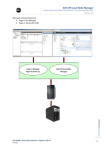
www.eaton.com Source the icon becomes Green ) The discovered nodes are displayed in Settings Auto Discovery For the other nodes, please perform the discovery based on IP address ranges (Range scan) Using the Range Scan operation you will discover the nodes that are outside of the Network segment and nodes that are not compatible with the ”Quick scan” feature. In the Settings Shutdown page, assign the IP address of the UPS that powers the local Computer. In the Settings User List page, assign the access rights through “login and password” 2.9.3 Step 3 (Operation) The Views Power Source menu item (optional) allows you to supervise the current state of the UPS that powers the server running Intelligent Power® Protector The Events Event List view allows you to view the device events. Intelligent Power Protector – Extension for Microsoft Hyper-V & Hyper-V Server Hyper-V is a registered trademark of Microsoft Inc. Page 14/15