1
Satellite 1130 Series Version
1
Last Saved on 05/02/2003 17:53
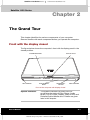
The Grand Tour
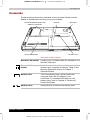
Right side
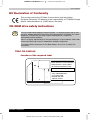
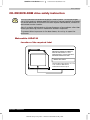
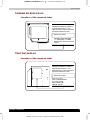
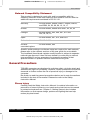
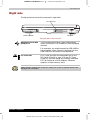
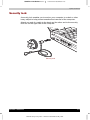
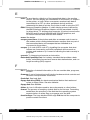
The figure below shows the computer’s right side.
PC CARD SLOT
RIGHT SPEAKER
USB PORT
The right side of the computer
Universal Serial Bus
(USB) Port
The Universal Serial Bus (USB) port enables
chain connection of a number of USB-equipped
devices.
For example, you might connect a USB-HUB to
the computer, then connect a keyboard to the
USB-HUB and a mouse to the keyboard.
PC Card Slot
A PC Card slot can accommodate two 5 mm
PC Cards (Type II) or one 10.5 mm PC Card
(Type III). You can install any industry standard
PC Card such as a SCSI adaptor, Ethernet
adaptor or flash memory card.
Keep foreign objects out of the PC Card slot. A pin or similar object can
damage the computer.
Satellite 1130 Series
2-4
ENGLISH using Euro_M.dot –– Printed on 05/02/2003 as IM_113EN