1
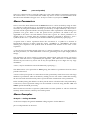
window behind it. When you want to bring the control panel back to the front just click on it
and the editor window will go behind. The editor's cursor only flashes and the menus only
work when an editor window is at the front.
Automatic Launching
You may configure HiSoft Devpac to be loaded automatically whenever a source file is
double-clicked from the Desktop, using the Install Application option.
To do this you first have to decide on the extension you are going to use for your files, which
we recommend to be .S for assembly language files. Having done this, go to the Desktop, and
click once on DEVPAC.PRG to highlight it. Next click on Install Application from the Options
menu and a dialog box will appear. You should set the Document Type to be S (or whatever
you require), and leave the GEM radio button selected. Finally click on the OK button (if you
press Return it will be taken as Cancel).
Having done this, you will return to the Desktop. To test the installation, double-click on a
file with the chosen extension which must be on the same disk and in the same folder as
HiSoft Devpac and the Desktop will load HiSoft Devpac, which will in turn load in the file of
your choice ready for editing or compilation.
Note: To make the configuration permanent, you have to use the Save Desktop option.
The Program Menu
The Program menu contains commands for assembling and running your
program. The commands on it are used to communicate with the other
parts of the package, the assembler, the debugger and, not least, the
program that you are developing.
Assemble
This command will assemble the file that is currently being edited using that have been set up
using the Assembler Options dialogs, which are described in detail at the beginning of the
next section.
If you are compiling to memory and get a program buffer full error when you assemble
something you should change the number given by Buffer size... on the Format popup menu.
There is of course a penalty for this - the bigger the program buffer size the smaller the
amount of memory left for the assembler itself to use while assembling your program. If the
assembler itself aborts with Out of memory it means there is not enough left for a complete
assembly - you should reduce the buffer size, or if this still fails you will have to assemble to
disk.
When you assemble to disk the program buffer size number is ignored, giving maximum
The Editor
Hisoft Devpac 3
Page 41