1
UM1936
User manual
Getting started with osxMotionAR activity recognition library for
X-CUBE-MEMS1 expansion for STM32Cube
Introduction
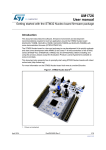
This document describes how get started with the osxMotionAR software package.
The osxMotionAR activity recognition algorithm is provided in static library format and is designed for
use in combination with the NUCLEO-F401RE (STM32 Nucleo development board) and X-NUCLEOIKS01A1 (motion MEMS and environmental sensor expansion board) or X-NUCLEO-IKS01A1 plus
STEVAL-MKI160V1 (LSM6DS3 adapter board for standard DIL24 socket). The osxMotionAR library is
integrated in a software package providing implementation examples for the above platforms.
The software is based on STM32Cube technology. Information about STM32Cube is available on
www.st.com at http://www.st.com/stm32cube.
August 2015
DocID028198 Rev 1
1/41
www.st.com
Contents
User manual
Contents
1
osxMotionAR library add-on to X-CUBE-MEMS1 software
expansion for STM32Cube ...................................................................... 4
1.1
osxMotionAR overview ...................................................................... 4
1.2
osxMotionAR architecture ................................................................. 4
1.3
osxMotionAR folder structure ............................................................ 5
1.4
osxMotionAR APIs ............................................................................ 6
1.4.1
1.5
osxMotionAR library ........................................................................... 6
Sample application ............................................................................ 7
1.5.1
Activity acquisition working mode ....................................................... 9
1.5.2
Sensors_DataLog utility.................................................................... 10
1.5.3
Data storage ..................................................................................... 14
2
Algorithm performance ................................................................. 16
3
System setup guide....................................................................... 17
3.1
Hardware description ...................................................................... 17
3.1.1
STM32 Nucleo platform .................................................................... 17
X-NUCLEO-IKS01A1 expansion board ........................................................... 18
3.2
Software descritption ....................................................................... 20
3.3
Hardware setup ............................................................................... 20
3.4
Software setup ................................................................................ 20
3.5
3.4.1
Development tool-chains and compilers .......................................... 20
3.4.2
PC utility ........................................................................................... 20
System setup .................................................................................. 21
3.5.1
STM32 Nucleo and sensor expansion boards setup ....................... 21
3.5.2
Sensors_DataLog GUI setup ........................................................... 21
3.5.3
osxMotionAR installer setup ............................................................. 21
3.5.4
osxMotionAR license wizard ............................................................ 27
4
Acronyms and abbreviations ....................................................... 38
5
References ..................................................................................... 39
6
Revision history ............................................................................ 40
2/41
DocID028198 Rev 1
User manual
List of figures
List of figures
Figure 1: osxMotionAR plus X-CUBE-MEMS1 software architecture ........................................................ 5
Figure 2: osxMotionAR package folder structure ....................................................................................... 5
Figure 3: Example x, y, z axes values ........................................................................................................ 7
Figure 4: STM32 Nucleo board connected to battery pack; jumper JP1 closed ........................................ 8
Figure 5: NUCLEO-F401RE board details.................................................................................................. 9
Figure 6: State machine ............................................................................................................................ 10
Figure 7: Windows Device Manager ......................................................................................................... 11
Figure 8: Sensors_DataLog utility screenshot .......................................................................................... 12
Figure 9: Sensors_DataLog utility screenshot: upload data ..................................................................... 13
Figure 10: Acquisition details – Excel screenshot .................................................................................... 14
Figure 11: STM32 Nucleo board ............................................................................................................... 17
Figure 12: STM32 Nucleo board ............................................................................................................... 18
Figure 13: LSM6DS3 adapter board ......................................................................................................... 19
Figure 14: Sensor expansion board and adapter connected to the STM32 Nucleo ................................ 19
Figure 15: osxMotionAR installer screenshot 1 ........................................................................................ 22
Figure 16: osxMotionAR installer screenshot 2 ........................................................................................ 23
Figure 17: osxMotionAR installer screenshot 3 ........................................................................................ 24
Figure 18: osxMotionAR installer screenshot 4 ........................................................................................ 25
Figure 19: osxMotionAR installer screenshot 5 ........................................................................................ 26
Figure 20: osxMotionAR installer screenshot 6 ........................................................................................ 27
Figure 21: osx License Wizard screenshot 1 ............................................................................................ 28
Figure 22: osx License Wizard screenshot 2 ............................................................................................ 29
Figure 23: osx License Wizard screenshot 3 ............................................................................................ 30
Figure 24: osx License Wizard screenshot 4 ............................................................................................ 31
Figure 25: osx License Wizard screenshot 5 ............................................................................................ 32
Figure 26: osx License Wizard screenshot 6 ............................................................................................ 33
Figure 27: osx License Wizard screenshot 7 ............................................................................................ 34
Figure 28: osx License Wizard screenshot 8 ............................................................................................ 35
Figure 29: osx License Wizard screenshot 9 ............................................................................................ 36
Figure 30: osx License Wizard screenshot 10 .......................................................................................... 37
DocID028198 Rev 1
3/41
osxMotionAR library add-on to X-CUBE-MEMS1
software expansion for STM32Cube
User manual
1
osxMotionAR library add-on to X-CUBE-MEMS1
software expansion for STM32Cube
1.1
osxMotionAR overview
The osxMotionAR library is a complete middleware solution aimed at building applications
strictly for 3D accelerometer sensors.
The software runs on the STM32 microcontroller and includes drivers to recognize the
available inertial sensors (currently LSM6DS0 or LSM6DS3).
It provides real-time information on the following activities performed by the user:
stationary
walking
fast walking
jogging
biking
driving
It is built on the STM32Cube software platform to facilitate portability across different
STM32 microcontrollers.
The key package features include:
1.2
complete middleware to build applications specifically for LSM6DS0 or LSM6DS3
motion sensor accelerometer sections;
osxMotionAR activity recognition middleware (under open.MEMS license)
easy portability across different MCU families, thanks to STM32Cube
sample applications to transmit activity data to a PC
sample implementations available for the X-NUCLEO-IKS01A1 board (optionally with
the LSM6DS3 adapter board) when connected to NUCLEO-F401RE
the software comes with driver implementation examples, running on NUCLEOF401RE mounted with the X-NUCLEO-IKS01A1 expansion.
osxMotionAR architecture
The software is an expansion for the X-CUBE-MEMS1 software.
The package extends STM32Cube with a middleware component for the osxMotionAR
library.
The following software layers are used by the application to access and use the sensor
expansion board:
4/41
STM32Cube HAL layer: the HAL driver layer provides a generic, multi-instance,
simple set of APIs (application programming interfaces) to interact with the upper
layers (application, libraries and stacks). It is composed of generic and extension
APIs. It is directly built around a generic architecture and allows the layers that are
built upon, such as middleware layers, to implement their functionalities avoiding
dependencies on the specific hardware configuration for a given microcontroller unit
(MCU). This structure improves library code reusability and guarantees easy
portability to other devices.
Board support package (BSP) layer: the software package needs to support all the
available peripherals on the STM32 Nucleo board apart from the MCU. This software
DocID028198 Rev 1
User manual
osxMotionAR library add-on to X-CUBE-MEMS1
software expansion for STM32Cube
is included in the board support package (BSP). This is a limited set of APIs which
provides a programming interface for certain board specific peripherals; e.g., the LED,
user button, etc. This interface also helps in identifying the specific board version. If
the sensor expansion board is used, it provides the programming interface for various
inertial and environmental sensors. It provides support for initializing and reading
sensor data.
The diagram below outlines the software architecture of the package:
Figure 1: osxMotionAR plus X-CUBE-MEMS1 software architecture
1.3
osxMotionAR folder structure
The image below outlines the package file system architecture:
Figure 2: osxMotionAR package folder structure
DocID028198 Rev 1
5/41
osxMotionAR library add-on to X-CUBE-MEMS1
software expansion for STM32Cube
The following folders are included in the package:
1.4
User manual
Documentation: this folder contains a compiled HTML file generated from the source
code and documenting in detail the software components and APIs (doxygen).
Middlewares: this folder contains the osxMotionAR static library binary code, the
library header file, documentation, license information plus header file for node-locked
license validation.
Projects: this folder contains a sample application used to access sensors and activity
data, provided for the NUCLEO-F401RE platform according to three IDE (Integrated
Development Environments) proprietary formats (IAR Embedded Workbench for ARM,
µVision (MDK-ARM) toolchain, System Workbench for STM32).
osxMotionAR APIs
Detailed technical information fully describing the functions and parameters of the
osxMotionAR APIs can be found in the OSXMotionAR_Package.chm compiled HTML file
located in the Documentation folder of the software package.
The osxMotionAR is provided as a node-locked library which allows derivative firmware
images to run on a specific STM32 Nucleo device only. Licensing activation codes must be
requested from ST and included in the project (and become part of the build process) prior
to attempting its usage. The resulting firmware binary image will therefore be node-locked.
For complete information about the open.MEMS license agreement, please refer to the
license file located in the Middlewares/ST/STM32_OSX_MotionAR_Library folder.
1.4.1
osxMotionAR library
The osxMotionAR is a real time activity recognition software solution. The algorithm only
manages the data acquired from the accelerometer, at the low sampling frequency of 16
Hz to reduce host platform power consumption.
The exposed APIs of the osxMotionAR library are listed below:
6/41
uint8_t osx_MotionAR_GetLibVersion(char *version);
retrieves the revision of the included core engine;
osx_lm_result_t osx_MotionAR_Initialize(void);
performs osxMotionAR initialization and setup of the internal mechanism used for
node-locking (See Section 3.5.3: "osxMotionAR installer setup"). The output for
correct or incorrect initialization is OSX_SUCCESS or OSX_FAILED respectively
(e.g., OSX_FAILED is returned for license errors);
void osx_MotionAR_SetOrientation_Acc const char
*acc_orientation);
this function is used to set the accelerometer data orientation; library
configuration is usually performed immediately after the
osx_MotionAR_Initialize function call.
The required input is a pointer to a string of three characters indicating the
direction of each of the positive orientations of the reference frame used for
accelerometer data output, in the sequence x, y, z. Valid values are: n (north) or s
(south), w (west) or e (east), u (up) or d (down).
As shown in the figure below, the X-NUCLEO-IKS01A1 accelerometer sensor
has an ENU orientation (x - East, y - North, z - Up), so the string is: “enu”, while
the accelerometer sensor in STEVAL-MKI160V1 is NWU (x-North, y-West, z-Up):
“nwu”.
DocID028198 Rev 1
User manual
osxMotionAR library add-on to X-CUBE-MEMS1
software expansion for STM32Cube
Figure 3: Example x, y, z axes values
1.5
osxMAR_output osx_MotionAR_Update (osxMAR_input *data_in);
The required input is a pointer to a structure containing the three axis
accelerometer data expressed in [g]; the output is osxMAR_output, indicating the
activity code and is an enum.
Sample application
The osxMotionAR middleware can be easily manipulated to build user applications; an
application example is provided in the Projects folder.
It is designed to run on a NUCLEO-F401RE board connected to an X-NUCLEO-IKS01A1
board (based on LSM6DS0), or a NUCLEO-F401RE board connected to an X-NUCLEOIKS01A1 plus a STEVAL-MKI160V1 board (based on LSM6DS3).
The application recognizes the performed activities and stores them in the board memory
for offline analysis. The algorithm recognizes stationary, walking, fast walking, jogging, bike
riding and driving activities.
In normal activity acquisition mode, the STM32 Nucleo board may be supplied by a
portable battery pack (Figure 4: "STM32 Nucleo board connected to battery pack; jumper
JP1 closed") to make the user experience more comfortable, portable and free of any PC
connections.
DocID028198 Rev 1
7/41
osxMotionAR library add-on to X-CUBE-MEMS1
software expansion for STM32Cube
User manual
Figure 4: STM32 Nucleo board connected to battery pack; jumper JP1 closed
A USB cable connection is required to transfer the acquired data from the MCU to a PC.
Once connected, launch the dedicated Sensors_DataLog GUI and connect it to the STM32
Nucleo board; for more details, refer to Section 1.5.2: "Sensors_DataLog utility".
Table 1: Power supply scheme
8/41
Power Source
NUCLEO-F401RE settings
Working Mode
USB PC cable
JP1 open
Data upload to PC
Battery pack
JP1 closed
Activity Acquisition (Normal)
DocID028198 Rev 1
User manual
1.5.1
osxMotionAR library add-on to X-CUBE-MEMS1
software expansion for STM32Cube
Activity acquisition working mode
In normal working mode, the user can power the board by means of an external battery
pack (Figure 4: "STM32 Nucleo board connected to battery pack; jumper JP1 closed"),
ensuring that jumper JP1 is fitted.
Figure 5: NUCLEO-F401RE board details
The above figure shows the user button B1 and the three LEDs of the NUCLEO-F401RE
board. Once the board is powered, LED LD3 (PWR) turns ON and the tricolor LED LD1
(COM) begins blinking slowly due to the missing USB enumeration (refer to user manual
UM1724 STM32 Nucleo boards for further details).
DocID028198 Rev 1
9/41
osxMotionAR library add-on to X-CUBE-MEMS1
User manual
software expansion for STM32Cube
When user button B1 is first pressed and LED LD2 (USER) is OFF, the system starts
acquiring data from the accelerometer sensor and detects the performed activity; during
this acquisition mode, rapid LED LD2 blinking indicates that the algorithm is running.
Pressing button B1 a second time stops the algorithm (and the relative data storage
session) and the LED LD2 displays the activity code according to a sequence of flashes
described in Table 2: "LED LD2 activity codes".
By pressing the button B1 a third time, the system goes in standby mode; i.e., the algorithm
is not running and LED LD2 is off.
Pressing the button again initiates the algorithm and data storage once more (see Figure 6:
"State machine").
If the LED LD2 is ON after powering the board, this represents a warning message
indicating that the flash memory is full or almost full (see Section 1.5.3: "Data storage") or
the library has an incorrect embedded license number.
Table 2: LED LD2 activity codes
Activity
LED LD2 blinking sequence (5 s interval)
Stationary
1
Walking
2
Fast walking
3
Running
4
Biking
5
Driving
6
Figure 6: State machine
1.5.2
Sensors_DataLog utility
The osxMotionAR software package for STM32Cube uses the Windows Sensors_DataLog
utility of the STM32CubeExpansion_MEMS1_ V1.3.0 package in the
ROOT_DIR\Utilities\PC_software folder.
Before using it, ensure that the necessary drivers are installed and the expansion board
and the STM32 Nucleo board is connected to the PC.
10/41
DocID028198 Rev 1
User manual
osxMotionAR library add-on to X-CUBE-MEMS1
software expansion for STM32Cube
Please follow these steps:
1
Connect the STM32 Nucleo board to the PC with a USB cable (jumper JP1 not fitted)
2
Find the ST COM port in Windows Device Manager (COM17 in the figure below)
Figure 7: Windows Device Manager
DocID028198 Rev 1
11/41
osxMotionAR library add-on to X-CUBE-MEMS1
User manual
software expansion for STM32Cube
3 Launch Sensors_DataLog.exe and check that the COM Device number for the current
expansion board is correct.
Figure 8: Sensors_DataLog utility screenshot
12/41
DocID028198 Rev 1
User manual
osxMotionAR library add-on to X-CUBE-MEMS1
software expansion for STM32Cube
4
Press Upload AR to upload stored activity data to the PC GUI. This operation
automatically deletes acquired data from microcontroller. The figure below shows how
the data is arranged in Time, Activity and Description columns. Activities with a duration of
less than 20 seconds are not memorized.
Figure 9: Sensors_DataLog utility screenshot: upload data
DocID028198 Rev 1
13/41
osxMotionAR library add-on to X-CUBE-MEMS1
User manual
software expansion for STM32Cube
5 Press the Save AR button in the above figure to save the data in a .tsv file located in a
new folder called SensorsDataLog. A closer look at our example reveals the user walked
for two minutes and, after a very short rest (approximately 20 seconds), jogged for
three minutes before resting and stopping data acquisition. The acquired data may be
exported and plotted in an Excel file, as shown below.
Figure 10: Acquisition details – Excel screenshot
1.5.3
Data storage
The example application allows the user to detect activity performed and store it in MCU
flash memory. Data is automatically saved every 5 minutes to avoid excessive data loss in
case of an unforeseen power fault. Data is also stored when the user stops acquisition by
pressing button B1 to display data by LED.
When stored data is retrieved via the GUI (see Section 1.5.2: "Sensors_DataLog utility"),
the MCU flash sector dedicated to this purpose is cleared.
LED LD2 should be OFF at power-on, unless:
the flash memory is full or almost full
the license number is incorrect
In the first case, the user can continue using the board for normal activity recognition and
data storage (if enough space is available) as described in Section 1.5.1: "Activity
acquisition working mode", by pushing the user button (LED switches off in 5 seconds).
Data continues to be stored until the reserved sector is full, at which time the algorithm
keeps running, but data is no longer stored.
The flash sector dedicated to data storage is 128 KB, allowing memorization of more than
16,000 data sets, this equates to:
14/41
a minimum of 91 hours (activity changes and a new buffer is stored every 20 seconds)
a maximum of 1365 hours (activity never changes and data is automatically stored
every 5 minutes).
DocID028198 Rev 1
User manual
osxMotionAR library add-on to X-CUBE-MEMS1
software expansion for STM32Cube
If LED LD2 switches ON at reset, no more than 1400 Bytes are free; i.e., from one hour
recording time if data is stored every 20 seconds to 15 hours if data is automatically saved
every five minutes.
If a large amount of data needs to be stored and no PC is available for data download and
flash memory clean up, the MCU memory can be erased when LED LD2 is ON by holding
the user push button down for at least 5 seconds. LED LD2 switches OFF and then starts
blinking to indicate that acquisition mode has been activated and the activity data stored in
the MCU has been erased.
If LED LD2 does not switch OFF after this operation, it means that the license number is
wrong. In this case no action is allowed and the user must program the STM32 Nucleo
board with the correct license number (see Section 3.5.4: "osxMotionAR license wizard" for
details on how to obtain a license).
DocID028198 Rev 1
15/41
Algorithm performance
2
User manual
Algorithm performance
The activity recognition (AR) algorithm only uses data from the accelerometer and runs at a
low frequency (16 Hz) to reduction power consumption.
The table below shows the performance of the AR algorithm in terms of recognition
success rates. The data is based on 600 data sets collected from 71 individuals.
Table 3: Performance data
Activity
16/41
Detection
probability
Best
performance
Vulnerable
Carry positions
Holding in hand
and heavy texting
all: trousers pocket,
shirt pocket, back
pocket, near the
head, etc.
step rate ≤ 1.2
step/s
all
Stationary
91.41%
Walking
98.85%
step rate ≥ 1.4
step/s
Fast
walking
98.88%
step rate ≥ 2.0
step/s
all
Jogging
98.76%
step rate ≥ 2.2
step/s
trouser pocket, arm
swing, in-hand
Biking
86.41%.
outdoor speed
≥ 11 Km/h
duration < 1
minute; speed < 8
Km/h
backpack, shirt
pocket, trouser
pocket
Driving
83.57%
speed ≥ 48
Km/h
passenger seat,
glove
compartment.
cup holder, dash
board, shirt pocket,
trousers pocket
DocID028198 Rev 1
User manual
System setup guide
3
System setup guide
3.1
Hardware description
This section describes the hardware components required to develop a sensor-based
application.
3.1.1
STM32 Nucleo platform
The STM32 Nucleo boards represent an affordable and flexible solution for users to
implement new ideas and build prototypes with any STM32 microcontroller lines. Arduino™
connectivity support and ST Morpho headers make it easy to expand the functionality of
the STM32 Nucleo open development platform with a wide range of specialized expansion
boards.
The STM32 Nucleo board does not require any separate probes as it integrates the STLINK/V2-1 debugger/programmer, and it is bundled with the STM32 comprehensive
software HAL library together with various packaged software examples.
Information about the STM32 Nucleo boards is available on www.st.com at:
http://www.st.com/stm32nucleo
Figure 11: STM32 Nucleo board
DocID028198 Rev 1
17/41
System setup guide
User manual
X-NUCLEO-IKS01A1 expansion board
The X-NUCLEO-IKS01A1 figured below is a sensor expansion board for use with the
STM32 Nucleo system. It is also compatible with the Arduino UNO R3 connector layout,
and is designed around the STMicroelectronics humidity (HTS221), pressure (LPS25HB)
and motion sensors (LIS3MDL and LSM6DS0). The X-NUCLEO-IKS01A1 interfaces with
the STM32 MCU via an I²C pin, and the user can change the default I²C address and the
device IRQ by changing one resistor on the evaluation board.
Figure 12: STM32 Nucleo board
Information about the X-NUCLEO-IKS01A1 expansion board is available on www.st.com
at: http://www.st.com/x-nucleo.
The LSM6DS3 adapter board in the figure below can be plugged on top of the X-NUCLEOIKS01A1 expansion board, as shown in Figure 14: "Sensor expansion board and adapter
connected to the STM32 Nucleo".
18/41
DocID028198 Rev 1
User manual
System setup guide
Figure 13: LSM6DS3 adapter board
Figure 14: Sensor expansion board and adapter connected to the STM32 Nucleo
DocID028198 Rev 1
19/41
System setup guide
3.2
User manual
Software descritption
The following software components are required to set up a suitable development
environment for creating applications using the osxMotionAR library for the STM32 Nucleo,
equipped with the sensor expansion board:
3.3
X-CUBE-MEMS1: an expansion for STM32Cube dedicated to sensor application
development. The X-CUBE-MEMS1 firmware and related documentation is available
on st.com.
osxMotionAR: an add-on software package for X-CUBE-MEMS1 that provides activity
recognition APIs. The osxMotionAR firmware and related documentation is available
on st.com.
Development tool-chain and compiler: The STM32Cube expansion software supports
the following three IDEs:
IAR Embedded Workbench for ARM® (EWARM) toolchain + ST-LINK
µVision(MDK-ARM) toolchain + ST-LINK
System Workbench for STM32
Hardware setup
The following hardware components are required:
3.4
One STM32 Nucleo development platform (order code: NUCLEO-F401RE)
One sensor expansion board (order code: X-NUCLEO-IKS01A1) optionally mounted
with the LSM6DS3 adapter board (order code: STEVAL-MKI160V1)
One USB type A to Mini-B USB cable to connect the STM32 Nucleo to the PC
One battery pack to run the application example
Software setup
This section lists the minimum requirements for the developer to set up the SDK, run the
sample testing scenario based on the GUI utility and customize applications.
3.4.1
Development tool-chains and compilers
Please select one of the integrated development environments supported by the
STM32Cube expansion software, and read the system requirements and setup information
provided by the selected IDE provider.
3.4.2
PC utility
The Sensors DataLog utility for PC has following minimum requirements:
20/41
PC with Intel or AMD processor running one of the following Microsoft operating
systems:
Windows XP SP3
Windows Vista
Windows 7
At least 128 MBs of RAM
2 X USB ports
40 MB of hard disk space
DocID028198 Rev 1
User manual
3.5
System setup guide
System setup
This section describes how to set up different hardware components before writing and
executing an application on the STM32 Nucleo board with the sensor expansion board.
3.5.1
STM32 Nucleo and sensor expansion boards setup
The STM32 Nucleo board includes the ST-LINK/V2-1 debugger/programmer. The
developer can download the relevant version of the ST-LINK/V2-1 USB driver by accessing
the STSW-LINK008 or STSW-LINK009 on www.st.com (according to which MS Windows
OS is used).
The sensor expansion board X-NUCLEO-IKS01A1 can be easily connected to the STM32
Nucleo motherboard through the Arduino UNO R3 extension connector (see Figure 14:
"Sensor expansion board and adapter connected to the STM32 Nucleo"). The LSM6DS3
adapter board (STEVAL-MKI160V1) is plugged on top of the expansion board. The sensor
expansion boards are capable of interfacing with the external STM32 microcontroller on the
STM32 Nucleo via an inter-integrated circuit (I²C) transport layer.
3.5.2
Sensors_DataLog GUI setup
The Sensors_DataLog GUI included in the X-CUBE-MEMS1 software package is a
graphical user interface that can be used to obtain activity data previously stored on MCU.
Please see Section 1.5.2: "Sensors_DataLog utility" for a description of the how this PC
utility works.
This utility retrieves data from the connected STM32 MCU flash memory and stores it in a
table format which can be exported for offline analysis.
In order to use the Sensors_DataLog GUI, the user has to correctly set up the hardware
and software.
The utility can be launched by simply double-clicking on the Sensors_DataLog.exe file,
located in the "Utilities\PC_software\Sensors_DataLog" folder.
3.5.3
osxMotionAR installer setup
The osxMotionAR software package is equipped with a Windows installer
(osxMotionAR_Setup_vXXX.exe), which guides the user through the software package
installation. The installer also includes the osx License Wizard tool, which allows the user
to automatically obtain a valid node-locked license for their STM32 Nucleo board. The
installer for the license wizard is described in Section 3.5.4: "osxMotionAR license wizard".
DocID028198 Rev 1
21/41
System setup guide
User manual
1 Before running the installer, download the latest release of the X-CUBEMEMS1
software package and unzip this package in the relative workspace. For example, if the
X-CUBE-MEMS1 package is located in
"C:\workspace\STM32CubeExpansion_MEMS1_VX.X.X", the installer will display
welcome window shown in the figure below.
Figure 15: osxMotionAR installer screenshot 1
22/41
DocID028198 Rev 1
User manual
2
System setup guide
The license agreement must be accepted, as shown in the figure below.
Figure 16: osxMotionAR installer screenshot 2
DocID028198 Rev 1
23/41
System setup guide
User manual
3 The installer provides information such as the requirements of the latest release of the
X-CUBE-MEMS1 software package.
Figure 17: osxMotionAR installer screenshot 3
24/41
DocID028198 Rev 1
User manual
4
System setup guide
The installer then asks for the destination location of the osxMotionAR library.
Figure 18: osxMotionAR installer screenshot 4
DocID028198 Rev 1
25/41
System setup guide
User manual
5 The user must then provide the path to the X-CUBE-MEMS1 package. It is imperative
to insert the correct path to the X-CUBEMEMS1 package, otherwise the sample
application will not compile. It is the path where the folders "Documentation", "Projects",
"Drivers", "Utilities", etc.., contained in the X-CUBE-MEMS1 software package are
located. In this example, it is "C:\workspace\STM32CubeExpansion_MEMS1_V1.3.0".
Figure 19: osxMotionAR installer screenshot 5
26/41
DocID028198 Rev 1
User manual
6
System setup guide
The user must then provide the path to the Start menu folder where the shortcuts are
installed.
Figure 20: osxMotionAR installer screenshot 6
This completes the osxMotionAR installation.
3.5.4
osxMotionAR license wizard
The osxMotionAR engine is provided as a node-locked library which allows derivative
firmware images to run on a specific STM32 Nucleo device only. License activation codes
must to be requested to ST and included in the project (and becomes part of the build
process) prior to attempting its usage. The resulting firmware binary image will therefore be
node-locked.
The License wizard allows the user to automatically obtain a valid node-locked license for
their STM32 Nucleo board. Before running this tool, connect the STM32 Nucleo to be
linked to the node-locked license via USB cable.
The user will receive an email with the license to be included in the
Middlewares\ST\osxMotionAR folder of the workspace.
The steps below describe the licensing procedure in detail.
DocID028198 Rev 1
27/41
System setup guide
1 The figure below shows the welcome screen.
Figure 21: osx License Wizard screenshot 1
28/41
DocID028198 Rev 1
User manual
User manual
2
System setup guide
The user needs to accept the license agreement to proceed with the installation.
Figure 22: osx License Wizard screenshot 2
DocID028198 Rev 1
29/41
System setup guide
User manual
3 The license then asks for the destination location of the osx License Wizard.
Figure 23: osx License Wizard screenshot 3
30/41
DocID028198 Rev 1
User manual
4
System setup guide
The user must then provide the path to the Start menu folder where the shortcuts are
installed.
Figure 24: osx License Wizard screenshot 4
This step completes the osx License Wizard software installation.
DocID028198 Rev 1
31/41
System setup guide
User manual
5 The osx License Wizard needs to access some information on the STM32 Nucleo
board in order to create the request for the node-locked license. For this reason, the
osx License Wizard requires the installation of some additional packages ("Microsoft
VS 2013 redistributable" and "STM32 ST-LINK Utility"), if the user has not already
done so
Figure 25: osx License Wizard screenshot 5
32/41
DocID028198 Rev 1
User manual
6
System setup guide
Before launching the osx License Wizard, connect the STM32 Nucleo board to be
linked to the node-locked license via USB cable. First, select the library to be activated
as per the figure below.
Figure 26: osx License Wizard screenshot 6
DocID028198 Rev 1
33/41
System setup guide
7 Next click on the "Identify STM32 Nucleo board" button.
Figure 27: osx License Wizard screenshot 7
34/41
DocID028198 Rev 1
User manual
User manual
8
System setup guide
At this point, information about the connected STM32 Nucleo board is available to the
user together with a node code associated with the same board.
Figure 28: osx License Wizard screenshot 8
Complete the form, editing the "User name", "Company" and "Email" and click on
"Generate license request".
DocID028198 Rev 1
35/41
System setup guide
User manual
9 A new window concerning the license agreement will appear and user can accept the
conditions by clicking the Continue button to proceed.
Figure 29: osx License Wizard screenshot 9
36/41
DocID028198 Rev 1
User manual
System setup guide
10 Click the "Send license request email" button shown in the figure below.
Figure 30: osx License Wizard screenshot 10
11 Once the license activation codes have been received, edit the content of the
osx_license.h file with the license number. You must also delete or comment the
"#error...." line, found in the Middlewares\ST\osxMotionAR folder of your workspace.
DocID028198 Rev 1
37/41
Acronyms and abbreviations
4
User manual
Acronyms and abbreviations
Table 4: Acronyms
Acronym
38/41
Description
HAL
Hardware Abstraction Layer
API
Application programming interface
BSP
Board support package
IDE
Integrated Development Environments
NED
x-North, y-East, z-Down
ENU
x-East, y-North, z-Up
SEU
x-South, y-East, z-Up
GUI
Graphical User Interface
SDK
Software development kit
DocID028198 Rev 1
User manual
5
References
References
UM1859: Getting started with the X-CUBE-MEMS1 motion MEMS and environmental
sensor software expansion for STM32Cube
DB2613: Real-time activity-recognition software expansion for STM32Cube
UM1724: STM32 Nucleo boards
DocID028198 Rev 1
39/41
Revision history
6
User manual
Revision history
Table 5: Document revision history
40/41
Date
Revision
05-Aug-2015
1
DocID028198 Rev 1
Changes
First release.
User manual
IMPORTANT NOTICE – PLEASE READ CAREFULLY
STMicroelectronics NV and its subsidiaries (“ST”) reserve the right to make changes, corrections, enhancements, modifications,
and improvements to ST products and/or to this document at any time without notice. Purchasers should obtain the latest relevant
information on ST products before placing orders. ST products are sold pursuant to ST’s terms and conditions of sale in place at
the time of order acknowledgement.
Purchasers are solely responsible for the choice, selection, and use of ST products and ST assumes no liability for application
assistance or the design of Purchasers’ products.
No license, express or implied, to any intellectual property right is granted by ST herein.
Resale of ST products with provisions different from the information set forth herein shall void any warranty granted by ST for such
product.
ST and the ST logo are trademarks of ST. All other product or service names are the property of their respective owners.
Information in this document supersedes and replaces information previously supplied in any prior versions of this document.
© 2015 STMicroelectronics – All rights reserved
DocID028198 Rev 1
41/41