1
IP Camera User Manual
4)
Set up the DNS server as your local DNS address for using DDNS function.
5)
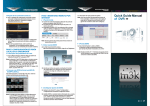
Click [Back] to change previous settings. Click [Completed] to save the settings.
Fig 3-11
Note: User can refer to Chapter 3.5.3.1 Network Configure for details. After modify
and save network parameters, IP Camera will restart. All ports (including device
port, media port, web port, ONVIF port, etc) must be forwarded when IPC is
accessed via internet.
3.5.2 Image
3.5.2.1 ISP Configure
The interface of ISP configure is shown in Fig 3-12:
15