1
hall_150015_ch07.qxd
8/25/06
3:16 PM
Page 185
7.5 Other Bootloaders
185
means that the configured behavior can be modified at boot time for different system configurations.
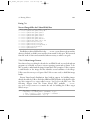
Listing 7-11 is an example GRUB configuration file. This is the configuration
file from the PC on which this manuscript is being written. The GRUB configuration file is called grub.conf and is usually placed in a small partition dedicated to
storing boot images. On the machine from which this example is taken, that directory is called /boot.
Listing 7-11
Example GRUB Configuration File: grub.conf
default=0
timeout=3
splashimage=(hd0,1)/grub/splash.xpm.gz
title Fedora Core 2 (2.6.9)
root (hd0,1)
kernel /bzImage-2.6.9 ro root=LABEL=/ rhgb proto=imps quiet
initrd /initrd-2.6.9.img
title Fedora Core (2.6.5-1.358)
root (hd0,1)
kernel /vmlinuz-2.6.5-1.358 ro root=LABEL=/ rhgb quiet
title That Other OS
rootnoverify (hd0,0)
chainloader +1
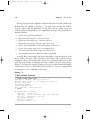
GRUB first presents the user with a list of images that are available to boot. The
title entries from Listing 7-11 are the image names presented to the user.
The default tag specifies which image to boot if no keys have been pressed in the
timeout period, which is 3 seconds in this example. Images are counted starting
from zero.
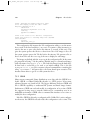
Unlike Lilo, GRUB can actually read a file system on a given partition to load an
image from. The root tag specifies the root partition from which all filenames in
the grub.conf configuration file are rooted. In this example configuration, the
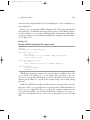
root is partition number 1 on the first hard disk drive, specified as root(hd0,1).
Partitions are numbered from zero; this is the second partition on the first hard
disk.