1
ACX4000
Welcome to the ACX4000 Family!
Thank you for purchasing a ACX4000 Switch! We appreciate your business, and we think
you’ll appreciate the many ways that your ACX4000 system will save you money, time, and
effort.
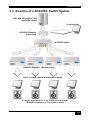
The ACX4000 Switch offers three fundamental uses:
•
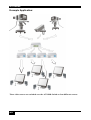
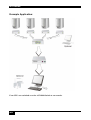
As a Multiplex Repeater: the DVI signals (+optional audio) coming from a signal
source are equalized and distributed on up to 7 equivalent outputs. A control is not
necessary. Distributed display systems can be realized (Digital Signage).
•
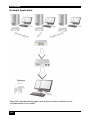
As an 8-port Cross point Switch: each port can be switched optionally as an input or
output. You can, for example, switch and distribute the signals from 3 signal
sources on up to 5 displays (allowing simultaneous presentations on several
displays). Alternatively, signals coming from 7 signal sources can be switched in
turn to a single display. The changeover can be triggered remotely using the serial
interface (RS232) and/or by a push-button at the device.
•
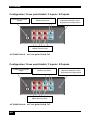
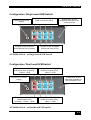
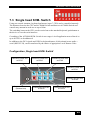
As a 7-port KVM Switch: up to 7 Single head ports (a “Single head” extender
system supports 1x monitor, 1x keyboard, 1x mouse) or up to 3 Dual head ports (a
Dual head extender system supports 2x monitor, 1x keyboard, 1x mouse). The
changeover can be triggered remotely using the serial interface (RS232) and/or by a
push-button at the device.
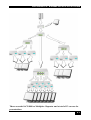
Cascade multiple devices in two stages for all applications to give up to 49/1 connections.
The ACX4000 Switch has the advantage that it can be positioned up to 140m away from both
your signal source and display device. This becomes possible by using the proven ACX4000Extender technology for the transmission of DVI- Monitor and USB-Keyboard and Mouse
signals over CATx- cable.
The operation of a ACX4000 Switch always requires at least one Local Unit and up to seven
Remote Units from the ACX4000-Extenders range.
2