1
ACX4000
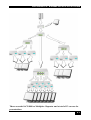
Wherever long distances cause problems for remotely locating and switching a monitor
(keyboard/mouse) signal, e.g. airports, industrial plants, call centres or in distributed
computer centres, the ACX4000 Switch is the best solution. Its flexibility allows it to tackle
many tasks.
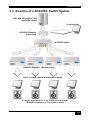
In addition, there are 4 Media Extenders (DVI + optional audio) and 8 KVM- Extenders
(DVI+USB keyboard mouse + optional audio) available. The transmission of the signals
requires connecting CATx cable.
This manual will tell you all about your new ACX4000 Switch, including how to install,
operate and troubleshoot it. For an introduction to the Converter, see Chapter 2.
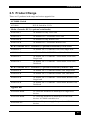
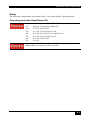
The Converter product codes covered in this manual are:
ACX4000: 7-port Switch
ACS4100A-T: ACX4000 DVI only Local Unit
ACS4122A-T: ACX4000 DVI + serial/audio Local Unit
ACS4001A-T: ACX4000- DVI + USB-HID Local Unit, Single head
ACS4201A-T: ACX4000- DVI + USB-HID Local Unit, Dual head
ACS4022A-T: ACX4000- DVI + USB-HID + serial/Audio Local Unit, , Single head
ACS4222A-T: ACX4000- DVI + USB-HID + serial/Audio Local Unit, , Dual head
ACS4100A-R: ACX4000 DVI only Remote Unit
ACS4122A-R: ACX4000 DVI + serial/audio Remote Unit
ACS4001A-R: ACX4000- DVI + USB-HID Remote Unit, Single head
ACS4201A-R: ACX4000- DVI + USB-HID Remote Unit, Dual head
ACS4022A-R: ACX4000- DVI + USB-HID + serial/Audio Remote Unit, , Single head
ACS4222A-R: ACX4000- DVI + USB-HID + serial/Audio Remote Unit, , Dual head
3