1
AlertCam Manual:Layout 5
a
m cde f gh i j k
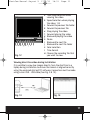
Fig. 12
b
l
17/8/11
18:31
Page 11
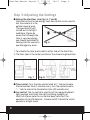
a: Time scale selection when
viewing the video
b: Speed selection when playing
the video 1-8
c: Forward to previous file folder
d: Forward to previous file
e: Stop playing the video
f: Forward playing the video
g: Backward playing the video
h: Pause
i: Backward to next file
j: Backward to next file folder
k: Color selection
l: Time Search
m: Choose the recording file that
you want to view.
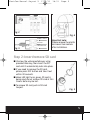
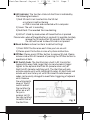
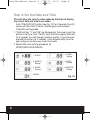
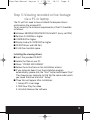
Viewing direct live video during installation
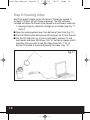
It is possible to view live images directly from the AlertCam to a
laptop during installation to ensure the camera is aligned correctly
using the enclosed AmCap RTC software. Connection must be made
using a mini USB – USB cable (See Fig. 9 & 13).
Fig. 13
Fig. 14
11