1
Getting Started
Setup for Use with Online System
To set up the Vx510G to communicate with the online timekeeping
system, the serial number (9-digit number found on the back of the
clock, or on the outside of the box the clock came in) needs to be
added to your account. This is done by your timekeeping service
provider. Once the serial number has been configured, the clock is
ready to be used. One final step is to ensure employees using the
clock have a PIN or card number (if cards are being used) added to
their Employee Setup file.
If you receive the message “UNKNOWN SERIAL #”, it means your
account has not been set up on the server. Note that it can take up
to 10 minutes after the clock’s serial number has been added to the
account for it to become active.
Wireless Communication (SIM card)
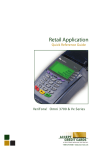
The FlexClock Vx510G transmits punch data via a
wireless data connection that has been preconfigured for your clock. The data network is with
T-Mobile and the SIM card has been configured for
this specific clock.
Wireless service coverage is available anywhere T-Mobile provides
cellular coverage within the United States, including Alaska, Hawaii,
and Puerto Rico. To verify coverage is available in your specific area,
please visit: http://www.t-mobile.com/coverage/pcc.aspx. The clock’s
display also includes a transmission strength indicator to help determine how strong the cellular connection is in a particular location.
3