1
4.24. PROCESSING TEMPLATES
69
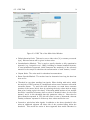
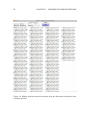
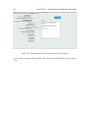
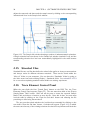
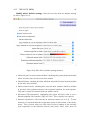
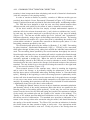
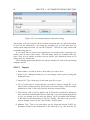
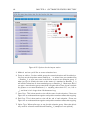
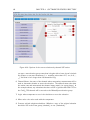
Figure 4.32: Options for the link selections action.
action. You can assign IS values in three main ways: by loading an IS file (usually a
table of sample names and major element concentrations (in elemental weight percent,
not oxide wt%), by setting a constant value for either a selection group or the entire
experiment, or by loading values for your reference materials from their standard file
(e.g. loading the NIST612 IS value from the G_NIST612 standard file).
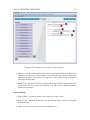
Import from file:
1. Action Name: set this to make it clear what your action does
2. Action Type: although already set, you can change action types by using this
dropdown menu
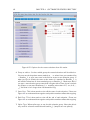
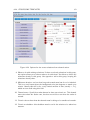
3. Method: set how you’d like to assign IS values here.
4. IS file. Select a file containing your IS value. The format must be either comma
separated value (.csv) or tab-delimited (.txt) text. The first column must be
the sample names, and must match the selection labels for those samples. Each
column after that is an elements concentration. Each column should be headed
by the element symbol (e.g. Na for sodium). This is so that iolite can read the