1
4.19. TRACE ELEMENTS IS DRS
45
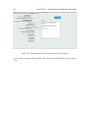
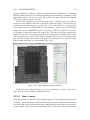
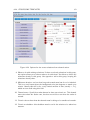
than Natural (Natural here means the original data sampling rate). Use the select
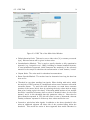
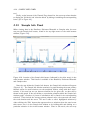
waves (read "channels") to export option to select which channels to export. Using
Default exports all Output channels. If you select Custom, after clicking Continue you
will be presented with a screen to select which channels you want to export. You can
use this functionality to export averages, 2SE and time-series values for any input,
intermediate or output channel.
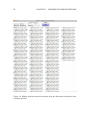
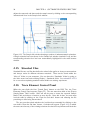
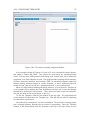
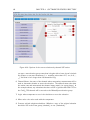
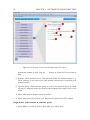
Figure 4.16: Export Settings window.
4.19
Trace Elements IS DRS
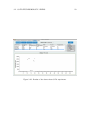
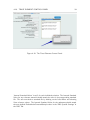
This data reduction scheme (DRS) is based on J. Hellstrom’s Trace_Elements DRS
that was originally packaged with the Iolite program. The original assumed a constant
internal standard concentration between samples. This is fine if you’re working with
mono-mineralic samples, such as calcite where Ca can be used as an internal standard,
with a constant value. However, some users will be measuring a variety of materials
within the same run with significantly different internal standard element concentrations. Thus the new Trace_Element_IS DRS provides functionality for users to import
a table of internal standard element concentrations for their samples.
The Trace Elements IS DRS matches internal standard concentrations by integration annotation (aka Selection Label). We recommend using the Automatic Selections
function to choose your selections, instead of manually labelling each selection period.
Note that for standard selections, the DRS will look in the standard files and extract
a value from there if there is an entry for the internal standard element. If not, it will
use the default value set by the user.