1
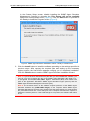
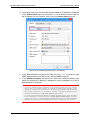
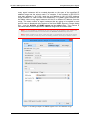
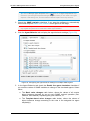
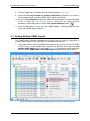
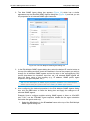
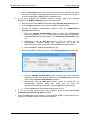
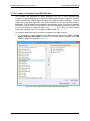
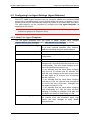
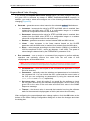
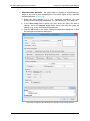
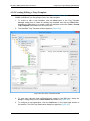
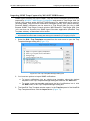
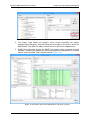
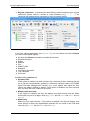
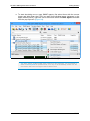
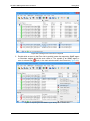
MG-SOFT SNMP Agent Simulator User Manual About Filtering Methods Regular expression - a special text search/filtering method employing the regular expression syntax, where a number of meta characters (e.g., ., [], \,..) are combined with alphanumeric characters to form the search pattern. Figure 75: Example of using a regular expression filter In the filter options drop-down menu (Figure 75), you can choose by which columns you want to filter SNMP agents: All (click the Columns checkbox to enable all columns) Simulator Engines Status Address Port SNMP Profile Snapshot Live Agent Simulation Trap Template Comment Available filtering options are: Dynamic filter If this option is enabled, the filter functions as a continuous filter, meaning that the list of results is automatically updated to reflect the changes made in the SNMP Agent Simulator Management Console (e.g., when agents that match the filter criteria are added, deleted or edited). If this option is disabled, the filter functions as a one-time filter with a static list of results. Match whole word only If this option is enabled, the filter will display only those strings that are whole words and not part of a larger word (e.g., adsl will find adsl and Adsl, but not adsl2). Match case Make the filter case sensitive. If this option is enabled, the filter will display only those strings in which the capitalization matches the one used in the Find what input line (e.g., adsl will find adsl, but not Adsl). 78