1
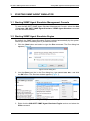
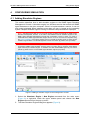
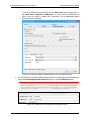
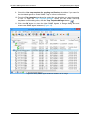
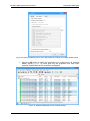
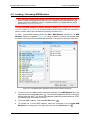
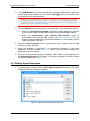
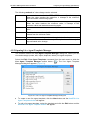
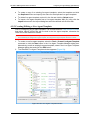
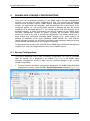
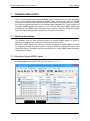
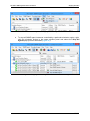
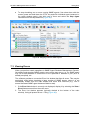
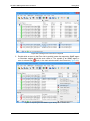
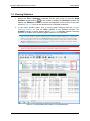
MG-SOFT SNMP Agent Simulator User Manual 7 Starting Simulation RUNNING SIMULATION After you have added and configured SNMP agent instances, you can start simulating them. When started, each simulated SNMP agent instance will listen for SNMP queries on its designated IP address and port and respond to SNMP queries, returning the OIDs and values specified in the assigned agent snapshot file. Once started, the simulated SNMP agents will continue to run until you stop them (SNMP agents are simulated by the SNMP Agent Simulator Engine service, therefore exiting the SNMP Agent Simulator Management Console will not stop the simulation). 7.1 Starting Simulation The software lets you start simulating either all existing SNMP agents, a group of agents, or individual agent instances, as described in this section. MG-SOFT SNMP Agent Simulator can simulate thousands of SNMP agents at a time by employing multiple simulator engines running on different computers. Even in such large-scale setups, all agents can be controlled from a single SNMP Agent Simulator management console. 7.1.1 Starting a Single SNMP Agent To start simulating an SNMP agent, right click it in the upper window panel and select the Start Agent command from the pop-up menu (Figure 81). Figure 81: Starting an SNMP agent 84