1
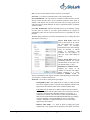
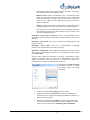
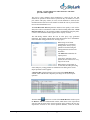
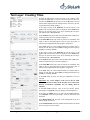
Managing Playlist Execution: Top Menu Commands Cue is a function that manually prepares rows in a playlist to be executed. This means that the corresponding media file is opened for reading by the system, prepared for playback (loaded in the memory, in/out plate), and then the Play start command is awaited. At the end of execution of a Cue procedure, the initial frame of the clip that was prepared appears on the video output of the corresponding server channel in fractions of a second in stop frame mode. Playback of the clip in the prepared row begins immediately when the Play command is activated. When Cue is pressed, preparation of rows of the following types begins: The very first row of the playlist with Wait status Play list rows with Wait status located after rows that have been executed (Done status) or whose execution was ignored by the user (Skipped status) In the row sequence execution mode, the command for the preparation of the next row is carried out in background mode automatically in order to facilitate a clean switch to the next clip (row). Play is the command that launches the execution of a sequence of rows in an active Broadcast window. When Play is pressed without Cue being pressed beforehand, the Cue command will be fulfilled automatically, and the playback of the clip will begin in fractions of a second. The execution of the following rows will take place automatically if each of them has a Sequence start indicated. Freeze suspends play of a row being executed in an active Broadcast window. When this mode is activated, the Freeze button is lit light green and the picture on the corresponding video server output is “frozen”. Clicking on Freeze again will continue playback. Go To is a command that provides an emergency stop for the execution of the current event and a switch to any other selected row in the playlist. Thus, after selecting the needed row, the user may jump up/down over several rows in the list and launch execution of the necessary event in real time. The Actions tab in the Configuration menu in the Air Manager application allows the user to select one of three modes for the execution of the Go To command: Air Manager Client Software. User Manual. © 2009-2011 Skylark Technology, Inc. 66