Download Instructions
Transcript
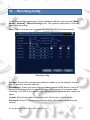
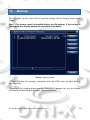
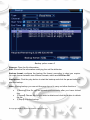
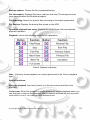
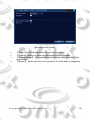
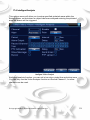
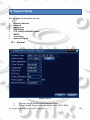
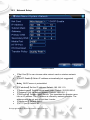
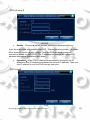
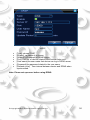
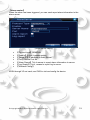
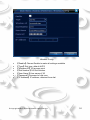
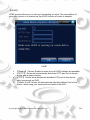
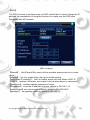
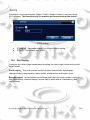
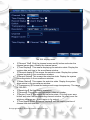
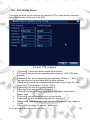
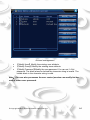
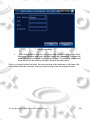
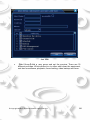
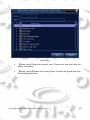
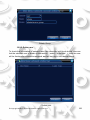
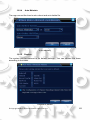
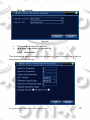
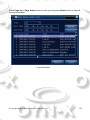
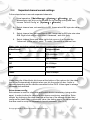
Independent channel code setting: 【Channel】Choose the channel number. 【Compression】Standard H.264 main profile. 【Resolution】Resolution type:1080P/720P/960H/D1/ HD1/CIF / QCIF. 【Frame Rate】P:1 frame/s~25 frame/s; N: 1 frame/s~30 frame/s 【Bit Rate Type】You can choose limited code stream or variable code stream. When you choose the variable code stream there are six image quality options. Under the limited code stream,you can choose the code stream manually. 【Bit Rate】Set the code stream value to modify the image quality. The larger code stream value the better image quality: - 1080P(1024~8192kbsp) 720P(1024~4096kbps) 960H(869~4096kbps) D1(512~2560kbps) HD1 (384~2048kbps) CIF (64~1024kbps) QCIF (64~512kbps) 【Frame Interval】can choose the range 2~12s 【Video/Audio】When the icons are all displayed in reverse, the video file is the video and audio multiplex stream. Extra stream Settings: 【Extra stream】is used for client side monitoring & mobile monitoring. 【Channel title】select channel title and then to choose whether need enable video & audio. The resolution, frame rate, bit rate type settings is the same as main stream. © Copyright OYN-X® All documentation rights reserved. 42