1
40
11. Buildings Text-Sets
For certain analytical tasks it is useful to be able to bring texts from different text groups together. This is possible in MAXqda and such a collection of primary texts is called a text-set. A text-set does not contain the
texts themselves, but rather tags or references to the texts.
A text-set is formed in the following manner:
1. Activate the texts you want to include in the text-set.
2. Click with the right mouse button on SETS in the DOCUMENT SYSTEM
window.
3. Select NEW SET.
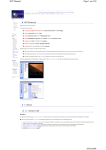
Fig. 36: Forming a New Text-Set
MAXqda then forms a new set with the name “Set 1.” You can click on
the name with the right mouse button and choose on which is more appropriate. Text-sets are manipulated like text groups; you can activate all the
texts in a text-set at the same time and use all the options for working with
text groups (Codes, Memos, Variables).