1
Chapter 4: BIOS Setup
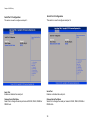
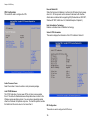
Execute Disable Bit
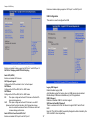
CPU Configuration
This section is used to configure the CPU.
When this field is set to Disabled, it will force the XD feature flag to always
return to 0. XD can prevent certain classes of malicious buffer overflow
attacks when combined with a supporting OS (Windows Server 2003 SP1,
Windows XP SP2, SuSE Linux 9.2, RedHat Enterprise 3 Update 3).
Intel® Virtualization Technology
Enables or disables Intel® Virtualization technology.
Socket 0 CPU Information
This section displays the information of the CPU installed in Socket 0.
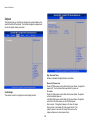
Active Processor Cores
Select the number of cores to enable in each processor package.
Limit CPUID Maximum
The CPUID instruction of some newer CPUs will return a value greater
than 3. The default is Disabled because this problem does not exist in the
Windows series operating systems. If you are using an operating system
other than Windows, this problem may occur. To avoid this problem, enable
this field to limit the return value to 3 or lesser than 3.
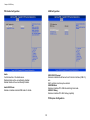
IDE Configuration
This section is used to configure the SATA drives.
16