1
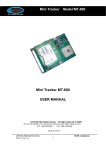
Tracker MT-900 Mini TrackerMiniModel:MT-900 USER MANUAL UniTraQ International Corp. All right reserved, © 2010 2F., No.136, Ziqiang S. Rd., Zhubei City, Hsinchu County 30264, Taiwan (R.O.C.) TEL:886-3-6578491 FAX:886-3-6578492 MADE IN TAIWAN UniTraQ International Corp. 2010,05, Version 1.0 RoHS compliance. 1 Mini Tracker 1. 2. 3. 4. 5. 6. 7. 8. MT-900 Introduction ........................................................................................................3 Features...............................................................................................................3 Applications........................................................................................................4 Electrical Specifications..................................................................................4 4.1 General Specification ................................................................................4 4.2 GSM/GPRS Specification .........................................................................5 4.3 GPS Specification ......................................................................................5 USB Interface .....................................................................................................6 5.1 Battery Charging ........................................................................................6 5.2 Parameters Setting ....................................................................................6 Button/Switch Indication.................................................................................6 Slide switch ........................................................................................................6 Panic Key ............................................................................................................6 LED Indication....................................................................................................7 7.1 Power On/Off status...................................................................................7 7.2 GPS Status ...................................................................................................7 7.3 GSM/GPRS Status ......................................................................................7 7.4 Charging Status ..........................................................................................7 DEVICE CONFIGURATION ..............................................................................8 8.1 USB driver installation procedure .........................................................8 8.2 Min Tracker Setting description ...........................................................10 8.3 Upgrade Firmware....................................................................................11 8.4 Short Message Service Control............................................................12 UniTraQ International Corp. 2010,05, Version 1.0 RoHS compliance. 2 Mini Tracker 1. MT-900 Introduction The MT-900 is a portable compact tracking device for personal safety and asset monitoring. It combines high sensitivity GPS and quad band GSM/GPRS to perform the powerful security application. The MT-900 can, based on quad band GSM/GPRS network and GPS satellite positioning system, track far-way objects conveniently by Short Message or internet. It can be used for child protection, anti-kidnapping, vehicle tracking, pets go out tracking, panic assistant for the aged, and much more. 2. Features Available Quad band GSM/GPRS 850/900/1800/1900 MHz GPS 50 channels all-in-view tracking. GPS high sensitivity -159 dBm. Real time dynamic reporting based on time interval. Data logger capability built in with 4Mega bytes flash memory to record time stamp, position and event status.(option) 3D G-sensor to report motion sensing, accident from ±4G.(option) Remote command control by SMS or GPRS network. Emergency call and notification, plus SMS sending location. Geo-fence capability with out of fencing notification. Over speed notification capability. Low battery notification capability. Power management for low power consumption. Surrounding audio monitoring capability.(option) Mini USB for charging and data exchanging. Personal service center program support. Over the air(OTA) firmware update (option) UniTraQ International Corp. 2010,05, Version 1.0 RoHS compliance. 3 Mini Tracker 3. Applications Personal safety Security – safety of security guard, locate asset Asset unauthorized movement detection Child care – locate missing kids, track whereabouts of children Disables’ safety – seniors’ safety Vehicle tracking Outdoor recreation – travel, hiking, bike riding Animal tracking – track pets’ location 4. Electrical Specifications MT-900 4.1 General Specification Parameter specification Operating Voltage 3.4 V Operating Temperature -20 ℃ ~ +60 ℃ Storage Temperature -40 ℃ ~ +85 ℃ Power Consumption Full power 150 mA Idle mode < 6 mA Battery 600mAh Battery Voltage Min:3.4V, Typ:3.7V, Max:4.2V SIM card type 1.8V, 3V LED Status Indicator Power/ GPRS/GPS Dimension 53 x 37 x 20 mm Weight 39g UniTraQ International Corp. 2010,05, Version 1.0 RoHS compliance. 4 Mini Tracker MT-900 4.2 GSM/GPRS Specification Parameter specification Frequency Qua dband 850MHz/900MHz/1800MHz/1900MHz Output power Class 4(2W) for EGSM 850 and 900 Class 1(1W) for GSM 1800 and 1900 Protocol support TCP/UDP/PPP GPRS Multi-slot Class 10 GPRS Mobile station Class B Coding scheme CS1,CS2,CS3,CS4 Downlink/ Uplink max. 85.6Kbps/42.8 kbps Operating temperature -20 ℃~ +55 ℃ Storage temperature -40 ℃~+85 ℃ Current consumption Idle mode: <1.6 mA GSM : < 300mA GPRS (2Tx,3Rx power level 10): < 410mA 4.3 GPS Specification Parameter specification Frequency L1, 1575.42MHz Channels 50 channel all in view Acquisition sensitivity -142dBm Tracking sensitivity -159dBm TTFF hot start < 1 sec warm start < 36 sec cold start < 36 sec Signal Reacquisition <1s Update Rate 1Hz (standard) Tracking current 40mA Operating temperature -40℃ ~ +85℃ Datum WGS-84(Default) Protocol NMEA-0183 V3.01 Dynamics 4G (39.2m/sec2) UniTraQ International Corp. 2010,05, Version 1.0 RoHS compliance. 5 Mini Tracker 5. MT-900 USB Interface 5.1 Battery Charging 1. Charging by a computer USB port: Connect the supplied USB cable between the computer USB port and the mini USB connector of the MT-900 device. 2. Charging by a cigarette lighter power adapter: a. Plug the USB connector of the supplied USB cable to the USB connector of the cigarette lighter power adapter. b. Connect the mini USB plug of the USB cable to the mini USB port of the MT-900 device. 3. Charging by AC adapter: Connect the supplied AC adapter to the mini USB port of the MT-900 device. 5.2 Parameters Setting Connect the supplied USB cable between the computer USB port and the mini USB connector of the MT-900 device. The USB interface is also a command and data interface which allows users to download the firmware and set configurations. 6. Button/Switch Indication Slide switch Power on/off MT900 Panic Key Press and hold the Panic key for 3 seconds to activate the device to perform the emergency notification and followed the pre-defined setting. UniTraQ International Corp. 2010,05, Version 1.0 RoHS compliance. 6 Mini Tracker 7. MT-900 LED Indication 7.1 Power On/Off status LED mode Operation status OFF POWER OFF ON POWER ON FLASH IDEL MODE 7.2 GPS Status For the GPS status indicator through LED, detailed information is shown in the following table LED mode Operation status OFF un-fixed FLASH fixed 7.3 GSM/GPRS Status For the GPRS/GSM status indicator through LED, detailed the information is shown in the following table. LED mode Operation status OFF GSM/GPRS is not running FLASH Indicates GPRS data transfer: 7.4 Charging Status LED mode Operation status ON Charging OFF Finish UniTraQ International Corp. 2010,05, Version 1.0 RoHS compliance. 7 Mini Tracker 8. MT-900 DEVICE CONFIGURATION 8.1 USB driver installation procedure Connect MT-900 device to PC, choose “No, not this time” then click Next button Choose “install from a list or specific location(Advanced)”, then click Next button UniTraQ International Corp. 2010,05, Version 1.0 RoHS compliance. 8 Mini Tracker MT-900 Click the Browser button to search the installation file, then click Next button to install USB driver Click Finish button to complet UniTraQ International Corp. 2010,05, Version 1.0 RoHS compliance. 9 Mini Tracker MT-900 8.2 Min Tracker Setting description Set TCP IP & Port: Run Mini Tracker Setting tool software, then it will show the setting environment. Choose TCP IP & Port Set in commands column. Follow the below picture setting, then click the “Send command” button, then you will see OK in Result Window. Set Device ID: Choose Device ID in Commands column. Follow the below picture setting, then click the “Send command” button, then you will see OK in Result Window UniTraQ International Corp. 2010,05, Version 1.0 RoHS compliance. 10 Mini Tracker MT-900 8.3 Upgrade Firmware Power on the device. Using USB cable connects the device with PC. Check if the device access to the PC’s COM port. My Computer>Properties>Hardware>Device >Manager>Ports (COM&LPT) Open the Hyper Terminal, and select the corresponding COM. The baud rate is 115200, 8 data bits, none parity check, 1 stop bit, none flow control. Input “updmtfm” and Enter in HyperTerminal. Select the file which to be downloaded via “Transfer” -> “Send File” of the HyperTerminal as the figure. After all, press the “Send” button to download file from PC. And then you will see the download progress. UniTraQ International Corp. 2010,05, Version 1.0 RoHS compliance. 11 Mini Tracker MT-900 8.4 Short Message Service Control Introduction The tracker also provides another way for control access or configuration. From the Short Message Service, the user can use the defined number mobile phone to control the tracker. After received the SMS, the tracker will perform as the request command and will response to the mobile phone with SMS. General Rule Password: pppppp, 6 ~12 alphanumeric characters. *: Start symbol. #: End symbol. ID: Tracker Identification number, 4 ~ 16 alphanumeric characters. No Space character is allowed, only “,” between the * and #. RX: receive from mobile phone. TX: response to mobile phone. GPS location information: the format will be yy/mm/dd,hh:mm:ss,Elongitude,Nlatitude,Sxxx.x,Cxxx.x x: 0~9 digital number. Command Description Set Tracker ID Function Set up the ID into the tracker. Format RX *ID,PPPPPP,setid,new ID,new ID# Response TX New ID Setup OK or TX Old ID Setup fail Set Cellular Number Function Set up the phone number(s) into the tracker. Format RX *ID,PPPPPP,fonsetup,phone - 1(, phone - 2, phone - 3)# Response TX ID fonsetup OK or TX ID fonsetup fail UniTraQ International Corp. 2010,05, Version 1.0 RoHS compliance. 12 Mini Tracker MT-900 Set Time Interval Function Set up the location response time interval into the tracker, the unit is seconds. Format RX *ID,PPPPPP,tintsetup,xxxxx# Response TX ID tintsetup OK or TX ID tintsetup fail Enable and Set up Geofence Function Set up the radius of the Geofence into the tracker, the unit is meters. Format RX *ID,PPPPPP,geofenceon,xxxxx# Response TX ID geofence ON,xxxxx,GPS location information or TX ID geofence on fail Disable Geofence Function Disable the Geofence function of the tracker. Format RX *ID,PPPPPP,geofenceoff# Response TX ID geofence OFF or TX ID geofence off fail Set Tracker Password Function Set up the password into the tracker. Format RX *ID,PPPPPP,setpass,new password,new password# Response TX ID setpass OK or TX ID setpass fail Inquire Current Location Function Inquire the location information from the tracker. Format RX *ID,PPPPPP,gpsinq# Response TX ID,GPS location information or TX ID gpsinq fail UniTraQ International Corp. 2010,05, Version 1.0 RoHS compliance. 13 Mini Tracker MT-900 Inquire IMEI code Function Inquire the GSM IMEI code from the tracker. Format RX *ID,PPPPPP,getimei# Response TX ID 15 decimal of IMEI or TX ID getimei fail Set IP and Port Function Set up the IP and Port of the server into the tracker. Format RX *ID,PPPPPP,ippsetup,xxx.xxx.xxx.xxx,xxxxx# Response TX ID IPxxx.xxx.xxx.xxx Portxxxxx or TX ID ippsetup fail Inquire Battery Voltage Function Inquire the battery voltage from the tracker. Format RX *ID,PPPPPP,batteryinq# Response TX ID battery x.xx or TX ID battery fail Set Notification Way Function Select notification from the GPRS or GSM SMS. Format RX *ID,PPPPPP,notify,GPRS on/ff,SMS on/off# Response TX ID notify GPRS on/ff,SMS on/off or TX ID notify fail Enable and Set up Over Speed Detection Function Set up the speed threshold for alarm detection into the tracker, the unit is kilometer. Format RX *ID,PPPPPP,overspeedon,xxx # Response TX ID overspeed ON xxx or TX ID overspeed fail UniTraQ International Corp. 2010,05, Version 1.0 RoHS compliance. 14 Mini Tracker MT-900 Disable Over Speed Detection Function Disable the over speed detection function. Format RX *ID,PPPPPP,overspeedoff# Response TX ID overspeed OFF or TX ID overspeed fail Enable Unauthorized Movement Detection Function Activate the movement detection function. Format RX *ID,PPPPPP,movedeton# Response TX ID move detection ON or TX ID move detection fail Disable Unauthorized Movement Detection Function Disable the movement detection function. Format RX *ID,PPPPPP,movedetoff# Response TX ID move detection OFF or TX ID move detection fail Set Idle Time Period Function Set up the system idle time interval for the tracker to get into the sleep mode, the unit is seconds. Format RX *ID,PPPPPP,tidlesetup,xxxxx # Response TX ID tidlesetup OK or TX ID tidlesetup fail Enable Audio Monitoring Function Activate the audio monitoring function. Format RX *ID,PPPPPP,moniteron# Response TX ID audio monitor ON or TX ID audio monitor fail Disable Audio Monitoring Function Disable the audio monitoring function. Format RX *ID,PPPPPP,moniteroff# Response TX ID audio monitor OFF or TX ID audio monitor fail UniTraQ International Corp. 2010,05, Version 1.0 RoHS compliance. 15 Mini Tracker MT-900 UniTraQ International Corp 2F., No.136, Ziqiang S. Rd., Zhubei City, Hsinchu County 30264, Taiwan (R.O.C.) TEL:886-3-6578491 Email Website FAX:886-3-6578492 [email protected] www.unitraq.com © 2010 UniTraQ International Corp. All rights reserved. Not to be reproduced in whole or part for any purpose without written permission of UniTraQ International Corp (“UniTraQ”) Information provided by UniTraQ is believed to be accurate and reliable. These materials are provided by UniTraQ as a service to its customers and may be used for informational purposes only. UniTraQ assumes no responsibility for errors or omissions in these materials, nor for its use. UniTraQ reserves the right to change specification at any time without notice. These materials are provides “as is” without warranty of any kind, either expressed or implied, relating to sale and/or use of UniTraQ products including liability or warranties relating to fitness for a particular purpose, consequential or incidental damages, merchantability, or infringement of any patent, copyright or other intellectual property right. UniTraQ further does not warrant the accuracy or completeness of the information, text, graphics or other items contained within these materials. UniTraQ shall not be liable for any special, indirect, incidental, or consequential damages, including without limitation, lost revenues or lost profits, which may result from the use of these materials. UniTraQ products are not intended for use in medical, life-support devices, or applications involving potential risk of death, personal injury, or severe property damage in case of failure of the product. UniTraQ International Corp. 2010,05, Version 1.0 RoHS compliance. 16