1
Section 6. How to Use Visual GDB Debugger
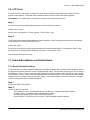
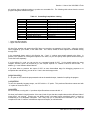
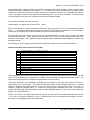
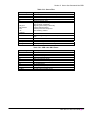
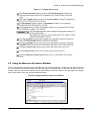
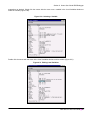
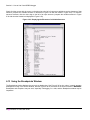
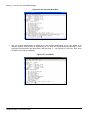
The Console window opens with a (GDB) prompt for invoking debugging commands. Figure 6.38 shows the help
command’s available topics when using the Console window. For more specific commands, see MC-DebuggingTools.pdf in the docs directory of the i.MX GNU X-Tools CD or in the docs directory under Cygwin.
6.15 Using the Function Browser Window
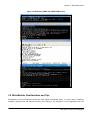
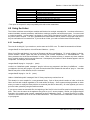
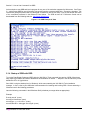
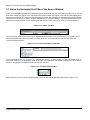
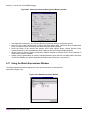
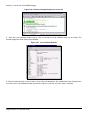
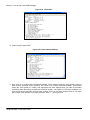
To invoke the Function Browser window, select ‘View|Function Browser’ from the Source Window. The Function
Browser window has several fields that provide search and browsing capability for source code debugging (Figure
6.39). Descriptions follow of the Filter, Files, Functions and View Source fields.
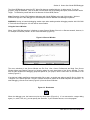
Figure 6.39. Function Browser Window
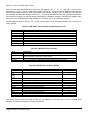
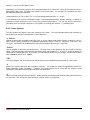
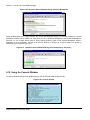
The Filter group at the top of the Function Browser window contains the Show if function drop-down list box and a
text edit field. Show if function allows you to match the character string in the text edit field to its right by any of the
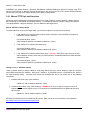
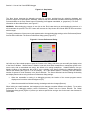
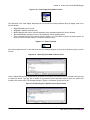
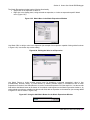
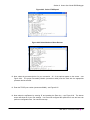
four alternatives. Using the Show if function drop-down list box (Figure 6.40), starts with shows functions that start
with the character string in the text edit field entry, contains shows functions that contain the character string in the
text edit field entry, ends with shows functions that end with the character string in the text edit field entry, matches
regexp makes the search routines use regular expression matching (for example, searching for ‘^[ab].*’ matches all
functions starting with either a or b letters).
Figure 6.40. Show if Function Drop-Down List Box
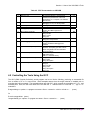
The Files group limits the search to highlighted files. Click individual file names to select or deselect that file. The
list of matching files refreshes when any search parameter changes. Hide ‘.h’ files, if checked, disallows ‘.h’ header
files to display.
Select All selects all listed files. The Functions group matches all functions in the selected file(s). Breakpoints has
two available buttons, Delete or Set; Delete removes a breakpoint previously set at the first executable line of the
selected function, while Set sets a breakpoint at the first executable line of the selected function. Both of these will
work on any and all selected functions in the listing. If all functions are selected, they all get or lose a breakpoint.
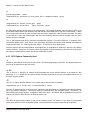
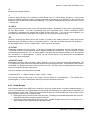
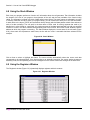
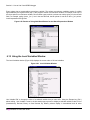
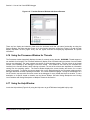
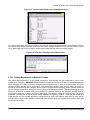
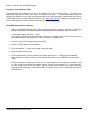
View Source/Hide Source allows you to toggle between displaying or hiding a file in a source browser (Figure 6.41);
the source browser has the same functionality as when using the Source Window.
i.MX GNU X-Tools User Guide ■ 93