1
Page 2 of 29
Face Recognition User Manual
CONTENTS
TRAINING OUTLINE ................................................................................................................... 5
1. introduction ............................................................................................................................ 6
1.1. Uses for I-CUBE face recognition DataBase Search ................................................. 6
1.1.1. Law enforcement: ................................................................................................... 7
1.1.2. Security: ................................................................................................................... 7
1.1.3. Surveillance: ............................................................................................................ 7
1.2. Value proposition ........................................................................................................... 7
1.3. Typical client................................................................................................................... 8
1.3.1. Casino client ............................................................................................................ 8
1.3.2. Shopping Centre or large shop, such as Gateway or Game.............................. 8
1.3.3. Small shop or work place environment................................................................. 8
Hardware setup ............................................................................................................................ 9
2. OPERATING SYSTEM ISSUES ......................................................................................... 9
2.1. OS Setup ........................................................................................................................ 9
2.1.1. OS Setup Useful References................................................................................. 9
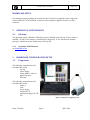
3. HARDWARE CONFIGURATION SETUP .......................................................................... 9
3.1.
Components ................................................................................................................... 9
4. BIOMETRICS ...................................................................................................................... 10
4.1. Introduction to biometric identification techniques.................................................... 10
4.1.1. What is a biometric? ............................................................................................. 10
4.1.2. How a biometric system works: ........................................................................... 11
4.1.3. Types of Biometric Systems ................................................................................ 11
4.1.3.1. Fingerprints..................................................................................................... 11
4.1.3.2. Hand geometry............................................................................................... 11
4.1.3.3. Retina.............................................................................................................. 11
4.1.3.4. Iris.................................................................................................................... 12
4.1.3.5. Face ................................................................................................................ 12
4.1.3.6. Signature ........................................................................................................ 12
4.1.3.7. Voice ............................................................................................................... 13
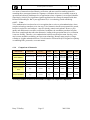
4.1.4. Comparison of biometrics .................................................................................... 13
Barry T. Dudley
Page 2
2003/12/08