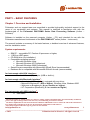
1
not the subject of this Software guide. If you experience problems with the IR
or Bluetooth adapters, please refer to the adapter’s user manual or contact
the seller/manufacturer.
Step 1
Initiating the IR link
IrDA communication between the РМ1703МО-XX (instrument) and the PC can be initiated in two
ways:
1) By installing the battery and immediately aiming the LCD screen of the instrument at IrDA
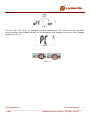
dongle. You will see “IR” displayed on the instrument’s LCD screen as the communications
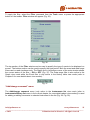
are initiated (Fig. 1) as well as the IrDA icon appears in the Windows system tray (Fig. 2).
2) Pressing the Light button momentarily while in front of the IrDA dongle will initiate
communications if the instrument is powered on.
Fig. 1
Fig. 2
Initiating the Bluetooth link
Bluetooth communication between the РМ1703МО-XX (instrument) and the PC can be initiated
only when Bluetooth module of the instrument is switched on.
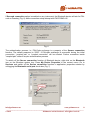
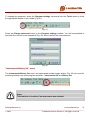
To do it sequentially press the MODE button on the instrument several times until the “-oFF-”
message appears on the LCD. Press the LIGHT button to switch the Bluetooth communication on.
(Fig. 3).
[email protected]
www.polimaster.us
6
_____________________________________________________________________________________
© 2012
Polimaster and its licensors. All rights reserved