1
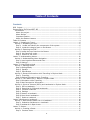
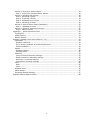
Activity 2: Preview a Route Indoors ...................................................................... 18
Step 1 Preview an Activated Route Indoors ........................................................ 18
Activity 3: Working with Routes ........................................................................... 19
Step 1 Activating a Route ................................................................................ 19
Step 2 Travelling a Route................................................................................. 19
Step 3 Deviating from a Route ......................................................................... 19
Step 4 Cancelling a Route ................................................................................ 20
Activity 4: Walk a Return Route (Backtrack) .......................................................... 20
Step 1 Backtrack a Route ............................................................................... 20
Activity 5: Points of Interest on Routes ................................................................. 20
Step 1 What’s Around ..................................................................................... 21
Appendix 1 Quick Reference Chart ......................................................................... 22
Top Section:...................................................................................................... 23
Middle Section : ................................................................................................. 23
Bottom Section: ................................................................................................ 23
Appendix 2 Settings (from User Guide ver. 1.1) ........................................................... 24
Landmarks ........................................................................................................ 24
Rename Landmark: ......................................................................................... 24
Set or Unset Landmark as possible destination: ................................................... 24
Delete Landmark: ............................................................................................ 24
Routes .............................................................................................................. 25
Renaming Route: ............................................................................................. 25
Deleting Route: ............................................................................................... 25
Verbosity .......................................................................................................... 25
Point of interest Verbosity settings: ................................................................... 25
Route instructions Verbosity settings: ................................................................ 25
Where am I verbosity settings: ......................................................................... 26
Intersection verbosity settings: ......................................................................... 26
Voice ................................................................................................................ 26
Rate: ............................................................................................................. 26
Pitch: ............................................................................................................. 26
Distance Units ................................................................................................... 26
About Breeze..................................................................................................... 27
Re-setting Default Settings ................................................................................. 27
Appendix 3 Breeze Skills Checklist ................................................................................ 28
5