1
Chapter11 Comm.fm Page 130 Saturday, September 10, 2011 6:45 PM
CHAPTER 11
Communication Failures
■ The Communication Process
■ Failure During Pod Activation or Operation
When you turn on or use the Personal Diabetes Manager (PDM),
it establishes communication with the active Pod. Usually,
communication occurs quickly. Occasionally, communication
takes longer, and the PDM displays the communication icon
during that time, in the upper left hand corner of the current
screen.
However, if communication does not work, the PDM will walk
you through the necessary steps to re-establish communication.
Communication can fail if the PDM is:
• Too far from the Pod—It must be within 61 cm (24”) when
you are entering or changing settings.
• Interrupted by outside interference—See the “OmniPod
System Notice Concerning Interference” in the Appendix.
When you send an instruction from the PDM—such as Start to
begin bolus delivery, or Enable to begin using a different basal
program—the Pod usually responds quickly. However, if the
PDM cannot send your instruction within a few seconds, it
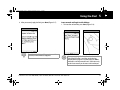
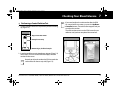
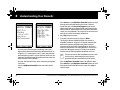
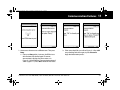
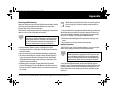
displays the “Communication error” screen (Figure 11-1 on the
next page).
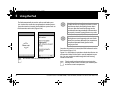
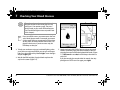
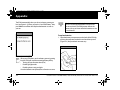
1. Move the PDM closer to the Pod. The PDM will try to
communicate with the Pod again. If communication still fails,
you will see the message in Figure 11-2 on the next page.
130
Customer Care: 1 855 POD INFO (1 855 763 4636). Outside of Canada: 647-788-3132.