1
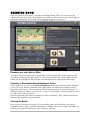
P laying y our Turn
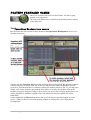
Just like the board game, your turn is divided into a series of phases played by you in
succession, before your opponent then gets a chance to play his own turn. Your game turn is
usually made of the following phases:
1. Play a card
At the end of each phase, you will have to push the
2. Order units
"Done" button located at the bottom right corner of
3. Move units
the screen to validate the current phase and move to
4. Battle
the next one. To save time, you may also use the
5. Take a card
Enter key on your keyboard as a shortcut, instead of
clicking on Done.
Play a Card
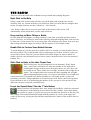
Drag-and-drop a card from your hand onto the board, or double-click
on it to play it.
Order Units
If units can be selected without any doubt, the software will do it for
you - for example, when ordering all the units in a Section you won’t
have to select those individually. All you have to do is to click on the
Done button.
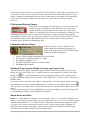
Otherwise, you can select the units you wish to order by clicking on
each of them. Click again on a selected unit to deselect it. Click the
Done button once you’re satisfied with your selection.
Move Units
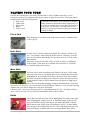
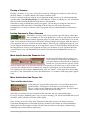
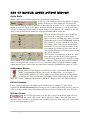
You may move units according to the Memoir '44 rules. Click on the
unit you want to move. Hexagons that can be reached this turn will be
highlighted in green. Hexes from where the unit will be able to battle
this turn will appear in dark green, and hexes where the unit can move
to this turn but won't be able to battle from will appear in light green
instead.
You may move your unit by directly drag-and-dropping it onto its destination hex. You may
also move it hex-by-hex, via a succession of drag-and-drops. However, once you start moving
another unit, you can no longer move the prior unit again.
Likewise once a unit is moved onto an hex, it cannot backtrack for free - Just like in Chess,
once a unit is moved, it is moved. Real commanders stick to their orders!
Battle
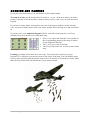
Units that can battle this turn will be highlighted. To battle with a unit
that is highlighted, simply click on it. Animated target symbols will
appear around the enemy units that it can attack. Much like with the
earlier threat zone, a Red color will indicate a roll of 3 or more battle
dice, orange 2 dice and yellow one die. Click-and-drag from your unit
onto your target, or double-click on your target. Battle dice will be
Memoir '44 High Command
For Your Eyes Only
6