1
bdiHCI
BDM interface for HI-WAVE™ Debugger, BDI2000 (MPC5xx/8xx)
User Manual
14
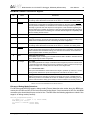
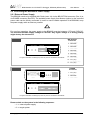
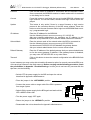
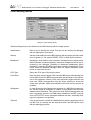
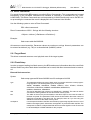
Connect
Click on this button to establish a connection with the BDI2000 loader.
Once connected, the BDI2000 remains in loader mode until it is restarted
or this dialog box is closed.
Current
Press this button to read back the current loaded BDI2000 software and
logic versions. The current loader, firmware and logic version will be displayed.
Update
This button is only active if there is a newer firmware or logic version
present in the execution directory of the BDI setup software. Press this
button to write the new firmware and/or logic into the BDI2000 flash memory / programmable logic.
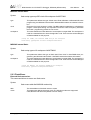
IP Address
Enter the IP address for the BDI2000.
Use the following format: xxx.xxx.xxx.xxxe.g.151.120.25.101
Ask your network administrator for assigning an IP address to this
BDI2000. Every BDI2000 in your network needs a different IP address.
Subnet Mask
Enter the subnet mask of the network where the BDI is connected to.
Use the following format: xxx.xxx.xxx.xxxe.g.255.255.255.0
A subnet mask of 255.255.255.255 disables the gateway feature.
Ask your network administrator for the correct subnet mask.
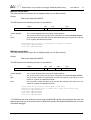
Default Gateway
Enter the IP address of the default gateway. Ask your network administrator for the correct gateway IP address. If the gateway feature is disabled,
you may enter 255.255.255.255 or any other value..
Transmit
Click on this button to store the network configuration in the BDI2000 flash
memory.
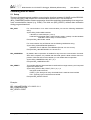
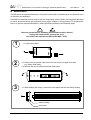
In rare instances you may not be able to load the firmware in spite of a correctly connected BDI (error
of the previous firmware in the flash memory). Before carrying out the following procedure, check
the possibilities in Appendix «Troubleshooting». In case you do not have any success with the
tips there, do the following:
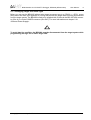
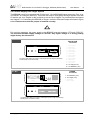
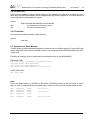
• Switch OFF the power supply for the BDI and open the unit as
described in Appendix «Maintenance»
• Place the jumper in the «INIT MODE» position
• Connect the power cable or target cable if the BDI is powered
from target system
• Switch ON the power supply for the BDI again and wait until the
LED «MODE» blinks fast
INIT MODE
• Turn the power supply OFF again
DEFAULT
• Return the jumper to the «DEFAULT» position
• Reassemble the unit as described in Appendix «Maintenance»
© Copyright 1992-2003 by ABATRON AG
V 1.06