1
Table of Contents
Table of Contents
Introduction to DSC Data Analysis ............................................................................................................... 1
Getting Started ................................................................................................................................................ 3
System Requirements .................................................................................................................................... 3
Installing Origin ............................................................................................................................................ 3
Registering with MicroCal Software ............................................................................................................. 4
Starting Origin............................................................................................................................................... 4
Menu Levels.................................................................................................................................................. 4
Simultaneously Running DSC and ITC Configurations ................................................................................ 5
View Mode.................................................................................................................................................... 5
Note About Data Import................................................................................................................................ 5
Opening and Analyzing Previous Versions of Origin (*.ORG) Documents.................................................. 6
Lesson 1: Basic DSC Data Analysis .............................................................................................................. 7
Starting Origin............................................................................................................................................... 7
Reading DSC Data ........................................................................................................................................ 7
Subtracting Reference Data........................................................................................................................... 11
Viewing Worksheet Data .............................................................................................................................. 12
Normalizing the Data .................................................................................................................................... 13
Creating a Baseline ....................................................................................................................................... 15
Fitting the Data.............................................................................................................................................. 17
The Fitting Session........................................................................................................................................ 18
Calibration..................................................................................................................................................... 21
Lesson 2: Using the Data Selector Tool ........................................................................................................ 23
Lesson 3: Integration ..................................................................................................................................... 29
Setting Range and Integrating the Data ......................................................................................................... 29
Displaying the Integration Results ................................................................................................................ 31
Plotting the Integration Area Data................................................................................................................. 33
Lesson 4: Baseline Determinations ............................................................................................................... 37
Starting the Baseline Session ........................................................................................................................ 37
User Adjustment of Linear Segments............................................................................................................ 39
Choosing a Baseline Option .......................................................................................................................... 40
Cursor Draw Baseline ................................................................................................................................... 43
Lesson 5: Curve Fitting ................................................................................................................................. 45
General Comment ......................................................................................................................................... 45
Fitting Example 1 .......................................................................................................................................... 46
Fitting Example 2 .......................................................................................................................................... 51
Fitting Example 3 .......................................................................................................................................... 54
Lesson 8: Other Useful Details...................................................................................................................... 59
χ2 (chi-sqr) Minimization............................................................................................................................. 59
Response Time – VP-DSC............................................................................................................................ 59
Line Types for Fit Curves ............................................................................................................................. 62
Inserting an Origin graph into Microsoft® Word.......................................................................................... 63
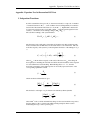
Appendix: Equations Used to Deconvolute DSC Data................................................................................ 65
I. Independent Transitions............................................................................................................................. 65
II. Sequential Transitions ............................................................................................................................. 67
III. Single Two-State Transition with Subunit Dissociation.......................................................................... 69
IV. Absolute Heat Capacity of Proteins ....................................................................................................... 70
Index................................................................................................................................................................. 71