1
Manual control guide
enviro
ON/OFF
–
–
POWER
FAN
FLAME
+
+
* It is important to note that for
15 minutes after using your Enviro remote,
a signal is transmitted from the thermostat which
overides the manual controls. To avoid this you can simply turn
off the power (at the isolation switch) for approx. 2 min before using the manual controls.
Step 1
Ensure that the power supply to the firebox is switched on.
STEP 2
To ignite your Enviro press the power on/off button(top left). This will begin the ignition
sequence which will purge the air from the firebox for approx. 30 seconds before
igniting the burner.
Step 3
The heater will start in the low setting for approx 2 minutes before automatically
jumping to the maximum setting.
Step 4
To reduce the fan/flame setting press the top right button. To increase the fan/flame
press the bottom right button.
*The fan and flame are connected which means that reducing or increasing the
flame will also reduce or increase the fan speed.
Step 5
to turn your Enviro off, simply press the on/off button.
PLEASE NOTE:
Fan will continue to run until firebox cools down.
This is a basic guide only for complete instructions on the use of your Enviro refer to the Customer operating
information & instruction guide along with the 7000 series thermostat user manual.
www.heatmaster.com.au
enviro
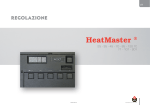
Remote control guide
Step 1
Ensure that the power supply
to the firebox is switched on.
STEP 2
To ignite your Enviro press and release
the power (PWR) button. Ensure that
your set temperature is above the room
temperature. This will begin the ignition
sequence which will purge the air from the
firebox for approx 30 seconds before igniting the
burner.
Ensure that your remote is set to MANUAL (this will be
displayed at the bottom of your LCD screen once you
press the PWR button). To switch between MANUAL and
AUTO press the A/M button. – for Auto programming and time
setting refer to the 7000 series thermostat user manual.
Step 3
To adjust the fan/flame setting simply use the up or down button to change the set
temperature.
*The fan and flame are connected which means that reducing or increasing the
flame will also reduce or increase the fan speed.
- Next: to set the temperature you will notice a small 1, 2, or 3 which indicates the
level of the fan & flame. Level 1 being the lowest and 3 the highest. The picture of
the flame will also adjust to indicate which level you are on. As you increase the gap
between the set temperature and then room temperature the level of the flame & fan
will increase. As the room temperature gets closer to the set temperature the flame &
fan will modulate down to a lower level.
Once the room temperature has reached your set temperature the fire will turn off
until the room drops below the set temperature again.
Step 4
To turn off your Enviro press the power button.
PLEASE NOTE:
Fan will continue to run until firebox cools down.
This is a basic guide only for complete instructions on the use of your Enviro refer to the Customer operating
information & instruction guide along with the 7000 series thermostat user manual.
www.heatmaster.com.au