1
OLICORP
IRS SERIES
30/12/2009
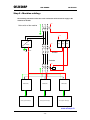
Step 0 : Machine cabling : .............................................................................................................. 28
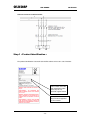
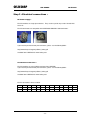
Step 1 : Product Identification : ..................................................................................................... 29
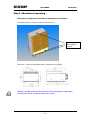
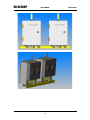
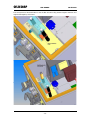
Step 2 : Mechanical mounting : ..................................................................................................... 30
Mechanical configuration of the IRS for integration into machines :............................................. 30
Step 3 : Electrical connections : ................................................................................................... 32
AC Power supply :......................................................................................................................... 32
Connection to the Oven : ............................................................................................................. 32
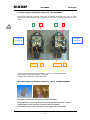
DC Power supply and Profibus terminators – W7.X MODELS..................................................... 34
DC Power supply and Profibus terminators – W1.X and W2.X MODELS................................... 34
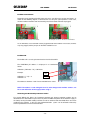
Profibus termination: ..................................................................................................................... 35
Profibus ID:.................................................................................................................................... 35
Selecting the Overload protection mode :.................................................................................... 35
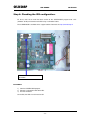
Step 4: Checking the IRS configuration........................................................................................ 37
Procedure:..................................................................................................................................... 37
List of firmware versions according to the model and usage :...................................................... 38
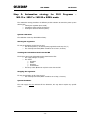
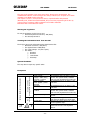
Step 5: Automation strategy for 20.X Programs – WO.13.x / WO.7.x / WO.20.x SIDEL mode.
........................................................................................................................................................... 39
System calibration......................................................................................................................... 39
Starting the regulation ................................................................................................................... 39
Treating the information back from the IRS .................................................................................. 39
Stopping the regulation ................................................................................................................. 39
System Shutdown ......................................................................................................................... 39
Exceptions..................................................................................................................................... 40
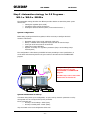
Step 5 : Automation strategy for 5.X Programs –
WO.1.x / WO.2.x / WO20.x .................... 41
System configuration..................................................................................................................... 41
System initialisation at start-up ..................................................................................................... 41
Starting the regulation ................................................................................................................... 42
Treating the information back from the IRS ................................................................................. 42
System Shutdown ......................................................................................................................... 42
Exceptions..................................................................................................................................... 42
PART 4 : TECHNICAL COMPLEMENTS................................................44
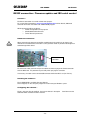
RS232 connection : Firmware update and IRS serial control ..................................................... 45
Overview : ..................................................................................................................................... 45
Hardware connection : .................................................................................................................. 45
Installing the software : ................................................................................................................. 45
Configuring the software : ............................................................................................................. 45
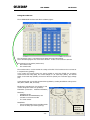
Using the software : ...................................................................................................................... 46
Firmware update : ......................................................................................................................... 47
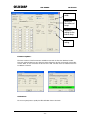
Calibration : ................................................................................................................................... 47
To ensure a good process quality the IRS calibration have to be check ...................................... 47
Voltage calibration :....................................................................................................................... 48
Use a calibrate VRMS Voltmeter .................................................................................................. 48
Measure the voltage between the two phases inside the IRS ...................................................... 48
Enter the value and tick “Calibrate voltage” .................................................................................. 48
Vrms read and Vrms expected mus be the same......................................................................... 48
Current calibration : ....................................................................................................................... 49
Profibus DP : For PROGRAMS 5.X ................................................................................................ 50
Overview ....................................................................................................................................... 50
Procedure to use a IRS regulator with a PLC : ............................................................................. 50
Protocol description and datagram format : .................................................................................. 51
Summary : Basic steps to start the regulation (STD12 protocol) :............................................... 54
Profibus DP: For Programs 20.X.................................................................................................... 55
Overview ....................................................................................................................................... 55
Procedure to use a IRS regulator with a PLC: .............................................................................. 55
Protocol description and datagram format: ................................................................................... 57
Summary: Basic steps to start the regulation: .............................................................................. 57
LEDs.................................................................................................................................................. 58
-3-