1
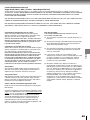
INTERLACED outputs/inputs (ColorStream®)
Some TVs or monitors are equipped with component video
inputs. Connecting to these inputs allows you to enjoy higher
quality picture playback.
Actual labels for component video inputs may vary depending
on the TV manufacturer. (ex. Y, R-Y, B-Y or Y, CB, CR)
In some TVs or monitors, the color levels of the playback
picture may be reduced slightly or the tint may change. In
such a case, adjust the TV or monitor for optimum
performance.
PROGRESSIVE outputs/inputs (ColorStream®Pro)
Some TVs or monitors are equipped with component video
inputs that are capable of reproducing a progressively
scanned video signal. Connecting to these inputs allows
you to view the highest quality pictures with less flicker.
ColorStream and ColorStream Pro are registered
trademarks of Toshiba America Consumer Products, L.L.C.
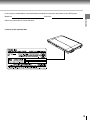
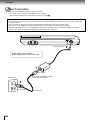
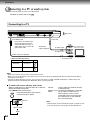
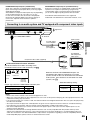
Connecting to an audio system and TV equipped with component video inputs
Signal flow
To COMPONENT VIDEO
To AV OUT
Audio system
To audio inputs
of the amplifier
Connections
Audio cable
(not supplied)
(white)
(red)
TV equipped
with component
video inputs
To CB (blue)
Component video cable (supplied)
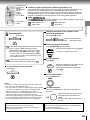
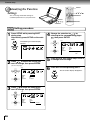
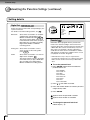
LCD screen/external screen selection
Set AV-OUT Select of TV Menu according to the
connection terminal to be used. For details, see 48 .
TV MENU
TV Shape
16:9 Widescreen
AV-OUT
Off
Off
CVBS/S-VIDEO
Component 480i
Component 480p
To CR (red)
To Y (green)
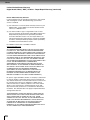
When the AV OUT or BITSTREAM/PCM jacks are
connected to the audio input terminals of an audio
system, sounds of discs can be heard on the connected
audio system. For instructions on connections to audio
systems, see 57 .
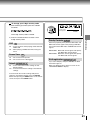
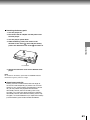
• Make the following setting.
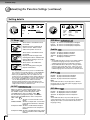
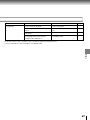
Output signal from the COMPONENT OUTPUT jacks.
Off
–
CVBS/S-VIDEO
–
Component 480i
480i
Component 480p
480p
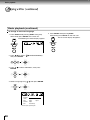
On-screen display
Select:
Page
“Digital Out”
“Bitstream”
or
“PCM”
46
50
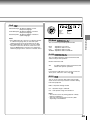
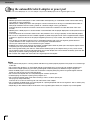
Notes
• Refer to the owner’s manual of the connected equipment as well.
• When you connect the player to other equipment, be sure to turn off the power and unplug all of the equipment from the wall
outlet before making any connections.
• If you place the player near a tuner or radio, the radio broadcast sound might be distorted. In this case, place the player away
from the tuner and radio.
• The output sound of the player has a wide dynamic range. Be sure to adjust the receiver’s volume to a moderate listening
level. Otherwise, the speakers and your hearing may be damaged by a sudden high volume sound.
• Turn off the amplifier before you connect or disconnect the player’s power cord. If you leave the amplifier power on, the
speakers may be damaged.
• Consumers should note that not all high definition television sets are fully compatible with this product and may cause
artifacts to be displayed in the picture. In case of 525 progressive scan picture problems, it is recommended that the user
switch the connection to the “Standard Definition” output. If there are questions regarding our TV set compatibility with this
model 525p DVD player, please contact our Customer Service Center.
55