1
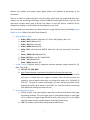
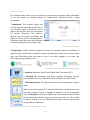
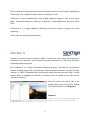
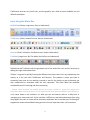
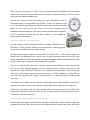
1 Main Screen: View images & documents here.
2 Clip Creator: Create clips from videos & view its corresponding transcript side by side.
3 Coding: Code documents for better organization. There are two sub-tabs near the top menu:
Display, & Find/Query.
4 Transcript Search: Search transcripts using key words.
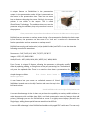
There are 9 tabs or layers at the bottom of the screen where you can overlay exhibits.
Sanction only supports TIF images, which means that frequent conversion of files must first take
place before importing them into Sanction. It does support PDF files, but a PDF Plugin must be
purchased separately.
The embedded OCR (Optical Character Recognition) feature can import or extract text from TIF
and PDF files.
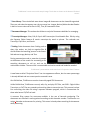
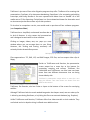
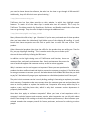
The presentation screen output, like TrialDirector, has a menu bar at the bottom for markups,
zooming, and calling up other digital evidence.
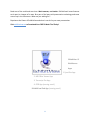
Sanction’s menu bar in presentation mode.
Graphics & Icons are Out-Dated.
Sanction is integrated with Third Party Applications so that transferring data from other
litigation programs (e.g. Summation, Concordance, LiveNote, CaseMap, & TimeMap) minimizes
"duplication of work."
Sanction also has annual maintenance fees, which is costly over time.
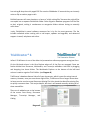
TrialSmart
Since its release in 2005, Clarity Legal’s TrialSmart was only available for Mac. It has just
recently been available for Windows and Linux.
15