1
CHAPTER 2. SYSTEM MESSAGES
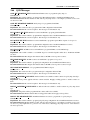
2.16
ETH Messages
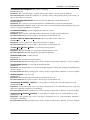
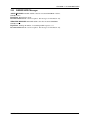
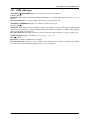
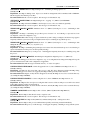
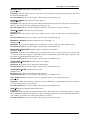
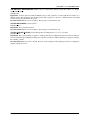
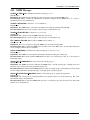
ARP CACHE CLEAR: ARP cache cleared by %s on %s (%s)
Severity: Notice
Explanation: ARP cache cleared by CLI command
Recommended Action: No action is required – this message is for information only.
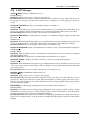
AUTONEGUNSUPPORTED: Auto-negotiation is unsupported on interface %s, link mode (speed and duplex) will
be forced to %s mode instead
Severity: Warning
Explanation: The interface is configured to auto-negotiate, but the transceiver currently inserted does not support
auto-negotiation. The switch will attempt to bring up the link with a forced configuration, as indicated in the message.
Recommended Action: Configure the interface to use one of the supported link modes, or replace the transceiver
with one that supports the configured link mode.
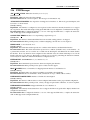
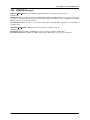
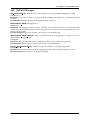
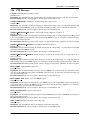
CONGESTION DROPS: Interface %s is experiencing congestion drops, %s
Severity: Info
Explanation: The interface’s frame buffer limits have been exceeded, causing packets to be dropped
Recommended Action: If the problem persists, consider redesigning your network to avoid congestion
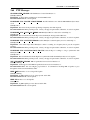
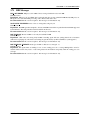
ERRDISABLE: %s error detected on %s.
Severity: Warning
Explanation: The switch detected the reported error condition on the interface, and disabled the interface
Recommended Action: The switch detected the reported error condition (errdisable cause) on the interface. As
a precautionary measure, and to avoid the error condition from affecting the switch/network, the switch disables
the interface. If recovery timer has been configured for the errdisable cause, the switch will attempt to recover the
interface after the recovery timeout. The interface could also be recovered by performing the shutdown command,
followed by the no shutdown command in the interface configuration mode.
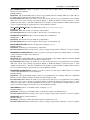
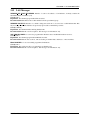
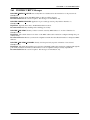
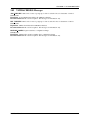
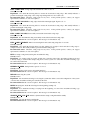
ETHTOOLFAIL: SIOCETHTOOL %s (%s, interface %s): %s
Severity: Error
Explanation: The Linux kernel reported an error when accessing the given interface.
Recommended Action: If the problem persists, please contact customer support.
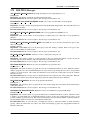
HOST FLAPPING: Host %s in VLAN %s is flapping between interface %s and interface %s
Severity: Warning
Explanation: The MAC address was detected on multiple ports within a short timeframe.
Recommended Action: It is recommended to check your network for loops or MAC address conflicts.
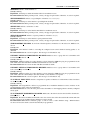
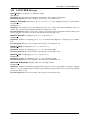
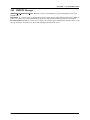
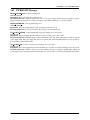
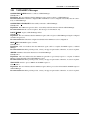
LINKMODEUNCONFIGURED: Interface %s link mode is unconfigured
Severity: Warning
Explanation: The interface’s link mode has not been configured. The interface lacks a proper default configuration.
Recommended Action: If the problem persists, contact your support representative. Otherwise, no action is required.
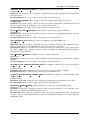
LINKMODEUNSUPPORTED: Unsupported link mode %s for interface %s
Severity: Warning
Explanation: The currently inserted transceiver does not support the link mode (speed and/or duplex) that has been
configured for the interface.
Recommended Action: Configure the interface to use one of the supported link modes, or replace the transceiver
with one that supports the configured link mode.
EOS User Manual
28