1
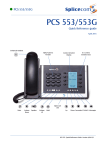
PCS 571/572 Making an External Call PCS 571/572 Making an External Call Voicemail Dial the external number via the alpha-numeric keypad. (Your System Administrator will inform you if a prefix is required.) OR Leaving a Message for a Colleague Leaving a Message for a Colleague Replace your handset (if you are using the handset), or press the Speaker button (if you are using hands free) OR Leave a message The Call Status screen will display whom you are ringing and your details If the extension you are ringing is busy or is not answered you will be transferred to voicemail (if enabled) and played your colleague’s greeting Press the context sensitive key alongside the |Dial| icon, or lift your handset Lift your handset or press the Speaker button Accessing Your Own Messages Accessing Your Own Messages The blue “S” LED at the bottom of the PCS 561/562 will flash to indicate that you have a new message Dial the external number via the alpha-numeric keypad. (Your System Administrator will inform you if a prefix is required.) OR Press the Messages button OR Press the Contacts button A closed envelope icon indicates a new message To listen to the new message press the context sensitive key alongside it. Press the key on the keypad that displays the first letter of the Contact’s name Your message will be played to you Find the Contact required using the Page Up/Down arrows Press the Messages button to exit Select the Contact required using the context sensitive key alongside the |Contact Name| Deleting a Message Deleting a Message Select the message to be deleted using the context sensitive key alongside it. Dial the Contact using the context sensitive key alongside the number required OR Remove the message by pressing the context sensitive key alongside the |Delete| icon during message playback. OR Press the Favourites button (unless this is your default Idle page) Select the context sensitive key alongside the |Yes| icon to confirm you wish to delete the entry Find the contact required from your Favourites display using the Page Up/Down arrow Press the Messages button to exit Dial the Contact required using the context sensitive Key alongside |Speed Dial Name| (Note: The open blue envelope indicates a previously read message.) 2 PCS 571/572 Quick Reference Guide Version 3.2/0913/1 PCS 571/572 Quick Reference Guide Version 3.2/0913/1 7