1
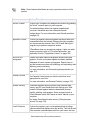
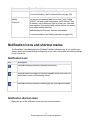
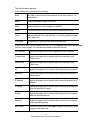
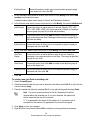
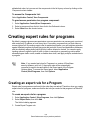
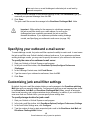
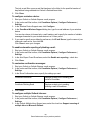
Note - The Add rule dialog contains the same fields and options that are available when you create Expert Firewall rules. Note, however, that IGMP and Custom protocols cannot be applied to expert rules for Programs. See Creating expert firewall rules (on page 36). 4. Click OK. Removing expert rules Expert firewall rules (created in the Firewall | Expert panel) cannot be directly applied to a single program. If the rule is enabled, it is applied globally. Similarly, an expert rule you created for one program cannot be directly applied to another program. To remove an Expert rule: 1. 2. 3. 4. Select COMPUTER| Application Control | View Programs. Select the program for which you want to remove an Expert rule, and then click Options. Click Expert Rules, select the rule you want to eliminate, and then click Remove. Click Apply, then click OK. Browser security ZoneAlarm security software adds a toolbar to your browser that protects your computer and your personal data and privacy while you are on the web. Using browser security You know that ZoneAlarm browser security is on you when you see the ZoneAlarm toolbar in your browser. The ZoneAlarm browser security toolbar adds the following important protections. Warns you when you go to sites that do not have adequate security credentials. Detects known and unknown phishing Web sites. When virtualization is enabled, it can stop malicious zero day drive-by downloads, meaning malware that is not yet known by anti-virus and anti-spyware engines and has no known solution. (Not included in some versions.) Lets you choose a Privacy Browser option when you want to leave no trace on your computer of what you’ve typed or where you’ve been. (Not included in some versions.) 120 Some features are only in premium products