1
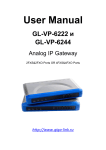
GL-VP-62x0 User Manual
Table of Content
1
2
3
4
5
6
7
8
WELCOME ................................................................................................................... 3
1.1
Gateway GL-VP-62x0 Overview...................................................................... 3
1.2
Safety Compliances ......................................................................................... 3
1.3
Warranty........................................................................................................... 4
PACKAGING ................................................................................................................ 4
2.1
Connect The GL-VP-62x0 ............................................................................... 4
APPLICATION DESCRIPTION .................................................................................... 6
3.1
Functional Diagram of IP-PBX & GL-VP-62x0 ................................................ 6
3.2
GL-VP-62x0 Scenario/Toll- Free Calling Between Locations............ Ошибка!
Закладка не определена.
FEATURES................................................................................................................... 7
4.1
Software Features Overview ........................................................................... 7
4.2
Hardware Specification .................................................................................... 8
CONFIGURATION GUIDE ........................................................................................... 8
5.1
Configuration With Web Browser .................................................................... 8
5.1.1
Accessing The Web Configuration Menu ............................................... 9
5.2
End User Configuration ................................................................................... 9
5.3
Super User Settings ....................................................................................... 13
5.3.1
Super User Configuration ..................................................................... 13
5.4
Configuring The FXO Channels .................................................................... 16
5.5
Profiles ........................................................................................................... 18
5.6
Saving The Configuration Changes............................................................... 26
5.7
Rebooting From Remote ............................................................................... 27
FIRMWARE UPGRADE ............................................................................................. 27
RESTORE FACTORY DEFAULT SETTINGS............................................................ 28
TECHNICAL SUPPORT CONTACT .......................................................................... 29
Copyright © 2009-2011 GigaLink
Page 2 of 29