1
i.
3.
4.
5.
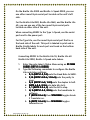
F (DOTS 11-2-4) then SPACEBAR toggles serial
port on.
Escape the Status Menu using an E-CHORD (DOTS 11-5
CHORD).
CHORD)
Press DOTS 33-5-6 CHORD, DOT 1 to turn on the notetaker’s Remote Mode.
Turn on MIMIC.
Connecting MIMIC to the Braille Lite M20 or Braille Lite
M40 note-takers.
1. Enter the note-taker’s Status Menu using an STST-SIGN
CHORD (DOTS 3CHORD).
3-4 CHORD)
2. Type the following commands to configure the Braille
Lite note-taker settings:
a. B, 9 (DOTS 11-2, 33-5) sets the Baud Rate to 9600.
b. P, N (DOTS 11-2-3-4, 11-3-4-5) sets the parity to
none.
c. D, H (DOTS 11-4-5, 11-2-5) sets the duplex to half.
d. DOTS 44-5-6, 22-3-6 sets data bits to 8.
e. S, 1 (DOTS 22-3-4, 2) sets the bit to stop.
f. H, S (DOTS 11-2-5, 22-3-4) sets the handshake to
software.
g. T (DOTS 22-3-4-5) then SPACEBAR toggles Grade
2 Translator on.
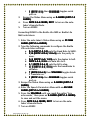
h. F (DOTS 11-2-4) then SPACEBAR toggles serial
port on.
3. Escape the Status Menu using an E-CHORD (DOTS 11-5
CHORD).
CHORD)
4. Enter the Speech Parameters Menu with an ARAR-SIGN
CHORD
CHORD (DOTS 33-4-5 CHORD).
CHORD)
5. Press the SPACEBAR until you reach the option “key
echo words,” then press an E-CHORD (DOTS 11-5 CHORD)
to save and exit the menu.
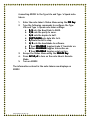
6. Press DOTS 33-5-6 CHORD, DOT 1 to turn on the notetaker’s Remote Mode.
7. Turn on MIMIC.
Part# 440014-001 Rev. B