1
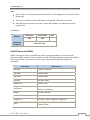
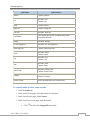
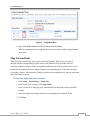
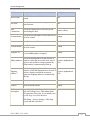
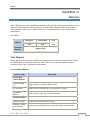
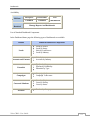
Lead Management
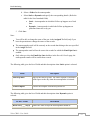
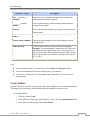
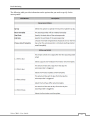
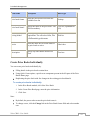
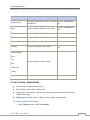
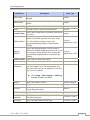
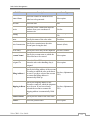
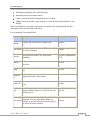
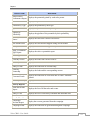
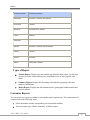
Lead Field
Converted To
Mobile
Contact: Mobile
Fax
Account: Fax
Contact: Fax
Email
Contact: Email
Skype ID
Contact: Skype ID
Web site
Account: Web site
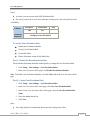
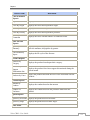
Lead Status
User should specify the Potential Stage while
converting the lead.
Rating
Potential: Rating
No of Employees
Account: No. of Employees
Email Opt Out
Contact: Email Opt Out
Street
Account: Street
Contact: Street
City
Account: City
Contact: City
State
Account: State
Contact: State
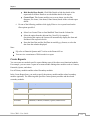
Postal Code
Account: Postal Code
Contact: Postal Code
Country
Account: Country
Contact: Country
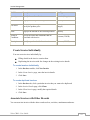
Custom Fields
Users can map their own custom field.
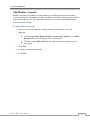
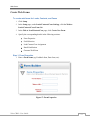
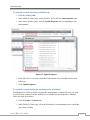
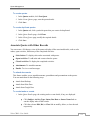
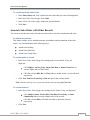
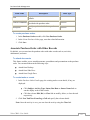
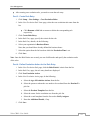
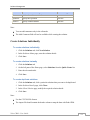
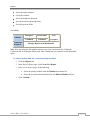
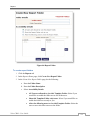
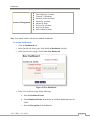
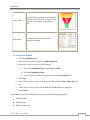
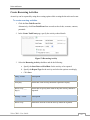
To convert leads to other sales records
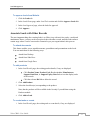
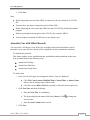
1. Click the Leads tab.
2. In the Leads Home page, select the lead to be converted.
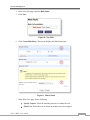
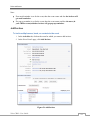
3. In the Lead Details page, click Convert.
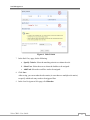
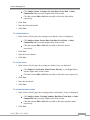
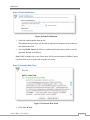
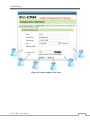
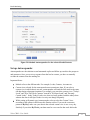
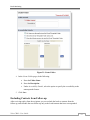
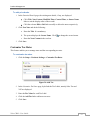
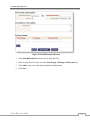
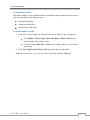
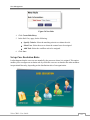
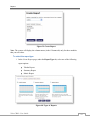
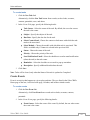
4. In the Lead Conversion page, enter the details:
a. Click
Zoho CRM – User Guide
to select the Assigned To user name.
15