1
WWW. SEEEDSTUDIO.COM
SEEED
Example 2:
Send “AT+EB4800” to module
And the module returns “EBR”
6. AT+FCyy
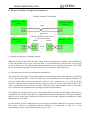
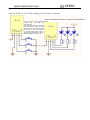
Set module to be wireless IO control. See wireless IO part. The first parameter y can select M
(controller), S (controlled). The second parameter y can select F (follow), T (turnover). It will be
valid after exiting from AT mode.
e.g.:
One module sends “AT+FCMT” to set to controller (remote controller)
And the other module sends “AT+FCST” to set to be controlled
7. AT+FUx
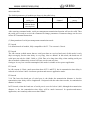
Set module to be wireless serial port function. The value of x is optional within 1 ~ 4.
Characteristics of mode can be seen in Part II above. It will be valid after exiting from AT mode.
The default of module is serial port function.
Only when serial port function mode of two modules is set to be the same, can normal
communication be available.
F means function, and U means UART.
This command is available from V1.8.
e.g.: To set the module to be wireless serial port transparent transmission mode
Send “AT+FU1” to module
And the module returns “OK+FU1”
8. AT+GDPCxAx
This command has been invalid.
Obtain IO status of remote module. Only when remote module is changed by command AT+FCMF,
can reading succeed. CxAx is remote module channel and address such as C001A003. Among the
returned information, 3, 4, and 5 means Pin 3, 4, and 5, H means level, and L means low level.
When reading fails, the module returns Fail.
e.g.:
Send “AT+GDPC001A000” to module
And the module returns “GDPC001A000:3H, 4L, 5H”
Fail