1
OVERVIEW
stzUE is a set of UltraEdit tools that provide rich support for editing ProvideX and PxPlus source code (text) programs and
Nomads libraries. The tools are based on those developed by Sage Software for the development of its Everest (4.x) version
of MAS 90. Sage abandoned the tools in favor of the plug-in developed for the Eclipse IDE, but steezware teamed up with
ERP Developers to update the tools to specifically work with PxPlus. stzUE is used by steezware and ERP Developers for
developing PxPlus applications, but the tools should also work with other versions of ProvideX, such as the 8.31 , 9.30 and
9.40 interpreters used by recent versions of MAS 90 and Sage 100.
TOOLS
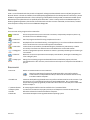
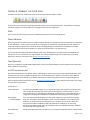
There are seven utility programs in the stzUE toolkit:
stzUEsave
Checks the syntax of the current source file in the editor, and optionally compiles it, backs it up,
and checks it for user-defined warnings.
stzUEsearch
Searches programs and text files using complex search criteria.
stzUEinsert
Displays data from a Pvx data dictionary, a message library, or a Pvx class and allows selected items
to be inserted into the current source file opened in the UE editor.
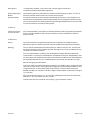
Invokes the Pvx command-line, the Nomads designer, data dictionary maintenance, or PxPlus
online help. Also allows user-defined actions to be added to the invoke-tasks window.
Converts a program file opened in the editor to a text file, optionally formatting it and removing its
line numbers.
Reformats a Pvx trace output file for easier display in the UE editor, allowing for code folding and
color-coding of syntax.
Settings for maintaining programs and Nomads libraries are defined as projects, which are
maintained with this tool. The save, search and insert tools require an interpreter to be defined in a
project.
stzUEinvoke
stzUEpgmtxt
stzUEtrace
stzUEproject
REQUIREMENTS
PxPlus v11
PxPlus v11 must be used to run the stzUE tools.
UltraEdit v19
Note that compilation of programs by stzUEsave and the running of Pvx tasks by
stzUEinvoke are not dependent on PxPlus, as both tools allow for the selection of any
ProvideX or PxPlus interpreter.
stzUE was developed using UltraEdit version 19, and has not been tested on earlier versions. If you
are new to UE, you can download a 30-day trial from the IDM website. Also, note that IDM
Corporation has graciously agreed to provide a 20% discount to users of stzUE, which is described
below in Chapter 1.
c:\steezware\stzUE
All stzUE programs and files must be installed in the c:\steezware folder.
stzUEpvx System
Variable
In order for the stzUE tools to properly function, the stzUEpvx environment variable must be
defined to indicate the location of the PxPlus interpreter.
PvxDax.DLL
The PvxDax.dll object must be registered with the operating system.
stzUE.docx
Page 2 of 18