1
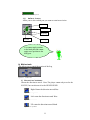
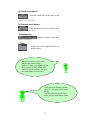
g) Sound check button
Turns the sound effect of the game on/off
Figure IV-3-g: Sound check button
h) Reaction check button
Turns the bounce reaction of a frog on/off
Figure IV-3-h: Sound check button
i) Message box
Displays messages to the player
Figure IV-3-i: Message box
j) Timer
Displays the current elapsed time to you
during a game
Figure IV-3-j: Timer
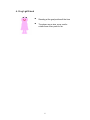
When you want to re-size, move,
and/or rotate some of frog’s
girlfriend’s parts, you should stop the
frog’s motion at first (collide with
wall will stop his motion), and drag
the white square to where she
If you check the bounce reaction
check box, the game will become
harder..
You should set the speed slower
when you play with bounce mode.
13