1
F.
G.
H.
I.
J.
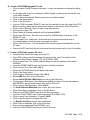
• F4-Util
• F1-Diag
• F4-Upgrad
• F1-Pccard
• Stop/F3-Update and wait for the instrument to reboot.
This key sequence will force an update of the boot and application section of the
CPU board Flash memory.
Turn off the 9700.
On the CPU board, move jumper SP10 to position 1-2. This is the normal operating
position that tells the 9700 to boot off the CPU board Flash memory.
Turn on the 9700 and verify that the instrument powers up correctly and that the
correct firmware version is displayed on the top-level screen.
Turn off the 9700 and replace the back panel.
To upgrade a 9700 which has an existing version of software (using PC card):
A. Turn on the 9700.
B. Insert a 9700 upgrade PC card into the card slot on the right hand side of the 9700.
C. Press the following keys:
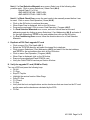
• F4-Util
• F1-Diag
• F4-Upgrad
• F1-PCcard
• F3-Update and wait for the instrument to reboot.
D. Verify the correct firmware version is displayed on the top level screen.
To upgrade a 9700 which has an existing version of software (using Serial Port):
A. Turn on the 9700.
B. Connect cable from RS485 port on 9700 to serial port on computer
C. Press the following keys:
• F4-Util
• F1-Diag
• F4-Upgrad
• F1-Serial
• F3-Update
D. Begin download of upgrade file from the computer using the Kermit protocol.
E. Wait for instrument to reboot.
F. Verify the correct firmware version is displayed on the top-level screen.
NOTE:
When upgrading the 9700 firmware through a PC card or the serial port, DO NOT pull
out the PC card or disconnect the serial cable while the upgrade is in progress or there
is the possibility that the boot sector of the CPU board Flash memory will only be
partially written and the instrument will be INOPERABLE until it is re-programmed at the
factory. If the PC card or serial cable is pulled out before the end of the upgrade, or
there is an error during the programming of the CPU board Flash memory, the
instrument will start issuing a series of beeps which can be deciphered by reading the
error beep descriptions below.
4311000 Page 3 of 8