1
User Manual
Elixir CASE
A message to self
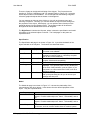
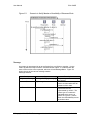
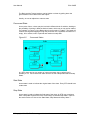
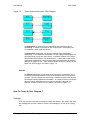
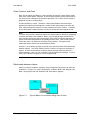
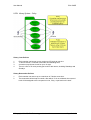
An object can send messages to itself. An example of when an object would need to
call itself is when it requires another service that itself provides. In Figure 5.3, the
Reservation class calls itself 3 times, firstly, to getReservation, and then to
generateNotification and lastly, to setNotifiedStatus.
How To Create An Object Sequence diagram ?
Scenario boundary
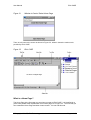
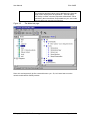
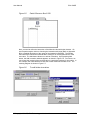
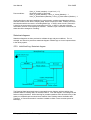
First, you will need to draw the scenario boundary by selecting from the Toolbox. On
the scenario boundary, there will be a vertical line on the left side. This is the initial
lifeline, from which the first method is triggered.
Create Classes
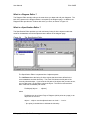
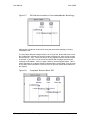
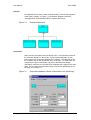
You may be wondering how you can draw the classes. To do that, you will first have
to create the class models in the system. I suggest that you create the classes on the
same diagram but draw them outside the Scenario boundary. In this way, you can
easily access them to, say, add methods or fields. Then, after completing the
scenario, you can use “Delete graphic” to delete the object graphic from the diagram
page.
Note
As I have mentioned in Chapter 3, the class objects that are drawn on the Diagram
page are just graphical representation of the class models in the database. Through
these graphical class objects on the page, we are able to define the various
properties of the class model and these properties will be stored in the database. If
we delete these graphical objects from the page, the class models still exist in the
database. We can draw another graphical class object on some other pages to
access the class model definitions (using Ctrl-click).
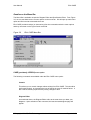
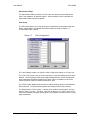
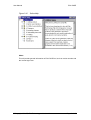
To create a class, select the Class tool which is under “Class Diagram” or the Class
(container), and draw it on the page as per normal. Give the class a name. Go into
the properties for the class to define the methods, fields and other characteristics.
These characteristics are described in Appendix B, under the various Property tab
pages.
Note
At this stage, you must at least define the methods provided by the classes to be
used in the object sequence diagrams.
© Copyright 2000 CE, Elixir Technology
Version 1.2
Page 39 of 95